Photo Authenticity Check
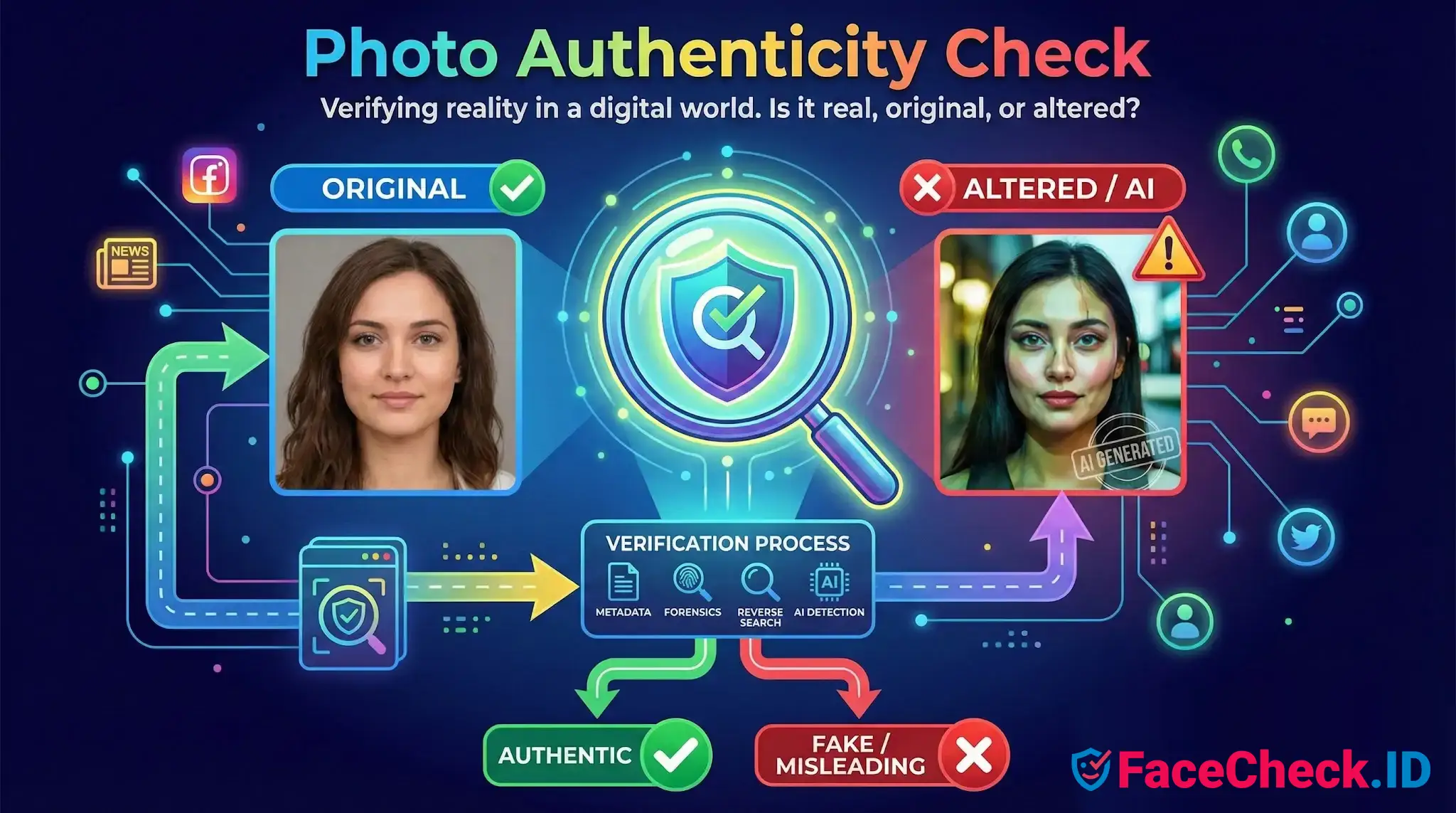
A photo authenticity check is the work of deciding whether an image is original, unaltered, and being shown in its real context. On a face-search platform like FaceCheck.ID, this question comes up constantly: a profile photo may be stolen from someone else, lifted from an old modeling shoot, generated by AI, or stitched together from pieces of real people to defeat reverse image search.
How authenticity checks intersect with face search
Face search and authenticity analysis answer different questions. Face search asks "where else does this face appear online?" Authenticity analysis asks "is this image actually what it claims to be?" The two work best together. If a reverse image lookup returns the same face on a dating profile, a stock photo site, and a Russian-language modeling portfolio from 2017, the authenticity question almost answers itself: the dating profile is reusing someone else's photo.
Conversely, when a face search returns no matches, authenticity signals help explain why. Generated faces from tools like StyleGAN or diffusion models often produce zero indexed matches because the person does not exist. A new account using a never-before-seen photo with no web footprint is a common signature of either a synthetic image or a freshly created burner identity.
Signals that matter when interpreting a face image
Most useful authenticity signals fall into a few categories that directly affect how you should read face-search results:
- Reuse across unrelated identities. The same face appearing under different names on LinkedIn, a dating site, and a crypto promo page strongly suggests image theft or a romance scam pipeline.
- Generative artifacts. Mismatched earrings, melted glasses frames, irregular teeth, asymmetric pupils, hair that fades into background, and warped text on clothing or signs are common in AI-generated faces.
- Editing seams around the face. Face swaps and face-replacement filters often leave subtle blending lines along the jaw, hairline, or neck, plus lighting that does not match the rest of the body.
- Compression and resave history. A photo that has been screenshotted, cropped, and reuploaded many times loses metadata and gains compression noise, which is typical of images circulating on scam networks.
- Missing or stripped EXIF. Most social platforms strip metadata on upload, so its absence is normal. Its presence, especially with original camera and timestamp data, is the stronger signal.
Where authenticity checks support face-search investigations
In practical investigations, authenticity questions show up in a few recurring scenarios. A suspected catfish sends a selfie that looks too polished. A reverse image search returns a match on an Instagram account from three years earlier with a different name. The selfie is real, but the identity attached to it is not. Authenticity here is less about pixel forensics and more about provenance: who posted this face first, and under what name.
Mugshot reuse is another pattern. Scammers sometimes pull arrest photos from public databases to populate fake profiles, betting that targets will not run a reverse search. Face-search hits on booking sites, paired with a totally different name on a dating app, make the mismatch obvious.
Synthetic profile photos used by bot networks are the harder case. There are no prior matches to find because the face was generated. Here the authenticity check has to lean on visual artifacts and account behavior rather than provenance.
Limits and honest caveats
A photo authenticity check rarely produces certainty on its own. High-quality AI faces from current models can pass casual visual inspection. Heavy JPEG compression destroys the forensic traces that error level analysis depends on. A photo can be completely real and still be used dishonestly, as when someone posts a genuine but stolen vacation photo on a fake profile.
Face search results have their own failure modes that interact with this. Lookalikes and identical twins can produce false positives. A genuine person with almost no online footprint can look as suspicious as a synthetic identity. And a confirmed image reuse only proves the photo appeared elsewhere first, not that the current account holder is the impostor rather than the victim.
The reliable approach is to treat authenticity checks and face-search hits as evidence to weigh together, alongside account age, writing style, payment requests, and other behavioral signals, rather than as a single test that returns a verdict.
FAQ
What is a “Photo Authenticity Check” in a face recognition search engine?
A Photo Authenticity Check is a set of steps used to judge whether a query photo (or a matched result image) is likely a genuine, unmanipulated photo of a real person, versus an AI-generated, heavily edited, face-swapped, or context-misleading image. In face recognition search, authenticity matters because a convincing but inauthentic image can produce plausible-looking matches and lead to wrong conclusions.
What are common red flags that a face photo may be AI-generated or manipulated before I run a face search?
Common red flags include inconsistent skin or hair texture (over-smooth or plastic-like), distorted accessories (glasses, earrings), asymmetrical or “melted” background details, mismatched lighting/shadows across the face, unnatural teeth or eyes, and warping near facial edges (jawline, ears). Also treat screenshots of videos, heavily filtered selfies, and images with obvious retouching as higher-risk inputs that may reduce match reliability.
How can I do a practical Photo Authenticity Check using face-search results (without assuming the top match is true)?
Use results to cross-validate context: (1) open several top matches and compare multiple independent photos, not just one; (2) look for consistent, time-spanning presence (different dates, locations, outfits, and sources) rather than a single repost; (3) check whether the same image appears across many unrelated accounts (a sign of reposting or stolen images); and (4) compare facial details that are harder to edit consistently (ear shape, moles/scars, spacing of features) across multiple images. Treat any single hit as a lead until corroborated by multiple consistent sources.
Why can an inauthentic or edited photo produce convincing “matches” in face recognition search engines?
Face search engines compare facial patterns; if an image is face-swapped, AI-generated, or heavily beautified, it can still contain a face-like pattern that is close to many real faces or to the source identity used in a swap. Edits can also remove distinctive cues (skin texture, small asymmetries) and make different people look more similar, increasing near-match and wrong-person risk—especially when the query image is low quality or stylized.
How can FaceCheck.ID add value in a Photo Authenticity Check workflow?
FaceCheck.ID (like other face recognition search tools) can help by showing where similar faces appear across the public web, which can reveal patterns consistent with reuse, impersonation, or synthetic/stolen profile photos. For authenticity checking, focus on whether results show a coherent trail (multiple consistent images tied to a stable persona) versus scattered reposts, many unrelated profiles, or abrupt context shifts. Regardless of the tool, avoid treating a match as identity proof—use it to collect corroborating sources and reduce the chance of acting on a manipulated image.