Identify Person in Photo
When someone has a photo but no name, the question becomes whether the face in that image can be tied back to a real identity online. FaceCheck.ID is built around this exact problem: take an unknown face, search the indexed public web, and surface pages where the same face appears so the person can be named, verified, or ruled out.
What "identify person in photo" actually involves
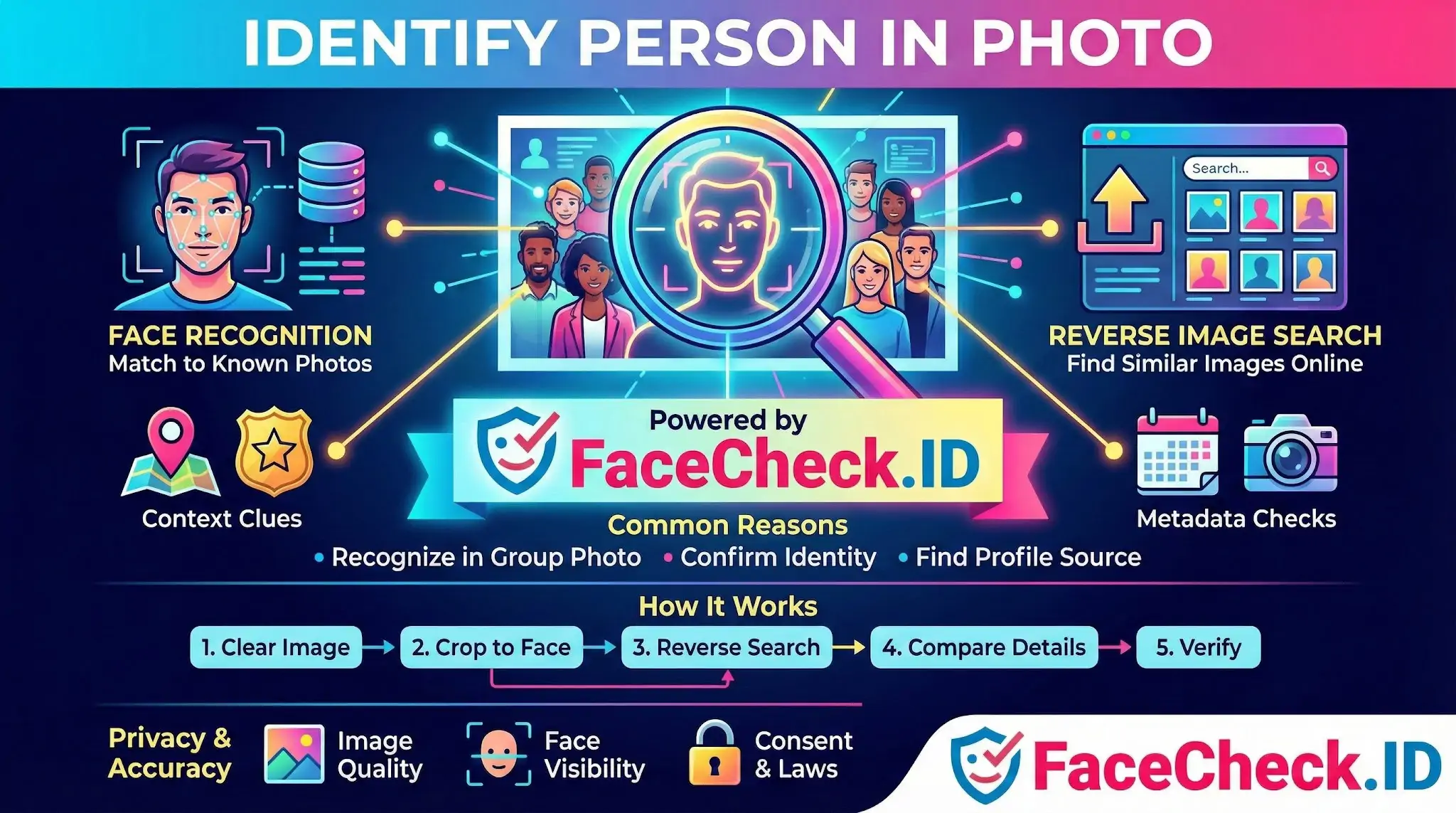
Identifying a person from a single image is rarely one step. It usually combines face recognition with reverse image search and human judgment about context.
- Face recognition compares facial geometry in the uploaded photo to faces detected on indexed public pages. The output is a ranked list of likely matches with confidence scores, not a definitive name.
- Reverse image search looks for the exact pixel pattern or near duplicates of the image itself. Useful when a photo has been reused, scraped, or stolen for a fake profile.
- Visual context includes tattoos, jewelry, uniforms, event lanyards, gym backgrounds, or scenery. These often confirm or eliminate a candidate that face recognition alone cannot resolve.
- Cross referencing means treating one match as a starting point and checking whether other public pages, usernames, or photos line up with the same person.
A face-search engine handles the first two automatically. The last two are still the user's job.
How face search produces a usable identification
A typical workflow on FaceCheck.ID looks like this:
- Upload the clearest face crop available. Front facing, eyes visible, minimal occlusion. Group shots and side profiles cut accuracy sharply.
- Review the ranked results and look at the score range. High confidence matches across multiple unrelated pages are stronger evidence than one match at the same threshold.
- Open the source pages. A LinkedIn headshot, a news article caption, a tagged Instagram post, or an old forum avatar each give different identity signals.
- Compare secondary features. If three results show the same face but different names, study tattoos, ear shape, or recurring locations to decide whether you have one person with multiple aliases or genuine lookalikes.
- Verify against an independent source before treating the identification as confirmed.
Headshots from professional sites tend to produce the cleanest matches because the same image is reused across employer pages, conference bios, and press releases. Casual selfies are noisier because lighting, angle, and filters all shift between uploads.
Why some photos fail to return a useful identity
Even strong face-search systems return nothing usable when the input or the target's online footprint is weak. Common causes:
- The face is small, blurred, turned more than about 30 degrees, or partly hidden by sunglasses, masks, or hair.
- The person has a minimal public presence, uses private accounts, or actively scrubs their photos from indexed sites.
- Heavy filters, beauty smoothing, or AI editing have changed facial geometry enough to weaken matches.
- The available photos online are from a very different age, weight, or hairstyle than the query image.
- The subject has a strong lookalike with a much larger online footprint, which can dominate the result list and bury the real match.
Confidence scores help here. A top result at a low score paired with several other unrelated faces in the list usually means the system did not find a real match, not that it found a weak one.
What an identification can and cannot prove
A face-search hit shows that a face matching the query appears on a specific public page. That is useful, but it is not the same as proving identity.
- A match to a profile shows the photo is on that profile, not that the named account holder is the person in your original image. Profiles get hijacked and photos get stolen.
- Multiple consistent matches across unrelated sources are stronger evidence than a single hit, especially when names, locations, and timelines agree.
- A non-match does not prove the person is not online. It often means their photos are not indexed, are behind login walls, or differ too much from the query.
- Identical twins, close siblings, and unrelated lookalikes can all generate high-confidence matches. Visual context decides between them.
Identifying someone from a photo also carries real responsibilities. Use it to verify people you are about to meet, transact with, or trust online, or to check whether your own images are being misused. Do not use it to stalk, harass, or expose people who have a reasonable expectation of privacy. Local laws and platform terms apply regardless of what the technology can do.
FAQ
What does “Identify Person in Photo” mean in the context of face recognition search engines?
“Identify Person in Photo” usually means using a face recognition search engine to look for visually similar faces across public web images and return potential matches (links/photos), not a guaranteed legal identity (name). The output should be treated as investigative leads that require independent verification.
Will an “Identify Person in Photo” search give me the person’s real name and contact details?
Typically no. Face recognition search engines generally return pages where the face (or a similar face) appears, and any names are inferred from the pages found—not confirmed by the tool. You should verify identity using multiple corroborating signals (consistent usernames, cross-links, timestamps, and additional photos) and avoid contacting or accusing someone based on a single match.
What are safe, responsible reasons to use “Identify Person in Photo,” and what uses should be avoided?
Safer uses include checking whether your own photos are being reused, investigating suspected impersonation, or validating whether a profile photo appears elsewhere. Uses to avoid include stalking, harassment, doxxing, or trying to “out” someone based on uncertain matches. Even when results look convincing, treat them as non-definitive and minimize harm by not sharing results publicly.
What should I do if the “Identify Person in Photo” results mix multiple different people or seem inconsistent?
Assume the results may include look-alikes, edited images, or low-quality matches. Re-run the search with a better input (front-facing, well-lit, higher resolution, minimal filters), try an alternate photo of the same person, and validate each candidate match by comparing multiple photos, context (location, age range, event), and the credibility of the source page. Do not rely on a single high-similarity result.
How can FaceCheck.ID add value to an “Identify Person in Photo” workflow, and what precautions should I take?
FaceCheck.ID can be used as a face search tool to surface web pages where the same or similar face appears, which can help you find potential source pages for a profile photo or detect reuse across sites. Precautions: upload only what you have the right to use, avoid uploading sensitive images (minors, private situations), treat matches as leads (not proof), and verify by cross-checking multiple independent sources before taking any real-world action.