AI-Generated Video: Vetting Synthetic Faces
AI-generated video has changed what a face on screen actually proves. A clip showing someone speaking, walking, or appearing in a location no longer guarantees that person was filmed at all, which directly affects how face-search results, dating profile videos, and "evidence" clips should be interpreted.
How AI-generated video complicates face identification
Reverse face search works by matching a face in a query image against faces indexed across the public web. When the source material is synthetic, several things break down at once.
A fully AI-generated person has no real identity behind the face, but the model may still produce features that resemble a real human, sometimes closely enough to trigger partial matches. A face-swapped or lip-synced video, on the other hand, contains a real person's face mapped onto another body or made to say things they never said. Face search may correctly find the underlying identity while completely missing the fact that the footage is fabricated.
Common formats that show up in investigations include:
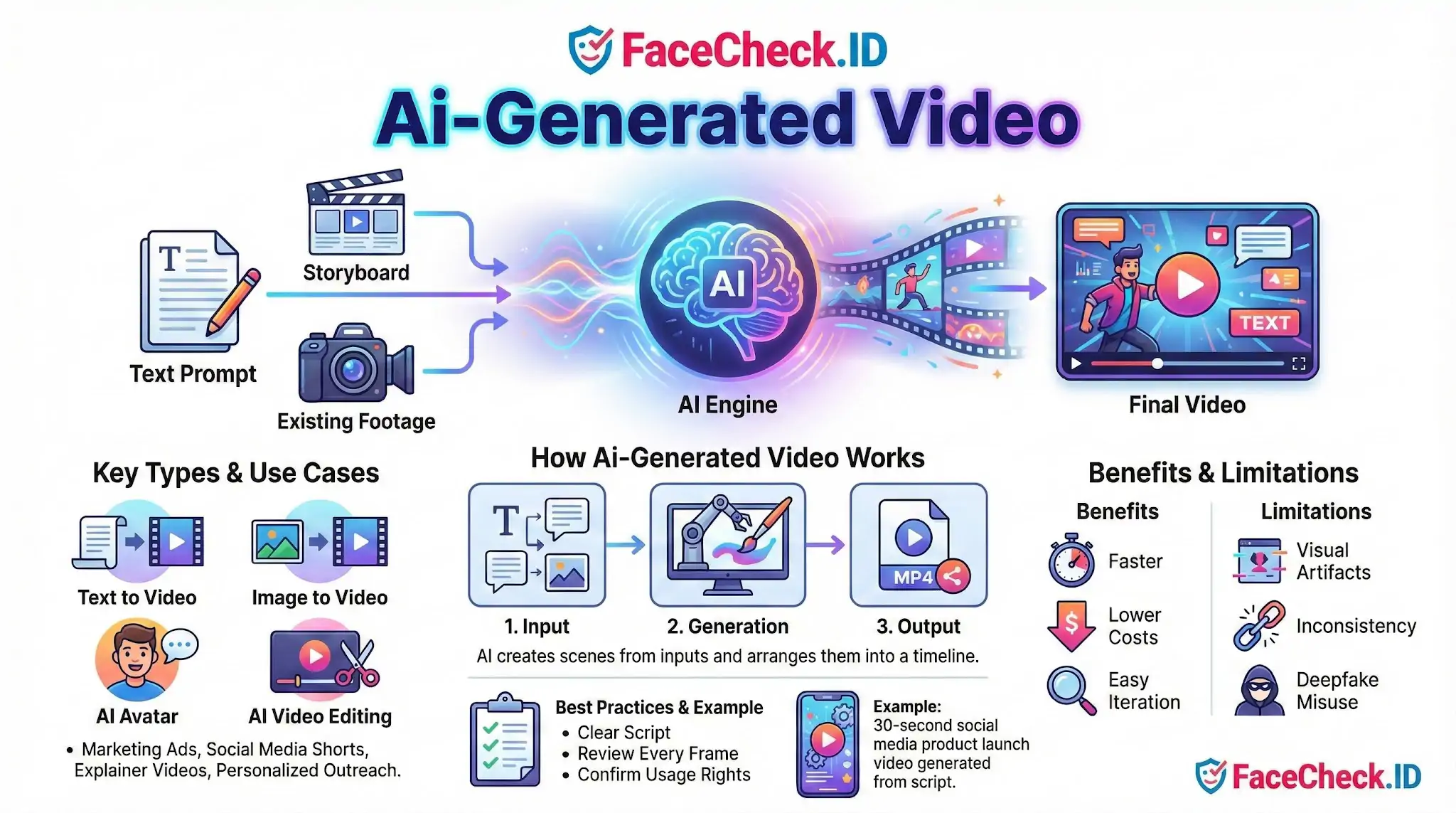
- Text-to-video clips used in romance scams to "prove" the person is real
- AI avatar presenters in fake job offers, investment pitches, and crypto promos
- Image-to-video animations that turn a single stolen photo into a short clip
- Lip-synced videos placing a public figure's face on a scripted message
- Face-swapped adult content used for harassment or extortion
Signs a video face may be AI-generated
No single tell is reliable, but several patterns raise suspicion. Eyes that do not track consistently, teeth that shift shape between frames, earrings or glasses that change geometry, hairlines that flicker, and backgrounds that warp during head turns are all common artifacts. Lip sync that looks accurate on vowels but slips on plosives often indicates an overlay model rather than real footage.
For investigators using FaceCheck.ID, the more useful signal is often the search result itself. If the face in a video returns matches to a stock photo site, an "AI-generated faces" gallery, or a thispersondoesnotexist-style source, the subject likely never existed. If matches show the same face attached to many unrelated names across dating apps and social profiles, the video is probably built from a stolen identity rather than the speaker's own.
How face search helps separate real people from synthetic ones
Reverse face search is one of the few practical tools for vetting AI-generated video, because it pulls the face out of the moving context and compares it against a static index. Useful steps:
- Pull several clear frames from the video, especially front-facing ones with neutral expression
- Run each frame separately, since lighting and angle change which matches surface
- Compare results across frames. A real person tends to produce overlapping matches across timestamps. A synthetic face often produces scattered, low-confidence hits or none at all
- Check whether matches predate the video. A profile created last week with no earlier footprint is weaker than a face indexed across years of unrelated pages
- Look for the face attached to a different name. This is the strongest indicator of catfishing or romance fraud using AI-enhanced media
What AI-generated video does not prove and where face search falls short
A clean face-search result on a video frame does not confirm the video is authentic. It only confirms that the face in that frame matches indexed images of a real person. The video itself may still be fabricated, edited, or stitched from older clips. Likewise, no matches does not prove the face is synthetic. The person may simply have a small online footprint, use private accounts, or have photos that were never crawled.
False positives matter here. Diffusion models trained on web-scraped faces can reproduce features close enough to real individuals to create misleading low-confidence hits. Treat any single match below strong confidence as a lead, not a conclusion. Cross-check with metadata, voice analysis, account history, and direct verification before treating a video as proof of identity. Face search narrows the field of possibilities. It does not authenticate the footage on its own.
FAQ
What is an AI-generated video in the context of face recognition search engines?
An AI-generated video is video content created or heavily altered by AI (for example, face swaps, synthetic presenters, or deepfake-style edits). In face recognition search engines, AI-generated video matters because a single video can produce many different-looking frames of a face, which can create confusing matches or “near matches” when those frames are used for face search.
How can an AI-generated video affect face recognition search results?
AI-generated video can (1) make a face look like a different person (face swap), (2) smooth or alter key facial details (beauty filters, upscales), or (3) introduce artifacts that change how a model encodes the face. This can increase false positives (matching the wrong person) or false negatives (missing the correct person), especially if the only available image is a low-quality video frame.
What is the safest way to use a video frame for a face recognition search when AI-generated video is possible?
Use multiple frames rather than relying on one screenshot: pick several clear frames with a front-facing view, neutral expression, good lighting, and minimal motion blur. Avoid frames with heavy filters, exaggerated expressions, extreme angles, or compression artifacts. If different frames produce different “top matches,” treat that as a warning sign that the source video (or the frame quality) may be distorting the face.
Can AI-generated video lead to false identification, and what practical checks reduce the risk?
Yes. A realistic face swap or synthetic face can generate results that look convincing but refer to the wrong person. To reduce risk, verify beyond the face: cross-check consistent identifiers across sources (same username, linked accounts, locations, timestamps, and overlapping photo sets), compare multiple photos from the alleged match, and look for independent corroboration. Treat face-search output as leads, not proof of identity.
If FaceCheck.ID returns matches for a face taken from a suspected AI-generated video, how should I interpret them?
Interpret the results cautiously: matches may reflect the real person whose face was used, the person being impersonated, or unrelated look-alikes influenced by the video’s edits. If FaceCheck.ID results cluster around several different identities or vary sharply across different extracted frames, prioritize validation steps (source-page context, repeated appearances across independent sites, and consistent biographical details) before drawing conclusions.