Find Person by Photo
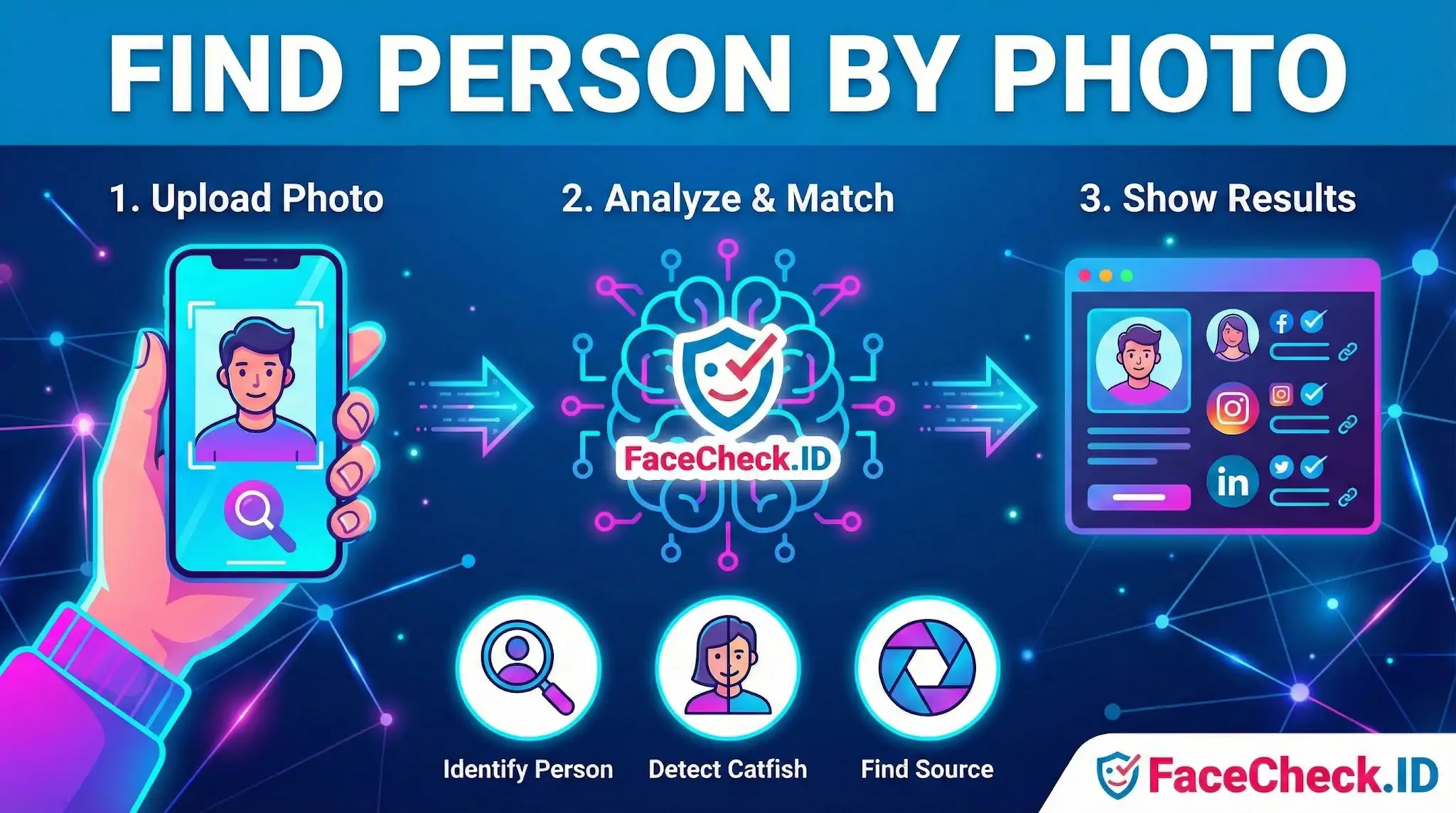
Finding a person by photo is the core use case behind FaceCheck.ID: you have an image of a face and want to know who it belongs to, where else it appears online, and whether the identity attached to it is real. Unlike a name search, a photo search works even when you have nothing else to go on, which is why it has become a standard step in vetting strangers met through dating apps, marketplaces, freelance platforms, and unsolicited messages.
How a face-based photo search actually works
A face search engine differs from a generic reverse image search. Reverse image lookup hunts for exact or near-exact copies of a file. Face search extracts a mathematical representation of the face itself, then compares it to faces detected on indexed pages across the public web. That distinction matters: a scammer who crops, recolors, or mirrors a stolen photo can defeat pixel-based matching but usually not face-based matching, because the underlying facial geometry stays consistent.
The pipeline generally looks like this:
- Face detection isolates the face inside the uploaded image and discards background noise.
- Embedding generation converts the face into a numerical vector capturing distances between landmarks, proportions, and other invariant traits.
- Vector comparison searches the index for faces with similar embeddings and returns the closest matches with a confidence score.
- Source surfacing links each match back to the page where it was found, so you can read context, check usernames, and judge whether the person you found is the person you searched.
What you can realistically learn
A photo lookup is most useful when the subject has any meaningful public footprint. Strong candidates include people with LinkedIn profiles, dating app accounts, news mentions, podcast appearances, conference photos, public Instagram or X accounts, or coverage in arrest records and scam-warning sites. The kinds of questions a face search can help answer:
- Is this dating profile photo also being used under a different name elsewhere?
- Does the person claiming to be a doctor, recruiter, or investor actually appear under that name on professional sites?
- Has this image shown up in romance scam reports, fraud forums, or fake influencer warnings?
- Is the face on a marketplace seller profile attached to any verifiable identity at all?
- Where did a viral or anonymous photo originate?
The strongest signal is usually not a single match but a pattern. One profile under a different name might be a coincidence or an old account. Five accounts across four countries with four different names is a different story.
Getting cleaner matches
Image quality drives result quality more than any other factor. A frontal, well-lit, unobstructed face roughly the size of a passport photo will outperform a wide-angle group shot every time. Useful habits:
- Crop tightly around the face before uploading, but keep both eyes, the nose, and the mouth fully visible.
- Avoid heavy filters, beauty smoothing, sunglasses, masks, and extreme angles.
- If you have several photos of the same person, run each separately and look for overlap in results.
- Prefer recent images. Faces age, and a 15-year-old yearbook photo may miss matches that a current selfie catches.
What a photo match does not prove
A face search returns visual similarity, not legal identity. Even high-confidence matches can mislead in specific ways worth understanding before acting on them.
Lookalikes are real. Identical twins, close relatives, and unrelated doppelgängers can all produce strong scores. A person with a distinctive face will generate cleaner, more reliable matches than someone with average features who resembles many others.
Stolen photos cut both ways. If a scammer has been using a real person's pictures to build fake profiles, your search may surface the victim's genuine accounts alongside the impersonator's fakes. The face is the same; the identities are not. Always read the surrounding context on each match: usernames, post history, language, location claims, and account age.
Absence of results is not proof of innocence. Plenty of real people have minimal online presence, and plenty of pages are not indexed. A clean search means nothing was found, not that nothing exists.
Finally, identification is a starting point, not a verdict. Use face search to generate leads, then verify with other evidence: video calls, official records, mutual contacts, or direct questions whose answers you can independently check. Treat any decision that affects someone's reputation, safety, or legal standing as requiring more than a similarity score.
FAQ
What does “Find Person by Photo” mean in the context of face recognition search engines?
“Find Person by Photo” usually means using a face recognition search engine to look for web pages that contain the same face (or a very similar face) as the one in your uploaded image. The results are typically links to images and pages where that face appears, not a guaranteed real-world identity or legal name.
Does “Find Person by Photo” always identify the person’s real name or prove who they are?
No. A face search can surface potential leads (profiles, reposts, articles, or image copies), but it does not reliably prove identity by itself. People can share similar facial features, photos can be mislabeled, and images can be reused or reposted under different names—so any “match” should be treated as a starting point for verification, not proof.
What’s the safest way to use “Find Person by Photo” results without misidentifying someone?
Use results as leads and verify with multiple independent cues: compare multiple photos across time, check whether the page context matches (location, age range, language, affiliations), and look for an original source rather than reposts or scraped copies. Avoid sharing accusations, and if the use case is sensitive (crime, employment, relationships), seek corroborating evidence that does not rely solely on facial similarity.
What should I avoid uploading when using “Find Person by Photo” tools for face search?
Avoid uploading images that contain unnecessary sensitive data, such as children’s faces, IDs/documents, medical information, home addresses, or other bystanders in the background. If you must search, consider cropping to just the relevant face and removing metadata where possible, so you reduce privacy risk for both the subject and anyone else captured in the image.
How can FaceCheck.ID add value to a “Find Person by Photo” workflow, and what should I keep in mind?
FaceCheck.ID is an example of a face-search tool that can help you discover where a face appears across different pages and image sources, which may be useful for checking photo reuse, impersonation, or whether the same face shows up under multiple profiles. Keep in mind that any tool’s results can include look-alikes, mislabeled pages, or repost networks, so you should validate matches carefully and avoid treating a face-search hit as definitive identification.