Onboarding Verification
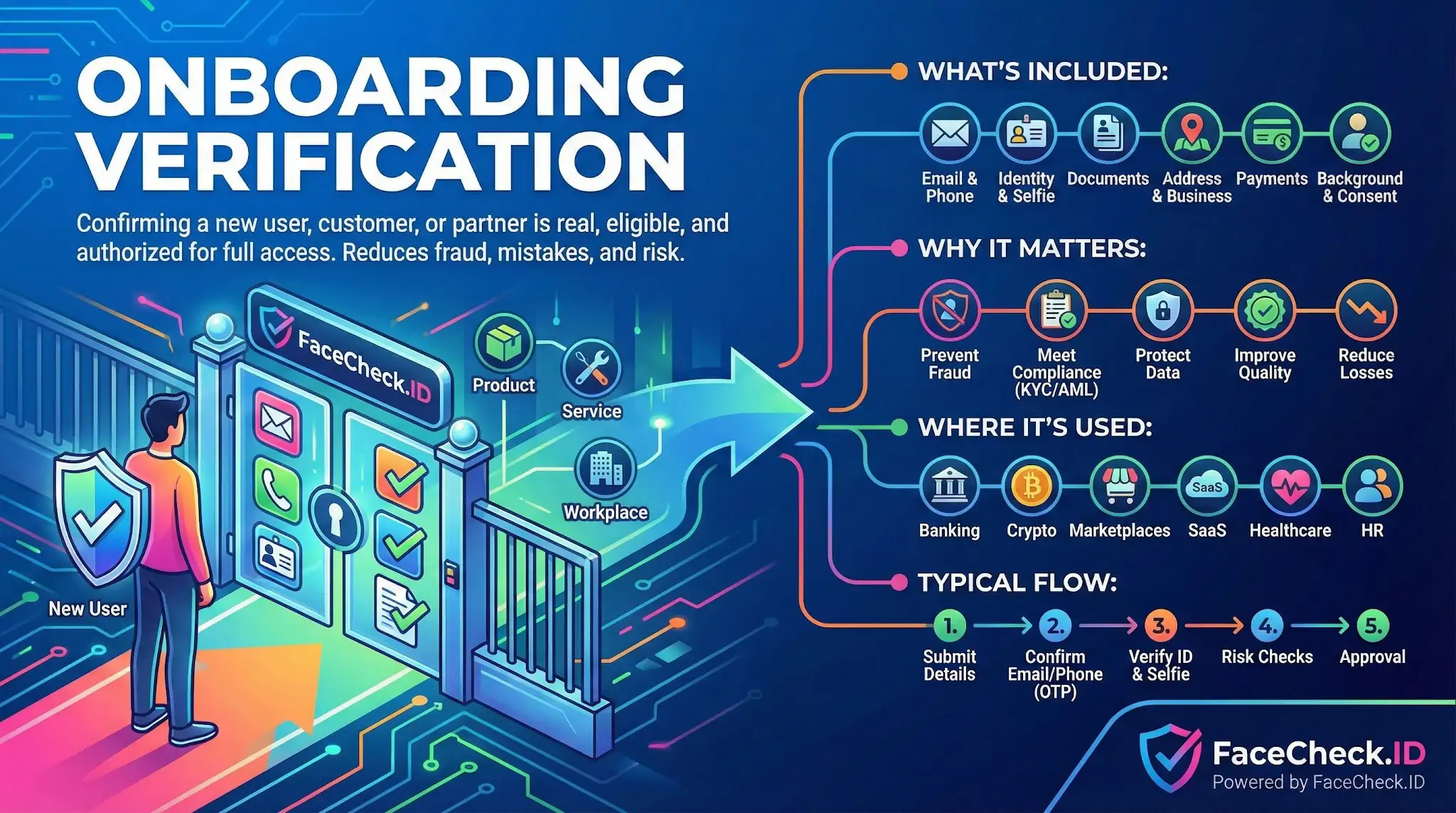
Onboarding verification is the gate that decides whether a new account belongs to a real person, the right person, and someone allowed to use the service. Face recognition and reverse image search now sit at the center of this process, because a stolen photo or a recycled headshot can pass weak checks and end up powering a fake profile, a synthetic identity, or a romance scam account.
How face search fits into onboarding checks
Most onboarding flows ask for a government ID and a live selfie. The selfie gets compared to the ID portrait using face matching, and the document is checked for tampering. That handles the basic question of whether the person holding the phone matches the document. It does not answer a different question that matters just as much: has this face already been used elsewhere under a different name?
That second question is where reverse face search becomes useful. Running the submitted selfie or profile photo against the public web can surface:
- Existing social profiles using the same face under a different identity
- Stock photos, AI-generated faces, or model portfolios reused as a "real person"
- Prior scam reports, dating site warnings, or romance fraud writeups
- Mugshot databases or news coverage tied to the face
- Duplicate accounts already flagged on other platforms
A clean ID match plus a face that appears under three unrelated names across Instagram, a Russian dating site, and a scam complaint forum tells a very different story than an ID match alone.
Where image-based verification breaks down
Face checks at onboarding are imperfect, and the failure modes matter.
Liveness checks reduce the risk of someone holding up a printed photo, but deepfake injection attacks and pre-recorded video replays continue to improve. A face match score above the platform threshold is a probability, not a proof. Lighting, camera angle, age difference between the ID portrait and the live capture, glasses, weight changes, and skin tone rendering all push scores up or down. Two siblings or close lookalikes can score high enough to pass on weaker systems.
Reverse face search has its own limits during onboarding. Indexed coverage is uneven. A face with a strong professional presence on LinkedIn, news sites, or company pages will surface quickly. A private user with no public photos may return nothing, which is not evidence of fraud. False positives happen, especially with common face geometry, and a single match on an obscure site is not a verdict. Cropped, low-resolution, or heavily filtered onboarding selfies reduce match quality on both the document compare and the web search.
Practical use during signup and review
Teams running onboarding usually layer face-based signals rather than relying on one check. A sensible pattern looks like this:
- Confirm the selfie matches the submitted ID with liveness
- Run the selfie or profile photo through reverse face search
- Treat any hits as leads, not conclusions, and review what those pages actually say
- Escalate to manual review when the face appears under multiple identities, on scam reports, or as stock or generative imagery
- Keep an audit trail of what was checked, when, and what the analyst saw
The strongest signals are usually contradictions. The ID says one name, the face appears on five dating profiles under five other names. The applicant claims to be in Ohio, but the face shows up on West African scam-warning forums. Those patterns are hard to fake and easy to act on.
What onboarding face checks do not prove
A passing face match does not prove identity ownership. It proves the person in front of the camera resembles the person on the document closely enough to clear a threshold. Stolen IDs paired with sophisticated deepfakes can still slip through.
A reverse face search hit does not prove fraud either. People legitimately appear on many sites. They change names after marriage, use stage names, run multiple businesses, or have been written about without their knowledge. The job of onboarding verification is not to issue a verdict from any single signal, but to gather enough independent evidence that a human reviewer, or an automated policy, can make a defensible decision about granting access.
FAQ
What does “Onboarding Verification” mean when using a face recognition search engine?
In face-recognition search contexts, “Onboarding Verification” usually means the initial screening step where a new user/candidate’s submitted face photo is checked against open-web images to look for reuse, impersonation, or conflicting online presence. It is best treated as a risk signal or lead generator—not as proof of identity—because open-web results can be incomplete, outdated, or show look-alikes.
What are typical onboarding goals for a face search, and what decisions should it NOT be used for?
Typical goals include detecting photo reuse across multiple accounts, spotting likely impersonation, and finding obvious conflicts (e.g., the same face tied to multiple unrelated personas). It should NOT be used as a standalone decision-maker for hiring, access approval, or accusations of wrongdoing; face-search outputs are correlations that require independent verification using additional evidence and appropriate due process.
What input photo works best for onboarding verification to reduce false matches and missed matches?
Use a recent, front-facing image with even lighting, neutral expression, minimal blur, and the face filling most of the frame (avoid heavy filters, strong beauty edits, or extreme angles). If you have multiple legitimate images (e.g., selfie + profile headshot), running more than one can help confirm consistency—while still treating results as leads that must be validated.
How should a team triage and validate face-search “hits” during onboarding verification?
Start by grouping results by source credibility and context (official site vs repost vs screenshot). Then validate with non-face evidence: matching usernames, consistent biographical details, cross-links between profiles, timestamps, and whether the page appears to be the original uploader. If results conflict (multiple identities, repost farms, memes), downgrade confidence and require additional verification steps rather than forcing a match.
Where can FaceCheck.ID add value in onboarding verification workflows, and what is a safe way to use it?
FaceCheck.ID can add value as an additional face-search source to surface potential duplicates, reposts, or conflicting appearances that might not show up in standard reverse image search. A safe approach is to use it for escalation triggers (e.g., “needs manual review”) and to document the exact URLs and corroborating signals you relied on, while avoiding any claim that a match “confirms identity” without separate, policy-approved verification.