Reverse Image Search from Screenshot
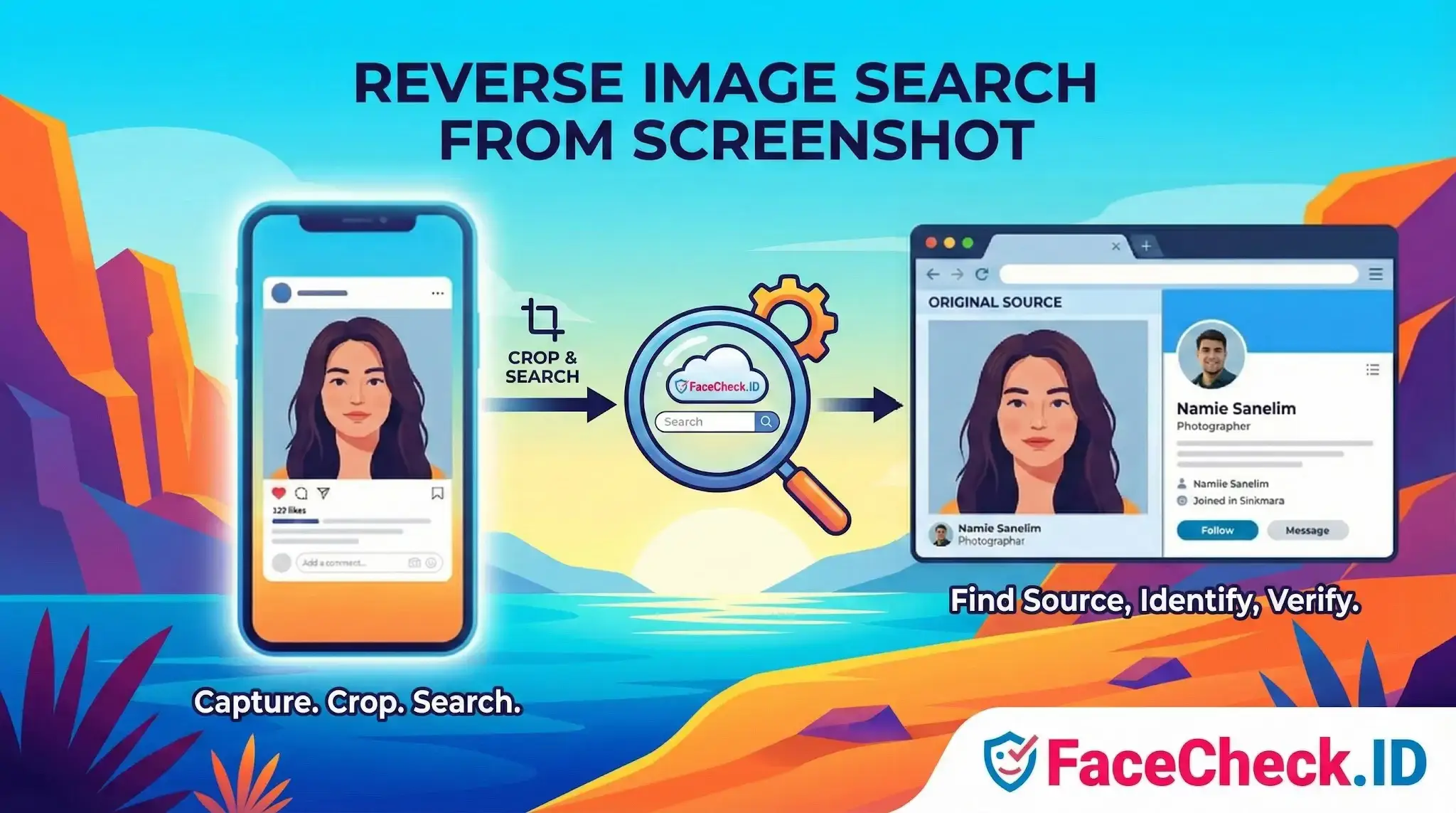
When you spot a suspicious dating profile, a sketchy LinkedIn account, or a face in a TikTok video you cannot download, a screenshot is often the only image you can capture. Running a face search on that screenshot is one of the fastest ways to check whether the person is real, whether their photos appear elsewhere, and whether the identity behind the account holds up.
Why screenshots are the default input for face investigations
Most platforms block direct image downloads. Instagram strips metadata and prevents right-click saves. Tinder, Bumble, and Hinge serve photos through protected viewers. TikTok and Reels deliver faces inside video frames. Stories and ephemeral posts vanish in 24 hours. In each case, a screenshot is the only practical way to extract a usable face image.
For a face-search engine like FaceCheck.ID, the screenshot becomes the query. The system isolates the face, builds a numerical embedding from facial features, and compares it against indexed faces from across the public web. The screenshot itself does not need to match anything pixel for pixel. What matters is whether the face inside it appears on any page the crawler has seen.
How screenshot quality changes match results
Screenshots tend to lose information compared to the original image. Mobile captures compress aggressively, app overlays cover parts of the face, and zoomed-in crops introduce pixelation. All of this affects how confidently a face engine can extract features.
Things that help:
- Capture at full screen resolution, not zoomed out
- Crop to the face and shoulders, removing UI buttons, chat bubbles, and timestamps
- Pick frames where the face is well lit and roughly front-facing
- For videos, scrub to a still frame rather than capturing during motion
- Avoid screenshots that include heavy beauty filters, AR masks, or stickers across the face
Things that hurt match confidence: profile pictures cropped into circles where the jaw and ears are cut off, screenshots taken through a second screen, low light selfies, extreme angles, sunglasses, and faces under 100 pixels wide.
Practical scenarios where screenshot face search matters
A few situations where this workflow tends to produce useful leads:
- Catfish checks. Someone on a dating app sends photos that feel staged. A screenshot run through face search may surface the real owner of those photos on Instagram, a modeling site, or a stock image library.
- Romance scam verification. Scammers often reuse the same stolen face across multiple fake profiles. A screenshot from one profile can reveal dozens of others using the same images.
- Investigating anonymous accounts. Burner Twitter or Telegram profiles sometimes use real photos of the operator. A screenshot of the avatar can connect that account to a named identity elsewhere.
- Verifying news or viral clips. A still frame from a video can be searched to confirm whether the person shown is who the caption claims.
- Checking if your own photos have been stolen. A screenshot from a fake account using your face can be searched to map every other place those images have been reposted.
What a screenshot face search cannot prove
A match is a starting point, not a verdict. Face recognition returns a similarity score, and similarity is not identity. Lookalikes, siblings, and certain camera angles can produce high scores between different people. A heavily filtered or AI-edited screenshot may match the underlying person inconsistently, or match an entirely synthetic face that exists only as a generated image.
A screenshot also limits what the engine sees. If the face is small, partially turned, shadowed, or covered by app UI, the embedding will be weaker and the result list will skew toward false positives. Pages indexed years ago may show the same person with a very different appearance, and pages behind logins or recent uploads may not appear at all.
Treat results as evidence to verify, not conclusions. Cross-check matched profiles for consistent biographical details, posting history, and mutual connections before deciding whether the face in your screenshot belongs to who you think it does.
FAQ
What does “Reverse Image Search from Screenshot” mean for face recognition search engines?
“Reverse Image Search from Screenshot” means using a screenshot (often from social media, a video frame, or a chat app) as the input image to look for visually related results. In face recognition search engines, the goal is usually to match the face within the screenshot to other photos of the same person (or very similar-looking people), rather than to find exact duplicate copies of the screenshot.
How do I prepare a screenshot to get better face-match results (and fewer wrong-person matches)?
Crop tightly to a single face (remove other faces), keep the full face visible (forehead to chin), and avoid UI elements like usernames, timestamps, emojis, and stickers. Use the highest-resolution screenshot you can, minimize blur/compression (don’t re-save repeatedly), and prefer a frame where the subject is facing forward with good lighting.
Why can reverse searching a screenshot produce worse results than searching with the original photo?
Screenshots often reduce effective quality: they may be lower resolution, heavily compressed, sharpened, or contain overlays (captions/watermarks) that interfere with face detection. Screenshots can also capture a screen-rendered version of a photo (extra artifacts), or a video frame with motion blur—making the face embedding less reliable and increasing near-match (look-alike) results.
Can I use a screenshot that includes multiple faces, and how should I handle group shots?
You can, but group screenshots often confuse results because the system may lock onto the wrong face or mix signals. For best accuracy, crop the screenshot so only the target face remains, and run separate searches for each person. If cropping isn’t possible, choose a frame where the target face is largest and clearest compared to others.
How can FaceCheck.ID add value when doing a reverse image search from a screenshot, and what should I watch out for?
FaceCheck.ID can be useful when the screenshot is not an exact duplicate of what’s online (e.g., cropped, resized, or reposted) because face-focused search can still surface pages containing the same person’s face. Treat results as leads, not proof: verify by checking source pages, looking for multiple consistent photos across time, and cross-checking context (location, names, and accounts) before concluding it’s the same person.