Confirm Identity Explained: Methods to Prevent Fraud
Definition
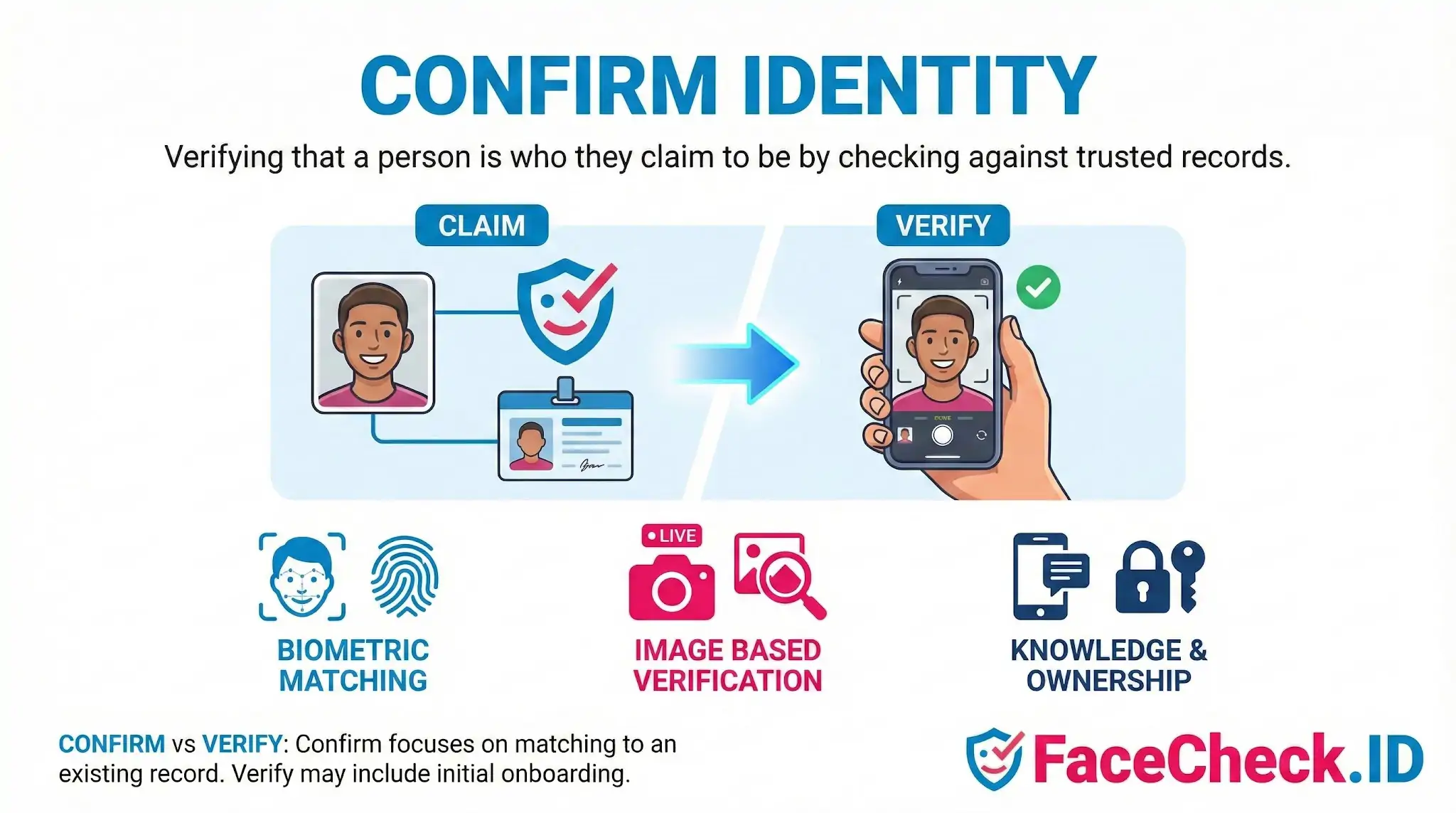
Confirm Identity means verifying that a person is who they claim to be. This is done by checking identity evidence against trusted records or previously collected data.
How confirm identity works
To confirm identity, a system or reviewer compares one or more identifiers, such as:
- Physical traits like face, fingerprint, or iris patterns
- Behavioral traits like voice, typing rhythm, or how a person moves
- Document and account signals like government IDs, selfies, device data, email, or phone verification
The goal is to reduce fraud, prevent impersonation, and ensure the right person is accessing an account, service, or transaction.
Common methods used to confirm identity
Biometric matching
Biometric tools compare a live sample (like a selfie or voice clip) to a stored reference.
- Facial recognition can compare a selfie or uploaded photo to an existing profile image or a known database.
- Voice verification can compare a spoken phrase to a saved voiceprint.
Image based verification
Image checks help validate whether a photo is real, recent, or tied to the right person.
- Reverse image search can show where an image appears online, which can help detect stolen photos or fake profiles.
- Metadata and editing checks can flag manipulated images in some workflows.
Knowledge and ownership checks
Some identity confirmation steps verify what a person knows or controls.
- One time codes sent to email or phone
- Security questions (less secure and used less often)
- Proof of account ownership, like access to a verified device
Confirm identity vs verify identity
People often use these terms interchangeably, but they can differ by context:
- Confirm identity usually focuses on matching a person to an existing record.
- Verify identity can also include establishing identity for the first time, such as during onboarding.
Where confirm identity is used
- Account login and account recovery
- Financial transactions and money transfers
- Hiring and employee access control
- Online marketplaces and peer to peer platforms
- Social media profile authenticity checks
Example
A platform asks a user to upload a selfie. Facial recognition compares the selfie to the person’s profile photo or an ID photo on file to confirm the user is the same person. A reverse image search may also be used to see if the profile photo appears on unrelated sites, which can indicate impersonation.
FAQ
What does “Confirm Identity” mean in a face recognition search engine context?
In face recognition search engines, “Confirm Identity” usually means increasing confidence that the face in your query photo corresponds to the same real-world person shown in one or more result images and profiles. It is not the same as proving a legal identity; it’s a practical confidence-building step based on visual matches plus corroborating context (e.g., consistent usernames, locations, and timelines across sources).
Does a face-match result confirm identity by itself?
No. A face-match result is best treated as a lead. Confirming identity typically requires cross-checking multiple independent signals, such as consistent biographical details, the same distinctive features across different photos (scars, tattoos, moles), and evidence that the accounts or pages are controlled by the same person (posting history, connected handles, or verified links).
What practical steps help confirm identity after getting face search results?
Use a multi-check approach: (1) open several top matches and compare facial features across different angles and lighting; (2) look for consistent non-face cues (tattoos, jewelry, uniforms, background locations); (3) verify profile continuity (same handle reused, linked accounts, long-term posting history); (4) confirm time consistency (older photos align with claimed age and life events); and (5) repeat the search using a different, higher-quality photo to see whether the same cluster of results appears.
Why can “Confirm Identity” be difficult even when the top match looks very similar?
Similarity can be misleading due to look-alikes, filters, heavy retouching, AI-generated faces, low-resolution images, and pose/lighting differences that distort features. Reposts and screenshots can also detach a face from the original source, making it easy to attribute a face to the wrong name or profile unless you validate the earliest or most authoritative source page.
How should I use FaceCheck.ID (or similar tools) when trying to confirm identity?
If you use FaceCheck.ID or a similar face search engine, treat results as investigative pointers: open the source pages, look for independent corroboration across multiple sites, and avoid concluding that a displayed name/profile is definitive based only on a face match. If results appear mixed or risky (e.g., different names for similar faces), gather additional photos, compare multiple matches, and prioritize verification from primary sources (the original account or official/verified pages) before taking any action.


Recommended Posts Related to confirm identity
-
OnlyFans Finder: How to Search by Face to Find Profiles
You might also find the same person's profiles on Instagram, Twitter/X, TikTok, or other platforms, which can help you confirm identity even if their OnlyFans doesn't show up directly.