OnlyFans Finder: How to Search by Face to Find Profiles
You've got a photo. Maybe it's someone from a dating app, maybe you spotted a creator on social media and want to find their OnlyFans, or maybe you're worried your own photos are being used on the platform without permission. Whatever the reason, you want to search OnlyFans by face.
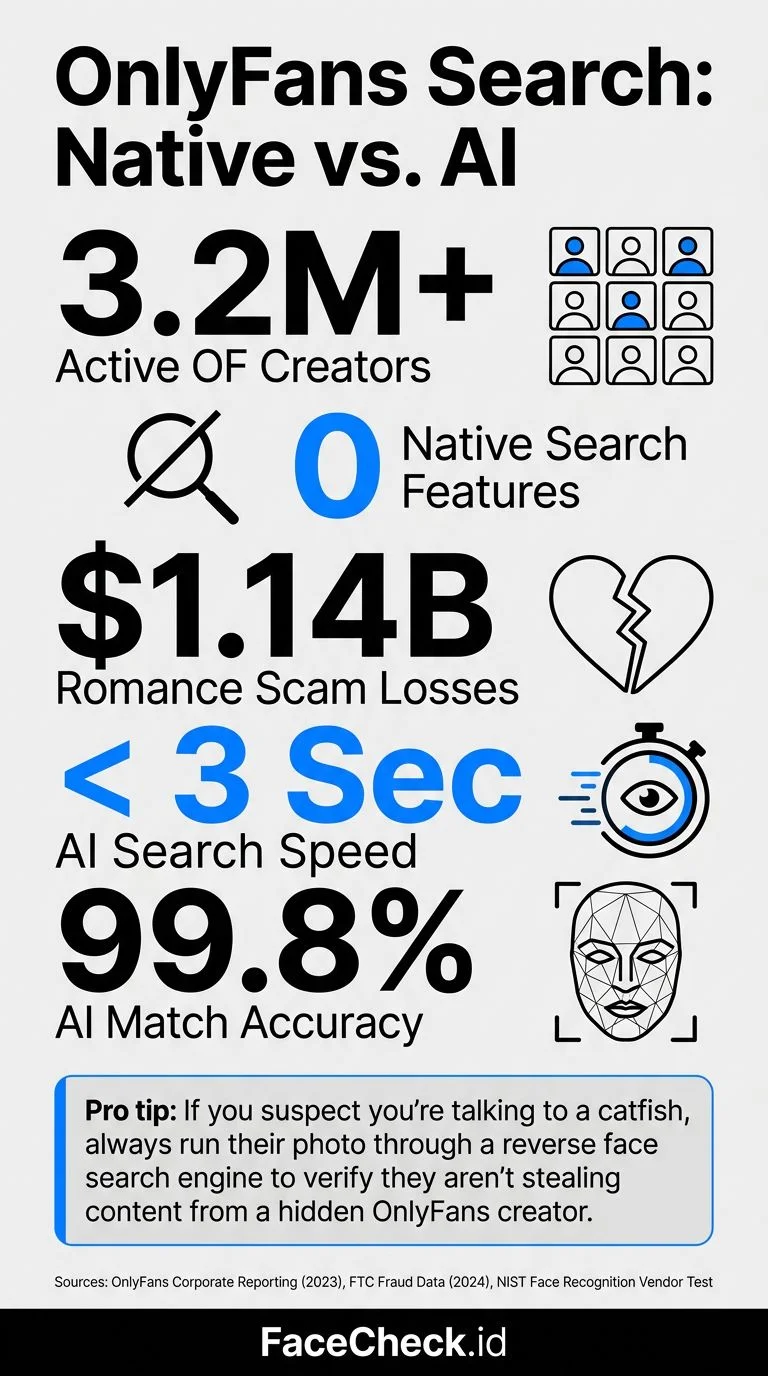
The problem? OnlyFans has no public search. You can't browse profiles, there's no discovery page, and the platform deliberately makes it hard to find people. This is great for creator privacy, but terrible when you need to verify someone's identity or track down a specific account.
Here's what actually works in 2026.
In this article, we're going to discuss
Why Can't You Just Search OnlyFans Directly?
OnlyFans removed its explore/discover features years ago. The platform only lets you find creators if you already have their exact username or a direct link. There's no keyword search, no category browse, no way to look someone up by name or face on the site itself.
This was a deliberate choice. OnlyFans positions itself as a private platform, and many creators rely on that separation between their OnlyFans identity and their real identity.
But that privacy cuts both ways. It means:
- You can't verify if someone on a dating app is secretly an OnlyFans creator
- You can't find a creator you saw on TikTok or Instagram who didn't link their page
- You can't check if your own photos are being used to create fake OnlyFans accounts
Third-party tools fill this gap. Some are sketchy. Most don't work. A few actually do.
What About Those "OnlyFans Search" Websites?
If you've googled "OnlyFans finder" before, you've probably run into sites like OnlyFinder, FansMetrics, or similar directory sites. Here's the deal with those:
What they do: They scrape publicly available OnlyFans profile data (usernames, bios, profile pics) and index it so you can search by keyword or name.
Where they fail: They only work if you know the creator's name or username. If all you have is a photo, these tools are useless. They also only index creators who have public-facing profiles, which misses a huge chunk of the platform.
The accuracy problem: These directories are often outdated. Creators change usernames, delete accounts, or go private. You'll frequently get dead links and stale data.
For name-based searching, they're okay. For face-based searching, they can't help you at all.
How Face Search Actually Works for OnlyFans
Face search tools use facial recognition AI to match a photo you upload against a database of indexed face images from across the internet. The process goes like this:
- You upload a clear photo of a face
- The AI maps the facial geometry (distance between eyes, jawline shape, nose proportions, dozens of other measurements)
- It compares that facial signature against millions of indexed images
- You get back matching results with links to where those faces appear online
The key difference from regular reverse image search: Google or TinEye match the exact image (or near-duplicates). Face search matches the person regardless of the photo. Different angle, different lighting, different outfit, different year. It finds the face, not the file.
This is what makes it work for OnlyFans specifically. A creator's profile picture on OnlyFans will look nothing like their selfie on Instagram or the photo someone sent you on Tinder. But their face is the same face.
How to Find OnlyFans Profiles with FaceCheck.id
FaceCheck.id is the tool that actually works for this. It indexes faces from across the public web, including social media platforms, news sites, and yes, OnlyFans profile pages.
Here's the step-by-step:
- Go to FaceCheck.id
- Upload a clear photo of the person's face (front-facing works best, but it handles angles too)
- Click search and wait about 10-15 seconds
- Scroll through results. Each match shows the source URL, so you can see exactly where that face appears online
What to look for in results: OnlyFans matches will show up with onlyfans.com URLs. You might also find the same person's profiles on Instagram, Twitter/X, TikTok, or other platforms, which can help you confirm identity even if their OnlyFans doesn't show up directly.
Tips for better results:
- Use the highest quality photo you have. Blurry screenshots from video calls give worse results
- Crop to just the face and shoulders if there are multiple people in the photo
- Try multiple photos if you have them. Different angles can surface different results
Is This Legal? (Yes, With Caveats)
Searching publicly available information is legal in the US and most other countries. FaceCheck.id only indexes images that are already publicly accessible on the internet. It's not hacking into private accounts or bypassing any security.
That said, there's a difference between "legal" and "ethical." Some common use cases and where they land:
Clearly fine:
- Checking if your own photos are being used on OnlyFans without your consent
- Verifying someone's identity before meeting them from a dating app
- A creator checking if someone is impersonating them
Gray area:
- Searching for a specific person's OnlyFans out of curiosity
- Checking if a partner has a secret OnlyFans account
Not okay:
- Using results to harass, blackmail, or dox someone
- Sharing someone's OnlyFans identity publicly without their consent
The tool is neutral. What matters is what you do with the information. FaceCheck.id's terms of service prohibit using results for harassment or illegal purposes.
What About Privacy for Creators?
This is a fair concern. If you're a creator, the idea that someone can find your OnlyFans from any photo of your face is unsettling.
A few things to know:
FaceCheck.id only indexes public content. If your OnlyFans profile picture is the only publicly visible image on your account, that's the only photo that gets indexed. Your paid/private content isn't being scraped.
You can request removal. FaceCheck.id has an opt-out process where you can request your face be removed from search results. This is a standard practice for face search engines.
Practical protection tips for creators:
- Use a profile photo that doesn't show your full face clearly
- Don't use the same photos across your OnlyFans and personal social media
- Consider using a slightly different look (styling, makeup, accessories) for your creator identity
- Regularly search your own face to see what comes up and request removals as needed
Other Tools People Try (And Why They Fall Short)
Google Reverse Image Search: Matches the image, not the face. If someone uses the exact same photo, Google might find it. But for finding OnlyFans profiles from a random selfie? Useless.
TinEye: Same problem as Google. Exact image matching only. Good for finding where a specific photo was reposted, not for identifying a person across different photos.
PimEyes: The closest competitor to FaceCheck.id for face search. PimEyes does work for facial recognition search, but it's expensive ($30/month for basic), shows results behind a paywall, and has faced controversy over privacy concerns in the EU. FaceCheck.id offers individual searches without a subscription and is generally more affordable.
Yandex Image Search: Yandex has some facial recognition capability built into its image search, and it's free. But the results are inconsistent, heavily biased toward Russian-language sites, and the face matching is much less precise than dedicated tools. Worth a try as a free first step, but don't rely on it.
Social Catfish: Marketed as a people search tool, but it's primarily a paid background check service. The reverse image search is basic and not face-specific.
FAQ
Can you search OnlyFans without knowing someone's username?
Yes, but not on OnlyFans itself. OnlyFans has no public search function. You need a third-party tool. For face-based searching, FaceCheck.id lets you upload a photo and find matching profiles across the web, including OnlyFans pages.
Is it free to search for OnlyFans profiles by face?
FaceCheck.id offers free initial searches with limited results. For full results with all source URLs, there's a small fee per search. This is significantly cheaper than subscription services like PimEyes, which charge $30+/month.
Can OnlyFans creators see who searched for them?
No. FaceCheck.id searches are completely anonymous. The person you're searching for has no way to know you looked them up. The search doesn't interact with their OnlyFans account in any way.
How accurate is face search for finding OnlyFans profiles?
It depends on the quality of the photo you upload and whether the person's OnlyFans profile picture clearly shows their face. FaceCheck.id is the most accurate face search tool available, but no tool is perfect. If a creator uses a photo that obscures their face, they may not appear in results.
Can I find deleted OnlyFans accounts?
Sometimes. If the profile was indexed before it was deleted, cached results may still appear. But this isn't guaranteed, and results for deleted accounts become less reliable over time.
Ready to search? Upload a photo at FaceCheck.id and see what comes back.

Read More on Search by Selfie
Pig Butchering Crypto Scam Exposed: Fake Rich Friend Uses Deepfakes & Stolen Photos to Steal Billions
Crypto scammers are posing as wealthy "friends" using stolen influencer photos and AI deepfakes to drain victims' savings - $5.8 billion was lost last year alone. Learn the 5 red flags that expose their playbook before you become their next target.
Popular Topics
Face Recognition Search Identity Social Media Image Search Facial Recognition Confirm Identity How To Instagram Twitter TinEye Face Recognition AI Catfishing PimEyes OnlyFans Yandex Images Image Search Google Reverse Image Search Google Screenshot Face Search Face Match ImpersonationBest Alternatives to PimEyes for Reverse Image Searches: Our Top Picks