How to Find Someone Online
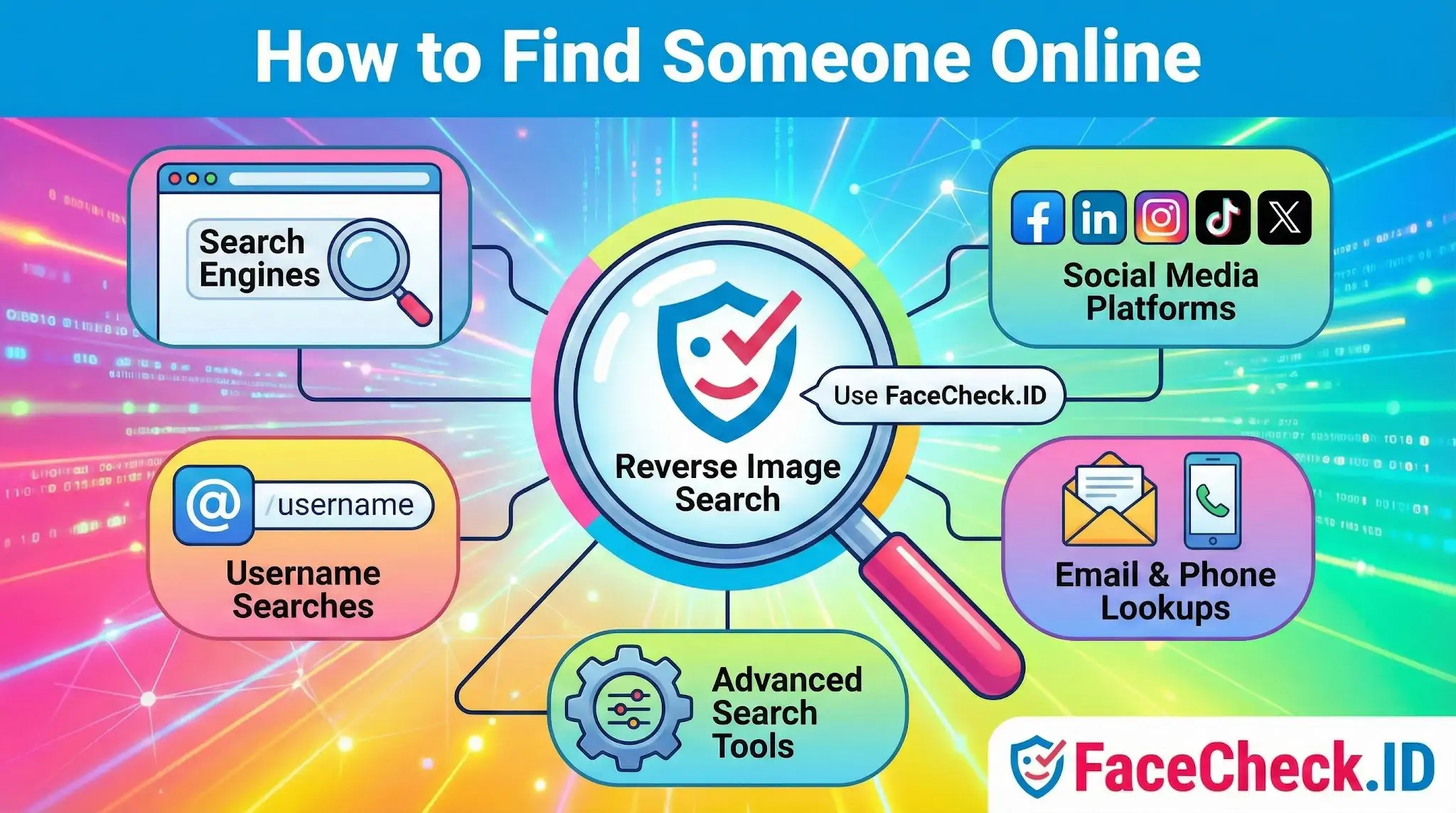
Finding someone online usually starts with fragments: a first name, a profile photo, a username, maybe a city. The challenge is connecting those fragments into a confirmed identity, and that is where face search shifts the workflow. Instead of guessing which "Jessica M." in Denver is the right one, a face image lets you anchor the search to a specific person across thousands of indexed pages.
Where text-based search runs out of room
Name and keyword searches work well when the person has an uncommon name, a public job, or a long online history under one identity. They fail quickly with common names, people who use handles instead of real names, or anyone who has been deliberately quiet on the indexed web.
A typical workflow that hits a wall:
- Google the name with a city. Hundreds of unrelated results.
- Search LinkedIn. Three people with the same name and similar job titles.
- Try Instagram. The handle is locked, the bio is empty, the profile photo is a sunset.
At this point, text search has nothing left to give. The remaining identifiers you have, a profile picture or a photo someone sent you, are visual.
Where face search fits in
Reverse image search by face turns a photo into a query. Instead of looking for the same file (which standard reverse image search does), it looks for the same person across different photos, lighting, ages, and crops. That changes what you can do with a single image:
- Take a dating-app photo and check whether the same face appears under different names elsewhere.
- Take a LinkedIn headshot and find personal blogs, news mentions, or older profiles the person has not deleted.
- Take a screenshot from a video call and check whether the face shows up on scam-warning sites or romance-fraud trackers.
LinkedIn-style headshots tend to produce the cleanest matches because they are front-facing, well-lit, and reused across professional bios, conference pages, and team photos. Heavily filtered selfies, side angles, sunglasses, and group shots produce weaker results and more lookalike noise.
A practical order of operations
When trying to locate or verify a person online, the order of moves matters:
- Start with what is unique. A real full name plus an employer or city is more useful than a name alone. A username reused across platforms is often the strongest single clue.
- Run the photo through face search. This is most useful early, because it can surface a real name, alternate handles, or contradictions between profiles.
- Pivot on what you find. A face match might return a second username, a press release, or a regional news article. Each new piece of text feeds back into Google, LinkedIn, and platform-specific searches.
- Cross-check identifiers. A confirmed identity usually has overlapping evidence: same face on a work bio and a personal Instagram, same username on Reddit and GitHub, same phone number on two listings.
Single hits are not proof. People reuse photos, scammers steal them, and identical twins exist. Treat each match as a lead, not a conclusion.
What this does and does not prove
Face search can tell you that an image of a face appears on certain public pages. It cannot tell you who actually controls a given account, whether a profile is current, or whether the person in the photo consented to its use. A romance-scam profile might show a real person's stolen photos with a completely fake name attached, and the face match will correctly point to the real person, who has nothing to do with the scam.
Common ways interpretation goes wrong:
- Treating a high-confidence match as identity confirmation when the matched page is itself unverified.
- Assuming a lookalike is the same person, especially with low-resolution or heavily compressed images.
- Ignoring the date of indexed pages, which can produce matches from accounts the person abandoned years ago.
Finding someone online is rarely one search. It is a chain of small confirmations, and a face image is one of the strongest links in that chain when used with judgment instead of certainty.
FAQ
What are the safest first steps for “How to Find Someone Online” using a face recognition search engine?
Start with the least invasive checks first: run a standard reverse image search for exact duplicates, then use a face recognition search engine only if needed. Use a clear, front-facing photo you have permission to use, crop to the face, and avoid uploading sensitive or private images. Treat any result as a lead, not proof, and confirm using independent signals (consistent usernames, cross-posted photos, timestamps, and contextual details on the source page).
Can face recognition search engines find someone from private social media or locked accounts?
Generally, no. Face recognition search engines typically match against images that are publicly accessible on the open web or otherwise indexed from public sources. If a profile is private/locked and its photos aren’t publicly viewable or reposted elsewhere, a face search may return nothing or only reposts/screenshots from public pages.
What should I do if a face recognition search returns multiple different people for the same photo?
Assume uncertainty and re-run the search with a better input image: use a higher-resolution, front-facing photo, remove heavy filters, and crop tightly to the face. Compare multiple returned sources for consistent context (same name/handle, same friends, same locations, same event photos). If results conflict, do not pick the “closest-looking” match—collect more evidence or stop to avoid misidentification.
How can I improve results when the only photo I have is blurry, dark, or a side profile?
Use the best possible frame: choose the sharpest image, brighten slightly (without extreme edits), and crop so the face occupies most of the image. Avoid heavy noise reduction or beauty filters that alter facial geometry. If it’s a side profile, try a different frame from the same video or album that shows more of the face, because many face search engines perform much better with near-frontal images.
How can FaceCheck.ID add value when trying to find someone online, and what precautions should I take?
FaceCheck.ID can be useful as a face-focused search step when you suspect a photo is reused across different sites (e.g., impersonation, catfishing, or stolen profile images) and traditional reverse image search misses it. Precautions: only use images you’re allowed to use, avoid doxxing or harassment, and verify matches by opening the source pages and checking non-face evidence (context, handles, timelines, and consistency across platforms). Don’t treat a FaceCheck.ID hit as identity confirmation—use it to find candidate pages for careful validation.


Recommended Posts Related to how-to-find-someone-online
-
How to Find Anyone Online: A Guide to Internet Sleuthing
In-Depth Manual on How to Find Someone Online.