Computer Vision in Face Search
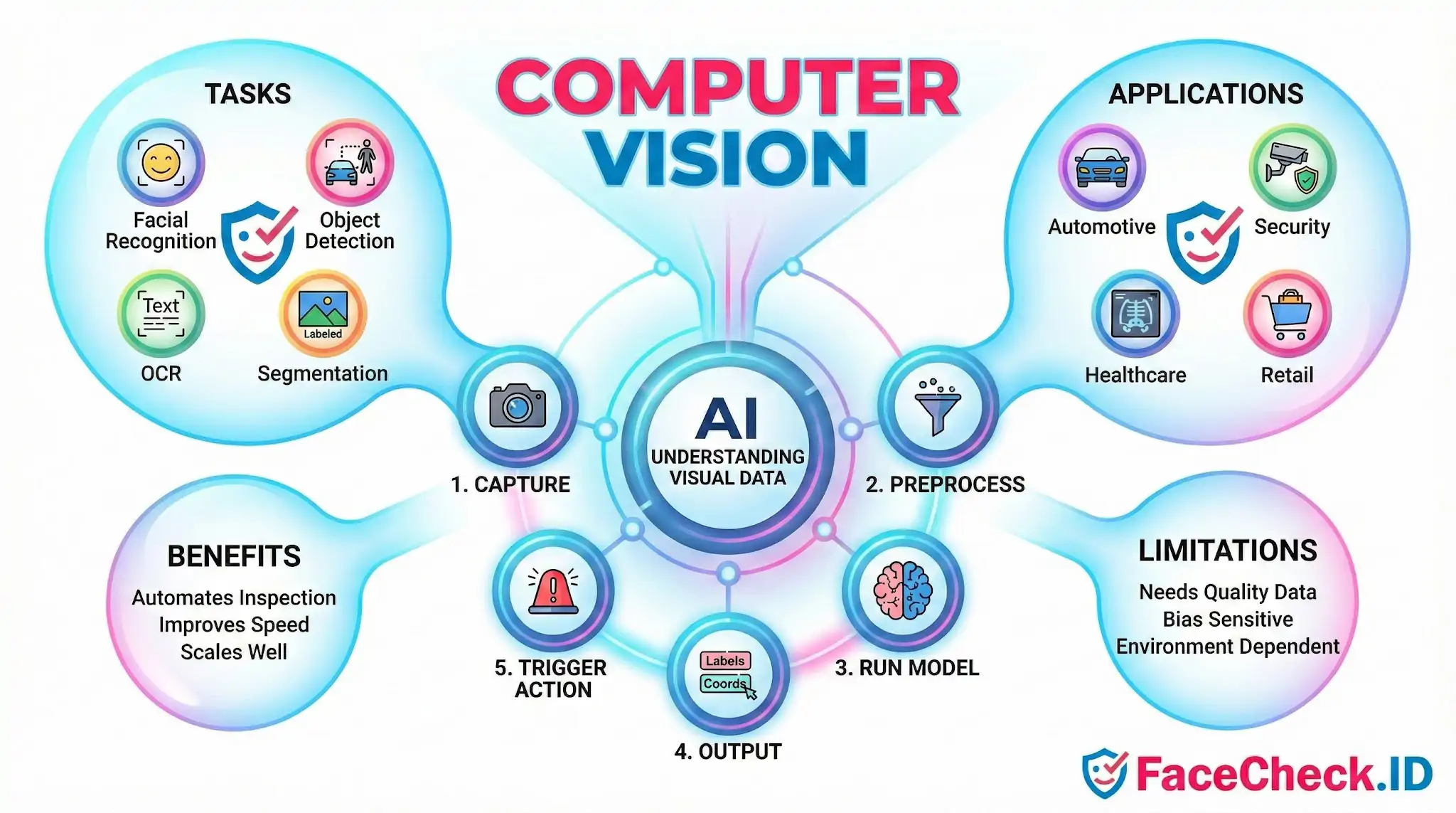
Computer vision is the engine behind every face search performed on FaceCheck.ID. When someone uploads a photo, computer vision models locate the face, convert it into a numeric representation, and compare that representation against billions of indexed images scraped from public web pages. Without it, reverse face search would be impossible at scale.
How computer vision powers a face search
A face search is a pipeline of computer vision steps stitched together. The system has to find a face inside the uploaded image, decide whether the crop is usable, generate an embedding that represents the face mathematically, and then look for similar embeddings already indexed from the public web.
In rough order, a face-search query runs through:
- Face detection to locate one or more faces in the upload and reject background noise.
- Alignment and normalization to rotate the face upright and standardize size, so a tilted selfie can be compared with a passport-style headshot.
- Quality scoring to flag images that are too small, too blurry, too dark, or too occluded by sunglasses, masks, or hair.
- Embedding generation through a deep neural network, which converts each face into a vector of several hundred numbers that describes its geometry and texture.
- Vector similarity search against a precomputed index of faces extracted from public profiles, news pages, blogs, dating sites, mugshot listings, and other crawled sources.
- Ranking and confidence scoring so the strongest candidate matches surface first.
Every stage uses computer vision techniques, and weakness at any step degrades the final result.
Why image quality drives match accuracy
Computer vision models do not see faces the way humans do. They respond to pixel-level features such as edges, gradients, and texture patterns. That makes results highly sensitive to the input image.
Front-facing photos with even lighting, like LinkedIn headshots or professional bios, tend to produce strong, repeatable embeddings. The same person photographed from below in low light, partially turned away, or behind a rain-streaked window may generate an embedding that drifts far enough to miss obvious matches. Heavy filters, beauty smoothing, and aggressive JPEG compression strip the subtle texture cues that face models rely on. Cropped thumbnails that include only part of a face often fail at the detection step entirely.
Age also matters. A photo taken fifteen years ago may not match recent images of the same person well, because facial geometry shifts with weight, age, and grooming. Computer vision narrows this gap but does not erase it.
How face vectors get compared across the web
Once an embedding exists, finding matches is a math problem. The search engine compares the query vector to indexed vectors using distance metrics like cosine similarity. Closer vectors mean more similar faces. A confidence score derived from that distance is what users see next to each result.
This is also where false positives appear. Identical twins produce nearly identical embeddings. Lookalikes can land within match range, especially if the query image is low quality. Reused stock photos and catfish profiles complicate things further, because the same face may appear under several different names across dating apps, scam sites, and social profiles. Computer vision finds the visual match honestly. It cannot tell which name attached to that face is the real one.
What computer vision in face search does not prove
A high-confidence match means two images probably show the same face. It does not prove identity by itself. The person in a profile photo may not be the account holder. A name pinned to a photo on one site may have been copied from another. Mugshot indexes can carry outdated or contested records. Stock-image lookalikes can produce eerie near-matches that are not the same person at all.
Computer vision is also bounded by what is publicly indexed. A face that never appears on a crawlable page will not surface, regardless of how strong the model is. Private accounts, region-locked content, and deleted pages create blind spots that no algorithm can fill.
Treat face-search output as a strong lead, not a verdict. Cross-check matches against context such as usernames, post history, mutual contacts, and writing style before drawing conclusions about a real person.
FAQ
How do face recognition search engines handle changes in appearance (aging, hair, makeup, glasses)?
Most face recognition search engines rely on a face “embedding” that emphasizes relatively stable facial structure (e.g., distances and proportions) more than transient details. Moderate changes (new hairstyle, glasses, makeup, facial hair, minor aging) often still match, but accuracy can drop with large appearance shifts, heavy edits/filters, extreme lighting, or very low-resolution images. Using a clear, front-facing photo with good lighting and minimal occlusion typically improves results.
Why can two different face recognition search engines give different results for the same photo?
Differences usually come from (1) the underlying face recognition models and how they were trained, (2) the size and types of websites each service has indexed, (3) face detection/cropping and image-quality handling, (4) ranking logic and similarity thresholds, and (5) how duplicates and near-duplicates are clustered. For example, a tool like FaceCheck.ID may surface different matches than another engine if their indexes, thresholds, or result-grouping strategies differ.
How should I interpret multiple matches returned for one face (and avoid jumping to conclusions)?
Treat matches as leads, not proof of identity. Compare multiple photos for consistent, distinctive features (ear shape, facial proportions, scars/moles), check whether the matched pages show consistent context (same name/handles, locations, timelines), and look for independent corroboration across different sources. Be cautious with recycled images, memes, AI-edited photos, and low-quality thumbnails, which can inflate apparent similarity.
What are the most common technical reasons a face search returns no results even if the person is online?
Common reasons include: the person’s images aren’t publicly accessible (private accounts, paywalls, robots.txt blocks), the engine hasn’t indexed the relevant sites yet, the face is too small/blurred/occluded for reliable detection, the query photo is heavily edited or AI-generated, or the person’s online photos differ substantially from the query image (angle, lighting, age). Trying a sharper, higher-resolution crop and a second photo from a different moment can help.
What safeguards should I use when relying on face recognition search results for safety or fraud checks?
Use results responsibly: avoid doxxing or harassment, and never treat a match as definitive identity proof. Cross-check with non-face signals (usernames, bios, timestamps, reverse image search for exact duplicates, and consistent context across multiple pages). If using a service such as FaceCheck.ID, review multiple returned images and sources before taking action, and consider the risk of look-alikes, reposts, and misattribution—especially for high-stakes decisions.


Recommended Posts Related to computer-vision
-
Examining the State-of-the-Art in Facial Recognition Algorithms for Unconstrained Environments
Facial recognition is a rapidly developing field of computer vision and artificial intelligence that has attracted considerable attention from both researchers and practitioners in recent years. In Proceedings of the IEEE Conference on Computer Vision and Pattern Recognition (pp. In Proceedings of the IEEE Conference on Computer Vision and Pattern Recognition (pp.
-
How to Search Facebook by Photo
Reverse image search engines use a process called "computer vision" to analyze the pixels in an image and identify patterns and shapes.
-
Leveraging Facial Recognition Technology to Combat Human Trafficking
Traffic Jam uses AI techniques like facial recognition, computer vision, and machine learning to analyze online data and save investigators time.
-
How-To Guide for Effective Face Lookup
Trueface: Trueface is a company that uses computer vision technology to turn video and images into useful information.
-
Reverse Image Search FAQ: The Ultimate Guide for 2025
Reverse image search employs sophisticated computer vision and AI techniques:. From a computer: Visit Google Images, [TinEye](https://tineye.com), or [Yandex Images](https://yandex.com/images/). Analyzes visual content using computer vision algorithms.