Confirm Identity
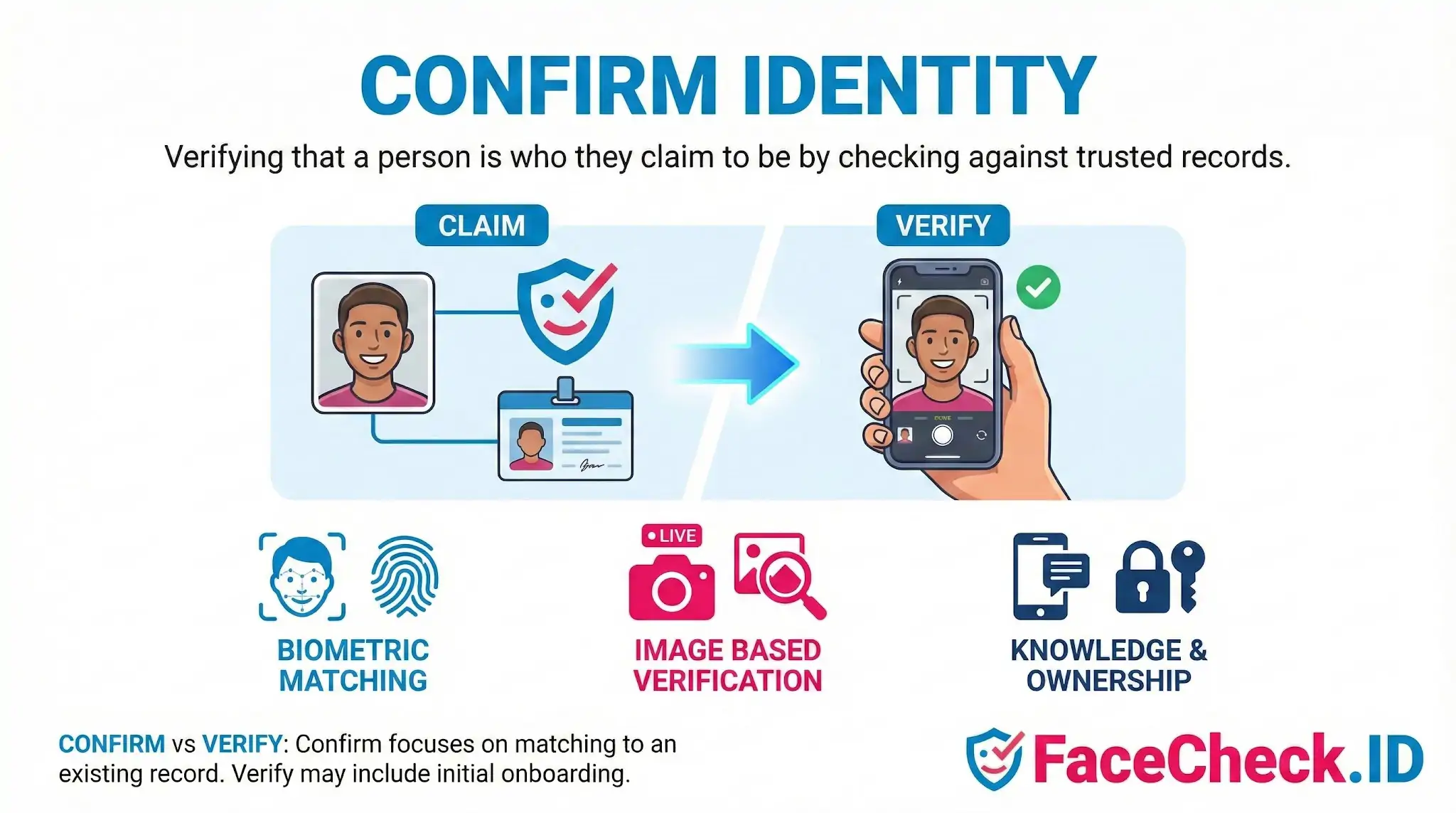
Confirming identity is the moment where a name, a profile, or a claim gets tested against evidence. On FaceCheck.ID, that evidence is usually a face: a photo someone sent you, a profile picture from a dating app, or a screenshot of a person you suspect is using a stolen identity online.
What "confirm identity" means in a face-search context
Confirming identity through face search is not the same as logging into a bank. There is no shared database, no government ID, no liveness check. You start with one image and ask a narrower question: does this face appear elsewhere on the public web, and do those appearances match the story the person is telling you?
A face-search match raises or lowers confidence in a claim. It rarely produces certainty on its own. If a man claims to be a 42-year-old surgeon in Boston and his photo only appears on Russian-language modeling forums under a different name, that is a strong signal something is off. If his photo appears on a hospital staff page, a LinkedIn profile, and a few conference attendee lists under the same name, the claim becomes more credible.
How face search supports identity confirmation
Face search works backward from the way most identity systems operate. Instead of starting with a known account and verifying the person sitting behind it, you start with a face and try to surface every public page where it has been indexed.
Useful signals when reviewing matches include:
- Whether the same face appears under a single consistent name across multiple unrelated sites
- Whether the photo shows up on scam reporting forums, romance fraud trackers, or fake-profile databases
- Whether the image is reused on stock photo sites, model portfolios, or AI-generated face galleries
- Whether the earliest indexed appearance of the photo predates the account claiming to own it
- Whether the face appears on professional pages (staff bios, news quotes, conference rosters) that are hard to fake
A clean confirmation tends to produce a cluster of matches that all agree on identity. A failed confirmation often produces contradictions: same face, different names, different countries, different occupations.
Where face-based confirmation breaks down
Face search has real limits, and treating a match as proof of identity is the most common mistake people make.
Identical twins and close lookalikes can produce confident matches that point to the wrong person. Heavily filtered selfies, low-resolution thumbnails, sunglasses, masks, and extreme angles all reduce match quality. A profile photo that has been cropped, flipped, or recolored may still match, but with lower confidence and fewer corroborating hits.
False negatives are also common. If someone keeps a low online profile, has private social accounts, or only posts photos in group settings, face search may return nothing useful. Absence of matches does not confirm the person is fake. It only means the public web does not have indexed evidence one way or the other.
There is also the problem of stolen photos used consistently. A scammer who has been recycling the same model's photo for two years will produce a coherent fake identity across many platforms. The match cluster looks legitimate until you notice the photo's original source is a stock image site or a real person with a different name.
What a face-search confirmation does and does not prove
A face-search result confirms that a specific face has appeared on specific indexed pages. It does not confirm:
- That the person you are talking to is the person in the photo
- That the name attached to the matches is the person's real name
- That the account currently using the photo is operated by the person depicted
- That the absence of negative results means no fraud exists
Treat face search as one input alongside message patterns, video calls, document checks, and direct questions. The strongest identity confirmations combine a face-match cluster with independent evidence: a video call where the face moves and speaks, a verifiable employer, a phone number tied to the same name, or public records that match the claimed history. When those align, confidence is high. When they conflict, the face-search results are usually the first place the lie shows up.
FAQ
What does “Confirm Identity” mean in a face recognition search engine context?
In face recognition search engines, “Confirm Identity” usually means increasing confidence that the face in your query photo corresponds to the same real-world person shown in one or more result images and profiles. It is not the same as proving a legal identity; it’s a practical confidence-building step based on visual matches plus corroborating context (e.g., consistent usernames, locations, and timelines across sources).
Does a face-match result confirm identity by itself?
No. A face-match result is best treated as a lead. Confirming identity typically requires cross-checking multiple independent signals, such as consistent biographical details, the same distinctive features across different photos (scars, tattoos, moles), and evidence that the accounts or pages are controlled by the same person (posting history, connected handles, or verified links).
What practical steps help confirm identity after getting face search results?
Use a multi-check approach: (1) open several top matches and compare facial features across different angles and lighting; (2) look for consistent non-face cues (tattoos, jewelry, uniforms, background locations); (3) verify profile continuity (same handle reused, linked accounts, long-term posting history); (4) confirm time consistency (older photos align with claimed age and life events); and (5) repeat the search using a different, higher-quality photo to see whether the same cluster of results appears.
Why can “Confirm Identity” be difficult even when the top match looks very similar?
Similarity can be misleading due to look-alikes, filters, heavy retouching, AI-generated faces, low-resolution images, and pose/lighting differences that distort features. Reposts and screenshots can also detach a face from the original source, making it easy to attribute a face to the wrong name or profile unless you validate the earliest or most authoritative source page.
How should I use FaceCheck.ID (or similar tools) when trying to confirm identity?
If you use FaceCheck.ID or a similar face search engine, treat results as investigative pointers: open the source pages, look for independent corroboration across multiple sites, and avoid concluding that a displayed name/profile is definitive based only on a face match. If results appear mixed or risky (e.g., different names for similar faces), gather additional photos, compare multiple matches, and prioritize verification from primary sources (the original account or official/verified pages) before taking any action.


Recommended Posts Related to confirm-identity
-
TinEye Review: What It Does Well and Where It Falls Short
A face search returns similar faces, not confirmed identities. Even then, a match shows a similar face, not a confirmed identity.
-
OnlyFans Finder: How to Search by Face to Find Profiles
You might also find the same person's profiles on Instagram, Twitter/X, TikTok, or other platforms, which can help you confirm identity even if their OnlyFans doesn't show up directly.
-
Facebook Image Search: What Works When Facebook Won't Search by Photo
A faceOther photos and profiles of the same personFaceCheck.IDPublic web only; returns similar faces, not confirmed identity.
-
FaceCheck No Results? Why Face Search Comes Back Empty (and How to Fix It)
And when you do get matches, remember what they are: similar faces, not confirmed identities.
-
Fansly Search: How to Find Someone on Fansly by Username, Link or Photo
Even a 95 means similar face, not confirmed identity.