Find Friends Signals and Face Search
"Find Friends" features look harmless on the surface, but they sit at the intersection of contact data, public profile signals, and identity discovery. For anyone using FaceCheck.ID to verify who someone really is, understanding how these systems suggest accounts, and what they expose, helps explain why the same face often shows up across multiple platforms with different names.
How Find Friends overlaps with face search
Find Friends and face search both try to answer a version of the same question: who is this person, and where else do they exist online? They use different signals to get there.
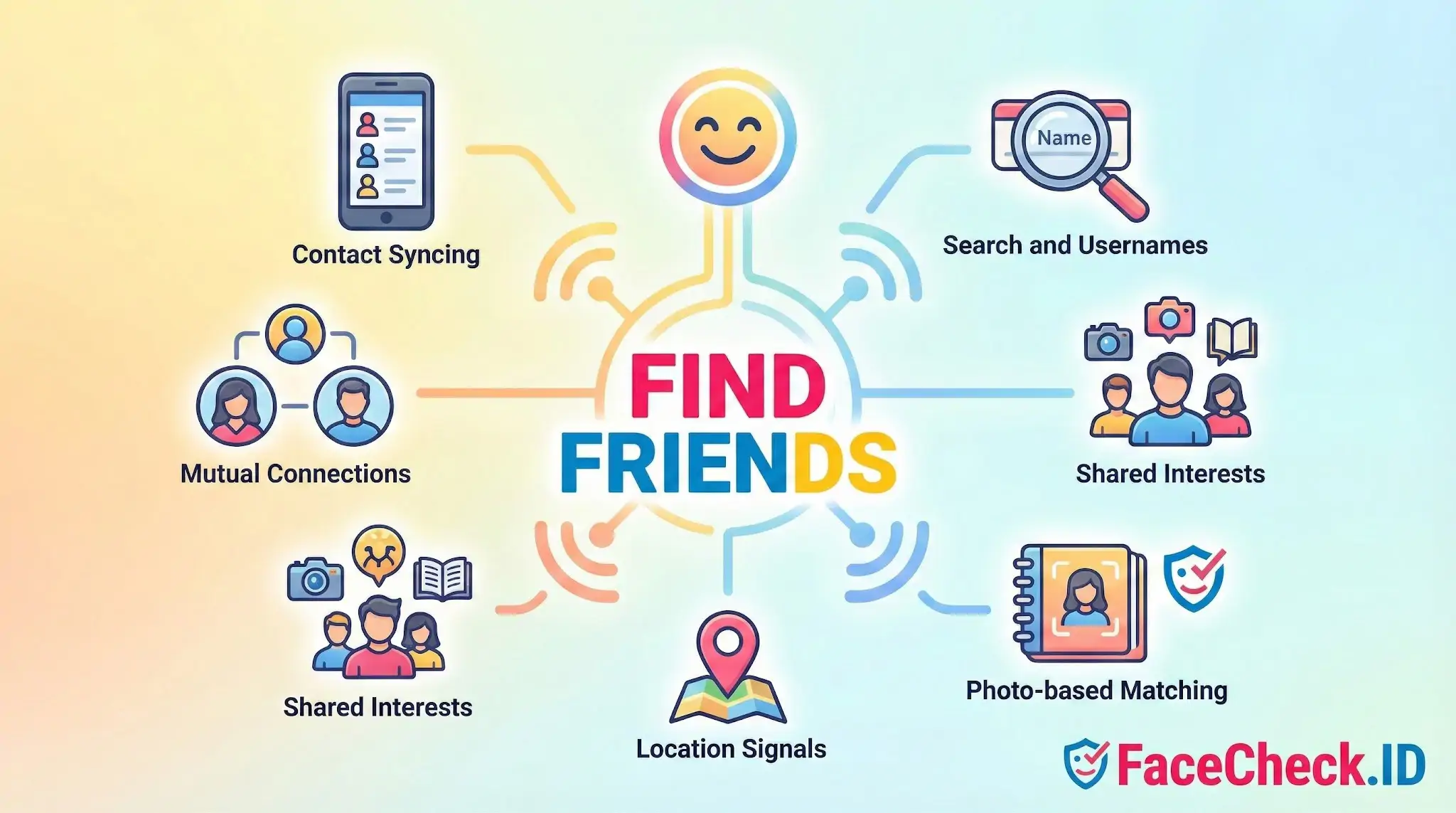
Find Friends typically works from contact lists, mutual connections, shared groups, location, and account metadata. Face search works from the photo itself, scanning the public web for pages where the same face appears. The two methods often surface the same accounts from opposite directions. A coworker shows up in your "People You May Know" because of a shared email domain. The same coworker shows up in a face-search result because they reused their LinkedIn headshot on a personal blog.
This overlap matters when you are checking whether someone you met online is who they claim to be. If a profile turns up in Find Friends suggestions tied to a phone number that does not match their stated name, or if the same face appears under a different identity in a reverse image search, those signals together are stronger than either one alone.
What Find Friends exposes about online identity
The signals Find Friends relies on can leak information that is useful in an investigation, and risky for the people being indexed:
- Phone-number discoverability lets anyone who has your number find your account, even if you never shared the profile publicly.
- Email-based matching ties throwaway personas back to real identities when someone reuses an old email.
- Mutual-friend graphs can confirm a real person exists in someone's social circle, or reveal that a profile has no organic connections at all, which is common with catfishing and romance-scam accounts.
- Photo tagging and suggestions sometimes connect faces across accounts the user never intended to link.
A scammer running multiple personas often shows distinct patterns in these signals: very few mutual connections, no contact-list overlap with claimed coworkers or relatives, and stock or reused photos that face search can trace to the original source.
Using Find Friends signals alongside face-match results
When a FaceCheck.ID search returns matches, Find Friends behavior on the matched profiles adds context. A real person tends to have an organic web of suggested connections built from years of contact syncing, school networks, and shared events. A fabricated identity often does not.
Practical things to compare:
- Whether the profiles surfaced by face matching are discoverable by phone or email lookup, which suggests a real registered account rather than a scraped image.
- Whether mutual connections on a matched profile look consistent with the person's claimed background.
- Whether the same face appears on multiple accounts that Find Friends does not link to each other, which can indicate duplicate or impersonation accounts.
A clean LinkedIn match with mutual coworkers and a verified employer is a different quality of signal than a face match on a dating profile with no friends, no tagged photos, and a name that does not appear anywhere else.
Limits and where interpretation goes wrong
Find Friends suggestions are not proof of any relationship. The system surfaces people who share a contact, a network, or a location, not people who actually know each other. A stranger who once had your number assigned to them before you can still appear in suggestions years later.
Face-search results paired with Find Friends data can also produce false confidence. A lookalike with similar facial geometry may surface in a face-match result, and a coincidental contact overlap may appear unrelated to the actual person you are investigating. Cropped photos, low-resolution avatars, and heavy filters reduce match reliability, and contact-graph signals say nothing about intent or authenticity.
Treat both tools as starting points. They narrow the field and surface inconsistencies, but confirming an identity still requires cross-checking against information the subject would not easily fake, such as employment records, long-running public posts, or direct verification through a trusted channel.
FAQ
What does “Find Friends” mean in the context of face recognition search engines?
“Find Friends” typically refers to using a face photo to discover other public webpages where the same face (or very similar faces) appears, with the goal of reconnecting with someone or verifying whether a profile photo is reused elsewhere. It should be treated as a way to generate leads, not a way to confirm identity.
Can “Find Friends” features find people who are not on the public web or who use private accounts?
Usually no. Face recognition search engines can generally only return results from sources they can access and index (public webpages or otherwise accessible content). If photos are private, behind logins, or not indexed, “Find Friends” searches may return limited or no matches.
What are the safest ways to use “Find Friends” without violating someone’s privacy?
Use it only for legitimate purposes (e.g., confirming your own image reuse or reconnecting with someone you already know), avoid uploading sensitive images (minors, medical contexts, intimate images), and avoid doxxing or harassment. If you find a likely match, verify through non-invasive methods (mutual contacts, direct consent-based outreach) rather than public accusations.
Why might a “Find Friends” search return multiple different people who look similar?
Face recognition search engines may return look-alikes when images are low quality, faces are partially occluded, angles/lighting differ, or the person’s appearance changes. Similar-looking individuals can also score highly, so results may include both true matches and close look-alikes, especially when the query photo is blurry, filtered, or heavily compressed.
If I use a tool like FaceCheck.ID for “Find Friends,” what should I do after I get matches?
Treat matches as starting points: open the source pages, check whether the context aligns (timeframe, location clues, associated usernames), and look for multiple independent corroborating pages rather than relying on one hit. If you plan to contact someone, use respectful, consent-based outreach and avoid assuming the match proves identity.


Recommended Posts Related to find-friends
-
Facial Recognition and Reverse Search on Facebook: A Deep Dive into FaceCheck
Prepare to find friends, expose fake profiles, and explore a variety of applications to keep your online life secure! Its user-friendly interface and powerful facial recognition search capabilities make FaceCheck.ID your ultimate resource for verifying identities, finding friends, and discovering profiles on Facebook. Aside from finding friends and unmasking fake profiles, reverse searching with FaceCheck.ID opens up a world of possibilities:.
-
Search Instagram by Photo with Reverse Image Instagram Search Engine
Use this technique to find friends, family members, and other interesting people on Instagram.