Reverse Search on Facebook
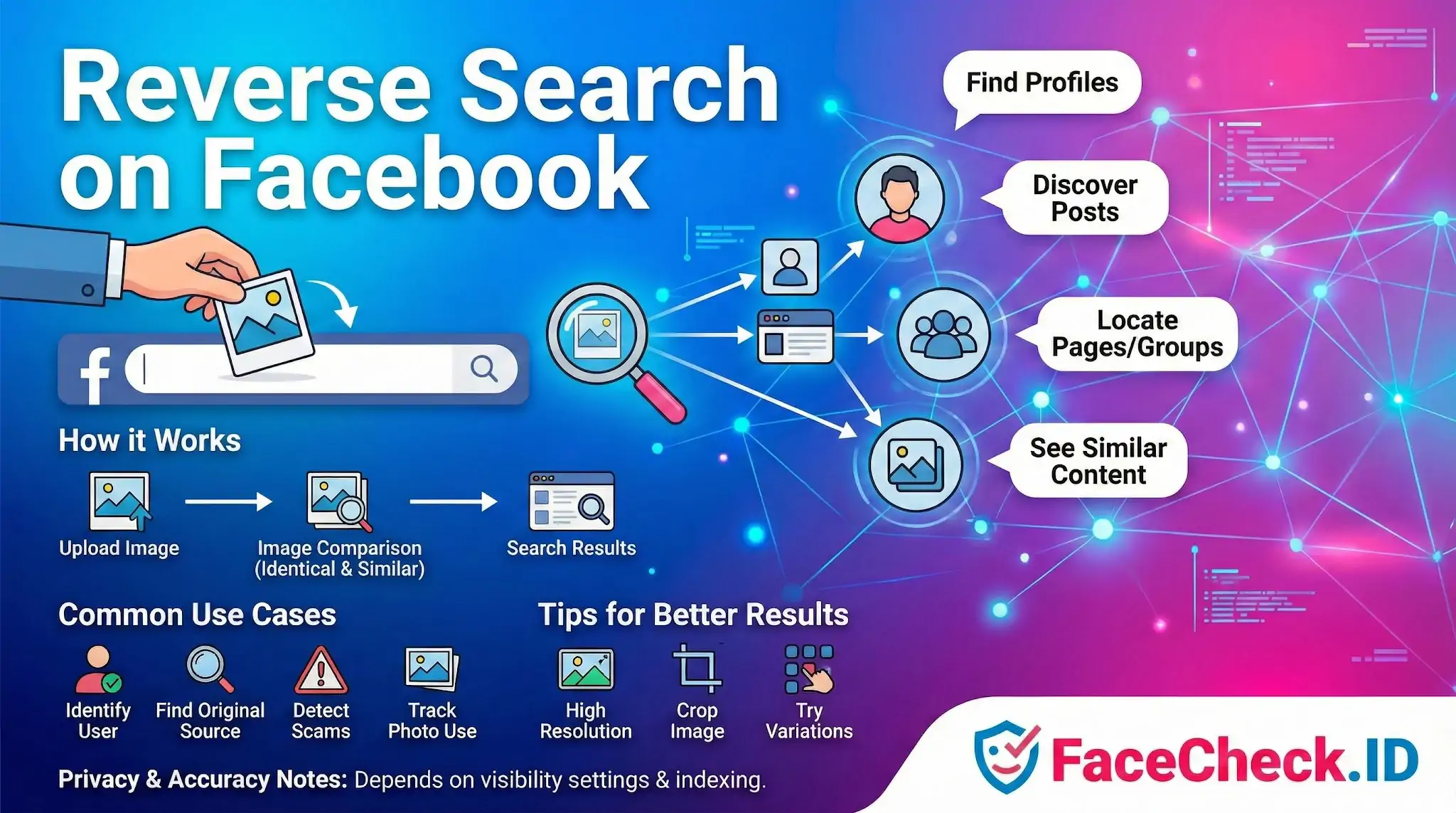
If you have a photo of someone and suspect they have a Facebook presence, reverse searching that image can connect the face to a profile, a post, or a pattern of reuse across the platform. This matters in catfishing investigations, scam verification, and any situation where a name is unknown but a face is available.
Facebook itself does not offer a public reverse image search tool. What people usually mean by "reverse search on Facebook" is a workflow: run the photo through a face-search engine like FaceCheck.ID or a general reverse image tool, then use the leads, names, usernames, or URLs returned to locate the matching Facebook profile.
Why face search beats Facebook's built-in tools for finding a person
Facebook's search bar is built around names, mutual friends, and keywords. If you only have an image and no name, those tools are close to useless. Face-search engines flip the problem. They scan the public web, including indexed Facebook content, for the same face rather than the same file. That distinction matters because:
- The same person uses different photos across profiles. A pixel-level reverse search misses these. Face matching does not.
- Scammers crop, filter, and recompress stolen photos to evade duplicate detection. Face recognition is more tolerant of these changes than image hashing.
- A target may have an obscure profile under a false name. Searching by face bypasses the name entirely.
When FaceCheck.ID returns a hit on a Facebook page, it is usually because that profile photo or a tagged image was publicly indexed at some point. Private posts, friends-only photos, and locked groups stay out of reach.
Practical workflow for matching a face to a Facebook profile
A typical investigation looks like this:
- Start with the cleanest version of the source photo. Front-facing, well-lit, single subject. Group shots and heavy filters drag down match confidence.
- Run the image through FaceCheck.ID to get a ranked list of pages where that face appears. Note the confidence score on each result.
- If a Facebook URL appears directly, open it and compare additional photos on the profile to confirm the match is the same person and not a lookalike.
- If no Facebook link appears but other social profiles do, pull the display name, username, or city from those pages and search Facebook directly using that information.
- Cross-check by reverse searching a second photo of the same person. Two independent matches landing on the same profile is much stronger evidence than one.
For investigative work on suspected scams, look for Facebook hits where the face is attached to a different name than the one being used in the scam. That mismatch is often the clearest single signal.
Reading the results without overreaching
A face match to a Facebook profile is a lead, not a verdict. A few cautions worth keeping in mind:
- Lookalikes exist. High match scores reduce the chance, but identical twins, siblings, and unrelated doppelgangers can produce convincing false positives.
- Stolen photos are common. A face appearing on a Facebook profile does not prove that profile belongs to the person in the photo. Romance scammers routinely build accounts using images scraped from real people's social media or modeling sites.
- Old or abandoned profiles can mislead investigators into thinking someone is active when the account has not been touched in years.
- Private content is invisible. A negative result on Facebook does not mean the person has no account. It means nothing matched in the publicly indexed slice.
The right way to use reverse search on Facebook is as one input. Combine the face match with the name, location, employer, mutual contacts, and writing style on the profile before drawing conclusions. When the goal is to expose a catfish or verify a stranger's identity, a single Facebook hit is a starting point for confirmation, not the answer itself.
FAQ
What does “Reverse Search on Facebook” mean in the context of face recognition search engines?
“Reverse Search on Facebook” usually means using a face photo you have and trying to find matching Facebook profiles or Facebook-hosted images. Because Facebook does not provide a public, general-purpose “search by face” feature for finding people, this phrase typically refers to using a third-party face recognition search engine to look for the same face on pages that are publicly accessible on the web (which may include Facebook pages or images that were reposted elsewhere).
Can face recognition search engines search Facebook directly (including private profiles)?
In general, face recognition search engines cannot lawfully or reliably “search Facebook directly” in the sense of accessing private profiles, locked photos, or content that requires login permissions. They can only return what their systems can index from publicly accessible pages or from images that appear outside Facebook (e.g., reposts, screenshots, cached copies), and results can be incomplete or missing even when a real Facebook profile exists.
How do I run a “Reverse Search on Facebook” workflow safely using a face photo?
Use the minimum-necessary image (crop to the face, remove unrelated people, and avoid metadata), and prefer a clear, front-facing photo. Treat results as leads, not proof: open the source page, compare multiple photos across time, check for consistency (friends, comments, posting history), and look for signs of reposts or impersonation. Avoid uploading sensitive images (minors, medical contexts, private settings), and stop if your use could enable harassment, stalking, or doxxing.
Why might a “Reverse Search on Facebook” return the wrong Facebook profile (or several similar profiles)?
Common causes include look-alike faces, low-quality or heavily edited photos, partial faces, extreme angles, and duplicate/reposted images (memes, screenshots, fan pages). Facebook-specific confusion can also come from stolen profile pictures used across multiple accounts, pages that re-upload the same image, or “aggregator” pages that mirror content. If you see multiple plausible profiles, assume uncertainty and validate with independent signals rather than picking the closest-looking one.
How can FaceCheck.ID add value when someone says they want a “Reverse Search on Facebook”?
FaceCheck.ID can be used as a face-focused reverse search tool to discover where a face appears across the open web, which may include Facebook-related pages that are public or images that were reposted outside Facebook. Its value is mainly in broadening beyond exact-image matches to face-based matches, but you should still verify each hit at the source and avoid treating any Facebook link (or any single match) as identity confirmation.


Recommended Posts Related to reverse-search-on-facebook
-
Facial Recognition and Reverse Search on Facebook: A Deep Dive into FaceCheck
Just follow these simple steps to reverse search on Facebook:.