Find Someone by Photo
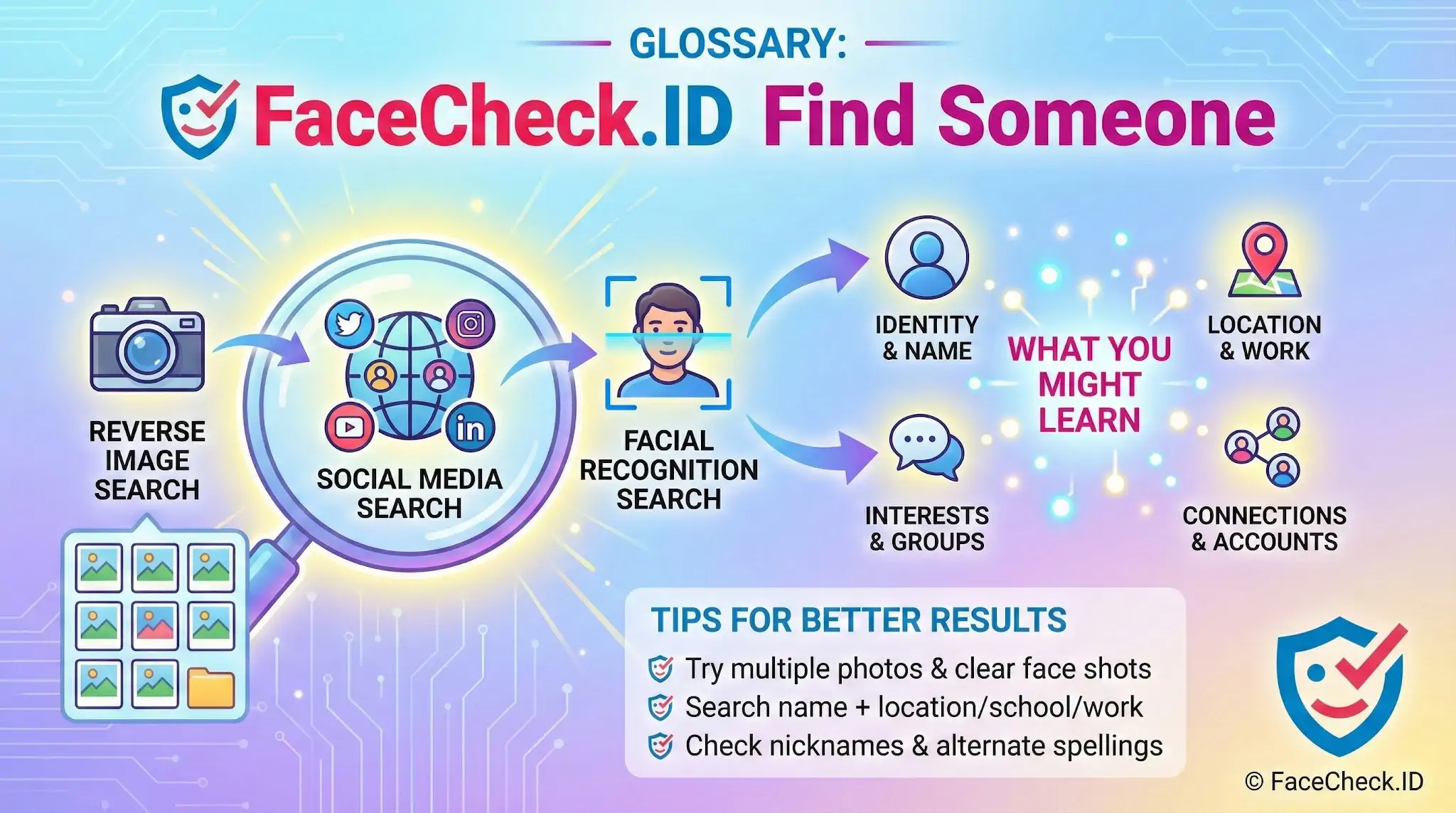
Finding someone online usually starts with a fragment: a first name, a screenshot, a dating-app photo, a username that turned up in a chat. Face search closes the gap between that fragment and a real identity by using the person's face as the search key, pulling back pages where the same face appears across the public web.
Why face search changes how you find someone
Traditional people-search relies on text: names, emails, phone numbers, addresses. That breaks down fast online, where users pick handles, hide last names, and recycle the same profile photo across half a dozen platforms under different aliases. A face is harder to disguise than a username.
When you upload a photo to a face-recognition search engine, the system extracts a mathematical representation of the face and compares it against indexed images from social profiles, news articles, blogs, mugshot databases, forum avatars, and other publicly accessible pages. The result is a set of candidate matches ranked by similarity, each pointing to a URL where that face appeared.
This matters in a few common scenarios:
- Verifying that an online date is the person in their photos
- Checking whether a recruiter, investor, or business contact is real
- Identifying someone whose name you never learned
- Looking for additional accounts run by the same person under other names
- Investigating a suspected scammer, romance-fraud account, or fake profile
What strong face-search results look like
A useful match gives you more than a face. It gives you context: a profile name, a city, a posting history, friends, a workplace, a date the photo was first indexed. The quality of what you find depends heavily on the photo you start with.
Photos that tend to produce cleaner matches:
- Front-facing shots with both eyes visible
- Even, natural lighting without heavy shadows
- A single face filling a reasonable portion of the frame
- Higher resolution, ideally above 200 pixels across the face
- Neutral expression rather than extreme angles or motion blur
Photos that struggle: group shots, side profiles, sunglasses, heavy filters, low-light selfies, screenshots of screenshots, and tightly cropped thumbnails. If a first search returns weak results, try a second photo of the same person from a different angle.
Reading the results without jumping to conclusions
Face search returns probabilities, not verdicts. Two issues come up constantly:
Lookalikes. Unrelated people can score surprisingly high similarity, especially across the same age range and ethnic background. A 70 percent match on a single image is a lead, not a confirmation.
Reused photos. Scammers steal photos from real people and run them on fake profiles. If a face appears under one name on LinkedIn and a different name on a dating app in another country, the LinkedIn account is usually the real person and the dating profile is the fraud. The presence of the same face on multiple accounts does not always mean one person runs all of them.
Treat each match as evidence to corroborate. Compare clothing, tattoos, backgrounds, posting style, and timestamps across the matched profiles. A real identity holds together across details. A stolen-photo persona usually breaks somewhere.
Limits of finding someone through face search
Face search only sees what has been indexed from publicly accessible pages. It does not reach into private accounts, encrypted messages, or platforms that block scrapers. Someone with a locked-down digital footprint may not appear at all, even if they have profiles. Conversely, someone whose photos went viral years ago may show up in dozens of unrelated places, making it harder to isolate their actual accounts.
A face match also does not prove intent. Finding that someone has a second account under a different name might mean they are a scammer, or it might mean they kept a personal account separate from a professional one, or that an old account was compromised. Use face-search results as a starting point for verification, not as a finished answer about who someone is or what they are doing.
FAQ
What does “Find Someone” mean in a face recognition search engine?
“Find Someone” typically means using a person’s face photo as a query so the engine can search its indexed webpages and images for visually similar faces. The output is usually a set of candidate matches (links and images), not a confirmed identity.
Does using “Find Someone” confirm who the person really is?
No. A “Find Someone” result is best treated as a lead. Similar-looking people, reused photos, mislabeled pages, and reposts can all cause incorrect associations, so you should verify with independent evidence (consistent usernames, timelines, locations, and corroborating images) before drawing conclusions.
What information do I need to use “Find Someone” effectively?
A clear photo where the face is front-facing, well-lit, and reasonably high-resolution usually works best. Avoid heavy filters, extreme angles, strong motion blur, large sunglasses/masks, and tiny faces from group shots; if you must use a group photo, crop to the single face you want to search.
Why might a “Find Someone” search return no results even if the person is online?
Common reasons include: the person’s photos are not publicly accessible, the site is not indexed by that engine, the face is low quality or partially occluded, the person’s appearance differs significantly across photos, or the available images are new and haven’t been crawled yet.
How should I use “Find Someone” results responsibly (e.g., on FaceCheck.ID or similar tools)?
Use results to identify potential source pages, then verify carefully before acting. Avoid doxxing, harassment, or making accusations based on a single match; document why you believe a result is relevant; and follow the tool’s terms and any opt-out/removal processes if you find your own images. Tools like FaceCheck.ID can be useful for locating candidate pages, but they still do not provide definitive proof of identity.


Recommended Posts Related to find-someone
-
Search by Face to Find Social Media Profiles
Have you ever been in a situation where you wanted to find someone on the Internet but didn't have any information about them except for their photo? This article will teach you how to search the Internet by face and find someone by their photo. If you're trying to find someone online, one of the first places you'll look is their social media profile.
-
Image Search to Find Facebook Profiles by Photo using Face Search Engine
However, there are several face search engines available online, and you can use one of these to find someone's profile by searching for their photo. FaceCheck.ID is a reverse image face search engine that can help you find someone's Facebook profile by searching through Facebook photos. This can be useful if you're trying to find someone who's not using their real name on Facebook or trying to track down someone who's using a fake profile picture.
-
Searching Instagram by Photo: A Guide to Finding People and Accounts
But, ever felt like finding someone there is like a wild goose chase? How do you find someone on Instagram by their picture? Finding someone on Instagram using just their pic is challenging, since big image search engines like Google or Bing don't use facial recognition hence are useless for this task.
-
The 4 Simple Steps To Find Someone Using Face Search Engine
This article will show you the four simple steps to finding someone using this new tool. One of the most important benefits is that it can help you find someone who may be lost or missing. A face search engine can also be used to find someone who has been involved in a crime.
-
How to Find Someone Using a Screenshot
If you want to find someone by taking a screenshot from a video or website, the most effective reverse image search engine to find someone by a screenshot image is FaceCheck.id. How to reverse image search to find someone. The best reverse image search engine to find someone by photo is FaceCheck.id.