Picture Lookup Explained: Find Image Source Fast
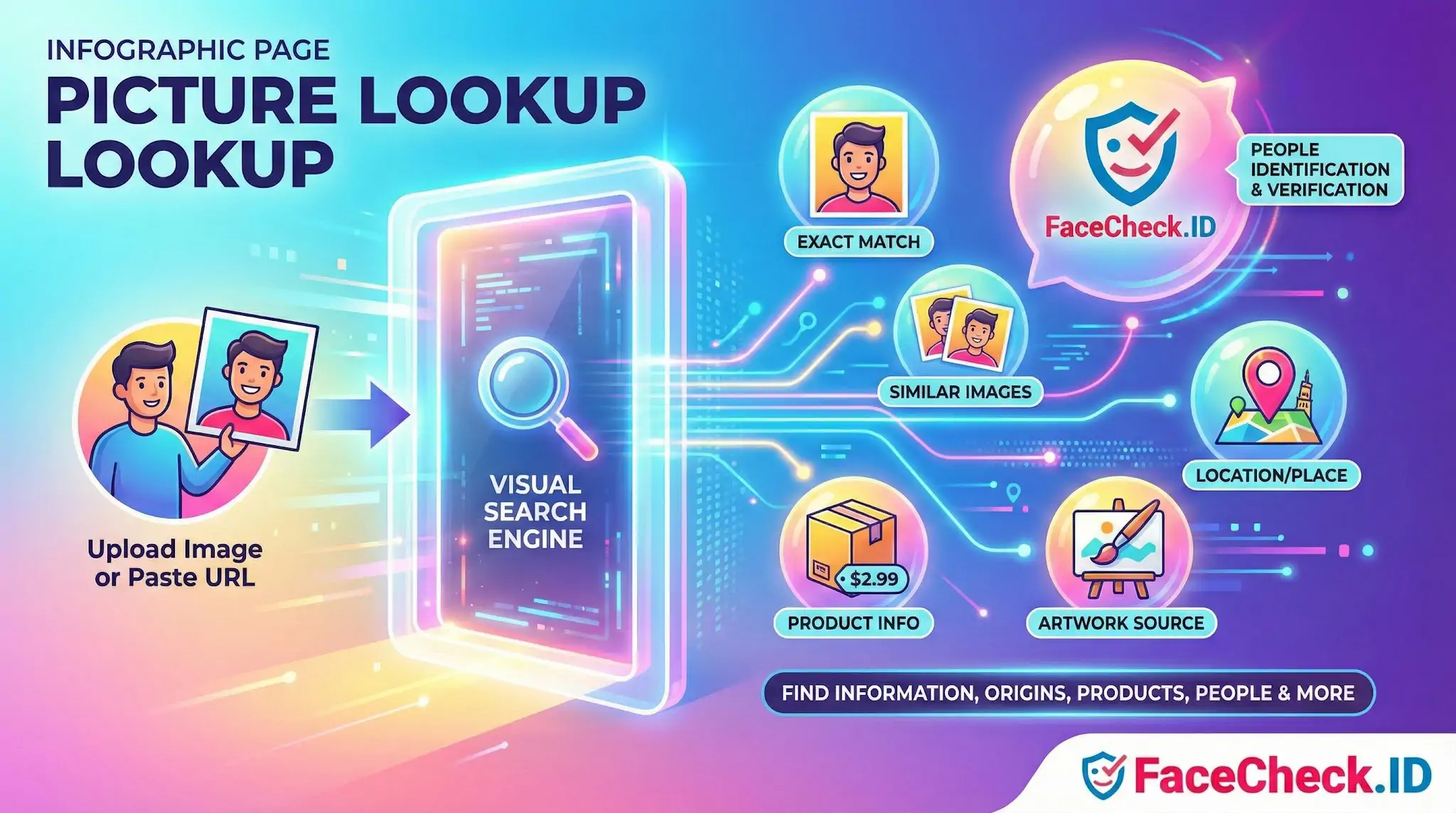
Picture lookup is the process of using an image to find information about it online. Instead of typing keywords, you upload a picture or paste an image URL and a search tool looks for matches or visually similar images. Picture lookup is often used to identify objects, people, places, products, logos, artworks, and the original source of a photo.
What picture lookup does
Picture lookup tools analyze visual features in an image, such as shapes, colors, patterns, and text. They then compare those features against indexed images and web pages to return results like:
- Exact matches of the same image
- Similar images that look alike
- Web pages where the image appears
- Related information, such as product listings or locations
- Detected text from the image, if available
Common ways to do a picture lookup
Picture lookup is typically done in one of these ways:
- Upload an image from your phone or computer
- Paste an image link (URL) from a website
- Use your camera to search in real time
- Search within an app using a built in visual search feature
Typical uses of picture lookup
People use picture lookup for many practical tasks, including:
- Finding the source of a photo and where it was first published
- Checking image usage to see where your photos appear online
- Identifying products like clothing, furniture, gadgets, or tools
- Spotting duplicates and near duplicates of an image
- Verifying authenticity by seeing if an image is old, reused, or taken out of context
- Recognizing landmarks or travel locations
- Learning about objects such as plants, animals, artwork, or collectibles
Picture lookup vs reverse image search
Picture lookup is often used as another name for reverse image search. Both describe searching with an image instead of text. Some tools use the term picture lookup when the results focus more on identification, shopping matches, or visual similarity.
Tips for better picture lookup results
- Use a clear, high resolution image when possible
- Crop to the main subject to reduce background noise
- Try multiple tools, since results can differ by index and region
- If the image contains text, include a version where the text is sharp and readable
- For products, use photos that show the item front facing and well lit
Why picture lookup matters
Picture lookup makes it faster to find accurate information when you do not know the right keywords. It is especially useful for visual items like products, places, and artworks, and it can help you confirm where an image came from and how it is being used.
FAQ
What does “Picture Lookup” mean in the context of face recognition search engines?
“Picture Lookup” usually means uploading (or providing a link to) a photo so a face recognition search engine can search for visually similar faces across its indexed web sources. Unlike text-based lookup, it relies on the face in the image rather than a name, username, or keywords.
Is “Picture Lookup” the same as reverse image search?
Not always. Traditional reverse image search is strongest at finding exact or near-duplicate images (same photo, resized, cropped, or reposted). “Picture Lookup” in face-recognition tools is often face-based, meaning it may find the same person in different photos—even when the exact image was never reposted.
What kinds of results should I expect from a face-based Picture Lookup?
You typically get a list of pages or images that the engine considers similar to the face you uploaded, sometimes grouped by match strength or similarity. Results are best treated as investigative leads (possible matches), not proof of identity, because look-alikes, low-quality photos, and misleading context can produce wrong-person hits.
Why might a Picture Lookup return no results even if the person is online?
Common reasons include: the person’s photos aren’t publicly accessible (private accounts, locked profiles, paywalls), the sites aren’t indexed by that engine, the face is too small/blurred/obscured, or the available online photos differ significantly (lighting, angle, age, heavy edits). Different search engines also have different coverage, so results can vary by tool.
How should I use Picture Lookup results responsibly (including on FaceCheck.ID)?
Use results as starting points: open the source pages, check whether the context matches (date, location, other photos of the same person), and look for corroboration from multiple independent sources before making any claim. Avoid doxxing, harassment, or public accusations based on a match list alone. If using FaceCheck.ID (or similar tools), pay close attention to match-strength indicators and verify with additional evidence before acting.


Recommended Posts Related to picture lookup
-
How can I find a person with just a picture?
Alternative Websites for Finding Someome with Just a Picture. Looking into your family history can be really exciting, and nowadays, there are lots of websites that can help you with this.
-
How to Find Someone on Instagram Using a Picture
**Upload the Picture**: Look for the option to upload the picture of the person whose Instagram profile you are trying to find.