Find Anyone Online
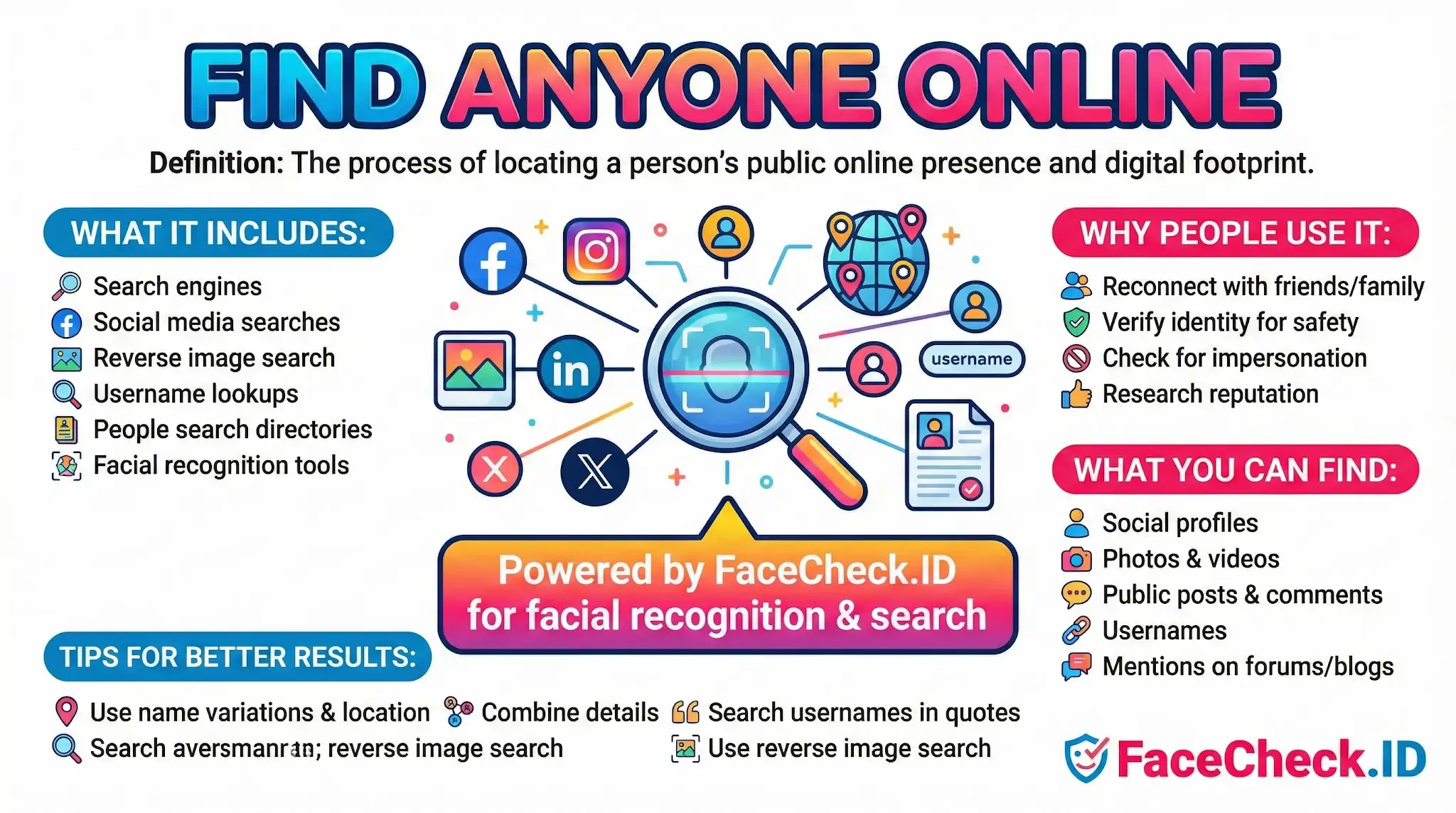
Finding someone online used to mean guessing usernames or hoping their name was uncommon enough to surface in a search engine. Face-based reverse image search changed that. When you have a photo but no name, no handle, and no email, the face itself becomes the query, and the goal shifts from text matching to locating every public page where that face appears.
How face search fits into finding someone
Most online searches start with text: a name, an email, a phone number, a username. Those work when the subject has been careless with personal data, but they fail against people who use aliases, recycled stock photos, or scrubbed profiles. A face-based search inverts the problem. You start with the one thing a scammer, catfish, or anonymous account often cannot fully hide: the photo they chose to use.
FaceCheck.ID indexes faces from publicly accessible pages and returns links where a similar face appears. That can include dating profiles, news articles, blog posts, social media, mugshot sites, forum avatars, company "about" pages, and archived content. The result is not a dossier. It is a starting point that a human still has to verify.
Combining face matches with other signals
A face match becomes useful when you cross-check it against other public information. A single hit on an obscure forum is interesting. The same face on a LinkedIn page under one name and a Tinder profile under another is meaningful. The investigative pattern usually looks like this:
- Run a face search and collect every plausible match, including weaker ones
- Pull names, usernames, and locations from each linked page
- Re-run those names and handles through standard search engines and social platforms
- Compare timestamps, locations, employer claims, and photo reuse patterns
- Flag contradictions, especially when the same face appears under different identities
Professional headshots tend to produce cleaner matches because they are front-facing, well-lit, and reused across multiple sites. Casual photos with sunglasses, heavy filters, side angles, or low resolution often produce weaker confidence scores or no matches at all, even when the person clearly has an online presence.
Common reasons to search by face
Face-based lookup tends to come up in a small number of recurring scenarios:
- Verifying that a person on a dating app is who they claim to be
- Checking whether a "recruiter" or "investor" who reached out is real
- Identifying the source of a stolen profile photo used in a romance scam
- Reconnecting with someone whose name has changed or been forgotten
- Researching a private seller, tenant, landlord, or in-person meeting
- Checking whether your own photos are being reused without permission
In each of these, the face is more reliable than the name. Names get faked. Faces, when they appear in real photos, do not.
What a face match does not prove
A high-confidence match means a face on one page closely resembles the face you uploaded. It does not by itself prove the two people are the same person. Identical twins, close relatives, and unrelated lookalikes all generate strong matches. Reused stock photos can make one face appear under dozens of unrelated names. A photo on a scam site does not mean the depicted person is the scammer; in romance scams, the real victim of identity theft is often the person in the photo.
Treat any single match as a lead, not a conclusion. Confidence scores describe visual similarity, not identity. Context matters: a match on an archived 2014 news article carries different weight than a match on a freshly created profile. Cropped images, AI-generated faces, and heavy retouching can also distort results in both directions, producing false positives and missed matches.
The right way to use face search to find someone online is to gather evidence, not verdicts. Pair the visual matches with text-based research, look for consistent patterns across multiple independent sources, and keep your conclusions proportional to what the data actually supports.
FAQ
What does “Find Anyone Online” usually mean in face recognition search engines?
“Find Anyone Online” is typically marketing shorthand for using a face recognition search engine to look for visually similar faces across publicly accessible web pages (and sometimes partner indexes). It does not literally mean you can locate any person on demand—results depend on whether matching images are publicly available, indexed, and of sufficient quality to match.
What are the most common limitations behind “Find Anyone Online” claims?
Common limitations include: the person has little or no public photo presence; images are behind logins/paywalls or blocked from indexing; photos are too small, blurry, or heavily edited; the person’s face is angled/occluded; and the engine’s index coverage varies by site and region. Even with strong photos, many engines return partial leads rather than a definitive identification.
What should I do before trusting a “Find Anyone Online” match as the same person?
Treat matches as leads, not proof. Cross-check multiple signals: confirm the result page’s context (same name/username, consistent biography), compare multiple photos across different dates, look for corroborating links (same account linking to the same sites), and watch for reposts or screenshot accounts. If the only evidence is facial similarity with no consistent profile context, assume it could be a different person.
How can someone reduce the chance of being found by “Find Anyone Online” style face searches?
You can reduce discoverability by limiting public face photos, using stricter privacy settings, avoiding public profile pictures that are reused across platforms, watermarking or lowering resolution of publicly posted images, and requesting removals where a service offers opt-out/takedown processes. Note that anything publicly reposted by others may still remain searchable elsewhere.
How does FaceCheck.ID relate to the idea of “Find Anyone Online”?
FaceCheck.ID is one example of a face search tool that can surface web pages containing visually similar faces, which people may describe as “Find Anyone Online.” As with any such tool, the practical value is in generating investigatory leads (e.g., locating reused photos or impersonation), while users should validate context carefully and avoid treating a face match as confirmed identity.


Recommended Posts Related to find-anyone-online
-
How to Find Anyone Online: A Guide to Internet Sleuthing
Search by Face and Find Anyone Online Using a Photo. Find Anyone Online by Photo. Find Anyone Online with just a Pic!
-
Reverse Image Search FAQ: The Ultimate Guide for 2025
Find Anyone Online by Photo. Find Anyone Online by Photo. Find Anyone Online by Photo.
-
How to Find Someone Online
In addition to these two, many others available on the web will help you find anyone online.