How to Find Someone
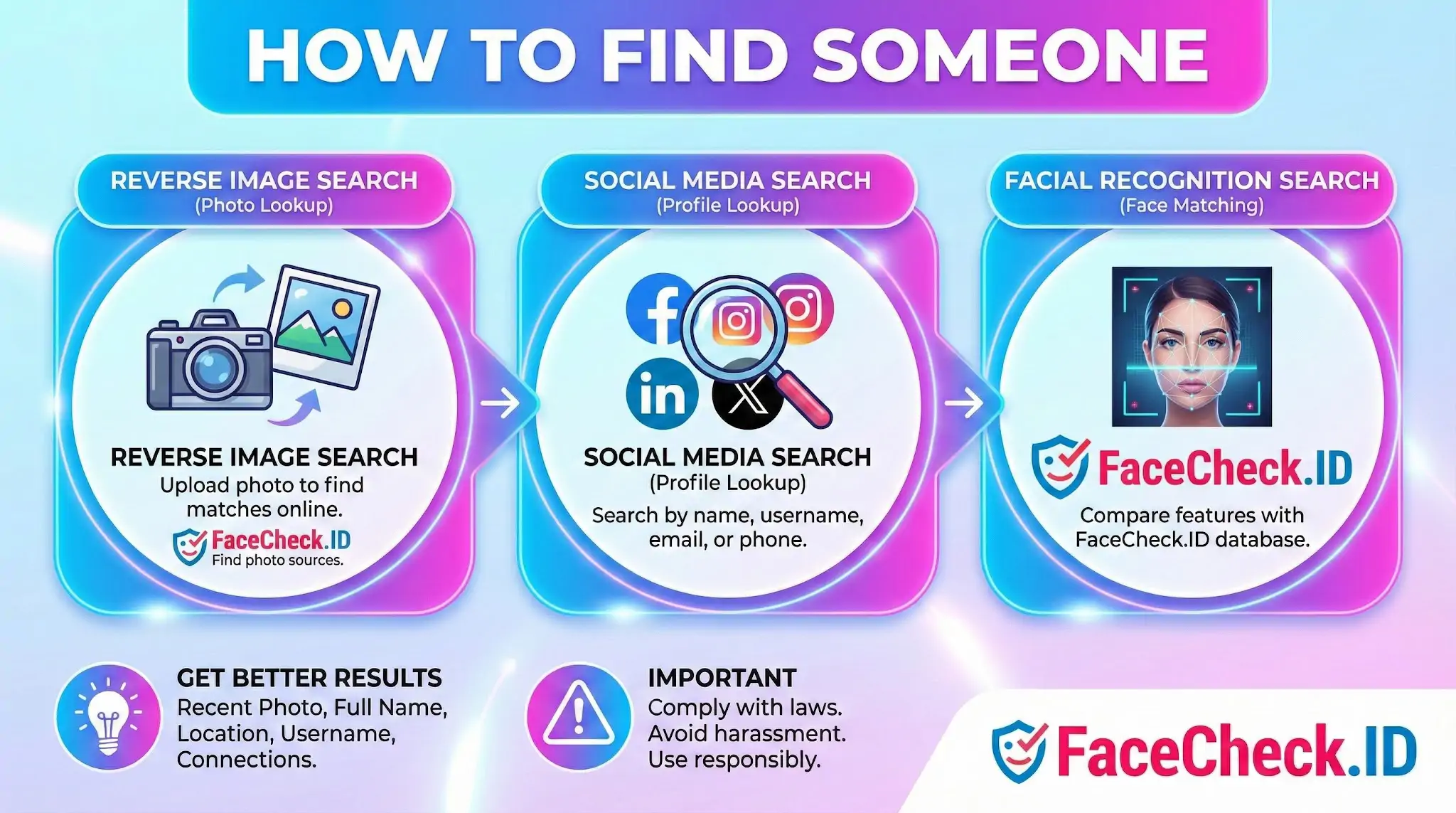
Finding someone online usually starts with a fragment: a photo, a username, a first name, or a screenshot from a dating app. Face search changes what you can do with that fragment, because a single image can become a thread that pulls in profiles, articles, and reposts the person never thought were connected.
Starting with a photo instead of a name
When all you have is an image, name-based search is a dead end. Reverse image search and face search work in opposite directions: reverse image search looks for the same file or visually similar copies, while face search looks for the same face across different photos, lighting, and angles.
The distinction matters. If a scammer copies a stranger's selfie and uses it on five dating profiles, reverse image search may catch the duplicate uploads. But if they took fresh photos of the real person from another angle, only face matching will link them, because the pixels differ even though the face is the same.
Useful inputs for face search:
- A front-facing image with both eyes visible
- Even lighting, no heavy filters or sunglasses
- Minimal occlusion from masks, hats, or hands
- Resolution high enough that the face occupies a meaningful portion of the frame
Group photos work, but cropping to a single face before searching usually produces tighter results.
Combining face search with traditional lookups
Face search rarely gives you a finished answer. It gives you leads. The pages that come back, a LinkedIn profile, a forum avatar, a tagged event photo, a news caption, are starting points for verification.
A practical workflow looks like this:
- Run the photo through a face-search engine and note the highest-confidence matches.
- Open each result and look for a name, handle, or location.
- Take that name or handle and search it on the platforms where the person is most likely active. Professional profiles end up on LinkedIn, casual photos on Instagram, real-name accounts on Facebook.
- Cross-check the new profiles against the original photo. Same face, different photo, same identifying details like a tattoo or workplace, that is real corroboration.
LinkedIn headshots are often the cleanest match source because they are front-facing, well-lit, and frequently mirrored on company sites and conference pages. TikTok and Instagram are noisier because filters, angles, and heavy editing reduce match confidence. Mugshot aggregators and news photos surface in face search more often than people expect, since those images are heavily indexed.
Reading the results without overreaching
Face-search results are probabilistic. A high score means the system thinks two faces are the same person, not that they are. Identical twins, close siblings, and unrelated lookalikes all produce false positives, and a single confident match on a stock-photo site usually means the original photo was scraped or stolen.
Treat one match as a hypothesis. Treat multiple independent matches, different photos, different platforms, consistent identifying details, as evidence. If the only hits are reposts of the same image across image boards, you have located the photo, not the person.
What face search will not tell you
Finding someone is not the same as knowing them, and a face-match result has real limits.
- It does not confirm the person currently lives anywhere. Old profiles persist long after someone has moved on.
- It does not prove a profile belongs to the person pictured. Stolen photos drive most romance scams and catfishing accounts.
- It does not surface private accounts, deleted posts, or anything behind a login wall the crawler cannot reach.
- It does not establish intent. A match on a dating site might be the real person, an impersonator, or an old account they forgot about.
There is also a line between legitimate use and misuse. Verifying that someone you met online is who they claim to be, identifying an image source, or checking whether your own photos are being used elsewhere are reasonable uses. Tracking strangers, building dossiers without consent, or using results to harass someone are not, and most jurisdictions treat the latter as a legal problem regardless of how the data was found.
FAQ
How to find someone with a face recognition search engine without misidentifying them?
Treat results as leads, not proof. Cross-check multiple independent sources (different sites/pages), compare several photos of the person (not just one), and look for corroborating context (location, timeline, associations). Avoid acting on a single match or a single similarity score—especially if the face image is low quality, heavily edited, or taken years apart.
How to find someone if you only have a low-quality photo (blurry, dark, side profile, or partial face)?
Use the best available frame (sharpest, highest resolution), crop tightly to the face, and run multiple searches using different frames or crops. If possible, try a front-facing image, remove heavy filters, and avoid extreme angles. Low-quality inputs often increase look-alike matches and missed matches, so compare results using several photos rather than relying on one upload.
How to find someone while protecting your privacy when uploading a face photo?
Assume an upload could be sensitive biometric data. Use a minimal image (crop to the face, remove unnecessary background), avoid uploading images that reveal private details (children, home address, IDs), and consider using a dedicated browser profile. Review the provider’s data retention/terms, and prefer tools that provide clear controls for deletion or opt-out when available.
How to find someone when the search results show multiple different identities for the same face?
This often indicates reposting, impersonation, outdated photos, or similarity confusion. Open each result and validate the source: check whether the page is original, whether it is a repost/aggregation, and whether there are consistent identifiers (same username, same set of photos, consistent biographical details). If results conflict, do not assume the most “official-looking” profile is correct without additional corroboration.
How to find someone using FaceCheck.ID specifically, and what should you do after getting matches?
Run the search with a clear, front-facing photo, then review matches by opening the underlying source pages rather than relying only on thumbnails or scores. If FaceCheck.ID returns several strong candidates, repeat the search with a different photo of the same person to see which candidates remain consistent. Afterward, verify identity through non-face signals (usernames, cross-posted content, timestamps, and trusted links) before taking any real-world action.


Recommended Posts Related to how-to-find-someone
-
How to Search Facebook by Photo
How to Find Someone on Facebook by Photo in 4 Steps.
-
How to Find Someone on TikTok by Photo (2026)
This guide shows you how to find someone on TikTok by photo anyway, which methods are worth your time, and where each one stops working.
-
How to Find Anyone Online: A Guide to Internet Sleuthing
In-Depth Manual on How to Find Someone Online.
-
Searching Instagram by Photo: A Guide to Finding People and Accounts
How to find someone's Instagram without knowing their username with FaceCheck.ID? How To Find Someone on Instagram Without Knowing Their Name. How To Find Someone on Instagram Without Knowing Their Name.
-
How to Find an OnlyFans Profile by Photo Using a Reverse Image Search
How To Find Someone On OnlyFans. How To Find Someone On OnlyFans.