Image Search by Face Photo
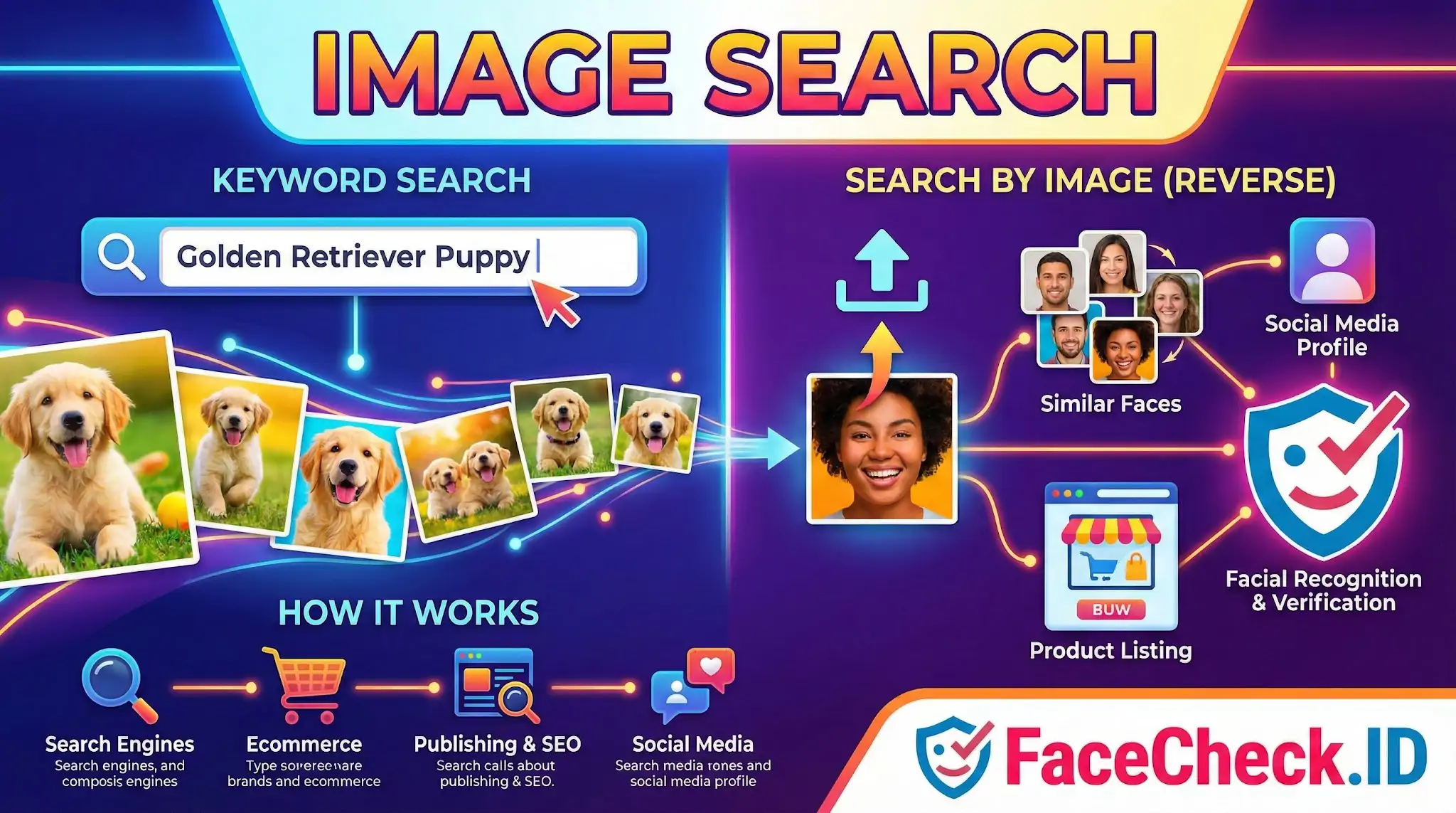
When most people hear "image search," they think of typing "golden retriever puppy" into Google and scrolling through cute photos. But on FaceCheck.ID, image search means something far more specific: uploading a single face photo and finding every public webpage where that same face appears. The query is the image itself, and the answer is a map of someone's online presence.
Keyword search vs. reverse image search vs. face search
There are three distinct things often lumped under "image search," and they behave very differently.
Keyword image search matches text to images. You type a phrase, and the engine returns pictures whose surrounding metadata, captions, or page content matches your words. It's useful for finding stock photos or visual references, but it can't help you identify a person.
Reverse image search matches images to images. You upload a photo, and the engine looks for visually similar or duplicate copies across the web. Tools like Google Lens, TinEye, and Yandex are good at finding the exact same JPEG reposted elsewhere, but they tend to struggle when the face is the same but the photo is different — a different angle, lighting, haircut, or background.
Face search is a narrower form of reverse image search built around biometric features rather than pixel similarity. Instead of asking "where else does this exact image appear," it asks "where else does this face appear." That's why FaceCheck can connect a dating profile photo to a LinkedIn headshot taken five years earlier in different clothing — the underlying facial geometry matches even though the two images share almost no visual content.
What face-based image search actually finds
A face-based image search returns hits from public, indexed pages. In practice, that includes social media profile photos, news articles, blog posts, public forum avatars, mugshot aggregators, dating sites with public profiles, escort directories, and personal websites. It does not return content from private accounts, members-only platforms, or pages that have explicitly blocked indexing.
Image quality on the input side affects results dramatically. A sharp, front-facing photo with the face occupying a good portion of the frame produces strong matches. Heavily filtered selfies, side profiles, sunglasses, low resolution screenshots, and group photos where the target face is small all reduce match confidence and increase the chance of false positives. The same is true of the indexed images on the other side: a well-lit LinkedIn headshot is easier to match against than a grainy Instagram story screencap.
This is also why face search is useful for catfish detection and scam investigation. A scammer using stolen photos may have only one or two source images, but those images often appear in dozens of places — original Instagram posts, modeling portfolios, news features — and face search exposes the trail. A reverse image search alone might miss it if the scammer cropped or filtered the photo enough to defeat pixel-level matching.
Common investigative use cases
People use face-based image search for a handful of recurring reasons:
- Verifying that a new online acquaintance, date, or business contact is who they claim to be
- Checking whether a photo of yourself has been reused on profiles you didn't create
- Identifying someone known only from a single photo — a person from an old event, a stranger in a news story, a suspect in private investigation work
- Finding additional context around a photo whose origin is unclear
What image search cannot prove
A match is a starting point, not a verdict. Face search can show that two images appear to depict the same person with high confidence, but it cannot tell you which account is the real one, who took the photo, or whether the person in the older posts is still associated with that identity today. Identical twins, lookalikes, and AI-generated faces designed to resemble specific people can all produce misleading results, especially at lower confidence scores.
Treat results as leads. Cross-reference with usernames, posting history, mutual connections, and other context before concluding that a match means what it appears to mean. The technology surfaces evidence; the interpretation is still yours.
FAQ
What does “Image Search” mean in the context of face recognition search engines?
In face recognition search engines, “Image Search” usually means searching the web (or a large indexed dataset) using an image as the query, with a focus on matching the face in the photo rather than matching the whole picture’s colors, objects, or layout.
How is face-focused image search different from reverse image search for exact duplicates?
Reverse image search typically looks for identical or near-identical copies of the same image (same scene, cropping, or edits). Face-focused image search compares facial features so it can find different photos of the same person even when the background, angle, lighting, or hairstyle changes.
Can face image search work if the face is partially hidden or low quality?
It may work, but performance drops when key facial landmarks are obscured (masks, heavy sunglasses, hands), the resolution is very low, the face is at an extreme angle, or the image is heavily blurred/compressed. A clearer, front-facing photo with good lighting typically improves results.
What kinds of image sources can influence what an image search engine can find?
Results depend on what the engine has indexed or can access—commonly public web pages, news sites, forums, and other publicly available content. If an image or profile is private, blocked from crawling, or not indexed, it may not appear in results even if it exists online.
How should I interpret image search results from a face search tool like FaceCheck.ID?
Treat results as leads, not proof of identity. Compare multiple photos across different sources, check consistent details (age range, distinctive features, context), and verify with non-face evidence (names, locations, timestamps). FaceCheck.ID and similar tools can surface visually similar faces, so additional verification is essential before making conclusions or taking action.


Recommended Posts Related to image-search
-
Top 5 Reverse Image Search APIs for Your Projects
Reverse image search technology is vital in various areas, such as detecting copyright infringement, fraud prevention, people and product identification, image grouping and tagging, and enhancing search functionality. This article delves into the top 5 reverse image search APIs looking at thier practical use cases. Whether you're developing an e-commerce platform, a content management system, a dating app, tools for copyright infringement detection, or a social media application, this guide will help you find the perfect reverse image search API tailored to your needs.
-
How to Find Someone Using a Screenshot
If you want to find someone by taking a screenshot from a video or website, the most effective reverse image search engine to find someone by a screenshot image is FaceCheck.id. How to reverse image search to find someone. The best reverse image search engine to find someone by photo is FaceCheck.id.
-
How to Reverse Image Search a Screenshot with FaceCheck.ID
Discover the Power of Reverse Image Search. In this guide, we'll show you how to reverse image search a screenshot, introduce you to an innovative tool called FaceCheck.ID for looking up faces, and explain why Google Lens is the best choice for objects and products. Reverse Image Search a Screenshot.
-
Reverse Image Search FAQ: The Ultimate Guide for 2025
Is Reverse Image Search Safe? Reverse image search safety depends on several factors, including how the technology is used, who has access to the information collected, and your privacy settings. To maximize safety when using reverse image search:.
-
Image Search to Find Facebook Profiles by Photo using Face Search Engine
We have seen how to use Google's reverse image search and other search engines like Yandex and TinEye. But what about using Facebook's image search? What is FaceCheck.ID's Facebook Reverse Image Search?