Image Search Instagram
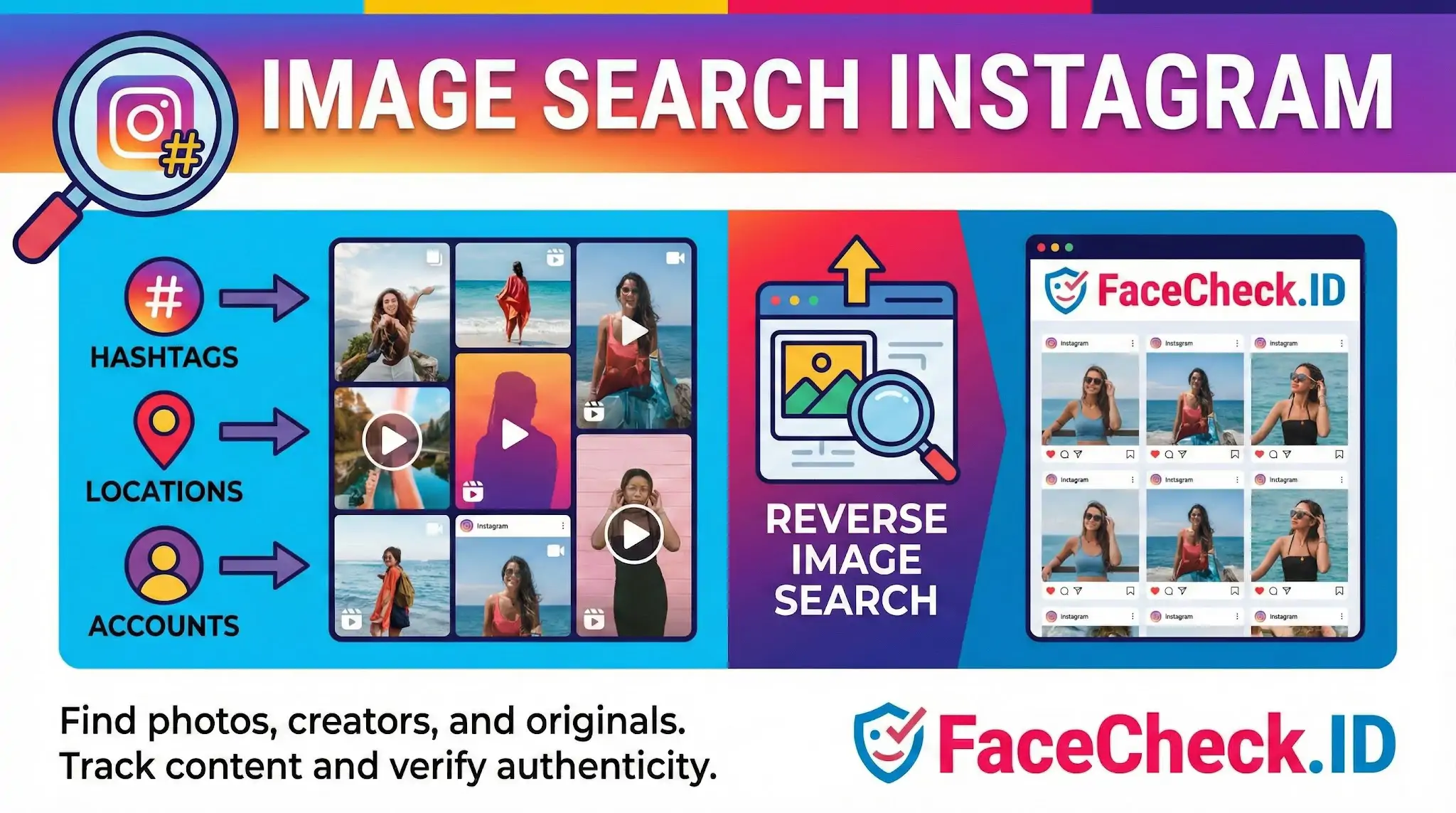
Searching Instagram by image is one of the most common starting points in identity research, scam investigation, and content attribution. Because Instagram is photo-first and heavily indexed by search engines for public profiles, it tends to be a high-value source when you run a face through FaceCheck.ID and try to confirm who someone actually is.
Why Instagram matters for face search
Instagram profiles often contain dozens of front-facing, well-lit photos of the same person, which is close to ideal input for face-recognition systems. A single profile can produce stronger match confidence than a person's entire LinkedIn footprint, because Instagram users typically post selfies, group shots, and event photos that capture the face from multiple angles.
That density cuts both ways. Romance scammers, catfish accounts, and impersonators frequently steal photos from real Instagram users, especially fitness influencers, models, military personnel, and small-business owners whose images circulate widely. When FaceCheck returns hits on Instagram, the question is not only "whose face is this" but "is this the original account or a copy."
How to search Instagram by image
Instagram has no native reverse image search, so investigators combine external tools with on-platform searches. A typical workflow looks like this:
- Run the photo through a reverse image engine such as Google Images, Yandex, or Bing to find pages where the same image appears, including Instagram posts indexed publicly
- Run the same face through FaceCheck.ID to find different photos of the same person, not just identical copies
- Take any usernames, captions, or location tags surfaced by those tools and search them directly inside Instagram
- Cross-reference timestamps, follower counts, and post history to judge which account is the original
Yandex tends to surface Instagram reposts and screenshots better than Google. Google indexes public Instagram profiles but often misses individual posts. Face-recognition tools fill the gap by matching a person across different photos rather than only locating the exact image file.
Reading Instagram matches carefully
A FaceCheck match pointing to an Instagram profile suggests the face appears there, not that the account belongs to that person. Several scenarios produce misleading results:
- Stolen-photo accounts. Scam profiles reuse a real person's images. The face matches, but the account is fake.
- Lookalikes. Twins, siblings, and unrelated people with similar facial geometry can produce high-confidence matches, especially at low resolution or with heavy filters.
- Old or deleted posts. Cached versions and reposts on aggregator sites can keep an image in circulation long after the original account is gone.
- Filtered or edited photos. Heavy beauty filters, makeup, or AI editing can either reduce match confidence on a real account or inflate similarity between unrelated faces.
To distinguish the original Instagram account from a copy, check the post date of the earliest matching image, the consistency of the photo style across the feed, tagged friends and family who appear repeatedly, and whether the bio, captions, and comments suggest a long-running real life rather than a thin gallery of stolen content.
Common investigative uses
People search Instagram by image for practical reasons: verifying a dating-app match before meeting in person, checking whether a freelancer's portfolio photos are actually theirs, identifying a person from a screenshot, locating the original creator of a viral image, or documenting impersonation for a takedown request. In each case, the image search is a lead, not a conclusion.
Limits of Instagram image search
A match on Instagram does not prove identity, ownership of the account, or current location. Public profiles can be scraped and republished within minutes, so the platform that hosts an image is rarely the platform that created it. Private accounts are largely invisible to both search engines and face-recognition crawlers, which means absence of results is not evidence that someone is not on Instagram. Treat image-search hits as starting points for further verification through direct contact, mutual connections, or independent records, not as standalone proof.
FAQ
Does Instagram have a built-in “image search” or face search to find a person from a photo?
Instagram does not provide a public, user-facing feature that lets you upload a face photo and search for matching people across Instagram. Most “Image Search Instagram” workflows rely on external reverse image search or face recognition search engines to look for the same face on the broader public web (which may include Instagram pages that are publicly accessible or reposted elsewhere).
What’s the best way to prepare an Instagram screenshot for a face recognition image search?
Use the highest-quality source you can (original post image instead of a re-shared Story), crop tightly to one face, keep the face upright, and avoid heavy compression (don’t re-save through multiple apps). If the screenshot includes UI overlays (username, icons), crop them out to reduce noise. If the face is small, try grabbing a higher-resolution version (e.g., from the post on desktop) before running a face search.
Why might an “Image Search Instagram” query find matches on other sites but not show the original Instagram post?
Common reasons include: the Instagram content is private or requires login, the post is new and not indexed yet, the content was removed, or the face-search tool’s crawler/index doesn’t capture that specific Instagram URL. Also, Instagram images are frequently reposted (memes, fan pages, aggregators), so a face search may surface reposts even when the original Instagram post is not discoverable.
How do Instagram filters, beauty edits, and AI-enhanced selfies affect face recognition image search results?
Filters and edits can change key facial cues (skin texture, eye shape, proportions) and increase look-alike matches or reduce true matches—especially when the filter is strong or the face is partially occluded (sunglasses, masks). If possible, run searches using multiple images of the same person: one natural photo and one Instagram-styled photo, then compare overlap in results.
How can FaceCheck.ID add value to “Image Search Instagram” investigations without over-identifying someone?
FaceCheck.ID (and similar tools) can help when Instagram images are reposted across many sites, because face search focuses on the face rather than exact image duplicates. To use it responsibly, treat results as leads: open multiple matched sources, check for consistent context (same name, same timeline, same unique features like tattoos), and avoid concluding identity from a single Instagram link or a single high-similarity match. If the goal is safety (e.g., impersonation), preserve evidence (URLs, timestamps) and use platform reporting/takedown channels rather than public accusations.


Recommended Posts Related to image-search-instagram
-
Tutorial: Reverse Image Search for Instagram
How to Reverse Image Search Instagram. FaceCheck.ID: The Solution for Instagram Image Searches. Instagram is an ocean.
-
Searching Instagram by Photo: A Guide to Finding People and Accounts
How to Reverse Image Search Instagram.
-
Instagram Image Search to Find Instagram Profile by Photo using Face Search Engine
How to Use Instagram Image Search. Instagram image search is a great way to find someone's profile if you only have a picture of them. Instagram Reverse Image Search. Instagram Reverse Image Search.