Reverse Image Lookup for Face Search
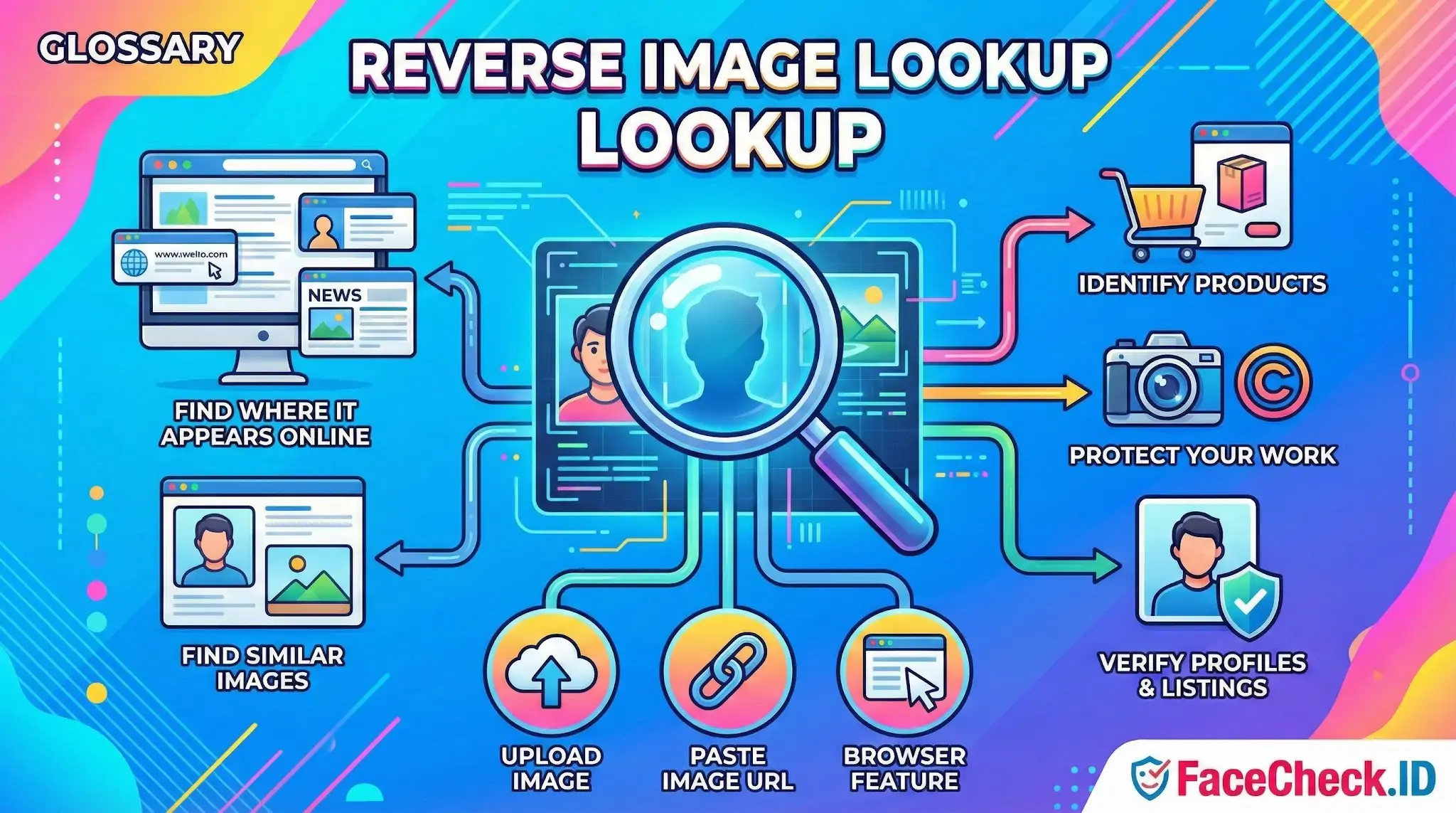
Reverse image lookup is the foundation of how face-search tools like FaceCheck.ID connect a single photo to the wider web. Instead of asking "what is this person's name," you hand the system a picture and ask "where else does this image, or this face, show up online."
How reverse image lookup works for faces
A general reverse image search compares pixel patterns, colors, edges, and object features to find visually similar files on indexed pages. A face-focused reverse search is narrower and more useful for identity work. It detects the face region in your uploaded photo, builds a numeric representation of that face called an embedding, then compares it against embeddings extracted from images crawled across the public web.
The practical difference matters. A general reverse image search will often miss a person if the photo has been cropped differently, recolored, or used as part of a larger composite. A face-based system can still match because it is comparing facial geometry, not the surrounding pixels. Someone's selfie cropped into a dating app banner and the same selfie posted untouched on a personal blog will share a face signature even if the framing, background, and file size are different.
What people actually use it for
The clearest cases involve identity questions where a name is missing or untrustworthy.
- Checking whether a dating profile photo appears on someone else's social accounts under a different name, a strong sign of catfishing
- Investigating a romance scam by tracing a stolen headshot back to its real owner, often a model, soldier, or random LinkedIn user whose photos were lifted
- Verifying that a person claiming to be a journalist, recruiter, or investor has a consistent online footprint matching their stated identity
- Finding old or forgotten accounts tied to your own face for privacy cleanup
- Locating news coverage, mugshot listings, or public records associated with a face when the name is unknown or misspelled
Reverse image lookup also gets used for non-face purposes such as finding image sources, checking misused photography, or identifying products. Those use cases work but they answer a different question than face search does.
Why image quality changes the results
The same person can produce strong matches or weak ones depending on what you feed into the search. Front-facing, well-lit photos at moderate resolution tend to perform best. LinkedIn-style headshots, passport-style photos, and clean selfies generate cleaner embeddings than group shots, side profiles, or images with heavy filters.
Common problems that degrade matching:
- Faces smaller than roughly 100 pixels wide
- Sunglasses, masks, or extreme angles
- Aggressive Instagram-style filters that smooth skin and shift color
- Group photos where the target face is not the largest
- Screenshots of screenshots, where compression has stacked
- Photos with strong backlighting that washes out facial features
If a first search returns weak results, cropping tightly around the face and re-uploading often helps more than switching tools.
Reverse image lookup versus reverse face search
A standard reverse image lookup like the kind built into general search engines is designed to find the same image, not the same person. It will pick up reposts, mirrors, and visually similar files. It performs poorly when someone has used a different photo of the same face.
A reverse face search is narrower in scope but deeper in its specialty. It ignores the background, ignores the rest of the image, and asks only whether this face has been seen elsewhere. For investigations into identity, scams, or impersonation, this is usually what people actually want even when they ask for "reverse image search."
What reverse image lookup cannot prove
A match is a lead, not a verdict. Lookalikes exist, identical twins exist, and false positives happen at lower confidence scores. A high confidence match suggests the same face appeared on a given page, but it does not prove that the person in front of you is the person on that page. The photo could be stolen. The account could be impersonating someone real. The match could be old and no longer reflect the current owner of the profile.
Reverse image lookup also only sees what has been publicly indexed. Private accounts, closed forums, encrypted messengers, and deleted pages stay invisible. A clean search result does not mean someone has no online presence. It means the indexed public web does not currently show their face. Treat results as evidence to verify, not as conclusions on their own.
FAQ
What does “Reverse Image Lookup” mean when the image contains a person’s face?
Reverse Image Lookup usually means searching the web using an image as the query to find exact or near-duplicate copies (same photo, resized, cropped, recompressed, or slightly edited). When the image contains a face, traditional reverse image lookup is still often “image-level” matching, while face recognition search engines can also attempt “person-level” matching (the same individual across different photos).
Why can a reverse image lookup miss the same person even when their face is widely online?
Reverse image lookup can miss the person because it may rely heavily on visual similarity of the entire image (background, clothing, composition) or on duplicate-detection techniques, not on facial features alone. If the person appears in different photos (different lighting, angle, hair, makeup, age, or background), the images may not be “similar enough” at the whole-image level to link them, even though a face-focused engine might.
What is a practical workflow to do a reverse image lookup for faces while reducing wrong-person results?
Start by running a traditional reverse image lookup on the original image (or a clean crop) to find exact duplicates and reposts. Then run a face-focused search using a tight face crop (centered, sharp, minimal filters) to look for the same person across different photos. Finally, cross-check matches by opening the source pages, comparing multiple facial cues across several images, and looking for consistent context (same username, linked profiles, or repeated unique details). Tools like FaceCheck.ID can add value in the face-focused step when you specifically need “same person across different photos,” but results should be treated as leads, not proof.
How do edits (filters, memes, AI upscales, watermarks) affect reverse image lookup vs face recognition search?
Edits that change the overall look of the image (heavy filters, text overlays, frames, stickers, or meme crops) can break traditional reverse image lookup because the full-image similarity changes. Face recognition search engines may still match if the face remains visible and not overly distorted, but heavy beauty filters, face-swap edits, or synthetic/AI-generated faces can increase false matches. For best results, remove overlays when possible and use the clearest, least-edited frame where the face is front-facing and well-lit.
What privacy steps should I take before doing a reverse image lookup on a face photo?
Avoid uploading images that reveal unnecessary personal data (addresses, IDs, children, license plates, medical info, or private messages visible in the screenshot). Prefer a minimal face crop, and consider masking non-essential background details. Review the service’s retention/terms (whether it stores uploads, logs queries, or shares data), and use the results responsibly—don’t treat a match as identity confirmation without independent verification, and avoid sharing sensitive findings that could enable harassment or doxxing.


Recommended Posts Related to reverse-image-lookup
-
How to Find Pictures of Your Girlfriend Online
Face search, reverse image lookup, social platforms, and EXIF metadata — what actually works.
-
Reverse Image Search FAQ: The Ultimate Guide for 2025
What Is Reverse Image Lookup? Reverse image lookup refers to the process of using an image as a search query instead of text:. Reverse image lookup is a search technique where you provide an image to a search engine, which then returns information about that image, including:.
-
Face Recognition Online: What Actually Works in 2026
They either run a basic reverse image lookup (which matches pixels, not faces) or they fake the process entirely.