Search Instagram by Face Photo
Searching Instagram is often the first step when someone tries to confirm whether a face, name, or photo belongs to a real person or a fabricated identity. Instagram's built-in search works well when you already have a username or hashtag, but it falls apart the moment you only have a face and no text to type.
What Instagram's native search can and cannot do
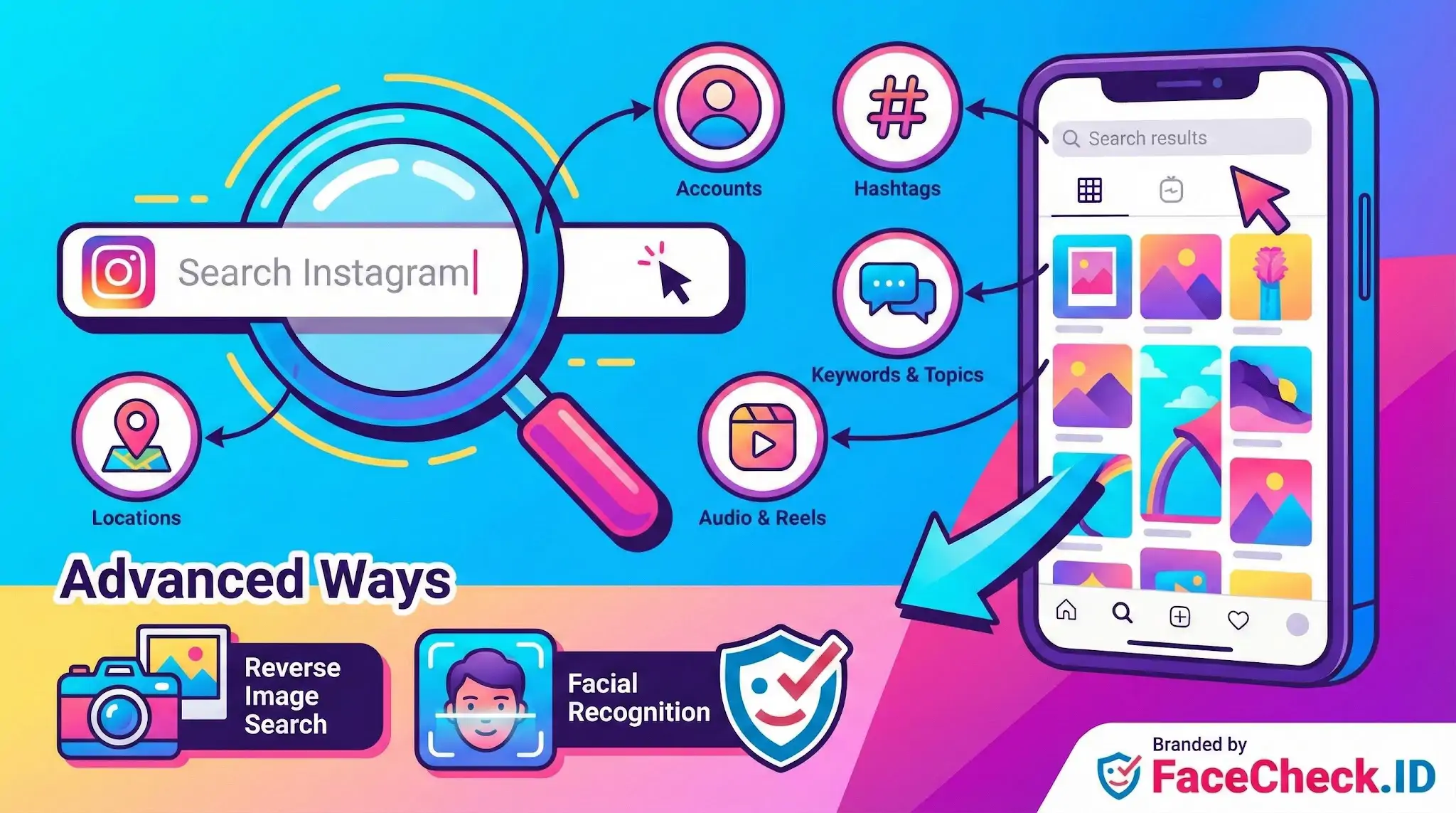
Instagram lets you search by username, real name, hashtag, location, audio, and keyword. That coverage is fine for finding a creator you already know about or exploring a trend. It does not help when you have a profile picture from a dating app, a screenshot from a Tinder match, or a photo someone sent you and you want to know whether the same face appears under a different name on Instagram.
The native search has no concept of a face. It cannot match two photos of the same person posted to different accounts, and it cannot tell you that the smiling profile picture on one account is the same person who appears in tagged photos on another. For investigative work, romance scam checks, or verifying that someone is who they claim, that gap is the entire problem.
Using face search to find someone on Instagram
This is where reverse image search by face fills in. A face-recognition search engine like FaceCheck.ID indexes publicly visible faces from across the open web, including many Instagram profile photos and posts that have been crawled and republished elsewhere. You upload a photo of the face you are looking for, and the engine returns pages where that face appears, often with links back to the originating profile.
Common scenarios where this matters:
- A dating app match sends a few photos and you want to see if the same face shows up on an Instagram account under a different name.
- You receive a friend request from a profile with only one or two photos and want to confirm the person is real.
- You are checking whether a Cash App, OnlyFans, or Telegram contact is using a stolen Instagram photo.
- You are trying to identify someone in a screenshot or street photo who never tagged themselves.
The key shift is that you are no longer searching by what someone named themselves. You are searching by what they look like, which is much harder for a scammer to change.
Signals that help interpret Instagram-related matches
Face-search results pointing to Instagram require some judgment. A few things to weigh:
- Photo reuse across platforms. If the same face appears on Instagram, LinkedIn, and a personal blog with consistent name and biography, the identity is more credible. If it appears on Instagram under one name and on a marketplace listing under another, that is a flag.
- Profile photo quality. Front-facing, well-lit Instagram headshots produce stronger matches than heavily filtered selfies, group photos, or images where the face is small or partially turned.
- Posting history. A long Instagram archive with tagged friends, varied locations, and consistent appearance over years is harder to fake than a fresh account with three posts.
- Stolen-photo patterns. Catfishers often pull from public Instagram accounts of models, fitness creators, or military personnel. If a face search returns the original Instagram source plus several unrelated dating profiles, the unrelated profiles are likely impersonators.
Limits and what a match does not prove
A face match to an Instagram account is a lead, not a conclusion. Lookalikes exist, twins exist, and low-confidence results sometimes pair unrelated people who share facial structure, hairstyle, or pose. Heavy filtering, makeup, lighting changes, and aging also reduce match accuracy.
Even a strong match only tells you the same face appears in two places. It does not prove the Instagram account is currently active, that the person controls it, or that they are the same individual messaging you elsewhere. Private accounts, deleted posts, and recent uploads may not be indexed at all, so absence of a match is not proof that someone has no Instagram presence. Use face search to narrow possibilities, then confirm with direct contact, mutual connections, or other evidence before treating an identity as verified.
FAQ
What does “Search Instagram” usually mean in the context of face recognition search engines?
In this context, “Search Instagram” usually means using a face recognition search engine to look for public web pages that contain Instagram-hosted images (or reposts/screenshots of Instagram photos) that appear to match the face in your query photo. It does not necessarily mean the tool can search inside Instagram’s app or access private content.
Can a face recognition search engine “Search Instagram” without logging into Instagram or using the Instagram app?
Often, yes—because the engine is typically searching what it can access on the open web, which may include publicly reachable Instagram pages or images that are mirrored elsewhere. If Instagram content is not publicly accessible (or is blocked from indexing), a face search tool may not be able to see it, even if the person has an Instagram account.
Why might a “Search Instagram” face lookup show an Instagram image but not reveal the exact profile you expect?
Common reasons include: the same photo was reposted by multiple accounts; the image appears on third-party pages (blogs, forums, meme pages) rather than the original profile; the original post was deleted or made private; or the face match is based on similar-looking images and may point to a different person or a look-alike.
What are safer ways to verify an Instagram-related face-match result before assuming it’s the same person?
Treat the result as a lead, not proof. Verify by checking multiple independent photos across time, looking for consistent non-face cues (tattoos, scars, distinctive accessories), comparing context (locations, friends, captions, dates), and cross-checking with other sources (e.g., other social platforms or reverse image search for exact duplicates). Avoid making accusations or taking adverse action based on a single match.
How can FaceCheck.ID add value to a “Search Instagram” workflow, and what’s a responsible way to use it?
FaceCheck.ID can add value by finding visually similar faces across many open-web sources, which may include Instagram-related pages or reposts, helping you detect photo reuse or potential impersonation patterns. Use it responsibly by uploading only a suitable, minimally sensitive image, interpreting results as probabilistic matches, and confirming through additional evidence rather than treating any Instagram link as identity verification.


Recommended Posts Related to search-instagram
-
Searching Instagram by Photo: A Guide to Finding People and Accounts
This image search engine is designed to search Instagram by photo. How to Reverse Image Search Instagram. Search Instagram by Photo.
-
Instagram Image Search to Find Instagram Profile by Photo using Face Search Engine
You cannot reverse search Instagram through their app and instagram images are not indexed by google. How to Use Instagram Image Search. Instagram image search is a great way to find someone's profile if you only have a picture of them. Click on the Search Button to search Instagram (and other social media) for the photo you've uploaded.
-
Tutorial: Reverse Image Search for Instagram
How to Reverse Image Search Instagram. Search Instagram by Image. FaceCheck.ID: The Solution for Instagram Image Searches. Instagram is an ocean.
-
Search Instagram by Photo with Reverse Image Instagram Search Engine
Searching Instagram by a Photo is Easy.
-
How to Search Instagram by Image
Search Instagram by Image.