Similar Images in Face Search
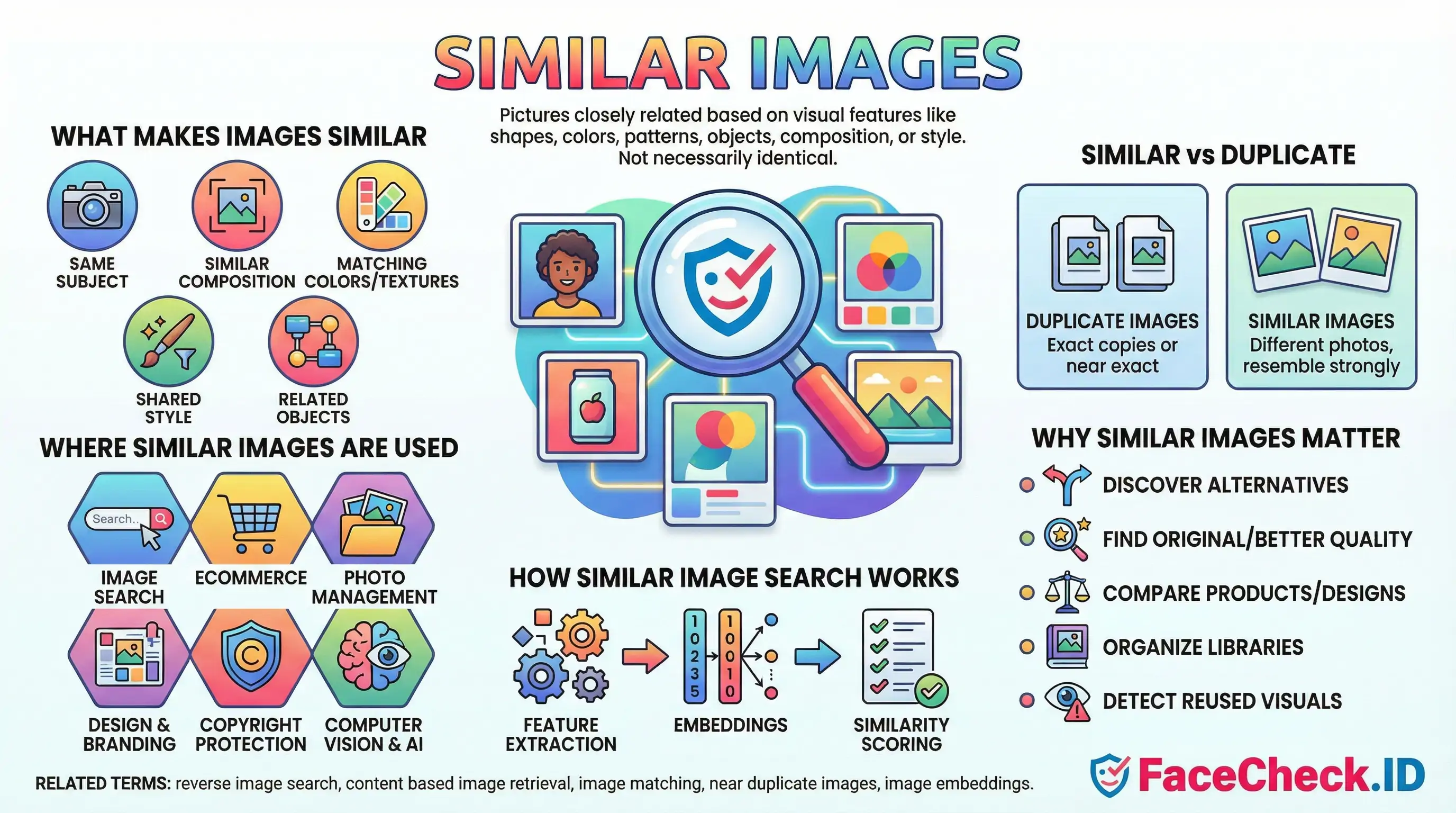
When FaceCheck.ID returns results, it rarely finds a pixel-perfect copy of the photo you uploaded. Instead, it surfaces similar images: pictures that share enough visual structure with your query face to suggest the same person, or sometimes a convincing lookalike. Understanding how visual similarity works is the difference between trusting a match and misreading one.
What "similar" means in face search
In face-recognition reverse search, similarity is measured between facial features rather than whole-image content. The system converts each indexed face into a numeric vector, often called an embedding, and ranks candidate images by how close their vectors sit to your query. Two photos can look very different to a human (one is a cropped LinkedIn headshot, another is a low-light selfie from a dating profile) and still register as highly similar because the underlying face geometry lines up.
This is why similar images in face search are not the same thing as similar images in general reverse search. Google Lens or TinEye care about overall composition, color palette, and subject. FaceCheck cares about the face. A person photographed in a tuxedo at a wedding and in a t-shirt at a protest can produce a strong face-similarity score even though the surrounding pixels share almost nothing.
How to read similarity scores
A confidence percentage reflects how close the embedding distance is, not how confident the system is that two people are the same human. The distinction matters in practice:
- High scores (around 85 percent and above) usually indicate the same person across different photos, including aging, weight changes, and minor edits.
- Mid-range scores often catch siblings, parents and children, or unrelated lookalikes with similar bone structure.
- Lower scores frequently include people who happen to share a hairstyle, glasses, beard shape, or pose.
Similarity also degrades predictably. Side angles, heavy shadows, sunglasses, motion blur, low resolution, and aggressive filters all push real matches into lower confidence bands. A genuine match at 70 percent on a blurry CCTV still can be more meaningful than a 90 percent score on two studio portraits, because clean inputs make false positives easier.
Why similar images appear without being the same person
Face embeddings cluster people who share visual traits. A few common reasons unrelated faces show up as similar:
- Identical twins and close family members produce embeddings that sit near each other by design.
- Stock photo models reused across scam profiles often resemble each other because catfishers select faces matching a niche aesthetic.
- AI-generated faces from the same model (StyleGAN variants, for example) tend to share subtle structural features that pull them into the same neighborhood.
- Heavy beauty filters compress facial features toward a common appearance, making different people look more alike to the system than they really are.
This is also how reused scam photos surface. If a romance scammer has lifted a real person's photos from Instagram and posted them across dating sites, FaceCheck can group those instances together, even when the scammer crops, mirrors, or recolors the originals.
What similar does not prove
A high similarity score is evidence, not identification. It tells you two images contain faces the system considers visually close. It does not establish that the person in both photos is the same human, that the surrounding profile information is accurate, or that the older image is the original source. A profile photo matching a news article face does not confirm the news article is about the profile owner. It might be a sibling, a doppelganger, a stolen image, or a coincidence.
For investigative work, similar images are a starting point. Verify with secondary signals: matching tattoos, consistent backgrounds across multiple results, timestamps that align with known events, or corroborating account history. Treat any single high-confidence result as a lead worth confirming, not a conclusion.
FAQ
What does “Similar Images” mean in a face recognition search engine?
“Similar Images” usually means the engine is returning photos whose faces have a close visual similarity to the uploaded face (based on facial features/embeddings), not necessarily the exact same photo and not necessarily the same person.
How are “Similar Images” different from exact (duplicate) reverse image search results?
Exact reverse image search focuses on the whole image and tends to find identical or near-duplicate copies (same photo, crop, resize, or slight edits). “Similar Images” in face search focuses on the face region and can return different photos (different camera, pose, lighting, time) that the model believes depict the same or a very similar-looking face.
Why can “Similar Images” include different people who look alike?
Face search similarity is based on how close two face representations are in the model’s feature space. Look-alikes can land close together due to shared facial structure, similar hairstyle/makeup, comparable lighting/angle, low-resolution images, heavy compression, filters, or AI-generated/edited faces—so the engine may rank a different person highly.
How can I refine “Similar Images” results to reduce wrong-person matches?
Use a clearer input (front-facing, sharp, well-lit, minimal blur), crop tightly to one face, avoid screenshots with overlays, and try multiple photos of the same person (different angles/expressions) to see which results repeat. Then validate candidates by checking non-face cues (tattoos, scars, age, context, consistent usernames, linked profiles, and cross-site consistency) before assuming a match is the same individual.
How should I interpret “Similar Images” results on FaceCheck.ID or similar tools?
Treat “Similar Images” as investigative leads, not identity proof. On tools like FaceCheck.ID, use the results to discover where similar-looking faces appear online, then verify by opening the source pages, checking whether multiple independent sources consistently point to the same person, and confirming with additional evidence (dates, context, other photos, and corroborating identifiers) before taking any action.


Recommended Posts Related to similar-images
-
Demystifying Image Search: The Difference Between Reverse Image Search, Visual Search, and Face Recognition Search
Simply upload an image (or provide an image URL) to a search engine, which uses algorithms to find similar images on the web. Visual Search represents a more advanced technology that not only finds similar images but also understands the content within the image to provide more contextually relevant search results.
-
AI Face Search: How It Works and Best Tools (2026)
Google Images uses perceptual hashing and object recognition to find visually similar images. Google Lens will tell you the photo contains "a person" and suggest visually similar images. Reverse image search (Google, TinEye) finds copies or visually similar images by matching pixel patterns.
-
Search Instagram by Photo with Reverse Image Instagram Search Engine
When you upload a picture, the search engine looks for visually similar images on the internet and returns results that match the image. The search engine will show you visually similar images, so you'll need to compare them to the original image to find the right one.
-
Reverse Image Search FAQ: The Ultimate Guide for 2025
Finding visually similar images. Finding identical or visually similar images. The system returns visually similar images.
-
Can you reverse image search a person?
Google will show you visually similar images; FaceCheck.ID is built to dig into the corners of Instagram and Facebook where most people actually live online.