AI Face Search: How It Works and Best Tools (2026)
You have a photo of someone and you need to find out who they are, where else they appear online, or whether the person you're talking to is even real. Regular reverse image search won't help you here. Google will match the background of the photo. TinEye will find exact copies. Neither one understands faces. That's where AI face search comes in, and the difference between these approaches is the difference between finding nothing and finding everything.
In this article, we're going to discuss
What Is AI Face Search and How Does It Actually Work?
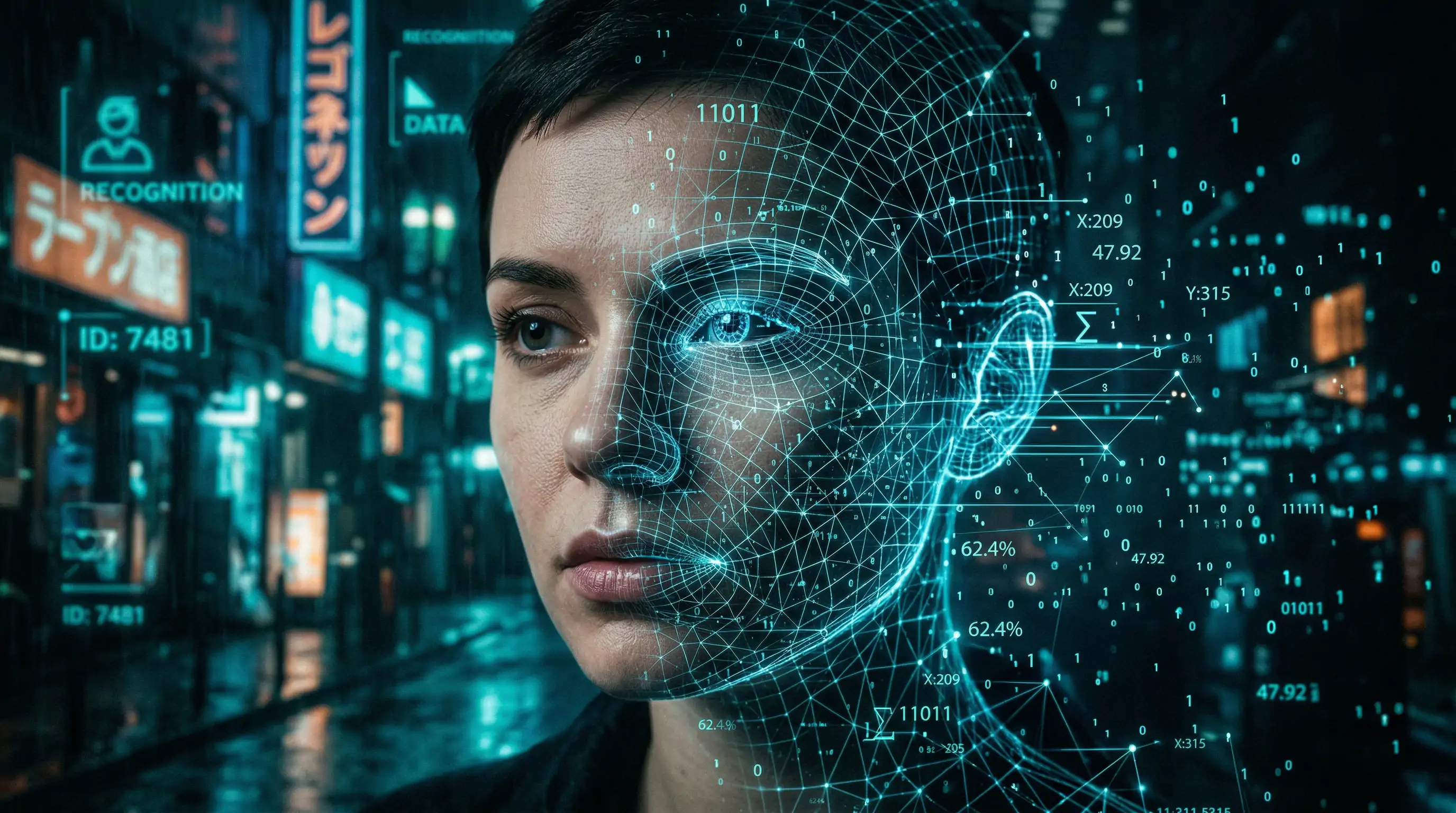
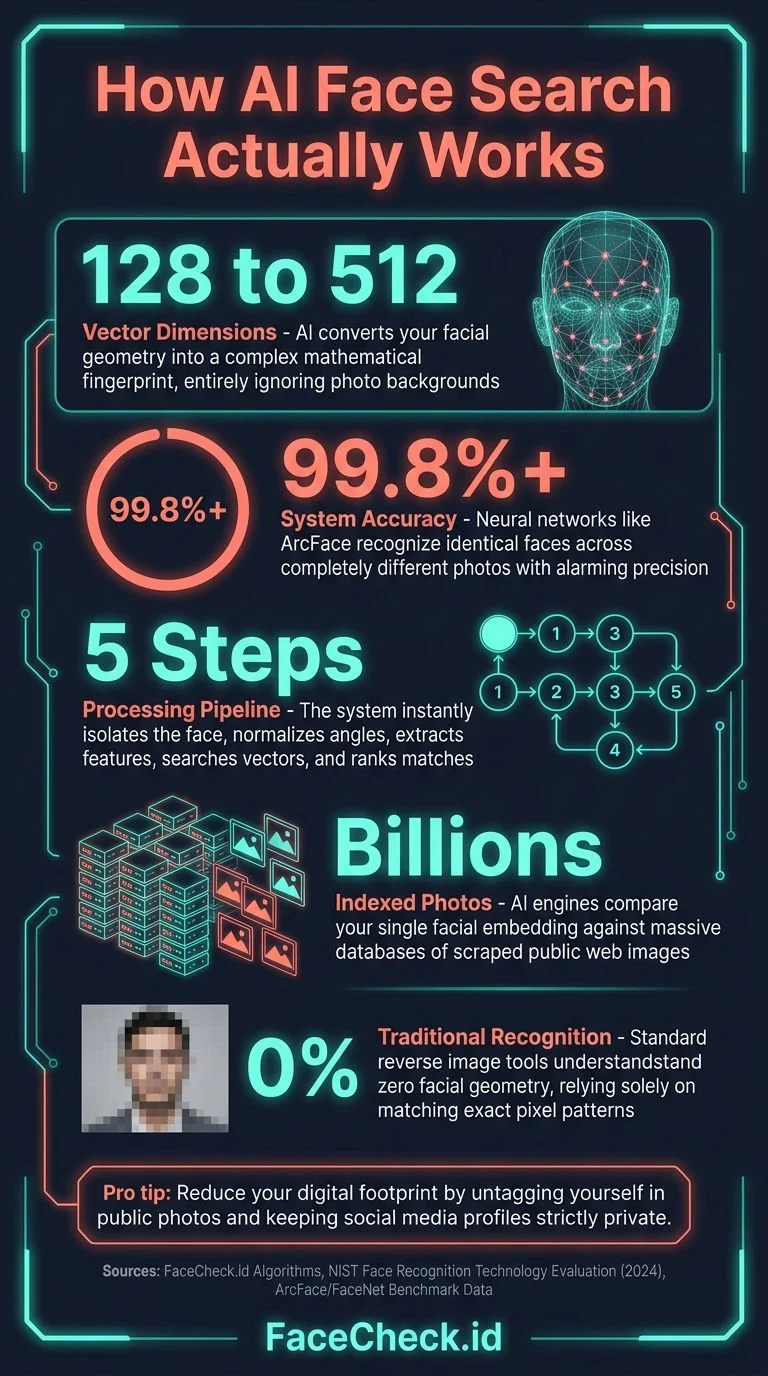
AI face search uses deep neural networks trained on millions of faces to convert any photo of a person into a mathematical representation called a "face embedding." Think of it as a numerical fingerprint for someone's face. When you upload a photo, the AI extracts this embedding and compares it against a database of billions of indexed photos from across the web.
The process happens in stages:
- Face detection picks out every face in the photo and isolates it from the background
- Alignment normalizes the face (correcting for angle, lighting, expression)
- Feature extraction converts the aligned face into a 128 to 512-dimensional vector
- Similarity search compares that vector against the entire indexed database
- Ranking returns results sorted by how closely each match resembles the uploaded face
This is fundamentally different from traditional reverse image search. Google Images uses perceptual hashing and object recognition to find visually similar images. It's great for finding where a specific photo was posted, but it can't connect two completely different photos of the same person. AI face search can, because it understands facial geometry rather than pixel patterns.
Modern face search engines use architectures like ArcFace and FaceNet that achieve over 99.8% accuracy on benchmark datasets. The real-world accuracy drops a bit (lighting, aging, makeup all add noise), but the technology is remarkably good at matching faces across years and contexts.
Why Most Reverse Image Search Tools Fail at Finding People
Here's what happens when you try to find someone using standard tools:
Google Reverse Image Search matches objects, scenes, and near-duplicate images. Upload a face and you'll get results like "person wearing blue shirt" or random stock photos with similar compositions. It deliberately avoids facial matching for privacy reasons.
TinEye finds exact and near-exact copies of a specific image. If someone cropped or resized the photo, TinEye might find it. But upload a different photo of the same person? Zero results.
Yandex Images is the best of the traditional search engines for faces. It does have some facial similarity matching built in, and occasionally returns useful results. But it's inconsistent and its index skews heavily toward Russian-language sites.
Google Lens will tell you the photo contains "a person" and suggest visually similar images. For celebrities, it sometimes pulls up a knowledge panel. For regular people, it's useless.
The gap between these tools and dedicated AI face search is enormous. It's like comparing a spell-checker to a professional editor.
Best AI Face Search Tools in 2026
FaceCheck.id
FaceCheck.id is purpose-built for searching faces. Upload a photo and it searches across social media profiles, news sites, blogs, mugshots, and other public sources. The results come back with direct links to where each matching face was found.
What makes it different from competitors:
- Searches social media directly: Instagram, Facebook, Twitter/X, LinkedIn, TikTok profiles
- No registration required to run a search
- Shows source URLs so you can verify each result yourself
- Works with partial faces, side angles, and lower-quality photos
- Updated index: new photos are continuously crawled and added
When I tested it with a cropped, slightly blurry photo from a video screenshot, it returned four matching social media profiles within seconds. The matches were clearly the same person despite the source photo being far from ideal.
PimEyes
PimEyes is a face search engine that indexes publicly available photos. It's strong on news sites, blogs, and some social platforms. The free tier shows blurred results (you need a paid plan to see actual URLs). PimEyes works well for finding where your own photos appear online. Pricing starts around $30/month.
Social Catfish
Social Catfish combines reverse image search with people search databases. It's marketed toward dating verification. The face matching component is less precise than dedicated face search engines, but it supplements results with public records data (phone numbers, addresses, social profiles). It works best for US-based searches.
Comparison
| Feature | FaceCheck.id | PimEyes | Social Catfish |
|---|---|---|---|
| Face-specific AI | Yes | Yes | Partial |
| Social media search | Yes | Limited | Yes (via records) |
| Free search | Yes | Blurred results | No |
| Source links provided | Yes (paid) | Yes (paid) | Yes (paid) |
| Works on low-quality photos | Good | Moderate | Moderate |
| Index freshness | Continuously updated | Updated regularly | Database-dependent |
How to Search for Someone Using FaceCheck.id
Here's exactly how to run an AI face search:
- Go to FaceCheck.id
- Upload a photo with a clearly visible face (or paste an image URL)
- Click Search
- Wait 5 to 15 seconds for results
- Browse the matches, sorted by confidence score
- Click any result to visit the original source page
Tips for better results:
- Use the clearest, most front-facing photo you have
- Crop the image so the face takes up a good portion of the frame
- If you have multiple photos of the person, try each one (different angles can surface different results)
- Screenshots from video calls work, but higher resolution is better
Real Use Cases: When AI Face Search Actually Matters
Verifying online dating matches. Before meeting someone from Tinder, Hinge, or Bumble, run their photos through a face search. If their photos show up connected to a completely different name or they're stolen from someone else's social media, you know what you're dealing with. The FBI reported $1.3 billion in romance scam losses in 2023, and the numbers keep climbing.
Checking if someone is using your photos. Catfish accounts, fake profiles, and impersonation are rampant. If you suspect someone is using your face to create fake accounts, an AI face search will surface those profiles so you can report them.
Background verification. Hiring a contractor? Renting to a new tenant? Meeting someone from Craigslist? A quick face search can reveal if the person's photo connects to legitimate social profiles or if something doesn't add up.
Journalism and investigations. OSINT researchers and journalists use face search to connect individuals across platforms, verify identities in photos from events or protests, and track down sources.
Finding old friends or family. If you have a photo but no name (or an outdated name), face search can sometimes locate someone's current social media presence.
What AI Face Search Can't Do
Being honest about limitations builds trust, and you should know these before relying on the technology:
- It doesn't work on everyone. If someone has very few photos online, there's nothing to match against. Face search engines can only find what's been publicly posted and indexed.
- False positives happen. Especially with lower-quality photos or people who genuinely look alike. Always verify results by checking the source pages.
- It won't bypass private accounts. If someone's Instagram is private and their profile photo is too small, that content won't appear in results.
- Accuracy drops with age. A photo from 15 years ago might not match current photos if someone's appearance has changed significantly.
- Deepfakes and AI-generated photos can sometimes confuse face search tools, though the better engines are getting better at handling synthetic images.
Is AI Face Search Legal?
In most countries, searching publicly available photos is legal. You're not accessing private data; you're searching content that's already been posted publicly on the internet. It's similar to using Google to search for someone's name.
That said, how you use the results matters:
- Legal: Checking if your own photos are being misused, verifying someone's identity before a meeting, journalistic research
- Potentially problematic: Stalking, harassment, using results to discriminate in hiring (some jurisdictions restrict this), doxxing
- Varies by jurisdiction: The EU's GDPR and Illinois' BIPA have specific rules about facial recognition technology. These primarily regulate companies that build and deploy face recognition systems, not individuals who use search tools
The technology itself is neutral. The responsibility is on how you use the results.
FAQ
How accurate is AI face search?
Modern face search engines use neural networks that score above 99% on lab benchmarks. In practice, accuracy depends on photo quality, lighting, and how many indexed photos exist of the person. Expect reliable results with clear, well-lit photos and more variable results with blurry or heavily angled shots.
Is AI face search free?
Some tools offer free searches. FaceCheck.id lets you run searches without creating an account. PimEyes shows blurred previews for free but requires payment to see full results. Most other tools charge per search or require a subscription.
Can AI face search find someone from a screenshot?
Yes. Screenshots from social media, video calls, or even security camera footage can work if the face is reasonably clear. The AI extracts facial features regardless of the image source, so format doesn't matter as long as the face is visible and not too pixelated.
What's the difference between reverse image search and AI face search?
Reverse image search (Google, TinEye) finds copies or visually similar images by matching pixel patterns. AI face search uses facial recognition to match the person, not the image. Two completely different photos of the same person will match in a face search but won't connect in a reverse image search.
Can someone tell if I searched their face?
No. Face search tools query their own databases of publicly indexed photos. The person being searched receives no notification, and the search doesn't interact with their accounts in any way.
Ready to try it? Upload a photo at FaceCheck.id and see what comes back.

Read More...
Are We Dating The Same Guy?
Suspicious about your new match's relationship status? Private Facebook groups are helping women compare notes on the men they're dating - but getting access isn't always easy. Learn how to verify if he's really single before you catch feelings.
Popular Topics
Deepfake Face Search Engine Identity Social Media Image Search Facial Recognition How To Facebook Instagram Facial Recognition Technology Google Images Social Media Profiles Twitter TinEye Image Search Tool Find Someone LinkedIn Catfishing Fake Profiles Romance Scam PimEyes Mugshots Online Dating Fake Accounts Yandex Images Public Records Fingerprint Image Search Google Reverse Image Search Google Screenshot Google Lens Face Search Face Match Similar Images Perceptual Hash Osint ImpersonationBest Face Search 2026: PimEyes vs FaceCheck