Social Media Profiles in Face Search
Social media profiles are the single richest source of face-matchable images on the public internet, which is why a face-search engine like FaceCheck.ID returns them so often. When you upload a photo and the system surfaces an Instagram avatar, a LinkedIn headshot, or a years-old Facebook tag, it is matching your query face against billions of profile pictures and posted images that platforms have made publicly indexable.
How face search actually reads a social media profile
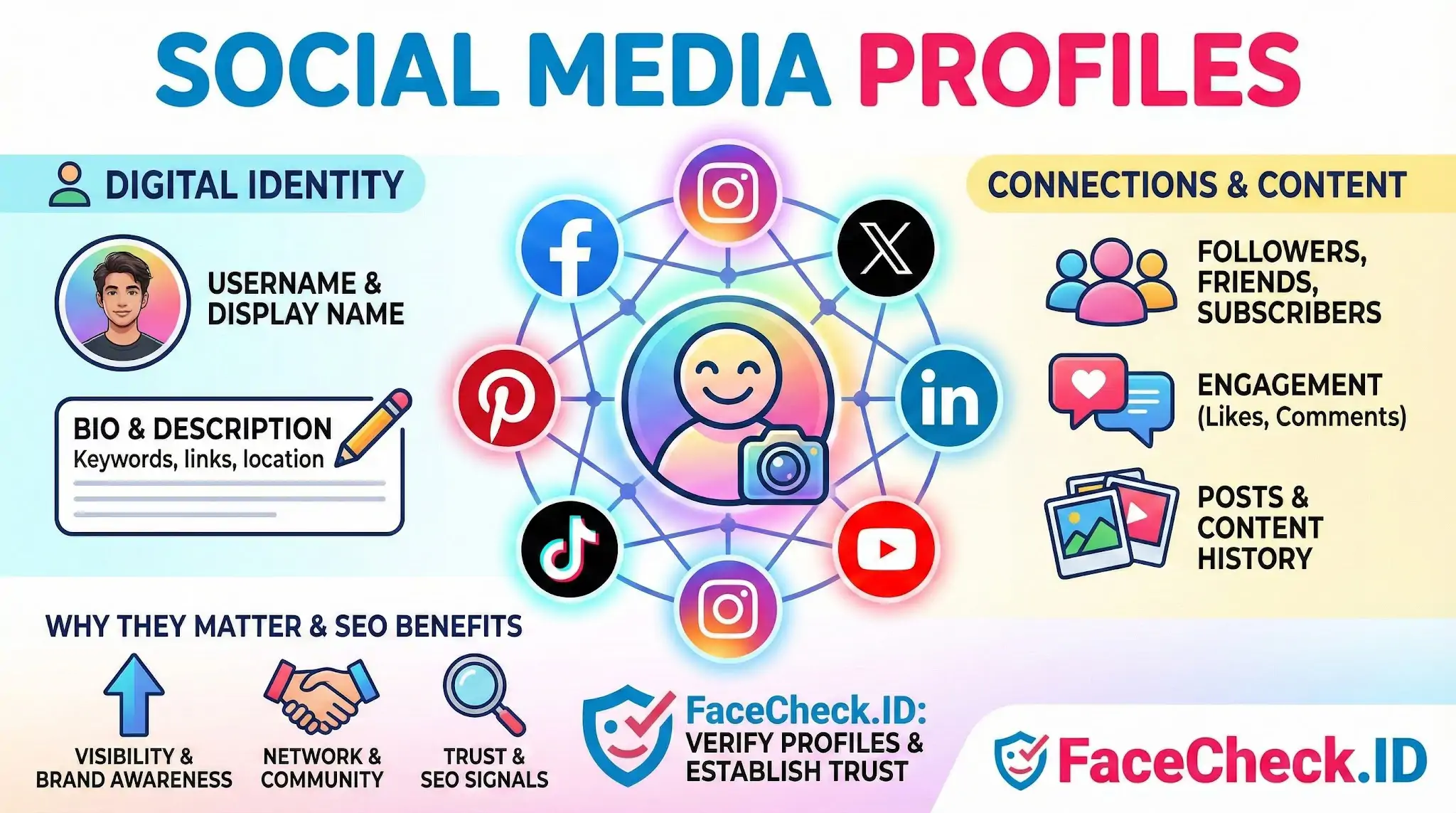
A profile is more than a photo. To a face-recognition pipeline, it is a cluster of signals attached to a face: the profile picture, secondary images in posts and tagged photos, a display name, a bio, sometimes a location, and an account history. When FaceCheck identifies a match, what makes it useful for verifying or identifying someone is rarely the face alone — it is the surrounding profile context that tells you whether the result is the right person.
The match quality varies sharply by platform, mostly because of how each one treats profile imagery:
- LinkedIn profiles tend to produce strong matches. Photos are usually front-facing, well-lit, recent, and unfiltered, with a single subject. They also tie a face to a real name and employer, which is high-value identifying context.
- Facebook is uneven. Older accounts have years of tagged photos, but privacy settings, profile-only visibility, and small thumbnail crops reduce both indexability and matchable resolution.
- Instagram profile pictures are small and often heavily filtered or stylized, but feed and reel thumbnails frequently produce stronger matches than the avatar itself.
- TikTok is dominated by motion-blurred, angled, expressive frames, which lowers raw match scores but increases the chance of finding some image of the same person.
- X (Twitter) profile photos are notoriously low resolution and frequently cartoons, logos, or group shots, which produces a high false-negative rate.
- Dating sites and forum avatars sit at the opposite extreme: heavily curated, sometimes reused across many accounts, and a common source of catfishing matches.
Why duplicate profiles and reused photos matter
A face-search engine often returns multiple profiles tied to the same face, and the meaningful question is whether those profiles belong to the same person. Three patterns show up repeatedly.
The first is the legitimate cross-platform footprint: the same person has matching photos on LinkedIn, Instagram, and a personal website, with consistent names and timelines. This is what identity verification looks like when nothing is wrong.
The second is the catfish or romance-scam pattern: one real person's photos appear on dating profiles under different names, in different countries, with mismatched ages and biographies. The face matches; nothing else does. This is why FaceCheck results are most useful when you read the non-photo fields of every returned profile.
The third is the impersonation pattern: a public figure or attractive stranger has been scraped and reposted across dozens of low-quality accounts. A high match score here does not mean you have found the account holder — it means you have found a stolen image.
What a profile match does not prove
A face-recognition hit on a social media profile establishes that two photos likely depict the same face. It does not establish that the profile owner took the photo, that the name on the profile is real, that the profile is currently active, or that the person in the photo consented to being there. Profiles get hacked, sold, scraped, abandoned, and impersonated. People share photos with partners who later post them. Stock and modeling images circulate on fake accounts for years.
Treat a profile match as a starting point for verification, not a conclusion. The signal worth trusting is the convergence of multiple independent profiles with consistent names, mutual connections, posting history, and contextual details — not a single high-confidence face score on an isolated account. Used this way, social media profiles turn face search from a curiosity into a practical tool for confirming who someone really is online.
FAQ
What are “Social Media Profiles” in the context of face recognition search engines?
In face recognition search engines, “Social Media Profiles” are public-facing profile pages (and their publicly accessible images) on platforms like Instagram, Facebook, X, TikTok, or LinkedIn that may appear as results when a searched face matches photos associated with those profiles.
Why might a face recognition search engine link my photo to the wrong social media profile?
Mislinks can happen due to look-alike faces, low-quality or angled photos, heavy filters, outdated profile images, reposted content, or the same photo being copied across multiple accounts. Treat social profile hits as leads and verify with additional evidence (consistent usernames, bio details, location clues, and multiple matching photos).
Do social media privacy settings prevent face recognition search engines from finding my profile photos?
Privacy settings can reduce exposure, but they don’t guarantee invisibility. Face search tools typically surface images that are publicly accessible or have been reposted elsewhere (e.g., by other users, news sites, forums, or cached pages). A private account photo can still appear if it was shared publicly at any point or copied to public pages.
If FaceCheck.ID (or a similar tool) returns a social media profile, does that confirm the person’s identity?
No. A social media result from FaceCheck.ID or any face search engine does not by itself prove identity. It indicates a similarity between faces in images. Confirmation requires cross-checking multiple photos, corroborating non-face signals (timeline, friends/followers, unique tattoos/scars, consistent context), and avoiding high-stakes decisions based solely on a single profile match.
How can I reduce the chance my social media profile photos are discoverable via face recognition search?
Use stricter privacy settings, limit public profile photos, remove or replace high-resolution headshots, avoid using the same photo across platforms, and monitor for reposts of your images. If a service provides removal/opt-out options for indexed results, submit a request when applicable, and also request takedowns from sites hosting reposted copies.


Recommended Posts Related to social-media-profiles
-
How to Find People on Social Media by Photo
Find Social Media Profile using Photo. Upload their photo to FaceCheck.ID, and it could lead you to their social media profiles. Upload their photo to FaceCheck.ID, and it will help you identify them and find their social media profiles.
-
Search by Face to Find Social Media Profiles
If you're trying to find someone online, one of the first places you'll look is their social media profile. So how can you find someone by their social media profile photo? You just upload the photo of the person you're trying to find and see if any of their social media profiles come up with that image.
-
PimEyes Review: We Ran 16 Face Search Tests and Scored Every One
FaceCheck.id (5/5): Found many fake social media profiles and scam reports. FaceCheck.id (5/5): Found her OnlyFans profile as well as many social media profiles. FaceCheck.id (5/5): Found matching photos including social media profiles.
-
8 Warning Signs You're Being Catfished!
They may use a fake name, picture, and a fake social media profile. They have a fake social media profile. If you're talking to someone online and you suspect they might be catfishing you, one of the first things you should do is check their social media profiles.
-
Leveraging Facial Recognition Technology to Combat Human Trafficking
Facial recognition tools like FaceCheck.ID is crucial in investigations, matching faces against social media profiles, escort ads, and mugshots. Facial recognition software, such as FaceCheck.ID's facial search engine, plays a critical role in these investigations by analyzing facial features and comparing them with social media profiles, escort workers, and wanted criminals. FaceCheck.ID's facial recognition algorithms scan and compare facial features against extensive collections of social media profiles, escort workers, and wanted criminals, helping to match images of potential victims with those of missing persons.