TinEye Review: What It Does Well and Where It Falls Short
By the FaceCheck.ID editorial team · Last updated September 22, 2026
TinEye (or "TinEyes", as a lot of people search for it) is the grandpa of reverse image search. It launched in 2008, back when your phone had a physical keyboard and "the cloud" was mostly weather. It's still around, still free, and still very good at the one thing it was built to do.
That one thing is finding copies of a picture. It is not finding the person in the picture. If you're here to work out who someone is, check a dating match or dig up a stranger's Instagram, TinEye will cheerfully report zero results and wish you a pleasant day.
So let's be fair to it. Below is what TinEye does brilliantly, where it hits a wall, and which tool to use when the thing you're searching for has a face.

In this article, we're going to discuss
How TinEye Works
When you upload a picture, TinEye makes a fingerprint of it. That fingerprint doesn't describe what's in the photo; TinEye doesn't know or care that it's a golden retriever in a birthday hat. It's a mathematical summary of the whole image: colours, shapes, edges and how they're arranged.
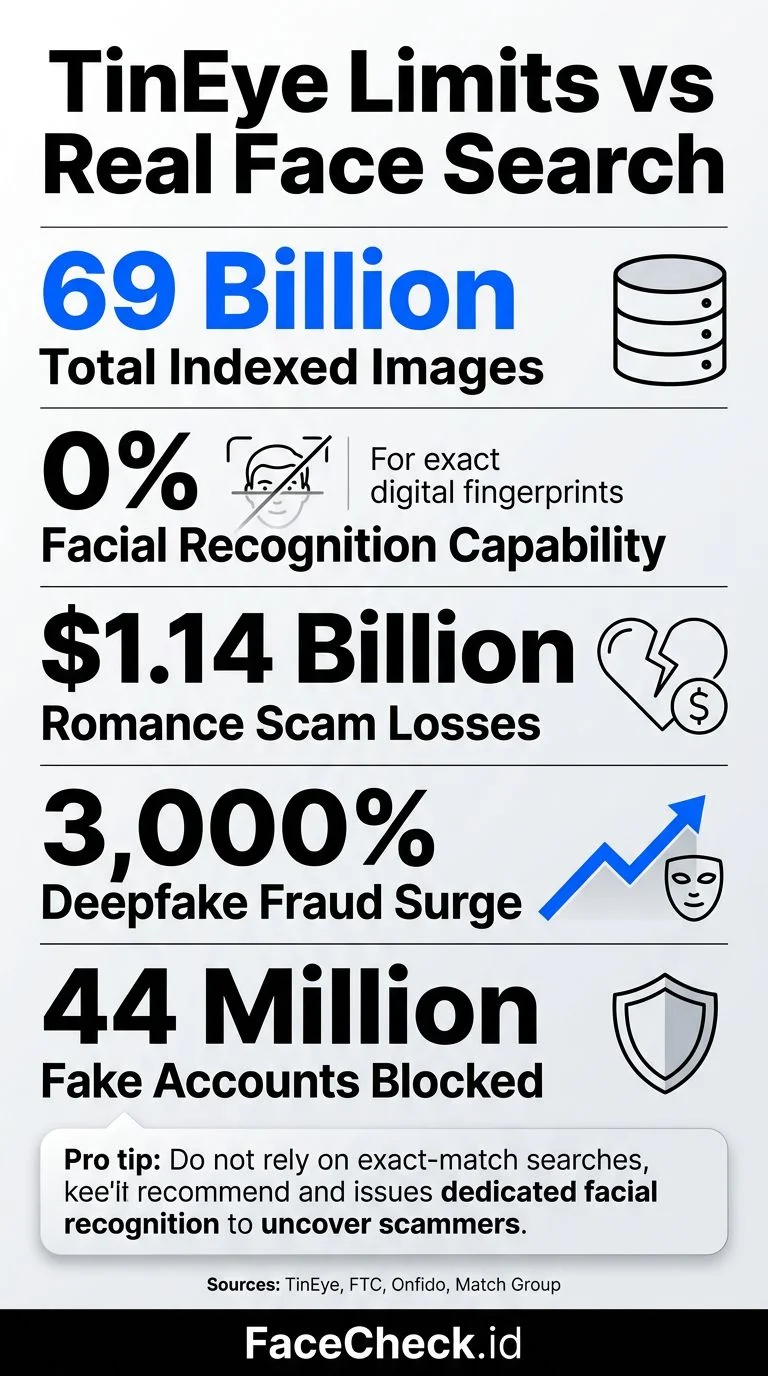
It then checks that fingerprint against its index of more than 77.6 billion images (its late-2025 figure) and lists every page where the same image, or an edited copy of it, turns up. Crops, resizes, colour filters, flips and slapped-on watermarks usually don't fool it.
The important bit: TinEye matches the entire image and doesn't recognise objects or faces. Upload a selfie and it looks for that exact selfie. A different photo of the same person, taken a week later in a different shirt, is a total stranger as far as TinEye is concerned.
One nice touch for privacy: TinEye says it doesn't keep your uploads. It builds the fingerprint, runs the search, deletes the image, and nobody else can see what you looked up.
What TinEye Is Good At
Give TinEye the right job and it's excellent. It's like a sniffer dog trained on one scent: it won't find your car keys, but it will find that scent every time.
Catching image theft. Photographers, illustrators and small brands use TinEye to find where their work has been reposted without permission. Because it matches edited copies too, your photo still turns up after someone crops it and adds a filter.
Finding where an image first appeared. Sort by Oldest and TinEye puts the earliest copies its crawlers found at the top. Fact-checkers love this. It's how "shocking photo from yesterday's storm" turns out to be from a completely different storm in 2014.
Unmasking stock-photo profiles. Fake dating and business profiles often use stock photos, and TinEye is very good at finding them on the stock site they came from. If your charming "surgeon on an oil rig" is also the smiling face of a dental clinic's brochure, you've learned something important.
Finding the best copy. Sort by Biggest image to get the highest-resolution version, or by Most changed to see how a picture got edited as it spread. The Compare button shows your image next to a match so you can spot exactly what was cropped or tweaked.
Checking one website. Type a site into the "filter by domain/collection" box to see whether your image appears there. It's handy when you want proof before emailing a site owner about a photo they took.
Right-click searching. The browser extension lets you right-click any image on a web page and search for it on the spot. No downloading, no uploading, no fuss.
Where TinEye Falls Short
It can't identify people. This is the big one. TinEye has no facial recognition, so it won't find other photos of the same person from a different day, angle or place. If your question is "who is this?" or "is this person really who they say they are?", TinEye can't answer it.
It barely sees social media. Seventy-odd billion images sounds like everything, but Facebook, Instagram and TikTok limit crawling. Most of TinEye's matches come from news sites, blogs, forums, stock libraries and online shops.
Popular images bury you. Search a well-known meme and you'll get thousands of matches, most of them the same meme with a different caption. The sort options and the domain filter help, but pack a snack.
"0 results" doesn't mean original. If a scammer took a photo from a private account or an app, TinEye has probably never crawled it. No matches can simply mean TinEye hasn't seen the photo yet. It doesn't prove the photo is genuine.
Free use has a ceiling. Free, non-commercial searches are capped at 100 per day and 300 per week. Unless you're checking an entire photo library, you won't come close. Businesses that need more use TinEye's paid API.
TinEye vs. Face Search Engines
This is what most people searching for TinEye actually want to know, and it comes down to what each tool is matching.
| TinEye | Face search (FaceCheck.ID, PimEyes) | |
|---|---|---|
| What it matches | The whole picture | The face in the picture |
| A different photo of the same person | Not found | Can be found |
| Edited copies of the same photo | Found | Usually found |
| The question it answers | "Where else is this photo?" | "Where else is this face?" |
| Finds stock-photo sources | Yes | Only if a face is in them |
A face search engine finds the face in your photo, turns it into a numeric description of what the face looks like, and looks for similar faces across the pages it has indexed. Lighting, angle, hairstyle and background can all change. That's how it finds the beach photo when you uploaded the office headshot.
The same strength means face search results need care. A face search returns similar faces, not confirmed identities. Many unrelated people look alike, and scammers use photos of innocent people, so treat every match as a lead to check, not a verdict.
When to use TinEye
- You want to find everywhere a specific image has been posted
- You're tracking unauthorised use of your own photos
- You're tracing the original source of a viral image or meme
- You suspect a profile picture is a stock photo
- You want to show that an image is being used out of context
When to use FaceCheck.ID
- You want to see where else a face appears on the public web
- You're checking whether a dating or social profile uses someone else's face
- You want the public profiles attached to a face photo
- You're looking for red flags such as scam reports before you trust someone
The combo move for suspicious profiles
Use both, in this order. Run TinEye first, because a stock-photo hit settles the question in seconds. If TinEye comes back empty, run a face search. Stolen photos of real people rarely show up anywhere TinEye crawls, but the person in them often has a public profile somewhere. Our guide to fake profile scams with stolen photos walks you through what to do when you get a match.
How to Use TinEye (For What It's Good At)
If your job is image theft, finding a source or checking for stock photos, TinEye is at its best. Here's how to use it:
- Go to tineye.com and upload the image, drag it in, or paste its URL.
- Read the match count and the list. Each result shows the page, the image size and when TinEye first crawled it.
- Sort by Oldest to find the earliest known copy, which is usually close to the original.
- Sort by Biggest image to find the highest-quality version.
- Filter by domain if you only care about one website.
- Hit Compare on a match to see what was cropped, flipped or recoloured.
TinEye works best with distinctive images. Search a generic sunset or a plate of spaghetti and it will match half the internet, with nothing useful on any of the pages.
TinEye Alternatives for Finding People
When the thing you're searching for is a person, you need a tool that actually reads faces. Here are the options, and what each one is honestly like.
FaceCheck.ID
Full disclosure: this is us. FaceCheck.ID is a dedicated face search engine. You upload a clear photo of an adult's face and it searches public web pages for similar faces: social media profiles, news articles, blogs, scam-report sites and mugshot archives.
Every match gets a 0-100 score: 90-100 is a certain match, 83-89 confident, 70-82 uncertain and 50-69 weak. A free search shows every matching face thumbnail with its score, and credits unlock the links to the source pages. Matches on scam, mugshot, sex-offender or AI-generated-face sources, or on many profiles under different names, are marked as red flags. That's what you want to know before you send money to someone you met online.
On privacy, searches are anonymous. We don't log IP addresses, search history is deleted within 24 hours, and the photo you upload is never added to the index.
The honest limits: FaceCheck.ID only sees public web pages, so it can't search inside Tinder, Snapchat, WhatsApp or private accounts. It's also strictly for adults. Searching for a minor is prohibited and gets the account banned.
PimEyes
PimEyes is another face search engine with good accuracy. The free search hides the source links, and most useful features need a monthly subscription, so it's a better fit for keeping an eye on your own face over time than for a one-off check. Our PimEyes review goes into the details.
Yandex Images
Yandex is free and handles faces better than most general search engines, but it's still a general image search, so face results are hit-or-miss. Your photos also go through a Russian company's servers, which some people would rather avoid. Our Yandex image search guide shows how to get the most out of it.
Google Lens
Google Lens is brilliant at telling you which plant you almost killed or where that lamp is sold. For faces, it tends to return lookalike outfits and stock photos, and it deliberately avoids identifying people.
Want the full lineup? See our ranking of the best reverse image search engines.
How We Reviewed TinEye
FaceCheck.ID runs a face search engine, so yes, we're in the same business as some of the tools on this page. That's exactly why we've tried to give TinEye its due. For copyright checks and tracing sources it's often the better choice, and we say so above.
The figures in this review come from TinEye's own published material, checked in September 2026: its help centre for search limits, upload privacy and sorting, plus its reported index size. The FaceCheck.ID details (scores, red flags, privacy, age limits) come from our own published policies. If TinEye changes a limit or a feature, we update this page and the date at the top.
FAQ
Is TinEye free?
Yes, for personal use. Free, non-commercial searches are capped at 100 per day and 300 per week, which is more than most people will ever need. Businesses and apps that need more searches or automated access use TinEye's paid API.
Can TinEye find a person's identity?
No. TinEye looks for copies of one specific image, not for other photos of the same person, and it has no facial recognition. To see where a face appears across different photos, you need a face search engine such as FaceCheck.ID. Even then, a match shows a similar face, not a confirmed identity.
Is TinEye better than Google reverse image search?
For finding exact and edited copies of one image, TinEye is often more precise. Its sort options (Oldest, Newest, Biggest image, Most changed) also make tracing a source much easier. Google has a bigger index and is better at visually similar images and products. Neither one is built to find a person by their face.
Does TinEye work with screenshots?
Yes. TinEye matches screenshots, crops and edited versions of an image. Before you search, crop out the status bar, the app buttons and anything else that isn't the picture. The cleaner the image, the better the match.
Does TinEye keep the images I upload?
TinEye says it doesn't. It builds a fingerprint, searches its index and deletes the upload after showing results, and no one else can see what you searched.
Why doesn't TinEye have facial recognition?
TinEye describes its technology as matching whole images, not objects or faces, and it has never added face search. Face recognition brings its own privacy and legal questions, and TinEye has built its business on image matching for copyright, brand protection and verification. Different tool, different job.
Looking for a person rather than a picture? Upload a clear photo of an adult's face at FaceCheck.ID to see where similar faces appear on the public web. Then check any match before you act on it.

Read More...
Top 6 Reverse Image Search Mobile Sites to Find People, Products, and Places
Got a photo but no name? Regular search engines aren't much help when you're trying to identify someone from just their picture. Find out which mobile-friendly tools are built for facial recognition versus product searches - and why using more than one platform seriously boosts your odds of tracking down the person you're looking for.
On the subject in other languages
 Avaliação do TinEye: o que ele faz bem e onde deixa a desejar
 TinEye 评测:它擅长什么,又有哪些不足
 Recenze TinEye: V čem vyniká a kde má nedostatky
 TinEye im Test: Was es gut kann und wo seine Schwächen liegen
 Reseña de TinEye: qué hace bien y cuáles son sus limitaciones
 Avis sur TinEye : ses points forts et ses limites
 Recensione di TinEye: cosa fa bene e dove mostra i suoi limiti
 TinEyeレビュー:得意なことと不得意なこと
 TinEye 리뷰: 잘하는 것과 부족한 점
 Recenzja TinEye: mocne strony i ograniczenia
 Обзор TinEye: сильные стороны и недостатки
 مراجعة TinEye: ما الذي يجيده وأين يقصر
 TinEye İncelemesi: Neleri İyi Yapıyor, Nerelerde Yetersiz Kalıyor
Popular Topics
API Face Search Engine Identity Social Media Image Search Facial Recognition Confirm Identity How To Facebook Instagram Social Media Profiles TinEye Image Search Engine Scammers Fake Profiles PimEyes Sex Offenders Mugshots Yandex Images Fingerprint Face Lookup Screenshot Google Lens Face Search Similar Images WatermarkingTop Reverse Image Search Engines (2026) Ranked: PimEyes vs FaceCheck