Face Match Explained: One-to-One Biometric Verification
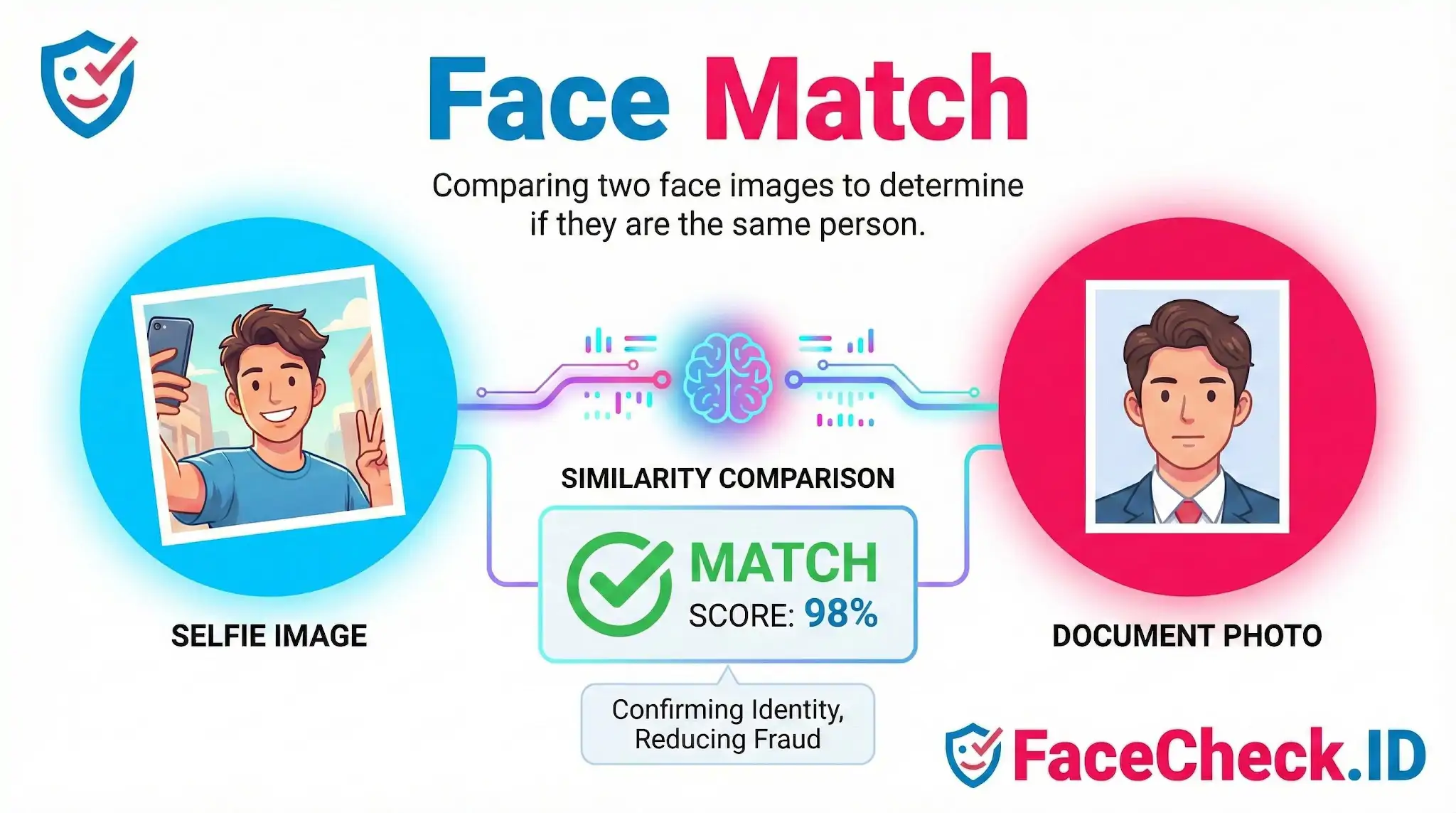
Face match is the process of comparing two face images or a face image and a face template to determine whether they belong to the same person. It is a core function in many facial recognition systems and is used to confirm identity, reduce fraud, and improve access control.
What face match does
A face match system analyzes key facial features, such as the distance between the eyes, the shape of the nose, and the contours of the jawline. It then converts the face into a mathematical representation, often called a face embedding or face template, and measures how similar two faces are.
Most systems return a match score. If the score is above a set threshold, the faces are considered a match. If it is below, they are considered different people.
Face match vs face recognition
- Face match usually refers to one to one comparison. Example: matching a selfie to a passport photo.
- Face recognition often refers to one to many identification. Example: finding a person in a database of many faces.
Common use cases
- Identity verification for onboarding and account recovery
- KYC and AML compliance checks in financial services
- Access control for devices, apps, buildings, and gated areas
- Fraud prevention such as detecting identity impersonation
- Attendance and visitor management in workplaces and events
- Photo organization and duplicate detection in media libraries
How face match works in simple steps
- Face detection finds a face in an image or video frame
- Face alignment normalizes the face position and angle
- Feature extraction creates a face embedding or template
- Similarity comparison calculates a distance or score between two templates
- Decision applies a threshold to label match or no match
Factors that affect face match accuracy
Face matching performance depends heavily on image quality and conditions, including:
- Lighting and shadows
- Camera resolution and blur
- Pose, head angle, and facial expression
- Occlusions like masks, sunglasses, hats, hair
- Age changes, makeup, facial hair
- Differences between document photos and live selfies
Face match in verification workflows
Face match is commonly paired with other checks to strengthen identity assurance:
- Liveness detection to confirm the face is from a real person and not a photo or deepfake
- Document verification to confirm the ID is authentic before matching the face
- Risk scoring and device signals to detect suspicious behavior
Privacy and security considerations
Because face templates are biometric data, face match systems should use strong protections such as encryption, access controls, retention limits, and clear user consent. Many organizations also apply bias testing and ongoing monitoring to help ensure fair performance across different demographics.
FAQ
What does “Face Match” mean in a face recognition search engine?
“Face Match” usually means the system found one or more images whose detected face is visually similar to the face in your query photo. Depending on the engine, a “match” can mean either the same person or a look-alike, so it should be treated as a lead to investigate—not definitive identification.
What’s the difference between a face match and an exact (duplicate) image match?
An exact image match looks for the same (or near-duplicate) picture file—often identical composition, crop, or watermark. A face match looks for the same (or similar) face even when the photo is different (different camera, angle, lighting, background, or time). Face matches can surface images that would never appear in a traditional duplicate-image search.
Why can a “Face Match” be the wrong person even when the faces look very similar?
Wrong-person matches can happen when different people share similar facial features, when the query image is low quality, when the face is partially occluded, or when heavy edits/filters/AI enhancements distort facial details. These factors can make two different people appear close to the system, so you should verify using additional evidence beyond the face alone.
What are practical steps to validate a face match before I act on it?
Validate by checking multiple photos of the person (not just one), looking for consistent non-face cues (tattoos, scars, ears, hairline, age range), verifying the source page context (who posted it, when, and why), and comparing across different sites. If possible, run searches using more than one clear photo of the same person to see whether results converge on the same set of pages.
How should I interpret face match results from tools like FaceCheck.ID without misidentifying someone?
Treat results as pointers to webpages, not proof of identity. Open the linked pages, check whether the surrounding content actually refers to the same individual, and avoid sharing or escalating claims based solely on a match list. If a result seems harmful, incorrect, or privacy-invasive, use the tool’s available reporting, correction, or opt-out/removal pathways (for example, if FaceCheck.ID provides such controls) and avoid amplifying the link while you verify.


Recommended Posts Related to face match
-
Yandex Image Search: Complete Guide to Finding Faces (2026)
Returns visually similar results, with face matches weighted heavily. Similar images (visually related, this is where face matches appear). Reduced face-matching accuracy.
-
How to Find Someone on Instagram by Photo (2026)
Google removed face-matching from its image search years ago over privacy concerns. It finds exact image copies, not face matches. Yandex is more aggressive with face matching than Google.
-
Face Recognition Online: What Actually Works in 2026
The problem: Google explicitly blocks face matching. Face matching is computationally expensive. Any tool offering unlimited free face recognition is either subsidized by something else (your data, usually) or isn't doing real face matching at all.
-
How to Search for a Person Online by Photo
You need a tool built specifically for face matching, and there are only a handful that exist. Pricier than FaceCheck.id and in my experience slower and less accurate for pure face matching.
-
Social Catfish Review: Is It Actually Worth Your Money in 2026?
What it does NOT do well: actual face matching. For verifying whether someone is who they claim to be, face matching is what you need. Even if the scammer cropped the photo, added a filter, or pulled a different image of the same stolen identity, face matching connects the dots.
-
Can You Reverse Image Search a Face?
It's a cool way to dip your toes into the world of face-matching. FaceCheck.ID and PimEyes both provide free tiers, allowing users to experience basic face-matching capabilities without any cost. Platforms like FaceCheck.ID and PimEyes, with their expansive search capabilities, empower users to find facial matches across the internet.
-
Best Reverse Image Search Engines Ranked (2026)
Some facial matching capability built in. That's useful for tracking where a specific photo has been reposted, but it does absolutely nothing for face matching. Based on our testing, FaceCheck.id returned the most accurate facial matches across the widest range of scenarios, including low-quality photos, different angles, and edited images.
-
PimEyes Free Alternatives That Actually Work (2026)
Google confirmed in 2023 that they intentionally restrict face-matching capabilities in Lens. For face matching: 0 results. Face matching accuracyVery HighVery HighExcellent.
-
Fake Profile Scam? Why 99% of the Time the Person in the Photo Is Innocent
Use SocialCatfish when you want identity context, not just face matches. Because in 2025, many mainstream reverse image search tools don't provide open-ended face matching the way people expect.
-
Best Facial Recognition Search Engines (2026)
The problem: Google deliberately limits face matching in Lens. Yandex is Russia's largest search engine, and its image search has surprisingly good face-matching capabilities. Google Lens is fully free but doesn't do face matching.
-
Social Media Lookup: Find Anyone's Profiles by Photo
The face matching component is less accurate than dedicated face search tools. A face match isn't proof of anything.
-
Free Reverse Image Search Tools That Actually Work (2026)
Zero face-matching capability. Limited face matching.
-
Why Google Images Fails at Face Searches
-
AI Face Search: How It Works and Best Tools (2026)
It deliberately avoids facial matching for privacy reasons. The face matching component is less precise than dedicated face search engines, but it supplements results with public records data (phone numbers, addresses, social profiles).
-
Reverse Image Search FAQ: The Ultimate Guide for 2025
For profile pictures showing faces, use FaceCheck.ID for specialized face matching. FaceCheck.ID consistently delivers the most accurate face match results. FaceCheck.ID: Consistently delivers the most accurate face matching results, even with partial faces or different angles.
-
OnlyFans Finder: How to Search by Face to Find Profiles
But the results are inconsistent, heavily biased toward Russian-language sites, and the face matching is much less precise than dedicated tools.
-
How to Reverse Face Search: Find Anyone by Photo (2026)
Yandex Image Search is surprisingly effective for face matching compared to Google.
-
How to Reverse Image Search from Android in 4 Steps
Beware of Doppelgängers: Not every face match is a direct hit.
-
How to Spot a Catfish Online in Under 60 Seconds with FaceCheck.ID
For specifically detecting fake dating profiles and romance scams, FaceCheck.ID offers advantages: it combines strong facial matching with scam database integration and AI detection, plus a free search option.
-
Face Recognition Systems: How They Work, Best Open Source Models, and Production APIs
OSINT tools: Build investigation tools that include web-scale face matching.