Find Instagram Profiles
Locating an Instagram profile is often the first step in confirming who someone really is online, whether you are vetting a match from a dating app, checking a seller, or tracing a photo back to its owner. When name searches fail, face search becomes the practical fallback, since Instagram is one of the largest public sources of face imagery indexed across the web.
Why Instagram matters in face-based identity searches
Instagram profiles carry a heavy share of the public-facing photos people post of themselves, which makes them a frequent destination for face-search hits. A reverse image search on FaceCheck.ID can return links to Instagram posts, profile pictures cached on third-party sites, or reposts on news, gossip, or aggregator pages that lifted the original image.
Public business and creator accounts tend to produce stronger matches because their photos are scraped, re-shared, and embedded across blogs, directories, and press coverage. Private personal accounts are harder to surface through face search alone, since their feeds are not indexed and their images rarely leave the platform.
Methods that actually work
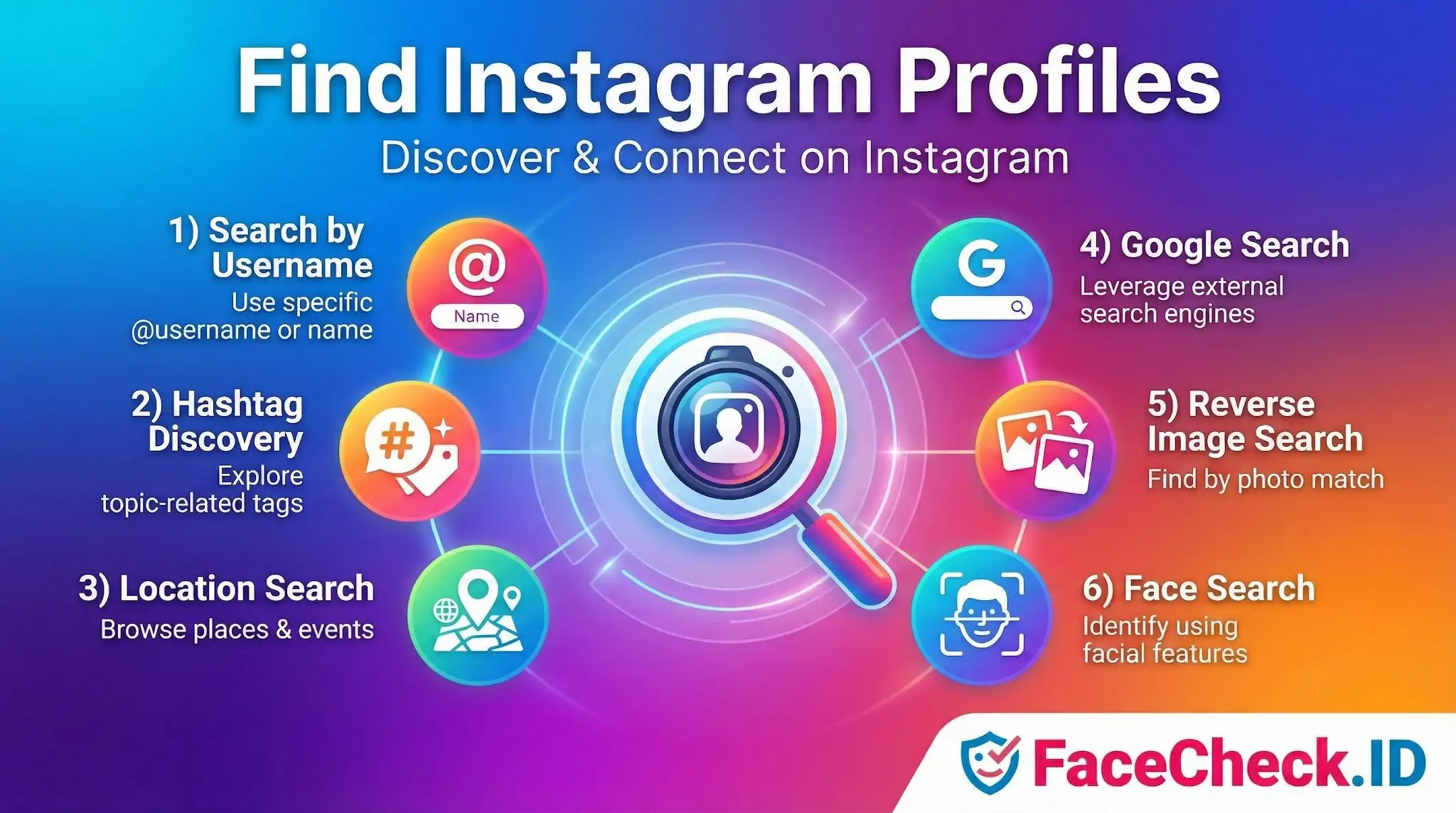
When you have a name or handle, direct lookup is fastest. When you only have a face, the workflow shifts:
- Username and display name search inside Instagram, including partial spellings and the suggested-accounts list.
- Google dorking with queries like
site:instagram.com "full name" cityorsite:instagram.com "specific phrase from bio". This surfaces bios and captions that Instagram's own search ignores. - Hashtag and location browsing to identify recurring posters tied to a niche, neighborhood, or event.
- Reverse image search on the profile photo through a general engine to find the same image reused on other platforms.
- Face search on FaceCheck.ID using a clear photo of the person, which can return Instagram links along with matches on news pages, forums, and other social networks where the same face appears.
The face-search route is the one that works when you have no name at all, only a photo from a dating app, a screenshot, or a stranger's image you want to verify.
How image conditions affect Instagram match quality
Face-recognition results against Instagram-sourced images depend heavily on what the platform tends to host. Heavily filtered selfies, group shots, and party photos with poor lighting produce weaker confidence scores than the cleaner, front-facing portraits typical of professional or creator accounts. Common factors that move the needle:
- Face angle and how much of the face is visible
- Resolution after Instagram's compression
- Sunglasses, hats, heavy makeup, or AR filters
- Whether the same photo has been reposted to other indexed sites
- Age difference between the query image and older Instagram posts
A search may return three or four plausible profiles rather than one definitive answer. That is normal and expected with public face data.
Verifying that the profile is really the right person
A face-search hit on an Instagram account is a lead, not proof. Confirm with details that are harder to fake:
- Bio specifics that match what you already know, such as employer, city, or linked website
- Mutual followers or tagged friends consistent with the person's life
- Post history going back years rather than weeks
- Cross-references to the same face on LinkedIn, news articles, or other accounts found in the same search
Watch for impersonators, especially for public figures, models, and small business owners whose photos are routinely cloned for catfishing and romance scams. If a face appears across several Instagram handles with mismatched names, you are probably looking at stolen images, not duplicate accounts of the same person.
Limits and where this can go wrong
Face search cannot prove identity by itself, and finding an Instagram profile through a face match does not mean that account is genuine, current, or operated by the person in the photo. Private profiles, accounts that block scraping, and users who avoid posting their own face will not appear no matter which method you use. False positives from lookalikes are real, particularly with low-resolution images or when the subject has common features. Treat any match as a starting point for human review, not a verdict, and respect the privacy expectations that come with someone's choice to keep parts of their life off the public internet.
FAQ
What does “Find Instagram Profiles” mean in the context of face recognition search engines?
“Find Instagram Profiles” typically refers to using a face recognition search engine to look for publicly reachable Instagram pages (or reposts/screenshots that point to Instagram) that appear to match the face in an uploaded photo. It does not inherently mean the tool can search inside Instagram’s private content or bypass account privacy settings.
Can a face recognition search engine find Instagram profiles if the account is private?
Usually not directly. Private accounts generally limit what is publicly accessible, so a face search engine can only return what it can legally index or access from public sources. However, the same profile photo might still appear elsewhere (e.g., reposts, screenshots, profile-photo caches, or other public sites), which can lead to results that indirectly point to an Instagram identity.
Why might “Find Instagram Profiles” results show fan pages, reposts, or screenshots instead of the original Instagram account?
Face search engines often index images from many web pages, and the most crawlable copies may be reposts, aggregators, or screenshot pages rather than the original Instagram profile. These copies can rank higher if they are easier to access, contain multiple matching images, or have strong linking signals—even if they are not the primary source.
If I get an Instagram link as a match, what checks should I do before assuming it’s the same person?
Treat it as a lead, not proof. Compare multiple photos across different angles/time periods, look for consistent unique features (tattoos, scars, moles), and check context clues (same friends, locations, captions, timestamps). Also verify whether the matched image appears on multiple independent sources that point to the same Instagram handle, and be cautious of look-alikes, edits, filters, and AI-generated faces.
How can FaceCheck.ID add value when trying to “Find Instagram Profiles” from a face photo?
FaceCheck.ID can be useful as a face-focused search step to surface pages where similar face images appear, including potential social-media-related results. Its value is in quickly finding candidate matches across indexed web sources; you still need to manually validate any Instagram-related hits and avoid treating a match as confirmed identity.


Recommended Posts Related to find-instagram-profiles
-
Search Instagram by Photo with Reverse Image Instagram Search Engine
Instagram Sleuthing 101: How to Find Instagram Profile. Fortunately, you can use reverse image search to find Instagram profiles by uploading a photo on FaceCheck.ID Instagram search engine. How to Find Instagram Profiles by Picture in 4 Steps.
-
How to Find Someone on Instagram Using a Picture
This tool uses facial recognition technology to help you find Instagram profiles from photos. However, when it comes to finding Instagram profiles, they fall short.
-
Instagram Image Search to Find Instagram Profile by Photo using Face Search Engine
With FaceCheck.ID, not only can you find Instagram profiles, but also you'll be searching all social media platforms like Instagram, Facebook, Twitter, LinkedIn, YouTube, OnlyFans, and many others.
-
How to Find Someone on Instagram by Photo (2026)
Does Google reverse image search work for finding Instagram profiles?