Find Pictures by Face
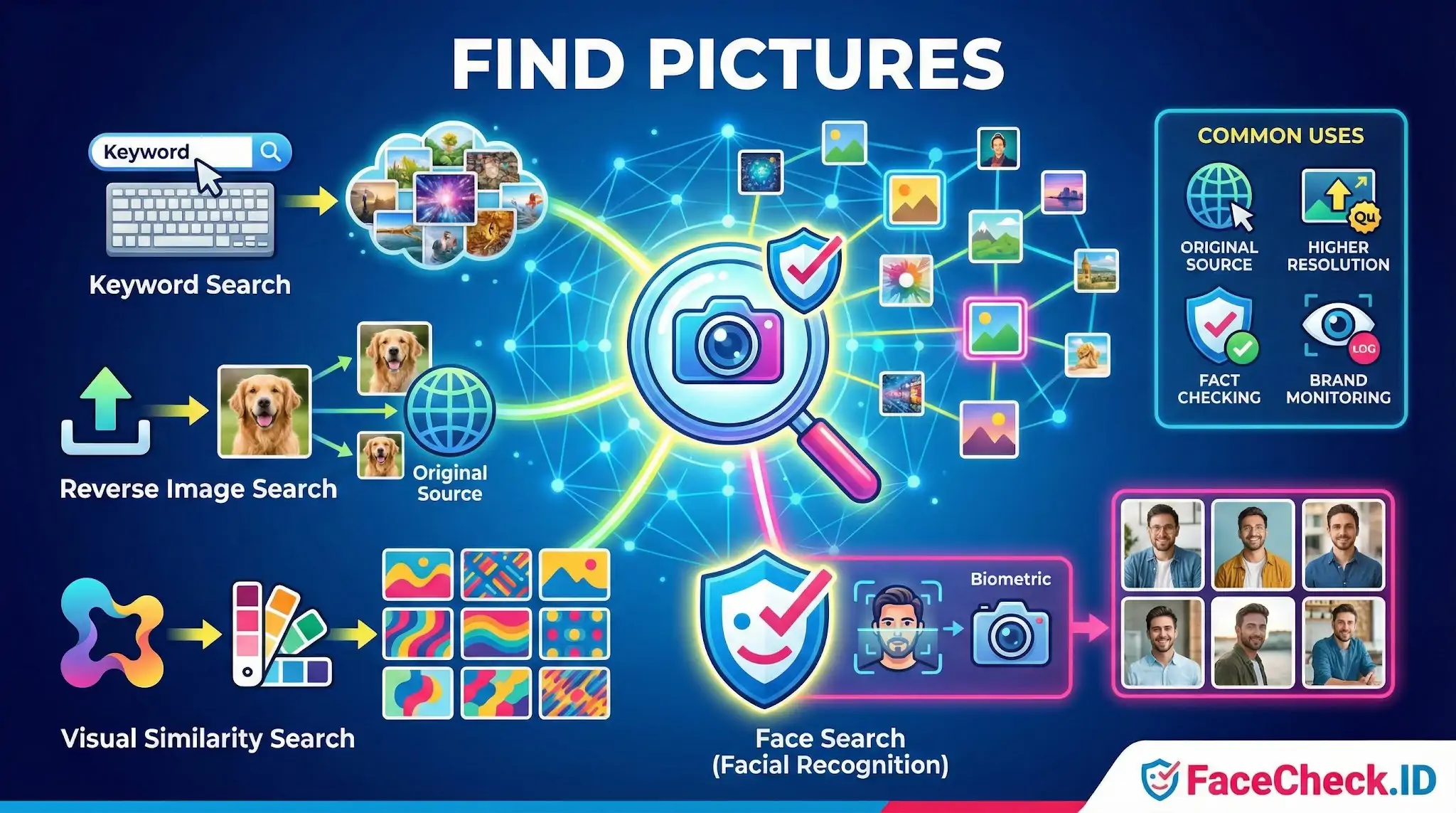
When someone says "find pictures" on FaceCheck.ID, they usually mean one specific thing: locate every public image of a particular person's face that exists across indexed websites. That is a different problem from generic image search, and the distinction matters when you are trying to identify a stranger, vet a date, or trace a suspected scammer.
How face-based picture finding differs from generic image search
Most "find pictures" tools work on visual similarity. Upload a photo of a red sneaker and the engine returns other red sneakers, including the same product on retail sites. The matching focuses on shapes, colors, and overall composition.
Face search works on biometric features instead. The system builds a numerical representation of the geometry of the face, including the spacing of the eyes, the shape of the jaw, and the contours around the nose and mouth. It then compares that representation against faces extracted from images the crawler has already indexed. The background, clothing, lighting, and image format are largely ignored. A passport-style headshot taken in 2018 and a candid shot from a 2023 wedding can match because the underlying face geometry is consistent, even though a generic reverse image search would treat them as unrelated files.
This is why uploading the same photo to Google Images and to FaceCheck.ID returns very different result sets. Google tends to find exact or near-duplicate copies of the file. A face engine returns different photos of the same person on different dates, in different settings, on different sites.
What people actually try to find
The reasons people run a face-based picture search tend to fall into a few patterns:
- Confirming whether a dating-app match has profiles under other names on Instagram, TikTok, or escort directories
- Checking whether a LinkedIn contact's headshot also appears on fraud-warning sites or in news coverage
- Identifying a person from a single photo when no name is available, such as a stranger in a screenshot
- Locating older or alternate photos of someone whose current online presence has been scrubbed
- Finding reused stock or stolen photos that indicate a fake account
Each of these uses depends on what the public web has actually indexed. A person who never posts photos of themselves and whose friends keep their accounts private may produce zero matches even though they exist online.
What affects whether a face turns up
Image quality on the input side has a large effect. Front-facing photos with both eyes visible, neutral expressions, and even lighting produce the strongest matches. Profile shots, heavy sunglasses, low resolution, motion blur, and extreme angles reduce the confidence score and can push real matches below the result threshold.
The target side matters too. Photos behind login walls, inside private accounts, on platforms that block crawlers, or stored only in messaging apps are not findable by any face-search engine. Public Instagram posts, news articles, company "about" pages, forum avatars, mugshot databases, and cached versions of deleted profiles are the kinds of sources that tend to surface.
What a face-based picture search does not prove
A high-confidence match suggests the same face appears in two places. It does not prove the two accounts belong to the same person. Identical twins, close siblings, and unrelated lookalikes can produce strong matches. Stolen photos used by catfish accounts will match the real owner, not the impostor running the account.
Low-confidence matches need careful review. The face geometry might be similar by coincidence, or the indexed image might be too compressed for a clean comparison. Treat results as leads that need corroboration rather than conclusions. Check usernames, post dates, writing style, mutual connections, and other context before deciding two profiles represent the same individual. The picture-finding step is the start of the investigation, not the end of it.
FAQ
What does “Find Pictures” mean in the context of face recognition search engines?
“Find Pictures” usually refers to searching the web for photos that contain the same (or very similar) face as the one in your query image. Unlike a normal keyword search, a face recognition search engine analyzes facial features and returns pages where that face appears, even if the image was cropped, resized, or reposted.
How is “Find Pictures” different from reverse image search for exact duplicates?
Reverse image search often works best when the same image (or a near-identical copy) exists online. “Find Pictures” in face recognition is face-centric: it can return different photos of the same person (different angle, lighting, haircut, or background) because it searches by facial similarity rather than by matching the entire image.
What are the most common reasons a “Find Pictures” face search returns the wrong person?
Wrong-person results commonly happen due to poor input photos (blur, tiny face, heavy compression), occlusions (masks, sunglasses, hair), extreme pose or lighting, look-alike faces, and highly edited or AI-generated images. These factors can push the system toward visually similar but different identities—so results should be treated as leads, not proof.
How can I improve “Find Pictures” results when using a face recognition search engine?
Use a clear, front-facing photo with the face large in frame, in-focus, and well-lit; avoid heavy filters and extreme angles. If starting from a group photo, crop tightly to the target face and try multiple frames (neutral expression vs. smiling). Running more than one query image can help confirm whether the same matches repeat across searches.
How should I interpret “Find Pictures” results from FaceCheck.ID (or similar tools) without misidentifying someone?
Treat results as pointers to webpages, not a confirmed identity. Cross-check multiple independent sources, look for consistent context (same name, same accounts, repeated associations over time), and verify distinguishing traits (tattoos, scars, age range, location, and timeline) across several photos. If the outcome could harm someone (accusations, doxxing, employment decisions), do not rely on face search alone—seek additional, lawful verification.


Recommended Posts Related to find-pictures
-
How to Find Pictures of Your Girlfriend Online
Find Pictures of Your Girlfriend. How to Use Google Images to Find Pictures of Someone.
-
What is The Most Accurate Reverse Image Search?
PimEyes: As per the information gathered, PimEyes is an online face search engine that scans the internet to find pictures containing given faces.
-
How to Find Images on the Web
You can use Google, Yandex, Bing, and other popular search engines to find pictures that are related to the one you're looking for.
-
How to Find Pictures of Yourself on the Internet
How do I find pictures of myself on sites that block Google from indexing them?