Google Images vs Face Search
For anyone trying to figure out where a photo came from or whether it has appeared elsewhere online, Google Images is usually the first stop — and often the first place people discover its limits when the question shifts from "what is this image?" to "who is this person?" Google Images is a general-purpose visual search tool, not a face recognition engine, and that distinction matters a lot when you're investigating a profile photo, a suspicious match, or a possible catfish.
How Google Images works compared to face search
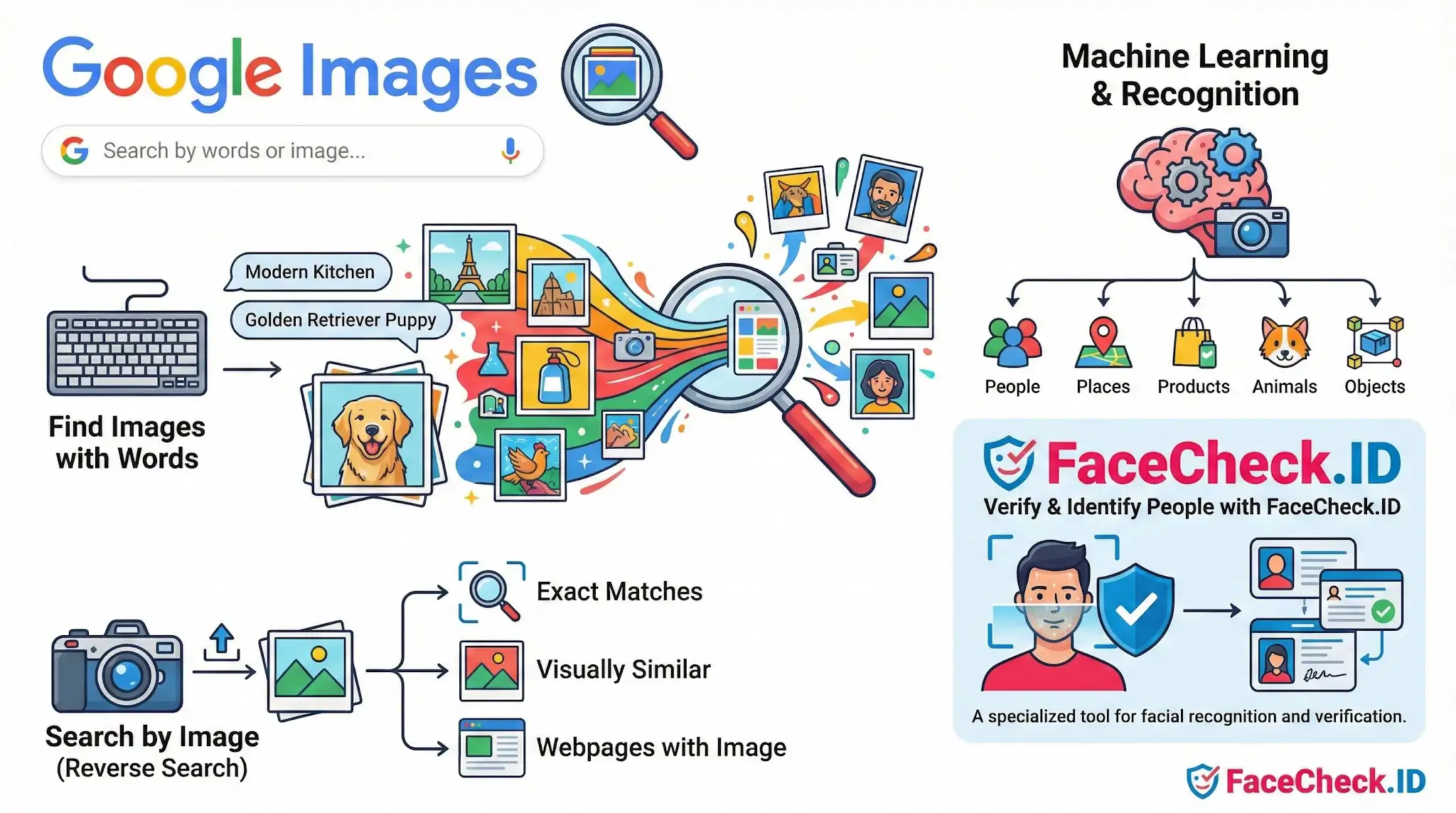
Google Images indexes pictures across the public web and lets you search either by keywords or by uploading a photo. When you submit an image, Google looks for visually similar results based on overall composition, color, texture, and recognizable objects. Its newer Lens-powered backend can identify products, landmarks, plants, logos, and text inside images, and it will sometimes pull up exact copies of a photo that have been republished elsewhere.
What it does not do is build a biometric template of a face. If you upload a portrait, Google Images may match the exact same file or a lightly edited copy of it, but it generally will not return different photos of the same person taken in different settings. A face-search engine like FaceCheck.ID, by contrast, extracts facial features — eye spacing, jaw geometry, and dozens of other vectors — and compares them against indexed faces, so a candid shot from one event can match a posed photo from another.
When Google Images is the right tool
Google Images is genuinely useful for a slice of online identity work, particularly when an image has been reused or stolen. If a dating profile picture was scraped from a stock photo site, a model's portfolio, or a news article, a reverse image search will often surface the original within seconds. The same applies to romance scams that recycle the same photo across dozens of fake profiles — if any of those uploads ended up on a public, indexed page, Google has a reasonable chance of finding it.
Common scenarios where Google Images performs well:
- An influencer's photo lifted and pasted into a fake account
- A stock image used as a "real" profile picture
- A news photo or press shot reused without attribution
- Memes, screenshots, or product images circulating across blogs
In each case, the goal is to find the same image, not the same person.
Where Google Images falls short for identity questions
The gap shows up quickly the moment someone uses an unpublished photo or a private image you have not seen before. If a scammer takes a fresh selfie, crops a photo of an acquaintance, or uses a picture that was never indexed by Google, a reverse image search returns nothing useful — even though the person behind the image may be all over the public web under a different name. Google has also progressively de-emphasized its older "search by image" feature in favor of Lens, which is optimized for shopping, translation, and object recognition rather than identity work.
Image quality, cropping, and minor edits also throw off Google's matching more than people expect. A mirrored copy, a recolor, or a heavy filter can be enough to break exact-match detection, while a face-recognition system would still recognize the underlying face.
What a Google Images result does and does not prove
Finding an image on Google Images tells you that file, or a near-duplicate, exists on an indexed page. It does not tell you who the person in the photo is, whether they posted it themselves, or whether the account using it now is legitimate. A clean Google result — meaning no matches — also proves very little; it only means the specific image has not been scraped from somewhere Google has crawled. For investigating a person rather than a picture, Google Images is best treated as a complement to face search, not a substitute for it.
FAQ
What is Google Images, and is it a face recognition search engine?
Google Images is primarily a general web image search and reverse image search tool. It can help find identical or near-duplicate pictures (or visually similar images), but it is not designed as a dedicated face recognition search engine that matches a person’s face across different photos the way specialized face-search tools do.
How does searching with a photo on Google Images differ from face-specific tools like FaceCheck.ID?
Google Images typically excels at locating the same image, cropped/edited versions, or very visually similar pictures. Face-specific search tools (e.g., FaceCheck.ID) are built to compare facial features so they can sometimes find the same person across different photos, angles, lighting, or contexts—even when the exact image is not reused.
Can Google Images find a person by face if the photo has never been reposted elsewhere?
Often no. If the exact photo (or a close visual variant) is not indexed on publicly accessible webpages, Google Images may return few or no relevant results. Dedicated face recognition search engines may have a better chance of finding the same person in different photos, but results still depend on what images are publicly available and indexed by that service.
What’s the best way to use Google Images as a first step when investigating a face photo online?
Use Google Images (or Google Lens) to look for exact duplicates, earlier uploads, and pages where the image appears. This can reveal the original source, context, or whether the photo is stock, AI-generated, or part of a meme. If you need cross-photo person matching (same face across different images), consider also using a specialized face search tool and treat any results as leads rather than proof.
Why might Google Images show visually similar faces that aren’t the same person?
Google Images may rank results by overall visual similarity (composition, colors, pose, or generic facial similarity) rather than confirming identity. This can surface look-alikes, models, or unrelated people with similar features. To reduce confusion, compare multiple independent identifiers (context, timestamps, associated usernames, locations, and corroborating pages) before concluding two images depict the same person.


Recommended Posts Related to google-images
-
Why Google Images Fails at Face Searches
Google Images isn't designed for facial recognition and even blocks face searches. You need answers fast, so you try reverse image search the Internet with Google Images. Because Google Images is not your face-finding hero.
-
Top 7 Reverse Image Search Engines for Face Search Compared
Google Images and Bing Images are the most popular and well-known options, allowing you to search either by keyword or by image. Google Images. Google Images reverse image search is a handy tool that can be used to find additional information about an image or to find similar images.
-
How to Find Someone by Doing Reverse Face Search
Google Images, Yandex, PimEyes, and Facebook are just a few options. Google Images. Once you have a photo on your device, you can open the Google Images app and use the search features.
-
How to Search Facebook by Photo
Reverse image search engines, such as Google Images, TinEye, Social Catfish, and FaceCheck.ID are great. Google Images, TinEye & PimEyes vs FaceCheck.ID. Google Images is the most popular option for general reverse image search that allows you to search for images by uploading a photo or using keywords.
-
Top 6 Reverse Image Search Mobile Sites to Find People, Products, and Places
Google Images, TinEye, and Bing: Best for Products and Places. Google Images:. How to Use: Open Google Images on mobile, tap the camera icon, paste a URL or upload a file, and hit search.