Impersonation
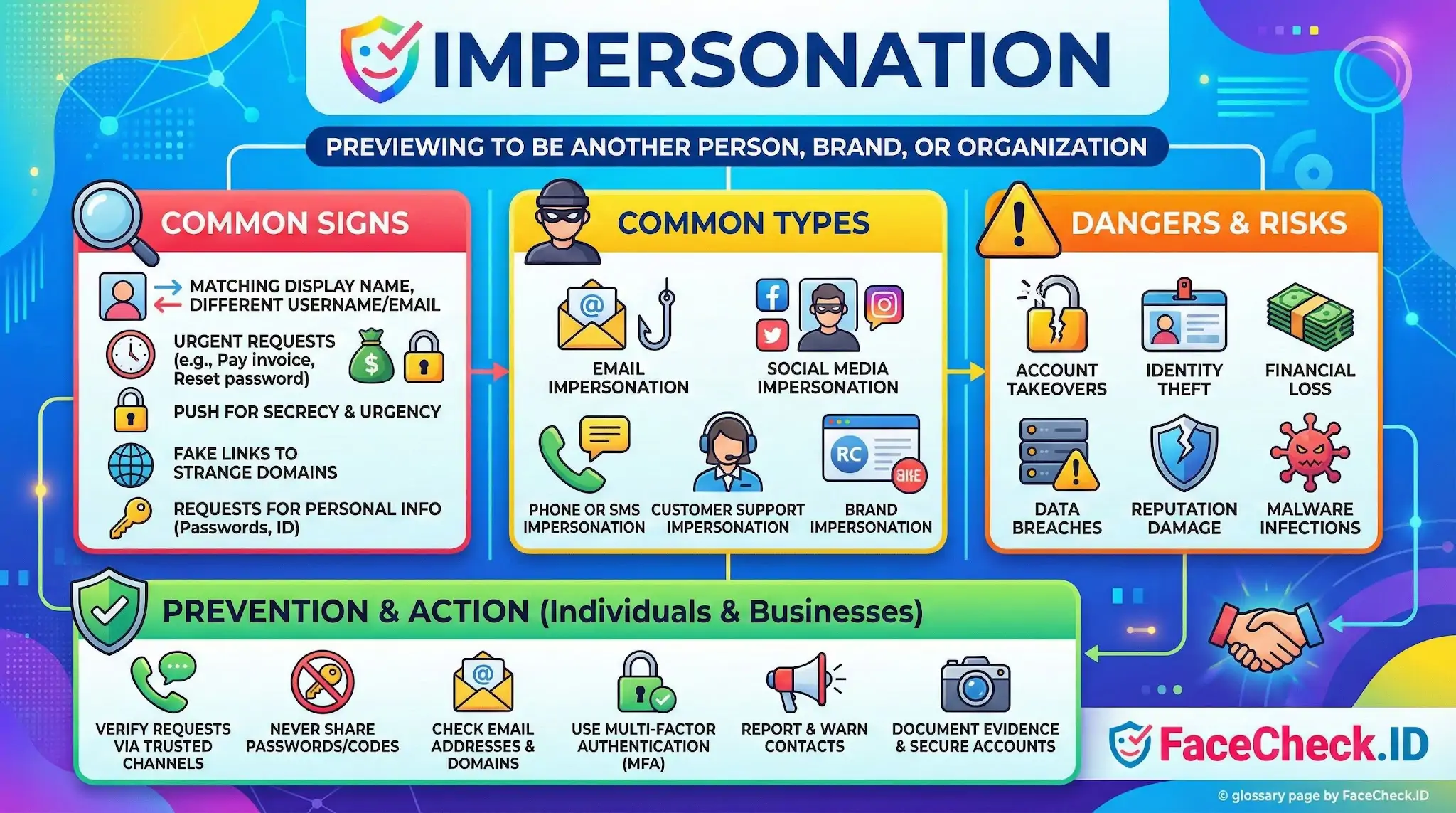
Impersonation is one of the main reasons people run a face on FaceCheck.ID in the first place. Someone receives a message, a friend request, or a profile that feels off, and they want to know whether the face actually belongs to the person it claims to belong to, or whether it was lifted from somebody else's online life.
How face search exposes impersonation
Most online impersonation depends on a stolen photo. A scammer building a fake dating profile, a fraudulent recruiter, or a romance scam operator usually does not generate new images. They reuse pictures pulled from public Instagram accounts, LinkedIn pages, modeling portfolios, military social profiles, or news coverage. A reverse face search flips the question around: instead of asking whether the name is real, it asks where else this exact face has appeared online.
When the same face surfaces on accounts using different names, in different countries, or across profiles that contradict each other, that pattern is the impersonation. A military officer's headshot showing up on a widow's dating profile in three different languages is a textbook romance scam built on a stolen identity.
Patterns that suggest the photo is stolen
Face-search results rarely deliver a clean verdict, but certain patterns repeat in impersonation cases:
- The same face appearing under multiple unrelated names across dating sites, Telegram channels, or crypto promotion accounts
- Matches on a public figure, model, or influencer whose images are widely scraped
- A profile claiming to be a private person, while the strongest matches point to a stock photo site or a portrait photographer's portfolio
- Images that trace back to scam-warning forums, romance scam reporting sites, or breach databases
- A recent profile photo whose oldest match is years older and tied to a different identity
A single hit on a different name does not always mean impersonation. Common nicknames, married names, and rebranded professional accounts can all explain it. The signal gets stronger when several mismatches stack up.
Where face search runs into trouble
Impersonation detection through face search has real limits, and assuming otherwise leads to bad calls.
Lookalikes are the most common false positive. Two unrelated people can score high enough to look like a match, especially with low-resolution profile pictures, heavy filters, or sunglasses. A high confidence score reflects facial similarity, not proof of identity. Twins, siblings, and people who simply share features can produce results that look damning but are not.
Cropped, mirrored, or filtered images also degrade matching. Scammers sometimes flip a stolen photo horizontally, crop out the background, or run it through a beauty filter to defeat basic reverse image search. Face recognition handles some of this better than pixel-based image search, but heavily edited images, AI-modified photos, and deepfaked faces can break or distort results.
Indexing gaps matter too. If the original source is a private Instagram account, a closed Facebook group, or a platform that blocks crawlers, the real owner of the face may not appear in any results, even when the photo was clearly stolen from them. Absence of a match is not evidence of authenticity.
Using face-search results responsibly
Face-search findings are best treated as leads, not conclusions. A match opens a question. It tells you the face has a history worth examining: who posted the original, when, under what name, and whether that history fits the story the person is telling now. From there, the actual confirmation usually comes from context, a video call, document checks, or comparing the matched accounts side by side.
Impersonation accusations carry weight. Misidentifying a real person as a scammer because their face resembles one in a dating profile, or because an old photo of theirs was recycled without their knowledge, causes real harm. The goal of running a face search is to gather evidence about a photograph, not to render judgment on a person. The judgment still belongs to whoever is reading the results.
FAQ
What does “Impersonation” mean in the context of face recognition search engines?
In face recognition search engines, “impersonation” typically means someone is using another person’s face photo(s) to present themselves as that person (or to appear connected to them) on a profile, listing, forum post, scam page, or other online content. The goal is usually to borrow trust, avoid detection, or mislead others—rather than merely sharing or reposting a photo.
What face-search result patterns most strongly suggest photo-based impersonation (not just reposting)?
Common impersonation clues include: (1) the same face photo appearing across multiple accounts with different names/usernames, (2) a profile using a face photo but inconsistent biographical details (age, location, job) across sources, (3) the “oldest” or most authoritative-looking source (e.g., an established personal site or long-running profile) not matching the newer account’s identity claims, and (4) a cluster of near-identical images used repeatedly in different contexts (dating, crypto, classifieds) that resemble scam reuse patterns.
If a face recognition search engine shows my face on an account I don’t control, what should I do first?
First, preserve evidence (screenshots, URLs, timestamps), then try to confirm it’s truly your image (compare unique features, original photo set, and context). Next, report the content to the platform using its impersonation/reporting workflow and request takedown. If the post is tied to fraud, harassment, or extortion, consider notifying relevant service providers (payment apps, marketplaces) and—if needed—local authorities. Avoid directly confronting the impersonator if it could escalate risk.
How can I reduce false accusations when investigating suspected impersonation with face search results?
Treat face-search matches as leads, not proof. Validate using multiple, independent signals: check whether the matched pages show consistent identity details over time, look for cross-links from official accounts, compare multiple photos (not just one), and verify context (captions, dates, location cues, and whether the page is a repost/screenshot archive). If uncertainty remains, don’t publish allegations; instead, report to the platform with evidence and describe the mismatch without claiming certainty.
How can FaceCheck.ID add value in an impersonation investigation, and what’s the safest way to use it?
FaceCheck.ID can help by quickly surfacing where a face appears across publicly accessible pages, which can reveal duplicate use of the same headshot across different profiles—often a useful indicator when checking for impersonation or stolen photos. The safest approach is to use it to map reuse patterns (where the face appears, how often, and in what contexts), then verify each hit at the source page and document discrepancies. Don’t rely on a single result or similarity score to conclude someone’s identity or intent.


Recommended Posts Related to impersonation
-
Celebrity Romance Scams 2026: How Scammers Use AI Deepfakes and Stolen Photos to Steal Millions
Warning: Romance scammers are using AI-generated images, deepfakes, and celebrity impersonations to target victims in 2026. The Rising Threat of Celebrity Impersonation Romance Scams in 2026. Scammers impersonate celebrities to build trust, exploit emotions, and defraud victims—often older adults—of life-changing sums.
-
Fake Profile Scam? Why 99% of the Time the Person in the Photo Is Innocent
This profile is impersonating someone and using stolen photos. Impersonation scams. This account is impersonating someone.
-
Elder Fraud Statistics 2025: FTC Reports $2.4 Billion Lost to Scams Targeting Seniors
Investment scams, romance scams, and government impersonators are the biggest threats. 🏛️ Government Impersonation Scams. 🚨 The FTC Impersonator Epidemic.
-
140+ Common Romance Scammer Lines, Excuses & Red Flags to Watch For in 2026
In 2026, romance scams remain a top threat, with older adults (60+) reporting $2.4 billion in total fraud losses (often driven by investment scams, romance scams, and impersonation frauds) ftc.gov. A scammer impersonates a celebrity (or someone “on their team”), builds emotional trust fast, then introduces secrecy and a payment hook—VIP passes, “fan club” fees, travel costs, verification fees, gift cards, or crypto.
-
How to Find Pictures of Yourself on the Internet
Defamation or impersonation gives you additional leverage if the photo is being used to misrepresent you. Then file an impersonation report with the platform (every major one has a dedicated form, usually faster than the generic "report" button). Run FaceCheck.ID afterward; impersonators frequently run multiple profiles using the same stolen photos.