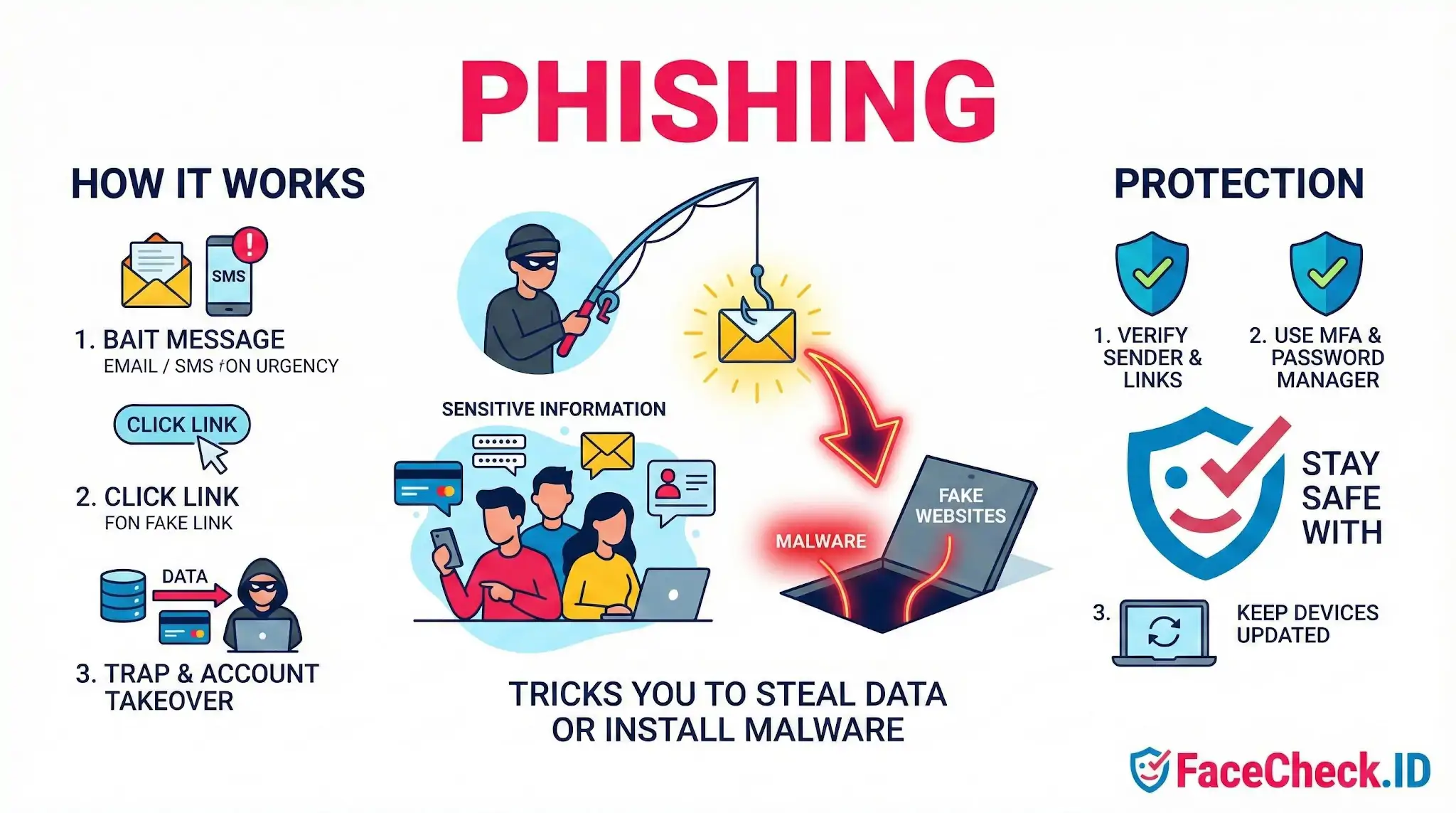
Phishing
Phishing scams almost always rely on a fake identity, and that fake identity almost always includes a face. Whether it is a romance scammer using stolen modeling photos, a "recruiter" reaching out on LinkedIn with a polished headshot, or a fake support agent on Instagram, reverse face search is one of the few tools that can expose the real person, or the lack of one, behind the message.
How phishing connects to face search
Most phishing attempts that go beyond a generic email blast rely on a believable persona. The attacker needs you to trust that the sender is a real human. That persona is usually built from a stolen photo, a generated face, or a recycled profile that has been used in dozens of earlier scams.
Running the profile photo through a face search engine flips the investigation. Instead of asking "is this email legit," you can ask "is this person who they claim to be." A few common patterns show up:
- The same face appears on a model agency site, a stock photo page, or an Instagram account belonging to a completely different name
- The face is found on multiple dating profiles using different ages, cities, or jobs
- The face shows up in scam-warning forums, fraud trackers, or romance scam databases
- The face cannot be found anywhere, which is suspicious for someone claiming to have a public job like a recruiter, executive, or journalist
- The face appears tied to a real public figure whose photos have been scraped and reused
A clean LinkedIn-style headshot is the easiest type of image to search, since front-facing, well-lit, professional photos produce the strongest matches across indexed pages.
Phishing personas where face search helps most
Some phishing categories rely heavily on a fake person, which makes them more vulnerable to image-based investigation than a generic spam email.
- Romance and pig-butchering scams: A "girlfriend" or "investor friend" who refuses video calls but sends curated selfies. The same face often appears across Instagram, OnlyFans clones, and dating apps under different names.
- Fake recruiters: A LinkedIn message about a remote job that quickly moves to Telegram or WhatsApp. The recruiter photo is often borrowed from a real HR employee at an unrelated company.
- Impersonated executives in BEC: An attacker creates a lookalike profile of a CEO or CFO using a public headshot. Searching the photo can show whether it traces back to the real person at the real company, or to a one-day-old fake profile.
- Fake support agents: "Coinbase support" or "Microsoft support" accounts on X or Telegram with friendly profile pictures that, when searched, lead to unrelated personal accounts.
- Investment gurus and crypto coaches: Profiles built around a confident-looking face that turns out to belong to a completely unrelated dentist or fitness influencer.
Reading face-search results without overreacting
Face search makes phishing investigation faster, but the results need careful interpretation. A match is evidence, not proof.
A few things to keep in mind when judging a result:
- A high-confidence match to a different name strongly suggests impersonation, but consider whether the person legitimately uses multiple identities, like a stage name
- A no-match result does not mean the person is real. New, AI-generated, or lightly cropped faces may not appear in any indexed page
- Lookalikes exist. A lower-confidence match to a stranger does not mean the photo is stolen
- Profile photos that have been heavily filtered, recolored, or generated by tools like StyleGAN may produce weak matches even when the underlying identity is fake
- Cropped, low-resolution, or off-angle webcam grabs reduce match quality, so a missing result can simply mean the search engine did not have enough to work with
The strongest signal is usually a pattern: the same face used under multiple names, multiple ages, or in multiple known scam contexts. One coincidence can be explained. Five cannot.
What face search cannot tell you about a phishing attempt
Reverse image search exposes stolen and reused photos, but it does not by itself confirm intent. A real person whose photo was scraped is a victim too, not the attacker. Identifying the original owner of a face does not tell you who is operating the account, which country they are in, or what infrastructure they are using to send messages. It also will not catch text-only phishing, AI-generated faces with no online history, or attacks that use no profile picture at all.
Face search works best as one layer alongside the basics: verifying domains, checking sender addresses, refusing to share one-time codes, and contacting the supposed sender through a channel you already trust.
FAQ
What is “phishing” in the context of face recognition search engines?
Phishing is a scam where someone pretends to be a legitimate face recognition search service (or a related “support,” “investigation,” or “report” workflow) to trick you into revealing passwords, payment details, API keys, or personal information. In face-search contexts, phishing often appears as fake result pages, fake “unlock full results” prompts, or fake takedown/opt-out forms that harvest your data.
What are common phishing tactics that target users of face recognition search tools?
Common tactics include: look-alike domains that mimic a real service; emails or DMs claiming “your face was found” and urging you to click; fake “remove my photo” or “copyright complaint” pages that ask for login/payment; malicious browser extensions promising better results; and fake “FaceCheck.ID verification” or “customer support” chats that request credentials, one-time codes, or payment outside the normal checkout flow.
How can I tell if a FaceCheck.ID-related message or page is a phishing attempt?
Treat it as suspicious if it pressures you to act urgently, asks for passwords/2FA codes, requests payment via unusual methods, or asks you to “confirm” account details through a link you didn’t initiate. Safer practice is to navigate to FaceCheck.ID by typing the address yourself (not from an email link), verify the exact domain and HTTPS lock, and avoid entering credentials or uploading images on pages reached through unsolicited messages.
What should I do if I think I entered my information on a phishing page after searching a face?
Immediately change the affected password(s) (and any reused passwords elsewhere), enable 2FA on your email and important accounts, revoke suspicious sessions/tokens where possible, and contact your bank/payment provider if you entered payment details. Also scan the device for malware, remove suspicious extensions, and keep evidence (screenshots, email headers, URLs) in case you need to report the incident to the service being impersonated or to your organization’s security team.
How can I reduce phishing risk when using face recognition search engines (including FaceCheck.ID) in the first place?
Use direct navigation/bookmarks for the service, not links from messages; avoid installing “helper” extensions; keep your browser and password manager up to date; use unique passwords and 2FA; and limit what you upload (crop to the face, remove extra personal details) so even a mistaken upload exposes less information. If you need removal/opt-out actions, use the official site’s documented process rather than third-party forms or “agent” offers.


Recommended Posts Related to phishing
-
The New Face of Digital Deception: FraudGPT, Romance Scams, and Protecting Yourself in 2026
While FraudGPT is widely used to generate flawless phishing emails, malicious code, and fake websites, its application in social engineering—particularly romance scams—is one of its most devastating uses. If a sophisticated phishing scam does manage to trick you into handing over your password, Multi-Factor Authentication (MFA) is your strongest technical defense, as it blocks the attacker from using your credentials without the second verification factor. Where possible, transition to passwordless authentication methods, such as passkeys, which rely on cryptography to make your credentials entirely unphishable — the closest thing the security industry has to a phishing antidote.
-
How to Stay Scam-Proof in 2026: Defending Yourself From GhostGPT and the New Wave of AI Cybercrime
Modern phishing increasingly steals session cookies — the digital ID your browser uses to prove you're already logged in — which lets attackers slip past two-factor authentication entirely. They can't be phished, can't be stolen by a fake login page, and can't be intercepted by a session-hijacking script. GhostGPT offers AI coding, phishing assistance for cybercriminals — SC Media.
-
How to Reverse Image Search on Yandex (and How It Differs from Google)
Phishing mail sent from free Yandex Mail accounts is a separate problem that searching does not expose you to, and a "Yandex" email asking you to log in or pay deserves the same suspicion as any unsolicited message.
-
How to Find Anyone Online: A Guide to Internet Sleuthing
What crosses the line is using the output to access accounts, send phishing emails, or harass the subject.