Photo Lookup
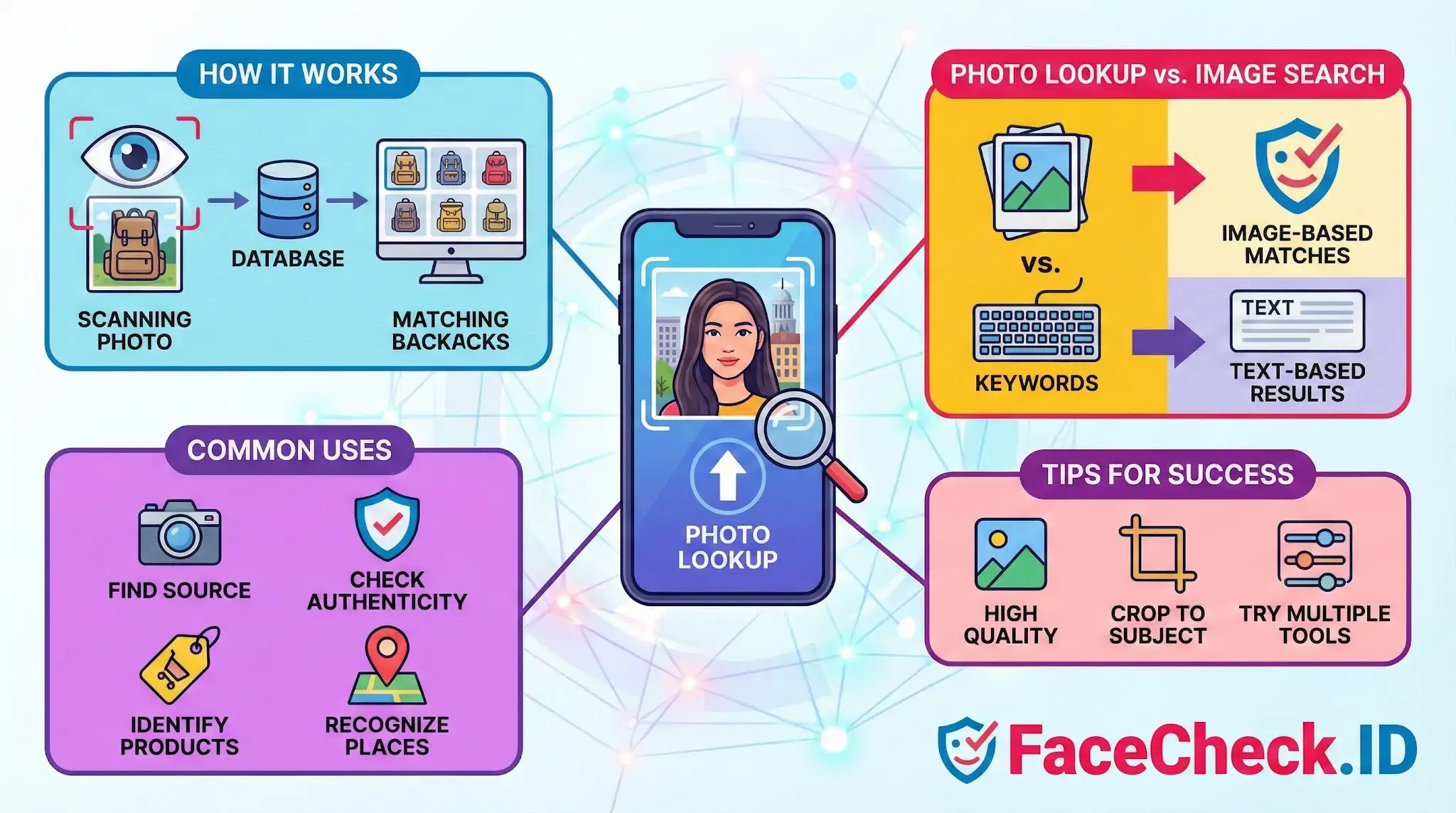
Photo lookup is how you turn an image into an investigation. On FaceCheck.ID, it usually means uploading a face photo and asking the index where else that face appears across public web pages, social profiles, news articles, mugshot records, and dating sites.
How photo lookup works on a face-search engine
A face-focused photo lookup is different from a generic reverse image search. Tools like Google Images or TinEye look for visually similar pictures, which often means matching the same file, the same crop, or the same color pattern. They will fail if a person uploaded a different photo of themselves taken on a different day.
Face-search photo lookup ignores the pixels around the face and works from the face itself. The system detects the face in your uploaded image, builds a numerical embedding from features like eye spacing, jawline, and bone structure, and then compares that embedding against faces extracted from millions of indexed pages. The result is a list of pages that contain the same person, even if the photo, hairstyle, lighting, or background is completely different.
That distinction matters. A reverse image search on a Tinder photo might return zero results because the picture was never posted elsewhere. A face-based photo lookup of the same image can surface a LinkedIn profile, a wedding announcement, or a scam warning thread, all using different photos of the same face.
Practical uses for face-based photo lookup
People use photo lookup on FaceCheck.ID for situations where a name is missing, suspicious, or unverifiable:
- Checking whether a romantic interest from a dating app exists on other platforms under a different name
- Vetting a new business contact whose only online presence is a single profile picture
- Investigating whether a seller, landlord, or contractor has a history of complaints linked to their face
- Searching for missing persons by uploading a recent photo and looking for recent appearances
- Reviewing whether your own face has been scraped onto profiles you did not create
A common scam pattern is reused photos. A catfish often steals images from a real person, usually a model, soldier, or doctor. A photo lookup of the scammer's profile picture can return the actual owner of the face, which immediately exposes the impersonation.
What affects photo lookup quality
Match confidence depends heavily on the image you submit and the images that exist in the index.
- Front-facing photos with clear lighting produce the strongest embeddings. Profile shots, sunglasses, and heavy filters reduce confidence.
- Small or low-resolution faces, such as a face that is only 50 pixels wide in a group photo, often fail to generate a usable embedding.
- Heavy makeup, weight changes, age gaps of ten or more years, and beards being added or removed will lower scores even on correct matches.
- If the person rarely appears online, or only on private accounts, no amount of image quality will produce results. Photo lookup can only find faces that are publicly indexed.
- Identical twins and strong lookalikes can produce high-confidence false positives. The score tells you faces are similar, not that they belong to the same person.
LinkedIn headshots, press photos, and reused profile pictures across multiple platforms tend to give the cleanest results because the same face appears in similar conditions on many indexed pages.
What photo lookup does not prove
A match in a photo lookup is a lead, not a verdict. It tells you that a face on the indexed page resembles the face you uploaded above some confidence threshold. It does not prove the person is the one in the photo, that the linked profile is genuine, or that any name attached to the result is accurate. Profiles can be fake, captions can be wrong, and old photos can be miscredited.
Treat results as starting points. Cross-check against multiple matches, look at consistent details across pages, and confirm with independent evidence before drawing conclusions about identity, character, or intent. The strongest investigations use photo lookup to generate questions, then answer them with documents, conversations, and other sources.
FAQ
What does “Photo Lookup” mean in the context of face recognition search engines?
In face recognition search engines, “Photo Lookup” usually means uploading (or providing) a face photo so the system can search the open web for visually similar faces and possible matches across different sites. It’s not the same as looking up a person by name—results are based on facial similarity and the engine’s indexed sources.
What are the best photo qualities for a reliable Photo Lookup by face?
Use a clear, front-facing image with good lighting, minimal blur, and enough resolution to see key facial features. Avoid heavy filters, extreme angles, strong shadows, and large obstructions (sunglasses, masks, hands). If the original is a screenshot, try to use the highest-quality frame and crop to include the full face without cutting off the chin or forehead.
Can Photo Lookup reveal a person’s real identity or name with certainty?
No. A Photo Lookup can surface pages where a similar face appears, but it does not prove the person’s identity. Names on linked pages can be wrong, outdated, or refer to a different look-alike. Treat results as leads, and confirm using independent evidence (consistent usernames, multiple corroborating photos, matching context, and authoritative sources).
Why can Photo Lookup results show many similar faces, mismatches, or mixed identities?
Common causes include low-quality or heavily edited photos, partial occlusion (hats, masks), pose/angle changes, look-alikes (doppelgängers), and the engine returning “visually similar” candidates when an exact match isn’t indexed. Reposts, memes, and screenshots can also spread the same image across many pages, creating confusing clusters that need careful verification.
How can I do a Photo Lookup more safely and reduce privacy or harm risks (including when using FaceCheck.ID)?
Use the minimum necessary image (crop to the face and remove unrelated people), avoid uploading sensitive images (minors, private settings, medical/financial info), and don’t share or publicize results as “proof.” If using FaceCheck.ID (or any similar tool), read its terms and privacy controls, interpret match strength cautiously, and verify across multiple independent sources before taking any action that could affect someone’s reputation or safety.


Recommended Posts Related to photo-lookup
-
Social Catfish Review: Is It Actually Worth Your Money in 2026?
Their photos look professional. If every photo looks like a headshot or modeling portfolio, those images are likely stolen.
-
Reverse Image Search - Social Catfish vs FaceCheck.ID
You matched with someone whose photos look a little too polished.
-
How to Spot a Catfish in 2025: Red Flags in Fake Dating Profiles
Their photos look like stock images or too polished.
-
Romance Scammer Photos: How to Reverse Search and Expose Stolen Identities
The photos look like they were taken by a professional photographer with studio lighting. If every photo looks like it was taken in the same six-month window, that's a red flag.
-
Fake Profile Scam? Why 99% of the Time the Person in the Photo Is Innocent
Pro tip: if the photo looks too perfect with professional lighting, modeling poses, and polished lifestyle shots, assume it's stolen until proven otherwise.