Visual Search
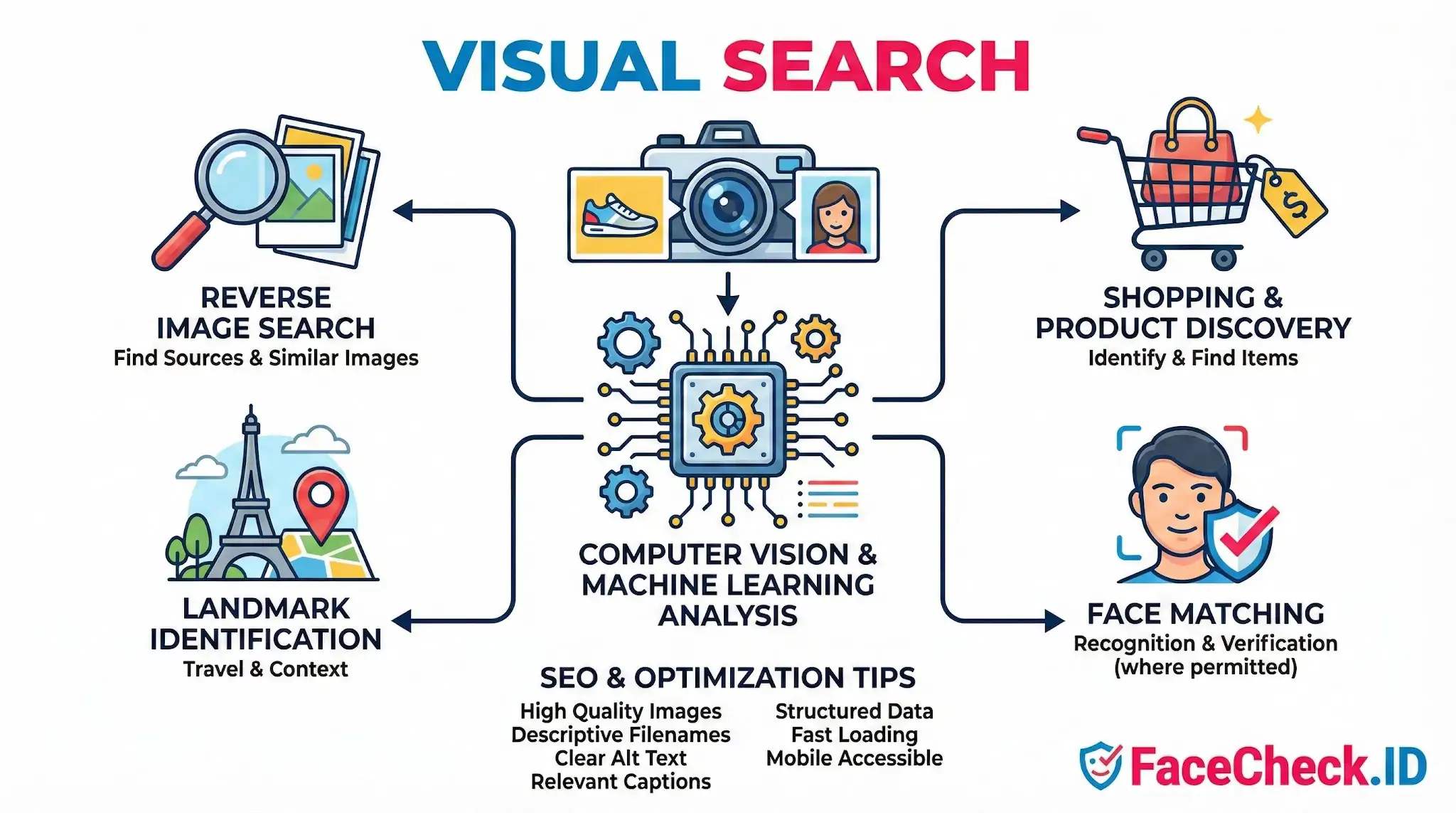
When you upload a face photo to FaceCheck.ID, you are running a specialized form of visual search: the query is a face, and the goal is to surface every public web page where that face appears. Understanding how visual search works helps explain why some searches return strong matches, others return lookalikes, and a few return nothing at all.
How visual search interprets a face
General visual search engines look at broad image content like objects, colors, logos, and scenes. Face-focused visual search narrows the analysis to facial geometry. The system extracts a numerical representation of the face, often called an embedding or face vector, that encodes the spatial relationships between landmarks such as eye corners, nose, jawline, and mouth. That vector is then compared against vectors built from faces found on indexed public pages.
This matters because the search is not looking for the same image file. It is looking for the same face, even when the photo is cropped differently, color-graded, resized, mirrored, or pulled from a video frame. A LinkedIn headshot and a casual vacation photo of the same person should still produce overlapping vectors if the face is visible enough.
Several image properties influence whether a match surfaces:
- Face angle, with frontal and slight three-quarter views performing best
- Resolution and sharpness around the eyes and mouth
- Even lighting without strong shadows across half the face
- Lack of heavy occlusion from sunglasses, masks, or hands
- Natural expression rather than extreme distortion
Visual search vs. reverse image search
Reverse image search, in the traditional sense, looks for copies or near-copies of a specific image file. It is useful when you want to know if a profile picture has been reused elsewhere, which is a common signal in catfishing and romance scam investigations. If a dating profile photo also appears on a stock image site or on someone else's Instagram from years earlier, that is a strong fraud indicator.
Face-based visual search goes further. Instead of matching pixels, it matches identity. The same person can be found in news articles, archived forum posts, conference photos, mugshot databases, or YouTube thumbnails, even if no two images are visually similar at the file level. This is what makes face search useful for identity discovery rather than just image tracing, and it is also what makes interpretation harder, since identity claims carry more weight than file-match claims.
Where visual search results need human judgment
A high-confidence visual match is a lead, not a verdict. Treating face-search output as proof of identity is where investigations go wrong.
Common failure modes include:
- Twins, siblings, and unrelated lookalikes producing strong scores
- Old photos matching to current pages that belong to a different person who reused the image
- Synthetic or AI-generated faces matching real people by coincidence
- Heavy filtering, makeup changes, or cosmetic surgery weakening genuine matches
- Low-quality source images producing false negatives, where the right person exists online but the system cannot confirm it
Context around the match matters more than the score alone. A face found on a personal blog with a consistent name, location, and timeline is more credible than the same face on a scraped image aggregator with no metadata. When using visual search to verify someone you met online, look at how the surrounding pages corroborate each other, whether the photos span years, and whether the named identity is consistent across independent sources.
What visual search does not prove
Visual search can show that a face appears on certain public pages. It cannot confirm that the person currently behind an account is the same person in the photo, since photos are routinely stolen and reused. It cannot establish intent, and it cannot tell you whether someone is who they claim to be, only whether their face has surfaced elsewhere on the indexed web. The value of the tool is in giving an investigator, a recruiter, or a cautious dater more signal than they had before, while leaving the final judgment to a human who can weigh the evidence.
FAQ
What does “Visual Search” mean in a face recognition search engine?
In face recognition search engines, “Visual Search” means searching the web (or an engine’s indexed sources) using visual features extracted from a face photo—rather than using text like a name, username, or keywords. The system compares facial features in your query image to faces in its index and returns visually similar results.
How is Visual Search different from searching by a person’s name or username?
Name/username searches depend on text being present and correctly linked to the person. Visual Search instead uses the face itself as the query, which can surface matches even when no name is known, names are misspelled, or images are reposted without consistent captions.
What are the most common limitations of Visual Search for faces?
Visual Search can be limited by image quality (blur, compression, low resolution), difficult angles (strong side profile), occlusions (masks, sunglasses, hair), look-alikes, and incomplete indexing (the engine may not have crawled or cannot access the site where the image exists). Results should be treated as leads, not proof of identity.
How should I interpret Visual Search results when multiple similar faces appear?
Treat a “similar face” hit as a candidate match and verify using non-face evidence: confirm the source page context, check timestamps, look for consistent identifiers (same username, bio details, tattoos, clothing context, location cues), and compare multiple photos across sources. Avoid concluding identity from a single result or a single similarity score.
How can tools like FaceCheck.ID add value in a Visual Search workflow?
A face-focused tool (such as FaceCheck.ID) can add value when general image search mainly finds exact duplicates or visually similar scenes rather than the same face across different photos. A practical workflow is to run both: use a face-search tool to find face-level matches, then use regular reverse image search to trace exact copies, repost chains, and the earliest known source before taking any action.


Recommended Posts Related to visual-search
-
Demystifying Image Search: The Difference Between Reverse Image Search, Visual Search, and Face Recognition Search
Among these tools, Reverse Image Search, Visual Search, and Face Recognition Search stand out for their unique capabilities. Visual Search. Visual Search represents a more advanced technology that not only finds similar images but also understands the content within the image to provide more contextually relevant search results.
-
Reverse Image Search FAQ: The Ultimate Guide for 2025
Bing Visual Search: Free with standard usage. With the growing sophistication of visual search technology, new applications continue to emerge. Bing Visual Search (good for products).
-
Top 6 Reverse Image Search Mobile Sites to Find People, Products, and Places
Bing Visual Search:. How to Use: Open Bing Visual Search in your mobile browser, tap the camera icon, upload, wait. For products, landmarks, or "what is this thing," Google Images and Bing Visual Search win — Bing especially, since it links directly to shopping results.
-
How to Use Reverse Image Search to Find LinkedIn Profiles by a Photo
If FaceCheck.ID comes up empty, it's worth running the same image through Google Images, Bing Visual Search, or TinEye on the off chance the exact photo is sitting on a public page somewhere. Cross-referencing with a second engine (Bing Visual Search or PimEyes) also helps confirm.
-
How to Reverse Image Search a Screenshot with FaceCheck.ID
Try Bing Visual Search, TinEye, or Yandex.Images for additional results.