Catfish Pictures Search: Check a Profile Photo in 3 Steps
To run a catfish pictures search, save or screenshot the profile photo, upload it to a face search engine such as FaceCheck.ID, and compare the matches. The free search shows every matching face thumbnail with its score. The same face under different names, or on model and stock-photo pages, means the picture is borrowed.
- Screenshot the clearest photo on the profile and crop it to the face.
- Upload it at FaceCheck.ID and run the search.
- Read the scores and look at where the face appears: one consistent person, or a crowd of names sharing one face.
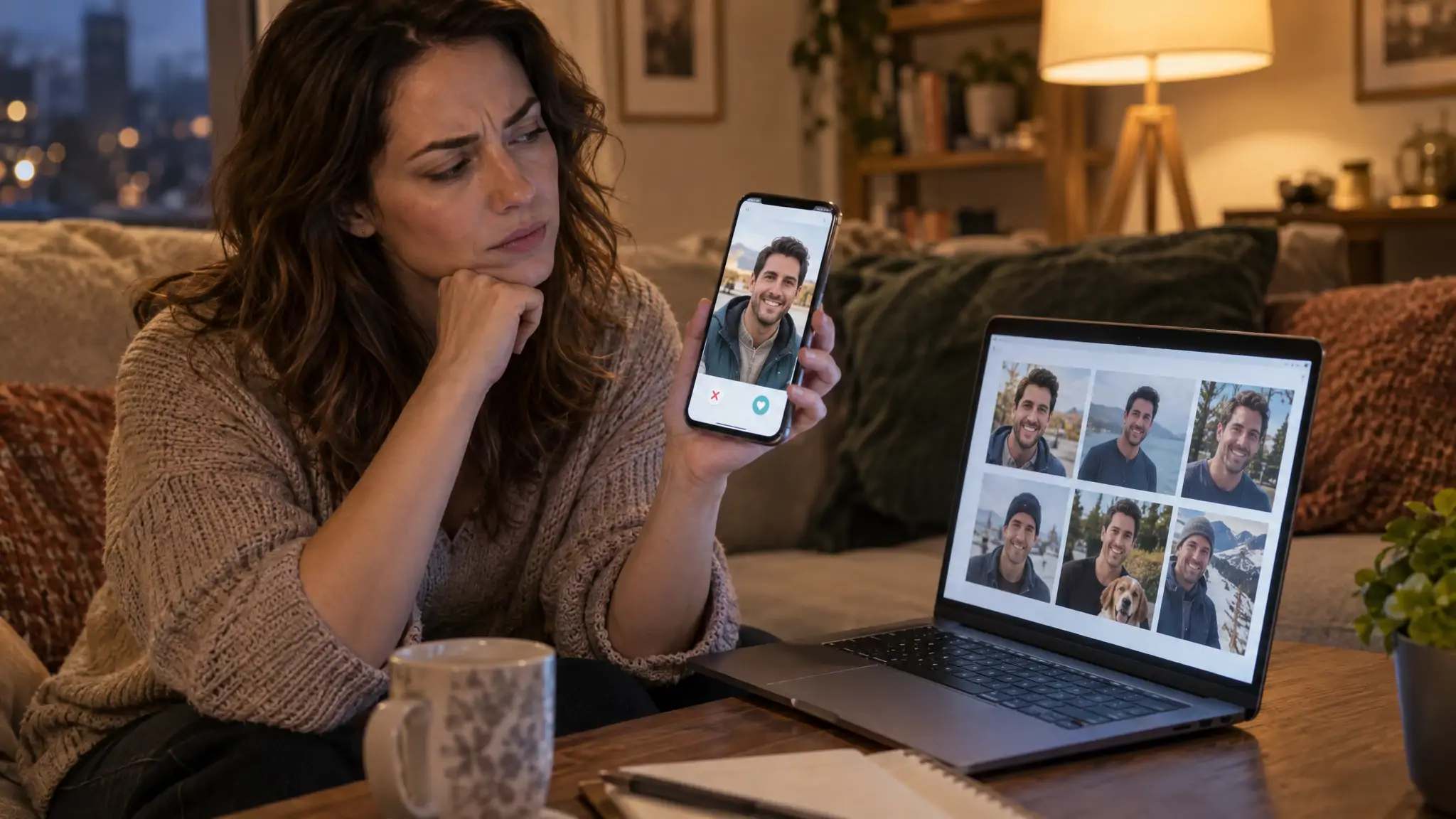
Scammers are not photographers. They are shoppers, and the shop is anybody's public Instagram. That is why the photo is usually the weakest part of a fake profile: it already exists somewhere else, under a different name, and a face search can find it.
In this article, we're going to discuss
- How to run a catfish pictures search in 3 steps
- Why Google Images and TinEye miss most catfish photos
- What the free search shows, and what credits add
- How to read the scores and sources
- What a no-match result does not prove
- What to do when the photo turns out to be stolen
- Catfish pictures search FAQ
How to run a catfish pictures search in 3 steps
Step 1: get the photo. On a phone, screenshot the profile picture at full size (tap it first so the app opens the large version). On a desktop, right-click and save the image. Crop the screenshot so the face fills most of the frame; the app's buttons, the bio text and the dog can all go, however good a boy he is.
Step 2: search the face. Go to FaceCheck.ID, upload the cropped photo, agree to the terms and click Search Internet by Face. The search looks for the face itself, so a different photo of the same person can still match.
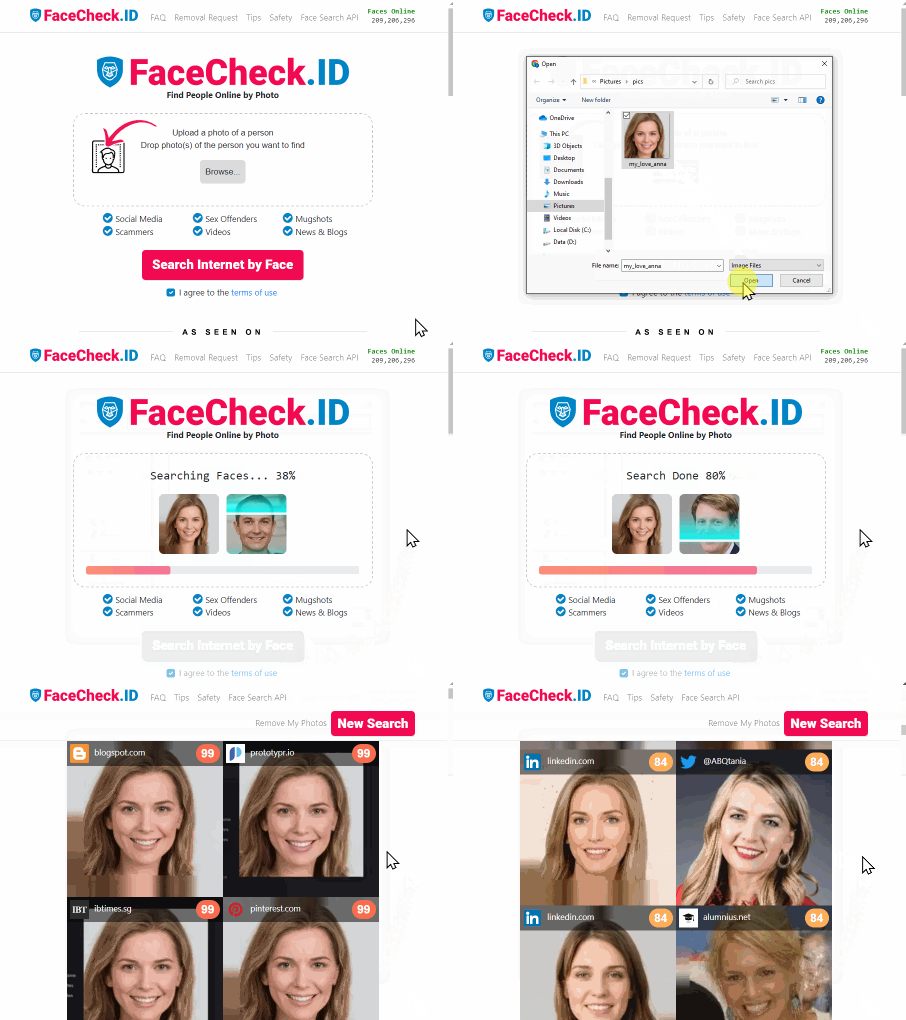
A catfish pictures search takes a few seconds from upload to results.
Step 3: read the results. Each match comes with a score from 0 to 100 and a thumbnail of the face it found. The next two sections cover what the numbers mean and which kinds of pages should worry you.
FaceCheck.ID is for photos of adults only. The model is trained on adult faces, and searching for a minor is prohibited and grounds for a ban. If the profile you are checking might belong to a teenager, stop and report it to the platform instead.
Getting a cleaner search
- Use the sharpest, most front-facing photo on the profile. A side profile in sunglasses gives the engine very little to work with.
- Skip photos with heavy beauty filters or cartoon effects. Filters reshape the jaw and eyes, which are exactly the features being compared.
- Search two or three different photos from the same profile. Catfish often build a profile from several sources, and one photo may be stolen while another is a fresh selfie of someone else.
- Crop group shots down to one face. If you leave four people in the frame, you get four people's results.
Why Google Images and TinEye miss most catfish photos
Google Images and TinEye are built to find copies of a picture, not the person in it. TinEye says so directly in its own help center: it "cannot find different images featuring the same people or objects". If the scammer flipped the photo, cropped it differently or took a different shot from the same Instagram account, a whole-image search has nothing to match.
Google Lens has the same blind spot with ordinary people. It is good at finding the exact copy when that copy is indexed, and otherwise tends to return a page of strangers in similar quarter-zip sweaters. Useful if you are shopping for sweaters.
A face search works differently. It measures the face and looks for that face on other public pages, whatever the background, outfit or crop. That is what you need when the catfish took photo 7 of 40 from a fitness model's feed instead of the profile picture everyone already knows.
You can still run Google Lens as a second check. It is free and occasionally catches a stock photo, since stock libraries are heavily indexed.
What the free search shows, and what credits add
A free search on FaceCheck.ID shows every matching face thumbnail with its score. Credits unlock the links to the source web pages where each face was found.
The free step alone answers the question most people are actually asking: does this face show up elsewhere, and how strongly? From the thumbnails and scores you can already see:
- whether the face appears at all outside the profile you are looking at;
- how many matches score in the confident range;
- whether the thumbnails look like one person's casual life or like a professional shoot, with studio lighting and the same face in a dozen outfits.
What you cannot tell from thumbnails is the name attached to each page, the country, or the date. That is where credits come in: following the source links lets you confirm that "Daniel from Houston" is "Marco" on a European dating site and a fitness coach in Munich on Instagram.
Searches are anonymous. FaceCheck.ID does not log your IP address, deletes search history within 24 hours, and does not add your uploaded photo to its index.
How to read the scores and sources
A score tells you how closely a found face resembles the one you uploaded. It is a similarity score, not an identity check: unrelated people look alike, and two pages showing the same face do not tell you which of them, if any, is the real owner.
| Score | What it means | What to do with a suspect profile photo |
|---|---|---|
| 90-100 | Certain match | Open the source pages. If the names, ages or cities differ from the profile, the photos are being used by someone else. |
| 83-89 | Confident match | Very likely the same face in a different photo. Check whether those pages agree with each other on who the person is. |
| 70-82 | Uncertain match | Could be a lookalike. Don't draw a conclusion from one of these; search a second photo and see if the same page comes back higher. |
| 50-69 | Weak match | Mostly strangers with similar features. Treat as noise unless several weak matches point to the same page. |
Which sources are red flags
FaceCheck.ID marks a match as a red flag when the face appears on scam-report sites, adult sites, sex-offender registries, mugshot archives, most-wanted lists or AI-generated-face sources, or across many social profiles using different names. For a catfish check, the patterns that matter most are:
- The same face under several names. One face, three first names and three cities is the clearest sign of stolen photos.
- Model, influencer or stock pages. If the face belongs to someone with 200,000 followers and a sponsorship deal, they are probably not messaging you from an oil rig.
- Dating profiles in other countries. The same photos on a dating site in another country, under another name, usually mean the set is circulating among scammers.
- Scam-warning pages. Romance-scam forums and warning sites often post photos that have already been reported.
The reassuring pattern looks different: a handful of matches that all lead to one person's consistent accounts, with the same name, the same city and photos spread across years. That is what a real, slightly over-photographed human looks like online.
Worked example: one dating-app photo, three names
This example is illustrative, not a real case. You match on Hinge with "Daniel, 44, civil engineer, Houston". He is attentive, quick to move the chat to WhatsApp, and about to start a contract offshore.
You screenshot his second photo, crop it to the face and search. Three matches come back at 91, 88 and 85. The 91 is an Instagram account for a personal trainer in Munich. The 88 is a profile on a European dating site under the name "Marco". The 85 is a post on a romance-scam warning forum listing the same face with a fourth name.
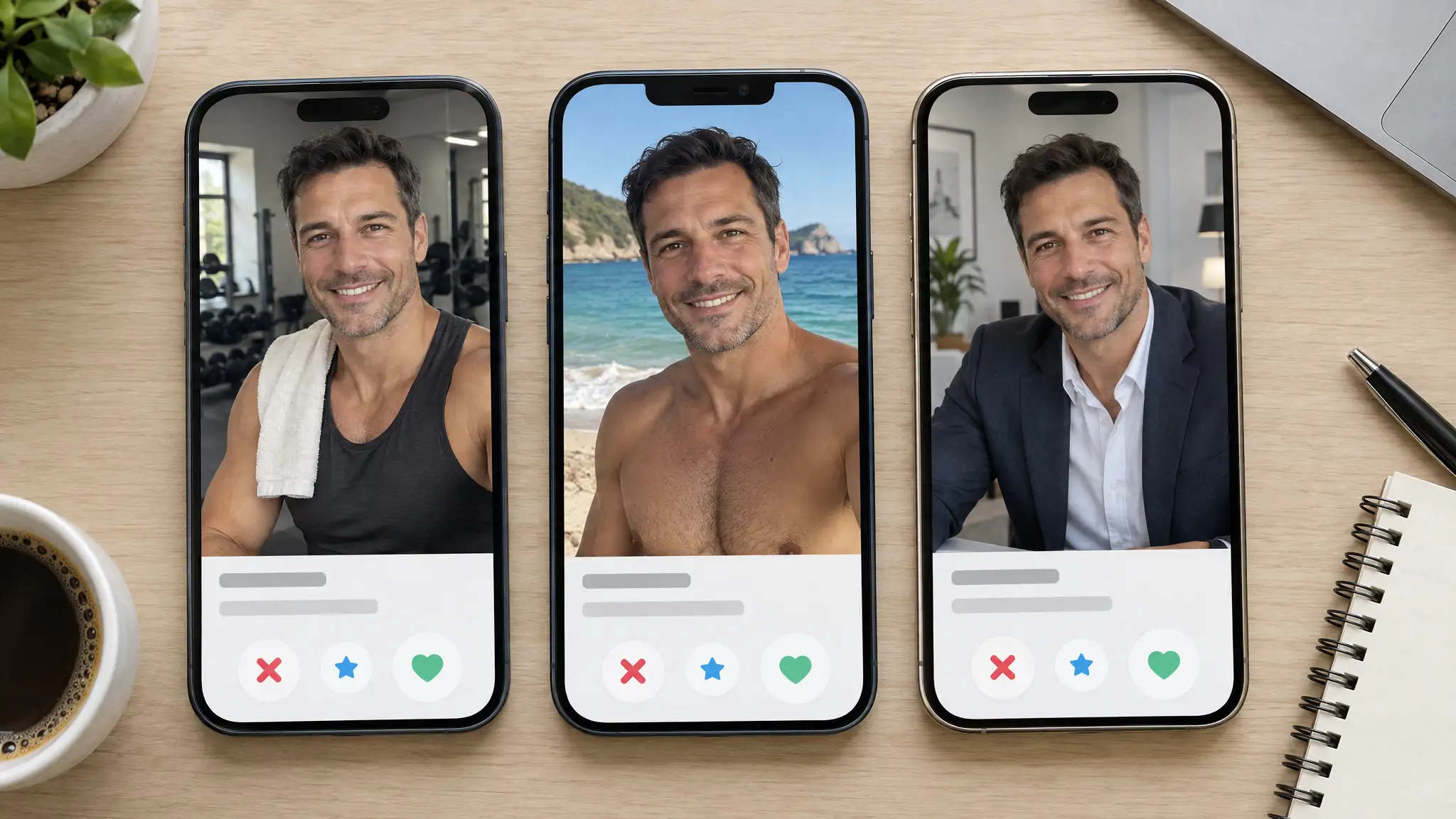
Verdict: Daniel's photos belong to someone else, and the person chatting with you is not the man in them. The trainer in Munich is almost certainly a victim too, which matters for what you do next.
What a no-match result does not prove
FaceCheck.ID searches public web pages. It does not search inside closed apps such as Tinder, Hinge, Snapchat or WhatsApp, private Instagram or Facebook accounts, or sites that block indexing. A scammer who lifts photos from a private account leaves no public trail to find.
So a search with no strong matches means "not found on the public web", not "real". Common reasons a fake profile comes back clean:
- The photos were taken from a private account or a messaging app.
- The photos are new: a real person, sometimes the scammer, posed for them recently.
- The face is AI-generated, so there is no original owner to find. If that same face has been posted on an AI-face site, FaceCheck.ID flags it as a red flag; if not, the face may not appear anywhere. Our guide to AI dating scams and fake profiles covers the other tells.
Pair a clean result with a live video call. Ask the person to wave, turn their head or hold up three fingers on request. Someone who is real can do this in ten seconds; a catfish will discover that his camera has been broken since 2019.
What to do when the photo turns out to be stolen
Stop sending money, gift cards or crypto first, even if a payment is "almost done". The Federal Trade Commission's romance scam data spotlight counted $1.3 billion in reported romance scam losses in 2022, with a median loss of $4,400, and 40% of people who lost money said the contact began on social media.
Then:
- Take screenshots of the profile, the chat and your search results before the account disappears.
- Report the profile inside the app or site where you met (on Hinge and Tinder, the report option sits on the profile itself).
- File a report at ReportFraud.ftc.gov if you are in the US, especially if money changed hands.
- Block the account. You do not owe a scammer a goodbye.
Leave the person in the photos alone, or at most send a polite heads-up through their public account that their pictures are being used. They did not catfish you. The face almost always belongs to someone who has no idea it is on a dating app, which is why the person in a fake profile photo is usually innocent.
Do not use these results to decide anything about someone's job, housing, credit or insurance. FaceCheck.ID's terms prohibit those uses, and a face match is not proof of who anyone is.
Catfish pictures search FAQ
How do you tell if a photo is a catfish?
Run the photo through a face search and look at where else the face appears. If the same face shows up under different names, on a model or influencer account, or on a scam-warning page, the profile is using someone else's picture. If the matches all lead to one person with a consistent name and city, the photo is probably theirs, and the next check is a live video call.
How can I do a catfish pictures search for free?
Upload the photo to FaceCheck.ID. The free search shows every matching face thumbnail with its score, which is enough to see whether the face appears elsewhere and how strongly it matches. Credits unlock the links to the source pages when you need to see the names and sites behind those matches.
How do I identify a catfish beyond the photo?
Watch the behavior: they move the chat off the dating app quickly, avoid video calls, live somewhere that conveniently prevents meeting (a military base and an oil rig are the classics, per the FTC), and eventually raise money. Our guide to spotting a catfish in under 60 seconds walks through a fast check.
Is there an app that can tell if someone is a catfish?
No app can confirm someone's identity from a photo. FaceCheck.ID runs in any phone browser, so you can screenshot a profile and search it on the same device; it tells you where else the face appears on the public web, and you decide from the names and sources. A live video call is still the strongest test.
What are three signs that you are being catfished?
The person refuses or keeps postponing video calls, their story makes meeting impossible, and money comes up, whether as an emergency, a customs fee or an investment tip. A photo that appears elsewhere under another name is a fourth sign, and the easiest one to prove. See 8 warning signs you're being catfished for the full list.
Can I do a catfish pictures search on Google?
Yes, with Google Lens or Google Images, but it only reliably finds exact copies of that one picture. If the scammer used a different photo from the same person's feed, or cropped and flipped it, Google usually misses it. A face search finds the person across different photos, so use it first and treat Google as a second opinion.

Read More on Search by Face
Search Instagram by Photo with Reverse Image Instagram Search Engine
Got a photo but no username? Instagram's search makes it nearly impossible to find someone from just a picture. Here's a workaround that matches faces to accounts, plus how to spot fake profiles before scammers waste your time.
On the subject in other languages
 Busca de fotos de catfish: verifique uma foto de perfil em 3 passos
 照骗图片搜索:3 步检查个人资料照片
 Vyhledávání fotek používaných při catfishingu: Ověřte profilovou fotku ve 3 krocích
 Catfish-Bildersuche: Ein Profilfoto in 3 Schritten überprüfen
 Búsqueda de fotos de catfish: comprueba una foto de perfil en 3 pasos
 Recherche de photos de catfish : vérifiez une photo de profil en 3 étapes
 Ricerca di immagini catfish: controlla una foto profilo in 3 passaggi
 キャットフィッシュ画像検索:プロフィール写真を3ステップで確認する方法
 캣피시 사진 검색: 3단계로 프로필 사진 확인하기
 Wyszukiwanie zdjęć catfisha: sprawdź zdjęcie profilowe w 3 krokach
 Поиск фотографий для выявления кэтфишинга: проверьте фото профиля за 3 шага
 البحث عن صور الحسابات المزيفة: تحقّق من صورة الملف الشخصي في 3 خطوات
 Catfish Görsel Araması: Bir Profil Fotoğrafını 3 Adımda Kontrol Edin
Popular Topics
Face Search Engine Identity Social Media Image Search Sex Offender Registry How To Facebook Instagram Google Images TinEye Scammers Catfishing Fake Profiles Romance Scam Sex Offenders Mugshots Screenshot Google Lens Face Search Face MatchReverse Image Search Engines Tested: PimEyes and FaceCheck