Find Anyone by Photo
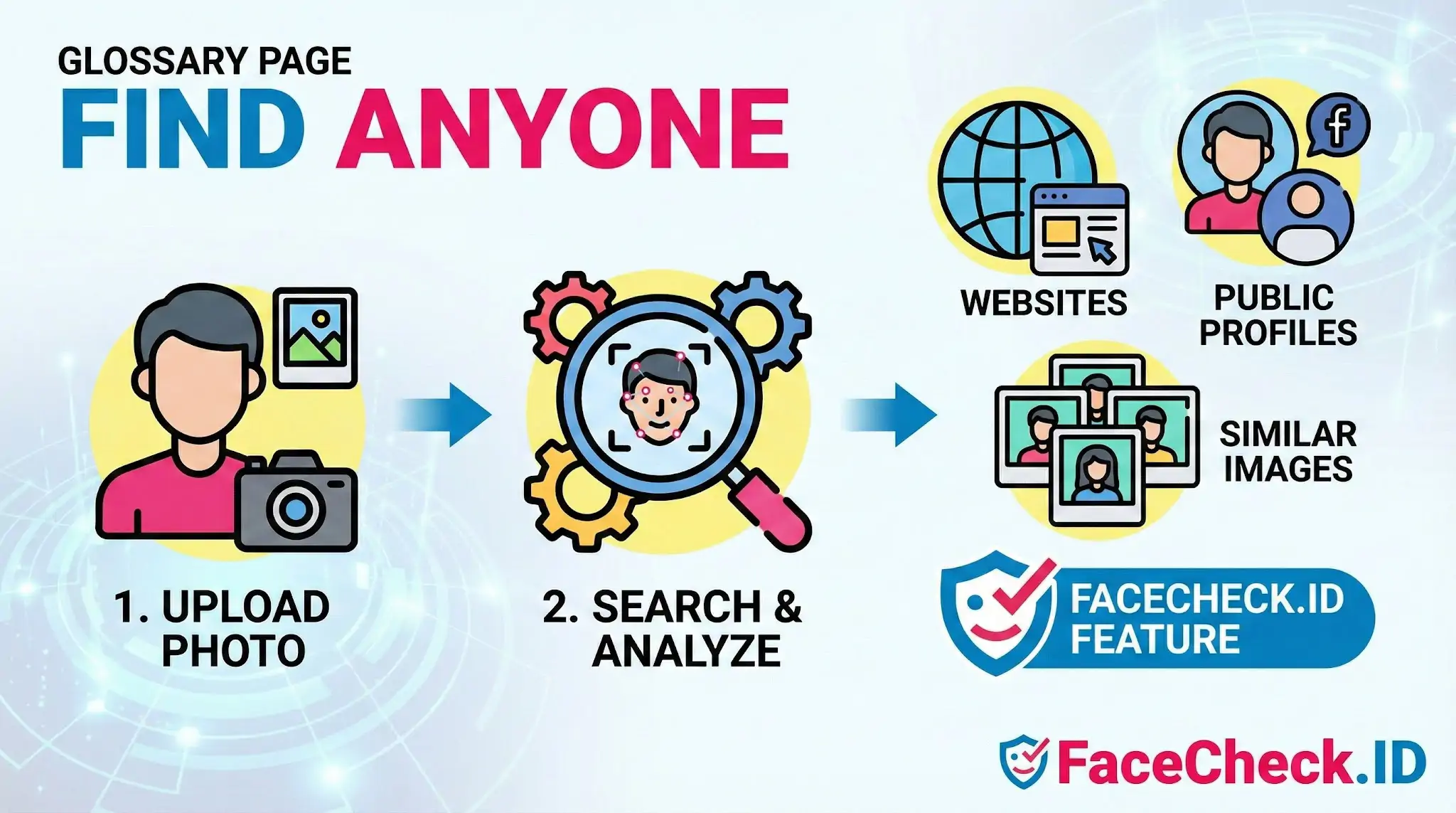
Find Anyone is the shorthand for a face-first lookup: instead of searching by name, email, or username, you start with a photo and ask the internet where else that face appears. On FaceCheck.ID, this is the core workflow, and it sits at the intersection of reverse image search, facial recognition, and open-source investigation.
How a face-first search differs from a regular image search
A traditional reverse image search looks for the same file or near-duplicates of the same image. It rewards exact pixels, similar crops, and reused thumbnails. A face-first search treats the face itself as the query. The system extracts a numerical representation of facial features, then compares that signature against faces it has indexed from public web pages, social profiles, news articles, blogs, forum avatars, mugshot databases, and similar sources.
The practical difference matters. A reverse image search of a Tinder photo might return nothing if that exact JPEG has not been reposted. A face search on the same photo can surface a LinkedIn headshot taken years earlier, a tagged event photo, or a different selfie posted under another name. That is what makes Find Anyone style tools useful for catfish detection, scam investigation, and confirming whether a stranger online is who they claim to be.
What you can realistically learn from a Find Anyone search
Strong matches usually show:
- Public profile photos on platforms that allow indexing
- News articles, press releases, or company bios that include the same person
- Blog posts, podcast pages, or event listings with embedded headshots
- Reused images across dating profiles, sometimes under different names
- Older or archived versions of accounts the person has since changed
When results align across several independent sources, the picture becomes credible. A face that appears on a verified LinkedIn page, a conference speaker list, and a university faculty directory is far more trustworthy as an identification than a single match on an obscure forum.
What affects the quality of your results
Face search is sensitive to image conditions. The same person can produce strong matches in one photo and almost nothing in another. Factors that consistently move accuracy up or down include:
- Face angle: front-facing photos perform much better than profile shots
- Resolution: small or heavily compressed images lose the detail needed for matching
- Lighting: harsh shadows, backlighting, and night photos reduce match confidence
- Occlusion: sunglasses, masks, hats pulled low, and hands near the face all hurt
- Filters and heavy editing: beauty filters and AI smoothing can distort facial geometry
- Age gap: a current photo searched against decade-old images often misses
LinkedIn-style headshots tend to produce the cleanest results because they are front-facing, well-lit, and frequently reused across professional sites. Casual group shots, party photos, and screenshots from videos are harder.
What Find Anyone does not prove
A face match is a lead, not a verdict. Even a high confidence score only tells you that two images likely show the same person. It does not confirm a name, a location, an intent, or a relationship to anything else on the page where the match appeared. Common failure modes worth keeping in mind:
- Identical twins and close lookalikes can produce convincing false positives
- A real photo of a real person can be reused on a fake profile, so a match does not mean the account is genuine
- Stolen images circulate widely, so finding the same face on multiple dating sites may indicate a scam rather than a person with multiple profiles
- Public indexing has gaps, and absence of results does not mean the person has no online presence
Treat Find Anyone as a starting point for verification, not the final word. Cross-check what the matches imply against context that does not depend on the photo: writing style, account age, mutual connections, and details the person has shared. Use the results to ask better questions, and be cautious about acting on a single match without corroboration. Misidentification has real consequences for the person on the other end of the search.
FAQ
What does “Find Anyone” mean in the context of face recognition search engines?
“Find Anyone” is a marketing-style phrase that usually means “search for visually similar faces across an indexed set of public web images.” It does not mean the tool can identify every person, access private databases, or reliably confirm who someone is—results are leads that require verification.
Does “Find Anyone” mean a face search engine can search private photos or locked social media accounts?
No. In general, a “Find Anyone” claim should be interpreted as searching only what the service has indexed and is able to access (typically public web pages and publicly visible images). If an image is behind privacy controls, paywalls, or not crawled/indexed by that service, it usually will not appear in results.
What are realistic reasons a “Find Anyone” face search might fail to find the person you’re looking for?
Common reasons include: the person has little or no public online presence; the photos exist only on private accounts; the service hasn’t indexed the site hosting the images; the available photos are low quality (blur, extreme angle, occlusions); the person’s appearance differs significantly from the query photo; or the face is too small in the image.
What should you do before taking action based on a “Find Anyone” result?
Treat matches as unverified hints. Confirm by checking the source page context, dates, and whether multiple independent pages link to the same identity; compare additional photos (different angles/lighting); look for corroborating details (usernames, consistent bio info, locations) rather than relying on the face alone; and avoid making accusations or sharing results publicly without strong confirmation.
How does FaceCheck.ID fit into “Find Anyone” face search, and what should users keep in mind?
FaceCheck.ID is an example of a face recognition search tool people use when they want “Find Anyone” functionality (finding similar faces and source links on the web). Users should still assume results can include look-alikes or wrong associations and should verify the underlying source pages and supporting evidence before concluding two images show the same person.


Recommended Posts Related to find-anyone
-
Facial Recognition and Reverse Search on Facebook: A Deep Dive into FaceCheck
Find Anyone on Facebook: Lost Friends, Verify Identities, and Unmask Fake Facebook Profiles. Find anyone on Facebook with just a photo!
-
How to Find Anyone Online: A Guide to Internet Sleuthing
Search by Face and Find Anyone Online Using a Photo. Find Anyone Online by Photo. Find Anyone on Social Media with Sherlock.
-
Reverse Image Search FAQ: The Ultimate Guide for 2025
Find Anyone Online by Photo. Find Anyone Online by Photo. Find Anyone Online by Photo.
-
How to Find Someone Online
In addition to these two, many others available on the web will help you find anyone online. Websites to Find Anyone's Information - Free People Search. Websites to Find Anyone's Information - Free People Search.
-
How to Find Someone Using a Screenshot
Search by Screenshot and Find Anyone.