Public Records Explained: What You Can Access & Why It Matters
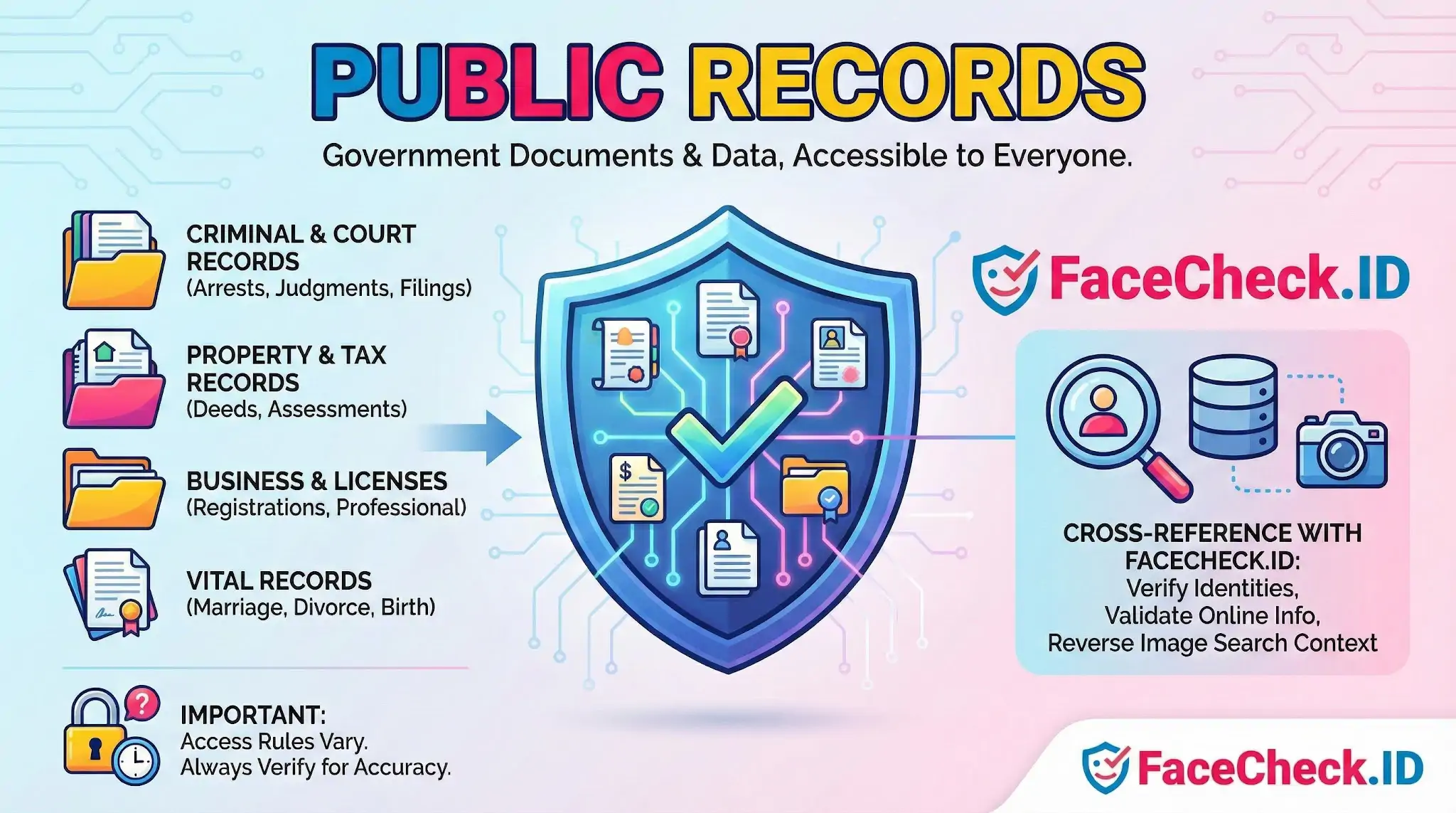
Public records are documents and data created or collected by government agencies that the public can legally access. They are not confidential, although some details may be restricted or redacted under privacy laws.
What public records can include
Public records often cover information connected to government actions and decisions, such as:
- Criminal records and arrest logs
- Court records for civil and criminal cases
- Judgments, legal filings, and case outcomes
- Property records, deeds, and tax assessments
- Business registrations and professional licenses
- Marriage, divorce, and other vital records (access rules vary)
- Government meeting minutes, permits, and regulatory actions
Why public records matter
People use public records to:
- Verify identities and background details
- Confirm addresses, ownership, or business affiliations
- Understand court activity and legal history
- Support investigations, due diligence, and compliance checks
Public records in social media, facial recognition, and reverse image search
Public records can help cross reference and validate information found online. For example, if a name, location, or employer appears on social media, public records may help confirm whether those details match real world records.
In reverse image search workflows, public records may provide additional context once a person or organization is identified, such as related addresses, court cases, licenses, or business filings.
Important notes on access and accuracy
Availability and rules differ by country, state, and agency. Some records require a formal request, a fee, or proof of eligibility. Also, public records can contain outdated or incorrect information, so it is best to verify findings using multiple sources and check timestamps.
FAQ
What are “Public Records” in the context of face recognition search engines?
“Public Records” generally refers to information that is legally available to the public from government or official sources (for example: court filings, property records, business registrations, professional licenses, voter or campaign records where applicable, and some law-enforcement/public-safety publications depending on jurisdiction). In face recognition search engines, the term usually describes result pages that contain publicly accessible identity-related details alongside photos (such as a mugshot page, a court docket image, or an agency PDF).
Why do face recognition search results sometimes include Public Records pages?
Because many Public Records are published online and can include headshots, scanned documents, or images that contain faces. If a search engine has indexed those pages (directly or via third-party sites that republish public information), its face-matching system may surface them when the face in your query appears similar to a face shown on a Public Records-related page.
Does a Public Records match mean the person in my photo is definitely the same person named in the record?
No. A Public Records result is not proof of identity. Face matches can be wrong due to look-alikes, low-quality images, aging, lighting, or miscaptioned/republished pages. Treat Public Records hits as leads to verify by checking multiple independent identifiers on the source page (e.g., full name, date, location, case number, employer, or other corroborating details) and confirming the original source rather than only a repost.
How should I verify and interpret Public Records results returned by a face search tool (e.g., FaceCheck.ID)?
Open the source link and assess whether it is an official government domain or a third-party aggregator; prioritize official sources when possible. Compare multiple photos (not just one), look for consistent biographical details, and confirm whether the record clearly connects to the same person across time and context. If using a tool like FaceCheck.ID (or similar), use any similarity indicators as a starting point, not a conclusion, and avoid making accusations or decisions based solely on a single Public Records match.
Can I remove or opt out of Public Records-related results in face recognition search engines?
It depends on the site and the jurisdiction. If the image is hosted by an official agency site, removal may be limited and governed by that agency’s policies and local law. If the image appears on a third-party republisher, that site may offer takedown/opt-out procedures. Separately, some face recognition search engines provide opt-out or removal request processes for indexing/display; you typically need to follow their specific instructions and may need to confirm the URLs to be removed.


Recommended Posts Related to public records
-
How to Find Anyone Online: A Comprehensive Guide to Internet Sleuthing
We'll explore popular social media platforms, search engines, and public records that can help you track down the person you're looking for. You can also use social media profiles, public records, and other online resources to gather more information about the person and narrow down your search results. Pipl: Pipl is a robust search engine specifically designed to locate online identities, such as social media profiles, forum posts, and public records.
-
How to Find Someone Online
Find Someone Using Public records. When you want to find public records, you have several options. Another option is to use a public records database such as MyHeritage, which offers a broad range of public records.
-
How to Search Arrest Records and Mugshots by a Photo of a Person
If that doesn't work, try looking for the person's name on a public records website. Mugshots are stored in the police department's records, but many are also published online because they are public records. If this happens, it would be harder for people to find mugshots, but they would still be accessible through public records requests.
-
Uncover the Truth Before Your First Date
Access to Public Records. Face search engines can access a wealth of public records, including criminal records, court records, and social media profiles.
-
Best Reverse Image Search Engines Ranked (2026)
Covers social media platforms, news, blogs, and public records. What worked: Social Catfish found basic public records information for some searches. Much of the data it returns (address history, phone numbers) comes from public records aggregators, not image matching.
-
Best Facial Recognition Search Engines (2026)
Database covers social media, news, public records, blogs, and forums.
-
How to Spot a Catfish Online in Under 60 Seconds with FaceCheck.ID
Only search publicly indexed images (social media, news, public records).
-
Social Catfish Review: Is It Actually Worth Your Money in 2026?
Social Catfish aggregates public records data: addresses, associated names, criminal records, court records, bankruptcies, licenses, and liens.