Reverse Search by Face Photo
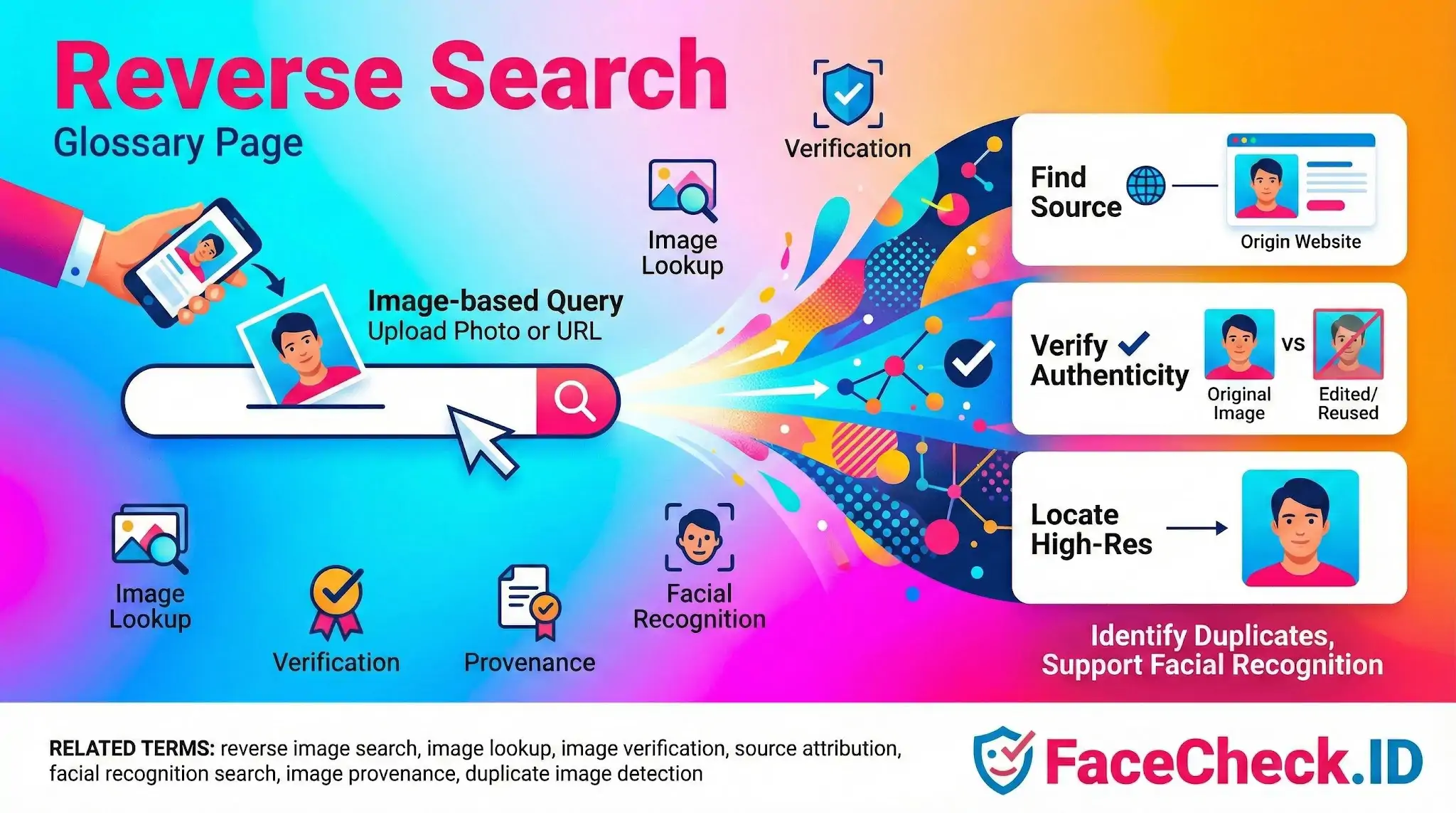
Reverse search flips the usual query model: instead of typing words to find images, you submit an image to find pages, profiles, and other images connected to it. On FaceCheck.ID, that image is a face, and the goal is to surface every public webpage where that face has been indexed, whether on a dating profile, a news article, a company bio, or a scam report.
How reverse search works when the subject is a face
A general reverse image search engine compares pixels, color histograms, and object shapes. A face-focused reverse search does something different. It extracts a numerical representation of the face itself, often called a face embedding, and compares that vector against embeddings built from public images across the web.
This matters because pixel-level matching breaks easily. Crop a photo, run it through a filter, change the background, or compress it for upload, and a generic image search may miss the connection. A face embedding ignores most of that and focuses on the geometry of the face: the spacing of features, contours, and proportions that stay consistent across photos. So a person photographed five years apart, in different lighting, on two different platforms, can still produce a strong match.
The tradeoff is that face-based reverse search returns probable identity matches, not certain ones. Two unrelated people with similar bone structure can produce high similarity scores. Twins are an obvious case, but ordinary lookalikes turn up more often than people expect.
Common investigation use cases
Reverse face search tends to get used in a handful of recurring scenarios:
- Checking whether a dating app match is using their real photos or images stolen from someone else
- Looking up a stranger who contacted you about an investment, romance, or job opportunity
- Verifying that a journalist, recruiter, or client is who they claim to be on LinkedIn or company sites
- Identifying a person from a single photo when other context, such as a name or location, is missing
- Tracing whether your own photos have been reused on profiles you did not create
The quality of results depends heavily on the input image. Front-facing photos with clear lighting and a single subject perform best. Group photos, sunglasses, heavy filters, extreme angles, and low resolution all reduce match confidence. Professional headshots and selfies typically produce the strongest results because that is also the kind of image people reuse across their public profiles.
Reading the results without overreaching
A reverse face search returns a list of pages with a similarity score for each. Higher scores mean the system is more confident the faces match, but a score is not proof of identity. A few habits help avoid bad conclusions:
- Look at multiple matches together. A single high-scoring hit can be a lookalike. Ten consistent hits across different sites pointing to the same person is much stronger evidence.
- Check for context that lines up. If matched pages mention the same name, employer, city, or timeline, the identity is more credible.
- Watch for reused stock photos and AI-generated faces. Both show up in scam profiles and can produce confusing match patterns where the same face appears under many different names.
- Treat low-confidence matches as leads, not conclusions.
What reverse search cannot do
Reverse search only finds what is publicly indexable. Photos behind privacy settings, locked accounts, encrypted messengers, or sites that block crawlers will not appear. A clean result does not mean a person has no online presence, only that no public face match was found within the indexed set.
It also cannot confirm intent or character. Finding someone on an old forum, a dating site, or a news article tells you the photo exists there. It does not tell you why, when it was posted, or whether the account is still controlled by that person. Accounts get hacked, photos get stolen, and old profiles get abandoned. Reverse search is a starting point for verification, not a substitute for it.
FAQ
What does “Reverse Search” mean in face recognition search engines?
In face recognition search engines, “Reverse Search” usually means searching the web using a face photo as the query to find other images that appear to show the same person (or very similar-looking people) across different sites, rather than searching by a name, username, or keywords.
What’s the difference between a reverse face search and a traditional reverse image search?
Traditional reverse image search tends to find exact matches or near-duplicates of the same picture (including crops/resizes). Reverse face search focuses on the face itself, so it can find different photos of the same person even when the background, clothing, lighting, and framing change.
How do I run a Reverse Search for a person’s face effectively?
Use a clear, front-facing photo where the face is large in the frame, well-lit, and not heavily filtered. If the image is a group photo, crop to a single face. Try multiple photos (different angles/ages) to improve coverage, because one image may not match every appearance online.
Why can Reverse Search results change over time for the same face?
Results can change as the engine crawls new pages, removes dead links, updates its index, or re-scores matches after model updates. Also, the person’s online photos may be reposted, deleted, or replaced, which can add or remove matches from the open web.
What should I check before trusting Reverse Search results from a face search tool (e.g., FaceCheck.ID)?
Treat results as leads, not proof of identity. Verify by opening the source pages, checking multiple independent images, comparing stable facial features across different contexts, and looking for corroborating non-face clues (consistent usernames, locations, biographies, timestamps). Be cautious with single-source matches, low-confidence similarities, or pages that look autogenerated, misleading, or unrelated.


Recommended Posts Related to reverse-search
-
Facial Recognition and Reverse Search on Facebook: A Deep Dive into FaceCheck
To help you navigate this world safely, we introduce you to reverse searching, a versatile technique that comes with a multitude of use cases. In this in-depth guide, we'll show you how to use FaceCheck.ID, a fantastic tool that harnesses facial recognition technology to reverse search Facebook profiles. What's Reverse Searching All About?
-
How Do You Reverse Image Search on Dating Sites?
Reverse Search for Dating Sites. Had she reverse-searched the scammer’s photos, she would have found they belonged to a real doctor whose identity had been stolen. Follow These Steps to Reverse Search Dating Profiles.
-
Instagram Image Search to Find Instagram Profile by Photo using Face Search Engine
You cannot reverse search Instagram through their app and instagram images are not indexed by google.
-
How to Find Someone by Doing Reverse Face Search
Google's Images reverse search is a good starting point to look up photos and identify people.
-
Reverse Image Search - Social Catfish vs FaceCheck.ID
Upon uploading an image for reverse search, the screen displays a progress bar or animation that illustrates the ongoing analysis.