TinEye
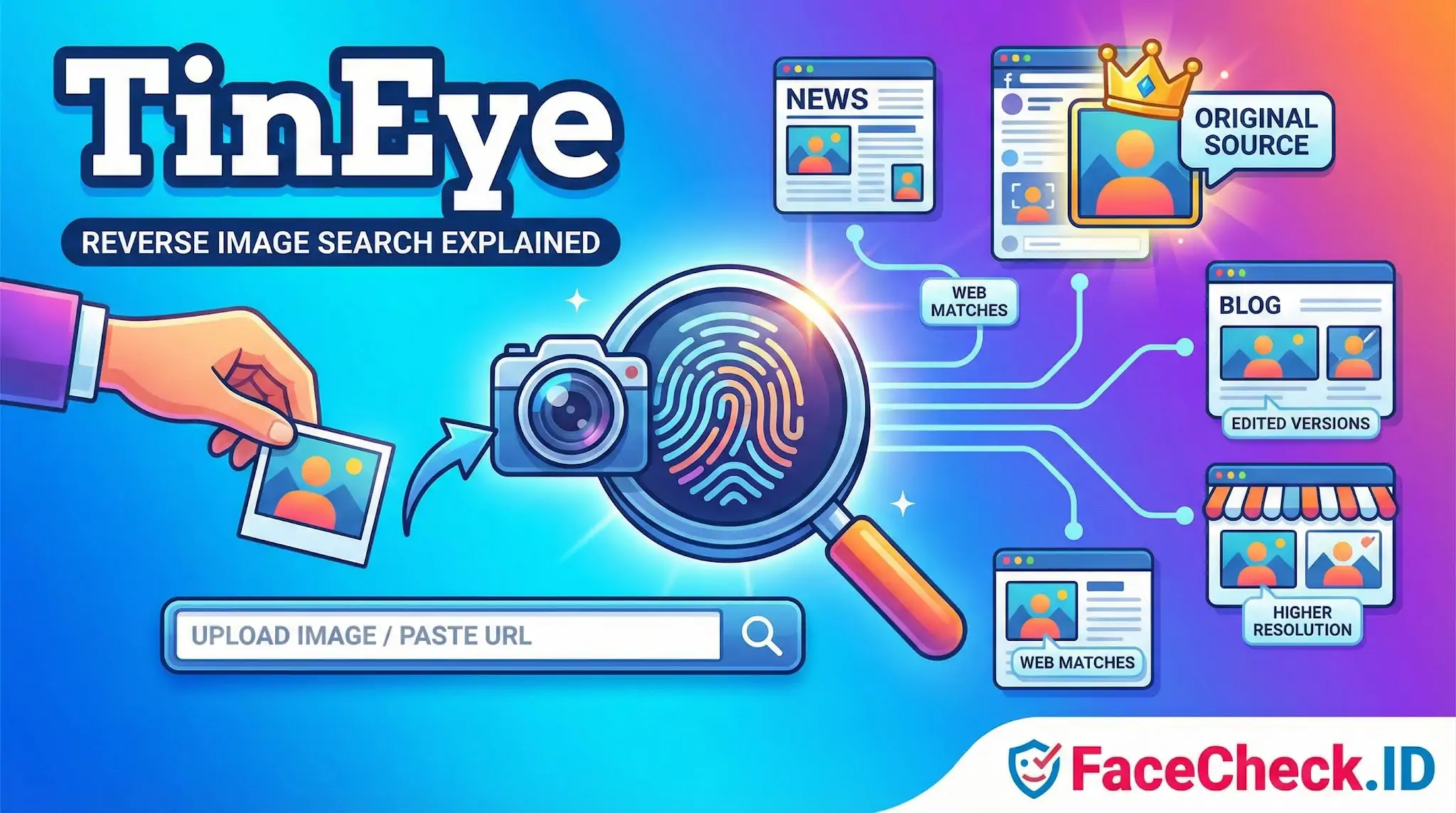
TinEye is one of the original reverse image search engines, and it sits in a useful but narrow lane: it finds copies of an image on the web, not the person inside it. For anyone investigating online identity, that distinction matters — because TinEye and a face search engine like FaceCheck.ID answer fundamentally different questions about the same photo.
What TinEye actually matches
TinEye works on image fingerprints. When you submit a photo, it generates a compact hash that survives resizing, mild cropping, recompression, and minor color shifts, then looks for that fingerprint across the pages it has crawled. If someone took your profile picture and posted it on another site at half resolution, TinEye will usually find it. If someone took a different photo of the same person on the same day, TinEye will find nothing.
That is the line between image matching and face matching. TinEye answers "where has this exact image been published?" Face recognition answers "where else does this person's face appear, even in completely different photos?" Both are useful, and in many investigations you want both.
When TinEye is the right tool
TinEye is the right starting point when you care about the image itself rather than the subject:
- Tracing a photo to its origin. If a dating-app match sends you a glamorous selfie, TinEye can sometimes reveal it was lifted from a model's portfolio, a stock site, or an Instagram account belonging to someone else entirely.
- Catching catfish who recycle photos. Romance scammers frequently reuse the same handful of images across dozens of fake profiles. TinEye finds those reposts when the file has not been heavily re-edited.
- Checking whether a "candid" photo is actually stock. Fake testimonials, fabricated news sources, and AI-driven persona farms often pull from royalty-free libraries that TinEye indexes.
- Confirming copyright reuse. Photographers and brands track unauthorized republication this way.
For each of these jobs, TinEye is fast and surgical because it ignores everything except pixel-level lineage.
Where TinEye stops and face search begins
TinEye's blind spot is the human face. Consider a few realistic scenarios:
A scammer takes a stolen photo, mirrors it, applies a filter, and crops it tightly to the face. TinEye's fingerprint may no longer match. A face search engine, which works on facial geometry rather than pixel hashes, will still recognize the person.
Or: you have one photo of someone and want to know if they have other social profiles under different names. TinEye cannot help — it has no concept of "the same face in a different photo." A reverse face search will pull up other public images of that person from indexed pages across the web, including profiles where the photo file is unique.
Or: you are trying to verify a public-facing identity, like a LinkedIn headshot. TinEye tells you whether that exact JPEG appears elsewhere. It does not tell you whether the person uses a different photo on Twitter, appears in news coverage, or shows up in mugshot databases. Face search does.
In practice, investigators tend to run both. TinEye establishes whether a specific image is recycled, fake, or stolen. Face search establishes whether the person in the image has a broader public footprint that contradicts the story they are telling.
What a TinEye match does and does not prove
A TinEye hit confirms that an image — or a near-duplicate — has been published somewhere indexable. It does not confirm who the subject is, whether the original poster is the rightful owner, or whether the person in the photo consented to its use. A photo can appear on a hundred sites and still be a stolen image; conversely, a photo that returns zero TinEye results is not automatically authentic, since TinEye does not crawl every corner of the web and skips most private or login-gated content.
The honest framing is that TinEye is a forensic tool for images, not for people. Use it to track files. Use face search to track faces. Treat anyone who claims one tool can do both jobs with appropriate skepticism.
FAQ
What is TinEye, and what is it mainly used for?
TinEye is a reverse image search engine designed to find where an image appears on the web (exact matches and close variants). It’s commonly used to track image reuse, find original sources, or locate higher‑resolution copies—not specifically to identify people by their faces.
Does TinEye provide face recognition search (finding the same person across different photos)?
TinEye is not a face recognition search engine. It generally matches images based on visual similarity to the overall image (or modified versions of it), so it may miss results where the person’s face is different photos, different angles, or different crops that don’t closely resemble the original image.
How is TinEye different from face search tools like FaceCheck.ID?
TinEye focuses on reverse image matching for the whole picture (finding duplicates/near-duplicates). Face recognition search tools (e.g., FaceCheck.ID) focus on the face region and attempt to find other photos of the same person even when the surrounding context changes (different background, lighting, pose, or cropping).
When should I use TinEye instead of a face recognition search engine?
Use TinEye when you suspect the exact photo (or a lightly edited version) has been reposted—such as checking for stolen profile pictures, locating the earliest appearance of an image, verifying if an image is reused across sites, or finding higher-resolution copies. If you need to locate other photos of the same person taken at different times or in different scenes, a face recognition search engine is typically more suitable.
What results should I expect if I upload a face photo to TinEye?
You should expect results that contain the same image or close visual variants (cropped, resized, compressed, or slightly altered). TinEye may not return results where only the person is the same but the photo is different, and it can also return matches based on shared backgrounds, layouts, or meme templates rather than confirming a person’s identity.


Recommended Posts Related to tineye
-
TinEye Review: We Tested It 16 Times and It Failed 10
TinEye has been around since 2008. That's not a knock on TinEye. If you're searching "TinEye" right now because you want to find out who someone is from a photo, this article will save you from a frustrating dead end, and point you to the tool that actually does that job.
-
TinEye Review: What It Does Well and Where It Falls Short
TinEye (or "TinEyes", as a lot of people search for it) is the grandpa of reverse image search. If you're here to work out who someone is, check a dating match or dig up a stranger's Instagram, TinEye will cheerfully report zero results and wish you a pleasant day. Below is what TinEye does brilliantly, where it hits a wall, and which tool to use when the thing you're searching for has a face.
-
Top 7 Reverse Image Search Engines for Face Search Compared
Google, Bing, TinEye, and Image Raider do not work well with faces and searching for people. TinEye is another popular choice that's known for its ability to find similar images, Yandex Images, and Image Raider are other options. TinEye.
-
Free Reverse Image Search Tools That Actually Work (2026)
Truly free, unlimited: Google Images, Yandex, TinEye's basic search. TinEye: The Fingerprint Matcher. TinEye has been around since 2008, making it the original reverse image search engine.
-
Face Recognition Online: What Actually Works in 2026
TinEye. If someone used Jess's photo without changing it at all, TinEye might catch it. TinEye returned zero results for 4 out of 5 photos.