Free Reverse Image Search Tools That Actually Work (2026)
You've got a photo. Maybe someone sent it to you on a dating app. Maybe you found it on a sketchy website. Maybe you just want to know where else it appears online. So you Google "free reverse image search" and get hit with a wall of tools that all claim to be the best. Most of them are recycled Google results wrapped in ads. Let's cut through that.
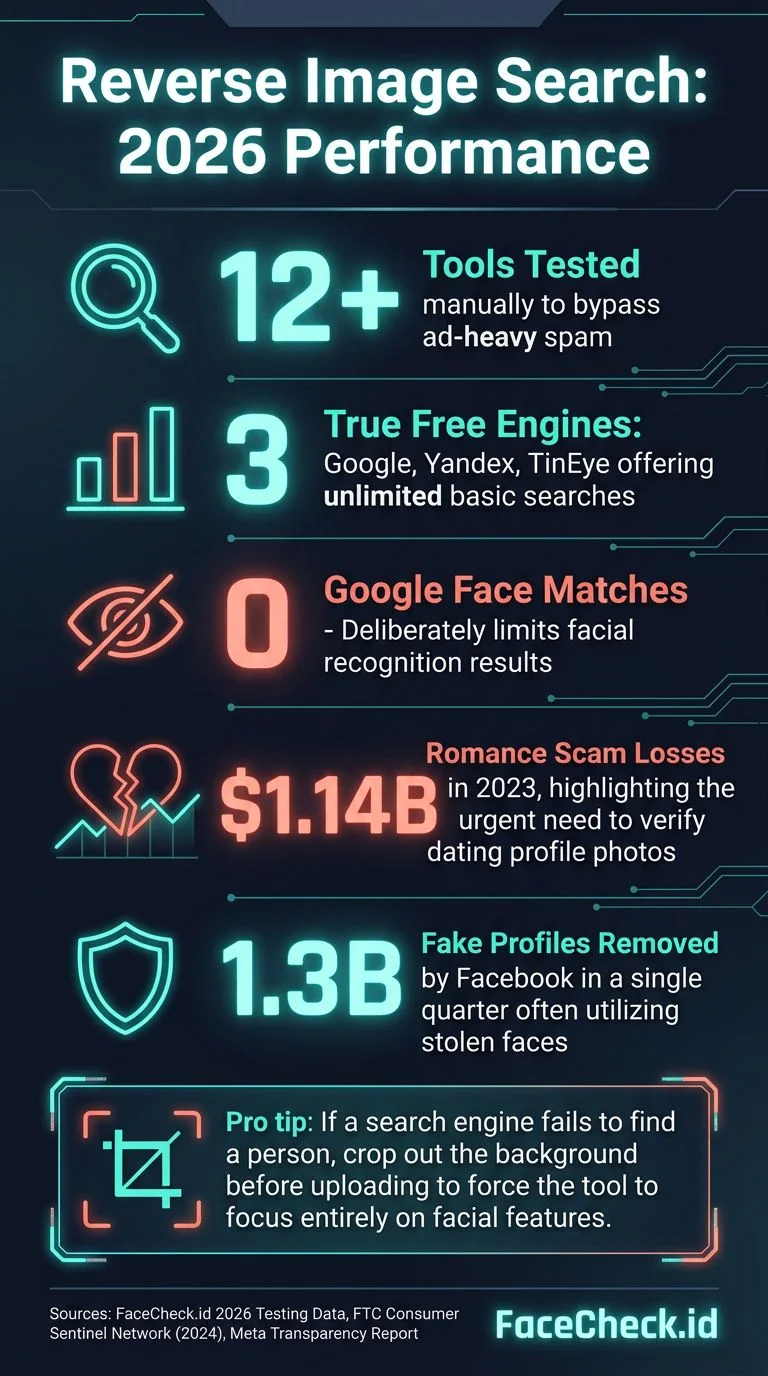
I've tested over a dozen free reverse image search tools, uploading the same set of test photos across all of them. Some returned useful results. Most didn't. Here's what actually works in 2026, what each tool is good (and bad) at, and which one to use depending on what you're looking for.

In this article, we're going to discuss
- What Does "Free" Actually Mean Here?
- Google Images: The Default (and Its Limits)
- Yandex Images: The Underrated Powerhouse
- TinEye: The Fingerprint Matcher
- Bing Visual Search: Microsoft's Entry
- FaceCheck.id: When You Need to Search Faces Specifically
- Quick Comparison: Which Tool for Which Job?
- Common Mistakes People Make with Free Reverse Image Search
What Does "Free" Actually Mean Here?
Before we get into specific tools, let's set expectations. "Free" in reverse image search usually means one of three things:
- Truly free, unlimited: Google Images, Yandex, TinEye's basic search
- Free with limits: A few searches per day before you hit a paywall
- "Free" but useless: Sites that run your image through Google's API and slap ads around the results
The tools below fall into the first two categories. I'm skipping the third entirely.
Google Images: The Default (and Its Limits)
Google Lens is what most people try first. Upload a photo, get results. It's fast, it's free, and it has the largest index of any search engine.
What it's good at:
- Finding product photos, stock images, and memes
- Matching identical or near-identical images across the web
- Identifying objects, landmarks, and text in photos
What it's bad at:
- Finding people. Google deliberately limits facial recognition results. You'll get "visually similar" images that match hair color or background, not the actual person
- Finding modified images. Crop or flip a photo and Google often loses the trail
How to use it: Go to images.google.com, click the camera icon, upload or paste a URL. Or right-click any image in Chrome and select "Search image with Google."
Google is your starting point, not your finish line. If you need to find where a specific face appears online, it won't help.
Yandex Images: The Underrated Powerhouse
Yandex is Russia's search engine, and its image search is genuinely better than Google's for certain use cases. It's completely free with no account required.
What it's good at:
- Facial similarity matching. Yandex will actually try to find similar-looking faces, which Google refuses to do
- Finding images across Russian-language and Eastern European websites
- Catching modified versions of photos (crops, filters, mirrors)
What it's bad at:
- Results are heavily weighted toward Russian-language sites
- Privacy concerns (it's a Russian company, your uploads go to Russian servers)
- Results for faces are "similar looking" rather than confirmed matches
How to use it: Go to yandex.com/images, click the camera icon, upload your photo. Check the "Similar images" section for face-like matches.
Yandex is the best free general-purpose tool for face-adjacent searching. But "similar looking" isn't the same as "this is the same person."
TinEye: The Fingerprint Matcher
TinEye has been around since 2008, making it the original reverse image search engine. It works differently from Google and Yandex by using image fingerprinting rather than visual similarity.
What it's good at:
- Finding exact and near-exact copies of an image across the web
- Sorting results by "oldest" to find the original source of a photo
- Tracking where a specific image has been republished
- Detecting stock photos
What it's bad at:
- It doesn't do facial recognition at all. Zero face-matching capability
- Smaller index than Google (over 70 billion images, but still misses a lot)
- Won't find different photos of the same person or object
How to use it: Go to tineye.com, upload or paste a URL. Free for basic searches, with limits on API usage.
TinEye is perfect for one specific job: "Where else does this exact image appear?" If that's your question, start here.
Bing Visual Search: Microsoft's Entry
Bing's image search is often overlooked, but it indexes content that Google sometimes misses. It's completely free.
What it's good at:
- Pulling results from Microsoft's index, which sometimes catches pages Google doesn't
- Product identification and shopping-related image searches
- Integration with Microsoft Edge (right-click search)
What it's bad at:
- Smaller overall index than Google
- Limited face matching
- Results quality varies wildly depending on the image
It's worth running as a second check after Google. Takes ten seconds, occasionally catches something the others miss.
FaceCheck.id: When You Need to Search Faces Specifically
Here's the problem with every tool listed above: none of them are designed to search for faces. Google avoids it intentionally. Yandex gives you "similar looking" results. TinEye only matches identical images.
FaceCheck.id is built specifically for face search. Upload a photo of a face, and it searches across social media profiles, news articles, mugshots, and public web pages to find where that face appears.
What it's good at:
- Matching faces across completely different photos (different angle, lighting, years apart)
- Finding social media profiles connected to a face
- Identifying people across platforms even when they use different names
- Catching romance scammers, catfish, and fake profiles
What it's bad at:
- It's not fully free. You get a limited number of searches before you need to pay
- Only works with faces (not products, landscapes, or general images)
- Won't find everyone. If someone has no public photos online, no tool will find them
How to use FaceCheck.id:
- Go to FaceCheck.id
- Upload a clear photo of the face you want to search
- Wait about 10 seconds while it scans its database
- Browse results, which include links to where each matching face was found
- Click through to verify the match yourself
When I tested it with my set of photos, FaceCheck returned specific profile links on Instagram, LinkedIn, and news sites. The other tools returned visually similar stock photos or nothing at all. For face-specific searches, it's in a different category.
Quick Comparison: Which Tool for Which Job?
"Where else is this exact image posted?" Use TinEye. It's built for tracking image copies across the web.
"What is this object/place/product?" Use Google Lens. It's best at identifying things that aren't people.
"Who is this person?" Use FaceCheck.id. It's the only tool here that does real facial recognition search across social media and public sites.
"Does this person look familiar? Find similar faces." Try Yandex first (free), then FaceCheck.id for confirmed matches.
"I want to check everything." Run the image through Google, Yandex, and TinEye for general results, then FaceCheck.id if there's a face involved.
Common Mistakes People Make with Free Reverse Image Search
Using low-quality images. All reverse image search tools work better with clear, high-resolution photos. A blurry screenshot of a screenshot will give you garbage results regardless of which tool you use.
Stopping at Google. Google is the biggest index but it's also the most restrictive about face results. If Google gives you nothing, that doesn't mean the photo isn't findable.
Trusting "similar" results as matches. Yandex showing you someone who looks similar is not the same as a confirmed match. Verify before you act on any result.
Uploading sensitive photos to unknown sites. Stick to established tools. Random "free reverse image search" websites that pop up in ads may be harvesting your uploads. Google, Yandex, TinEye, Bing, and FaceCheck.id are all legitimate services with published privacy policies.
FAQ
Is reverse image search really free?
Yes, the basic search on Google, Yandex, TinEye, and Bing is completely free with no account needed. FaceCheck.id offers limited free searches. None of the reputable tools charge you just for uploading a photo.
Can I reverse image search on my phone?
Absolutely. Google Lens works through the Google app on both iPhone and Android. Yandex and TinEye work through their mobile websites. FaceCheck.id also works in mobile browsers. No app download required for any of them.
Will someone know if I reverse image search their photo?
No. None of these tools notify the person in the photo. Your search is private. The photo you upload is processed to find matches, but the person whose face appears in the results has no way of knowing you searched for them.
Which free tool is best for finding a person?
For finding a specific person by their face, FaceCheck.id is the most effective option. For finding where an exact photo has been posted, TinEye is your best bet. Google and Yandex work for general image matching but actively limit facial recognition results.
Are free reverse image search tools safe to use?
The established tools (Google, Yandex, TinEye, Bing, FaceCheck.id) are safe. Be cautious with no-name tools that appear in search ads. If a site asks you to install software or create an account before you can search, that's a red flag. The tools listed in this article all work directly in your browser.
Ready to find out where a face appears online? Upload a photo at FaceCheck.id and see what comes back.

Read More on Search by Picture
Who is She? Reverse Image Search Your Favorite Adult Film Star!
Spotted an adult performer but can't figure out who they are? Without a name, finding more of their content feels impossible. Here's a simple way to match any face to an identity in seconds - no guesswork needed.
Popular Topics
API Face Recognition Search Identity Social Media Image Search Find Social Media Facial Recognition How To Instagram Google Images Social Media Profiles TinEye Image Search Engine Image Search Tool LinkedIn Scammers Catfishing Identification Fake Profiles Romance Scammers Mugshots Yandex Images Fingerprint Screenshot Visual Search iPhone Android Google Lens Bing Visual Search Face Search Face Match Similar Images Image FingerprintingReverse Image Search Showdown 2026: PimEyes vs FaceCheck - Who Wins?