Watermarking in Face Search Results
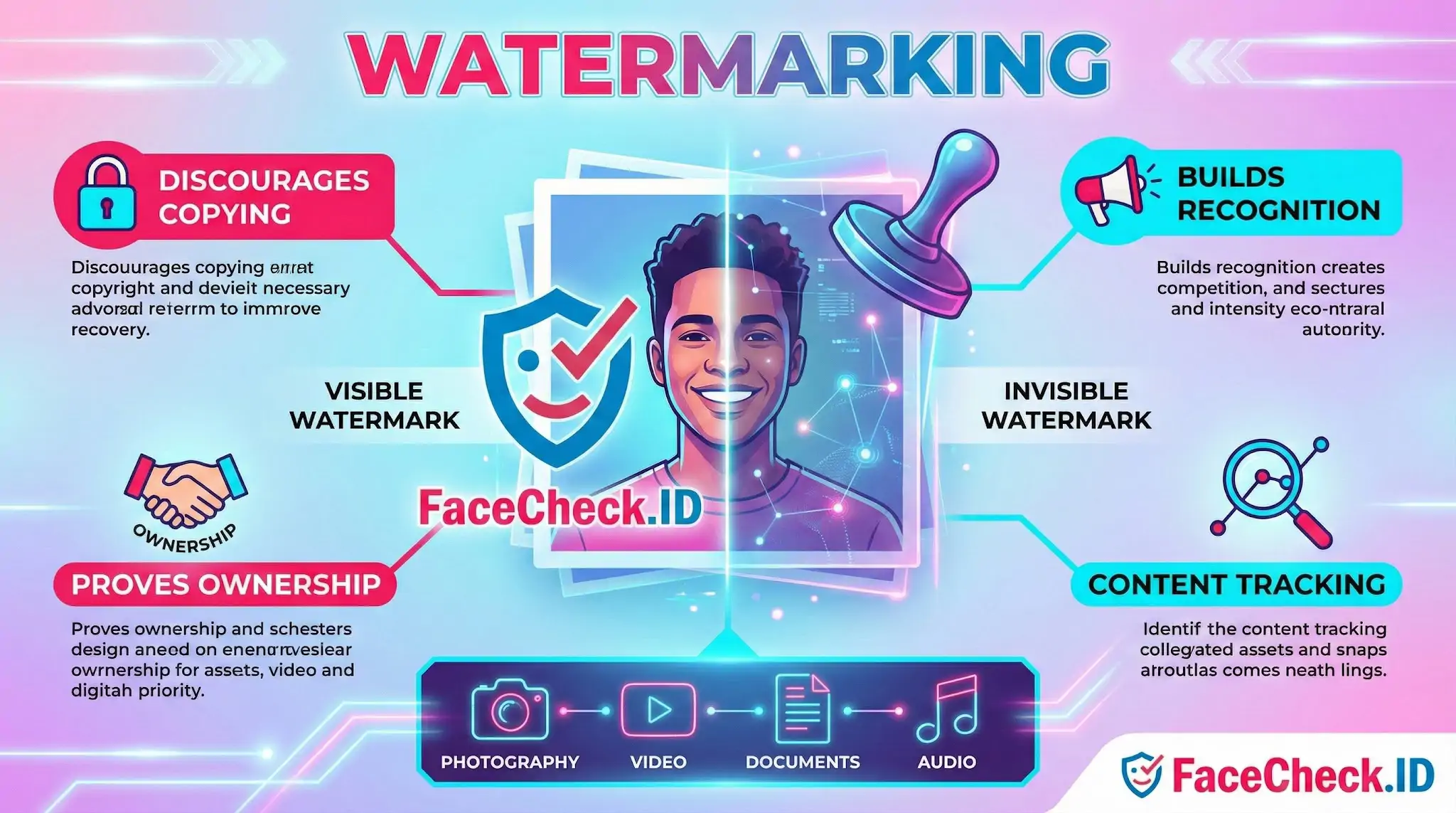
Watermarking shows up constantly in face-search work, both as a clue about where a photo originated and as an obstacle to clean matching. When FaceCheck.ID indexes a face from a public webpage, any visible mark on that image, whether a stock-photo overlay, a photographer's signature, or a dating-site logo, becomes part of what an investigator can read off the result.
Reading watermarks in face-search results
A watermark is often the fastest way to judge what a match actually means. If a returned image carries a "Shutterstock" or "Getty" overlay, the face probably belongs to a paid model, and any profile reusing that photo is almost certainly fake. Romance scammers and fraudulent recruiters lean heavily on stock portraits, military headshots from public affairs sites, and influencer photos scraped from Instagram, all of which leave traces.
Common watermark signals worth checking:
- Stock agency overlays like Shutterstock, Adobe Stock, iStock, Dreamstime, indicating a model release rather than a real person behind the profile
- Photographer signatures or studio logos that point to wedding portfolios, headshot sessions, or fashion shoots being recycled into fake accounts
- News agency credits such as AP, Reuters, or AFP, which often surface when a face has been pulled from a published article
- Dating site or social platform watermarks that confirm where a particular crop first appeared
- Visible URLs or handles baked into the image, which sometimes survive across dozens of reposts and reveal the original uploader
When several FaceCheck results for the same face show different watermarks across unrelated sites, that scatter pattern itself is informative. A real person's photos tend to cluster around their own accounts. A stolen or stock face tends to spread across mismatched contexts.
How watermarks affect match accuracy
Watermarks can degrade face recognition when they sit on or near the face. A diagonal "SAMPLE" overlay across the cheeks, a logo covering an eye, or heavy repeating patterns reduce the quality of the facial embedding the system extracts. The result is lower confidence scores and a higher chance of missing real matches, especially when the comparison image is also low-resolution or partially obscured.
Cropping out a watermark introduces its own problems. Tight crops that remove a corner watermark often remove part of the jawline or hair as well, which changes how the face is normalized during comparison. Investigators using FaceCheck should keep the original image intact and avoid editing out marks before searching, since the system handles partial occlusion better than aggressive cropping.
Invisible and forensic watermarks have less effect on face matching because they are designed to survive compression without altering visible pixels in ways that disrupt recognition. They matter more for source attribution after a match is found than for the search itself.
Watermarks as evidence in scam and impersonation cases
When someone suspects catfishing, a stolen identity, or a fake business profile, watermarks recovered through reverse face search can support the case. Finding the same face on a model's portfolio with the photographer's mark, then on a Tinder profile with no mark, is direct evidence that the dating profile reused someone else's image. The watermark anchors the original context and timestamps the photo to a real, verifiable source.
For people whose own photos have been stolen, adding a visible watermark to publicly posted images creates friction for impersonators. It does not stop a determined scammer with editing tools, but it raises the cost and gives victims a clearer way to prove which version came first.
What watermarks do not prove
A watermark on a face-search result is a clue, not a verdict. Stock-agency overlays do not always mean fraud. Some legitimate small businesses use stock headshots for placeholder team pages, and some people genuinely resemble paid models. A missing watermark does not mean an image is original either, since marks are routinely cropped, blurred, or content-aware-filled out of stolen photos.
False positives also complicate watermark reading. If FaceCheck returns a stock-photo match for someone who simply looks similar, treating the watermark as proof of a fake profile would be wrong. Confirming impersonation requires checking match confidence, comparing multiple photos of the suspected person, and looking at the broader pattern of where the face appears online. The watermark adds context. It does not replace the rest of the investigation.
FAQ
What does “Watermarking” mean in the context of face recognition search engines?
In face recognition search engines, “watermarking” usually means adding visible or invisible marks (logos, text overlays, semi-transparent patterns, or embedded signals) onto an image. Watermarks are often used to assert ownership, track reuse, deter reposting, or label images as edited/AI-generated—and they can change how reliably a face can be detected or matched.
How can visible watermarks affect face-matching accuracy and similarity scores?
Visible watermarks can reduce accuracy if they cover key facial areas (eyes, nose, mouth, jawline) or if the watermark introduces high-contrast edges that confuse face detection/alignment. Even when detection still works, the watermark may slightly shift the face crop or distort features, which can lower similarity scores or increase “near match” (look-alike) results.
Do watermarks prevent a face recognition search engine from indexing or finding a face?
Usually not. If the face is still clearly visible, many systems can detect the face and produce an embedding despite a watermark. However, heavy, repeated, or centrally placed watermarks (especially across the eyes) can cause failures (no face detected), fewer matches, or more unstable results across different photos of the same person.
Should I remove or crop out a watermark before running a face search (e.g., on FaceCheck.ID)?
If the watermark overlaps the face, it often helps to use a cleaner version: crop to the face, choose a different frame/photo without the overlay, or use an image where the eyes and facial outline are unobstructed. Avoid heavy “beauty” edits or aggressive watermark-removal tools that alter facial details, because that can create new artifacts and increase wrong-person matches. If you use FaceCheck.ID, prioritize an upload where the face is sharp, front-facing, and minimally obstructed.
If face-search results are watermarked, what does that imply and what should I do next?
A watermarked result often implies the image was reposted from a publisher, photographer, agency, or a site that brands its content; it may not be the original upload. Treat the match as a lead: open the source page, look for earlier publication dates, identify the unwatermarked original if possible, and cross-check with other independent sources (additional photos, usernames, captions, and consistent biographical details). Don’t assume a watermarked hit proves identity—use it to trace provenance and confirm context.


Recommended Posts Related to watermarking
-
How to Find Someone on TikTok by Photo (2026)
Read the watermark or on-screen clues in the video itself. Method 1: Check the Watermark First. Every video downloaded or shared out of TikTok carries a moving watermark with the TikTok logo and the creator's @username.
-
TinEye Review: What It Does Well and Where It Falls Short
Crops, resizes, colour filters, flips and slapped-on watermarks usually don't fool it.
-
Tackling Image Theft for Influencers, Actors, and Models: Protecting Your Online Image
Watermark your photos. Does watermarking actually stop image theft? Modern AI inpainting tools can remove a corner watermark in seconds, so a small logo won't stop a determined thief.
-
How to Find Stolen Images on the Internet
Watermarking: Adding visible or invisible watermarks to your images can deter theft and help in asserting ownership.
-
Should I reverse image search myself?
Watermark Examination: Inspect if the original watermark has been altered or removed.