Got an Actor Image but No Name? How to Identify Anyone on Screen by Face
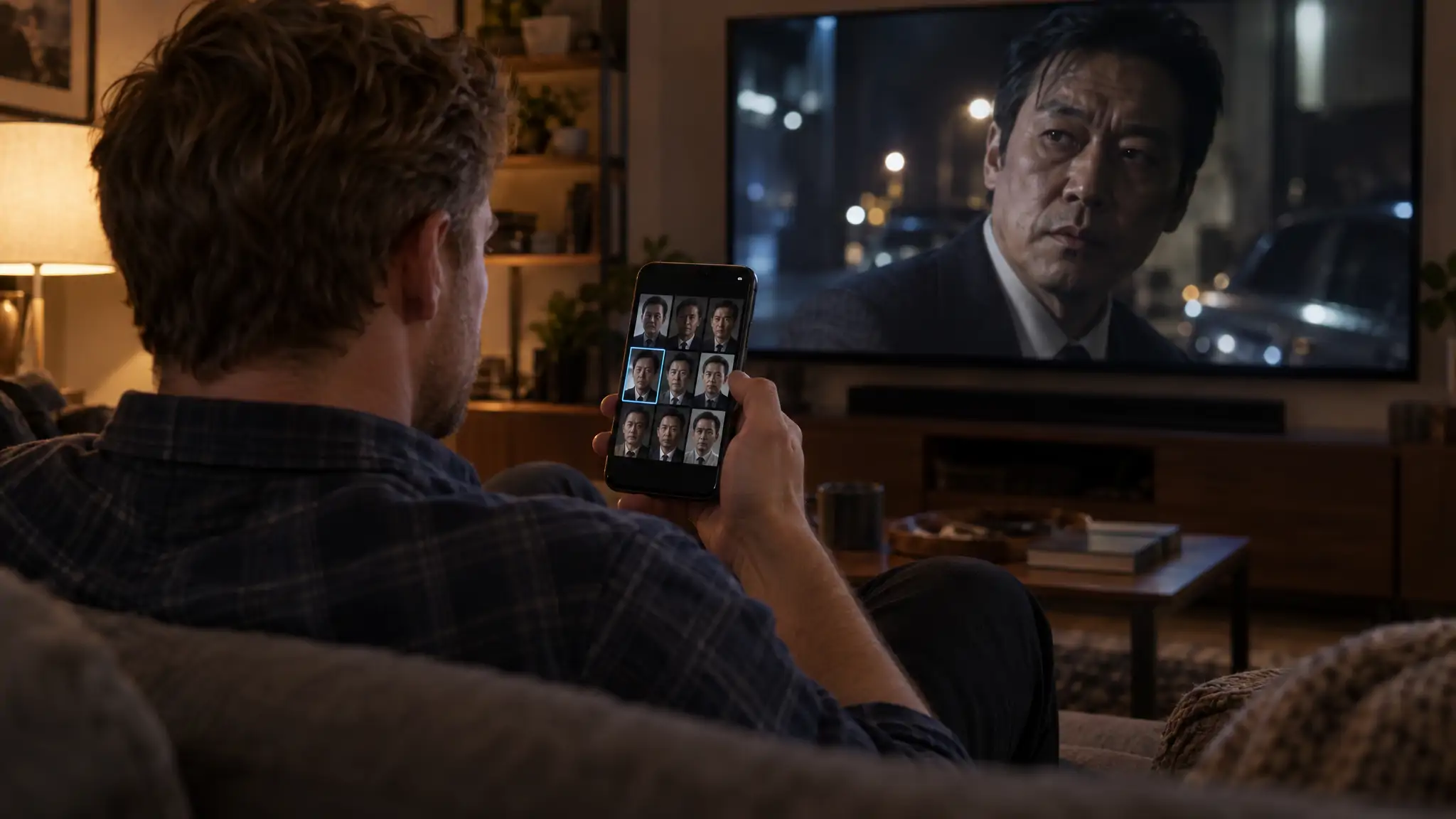
If you have an actor image (a screenshot, a paused frame, a photo from a premiere) and need the name, upload it to FaceCheck.ID. It searches the public web for the same face and returns matching photos, each scored from 0 to 100. A score of 90 or higher is a strong match. If what you want is actor photos to download, that is a stock-photo job: Pexels and Pixabay are free, and the licence still matters.
Most of this page covers the first job: turning a face you half-recognise into a name you can check against a cast list, without being fooled by a look-alike.
In this article, we're going to discuss
How to run an actor image search by face
The whole thing takes about two minutes, most of it spent finding a good frame.
- Grab a still. Take a screenshot instead of pointing your phone at the TV. On an iPhone that is the side button plus volume up; on most Android phones it is power plus volume down; on Windows press Win + Shift + S; on a Mac press Cmd + Shift + 4.
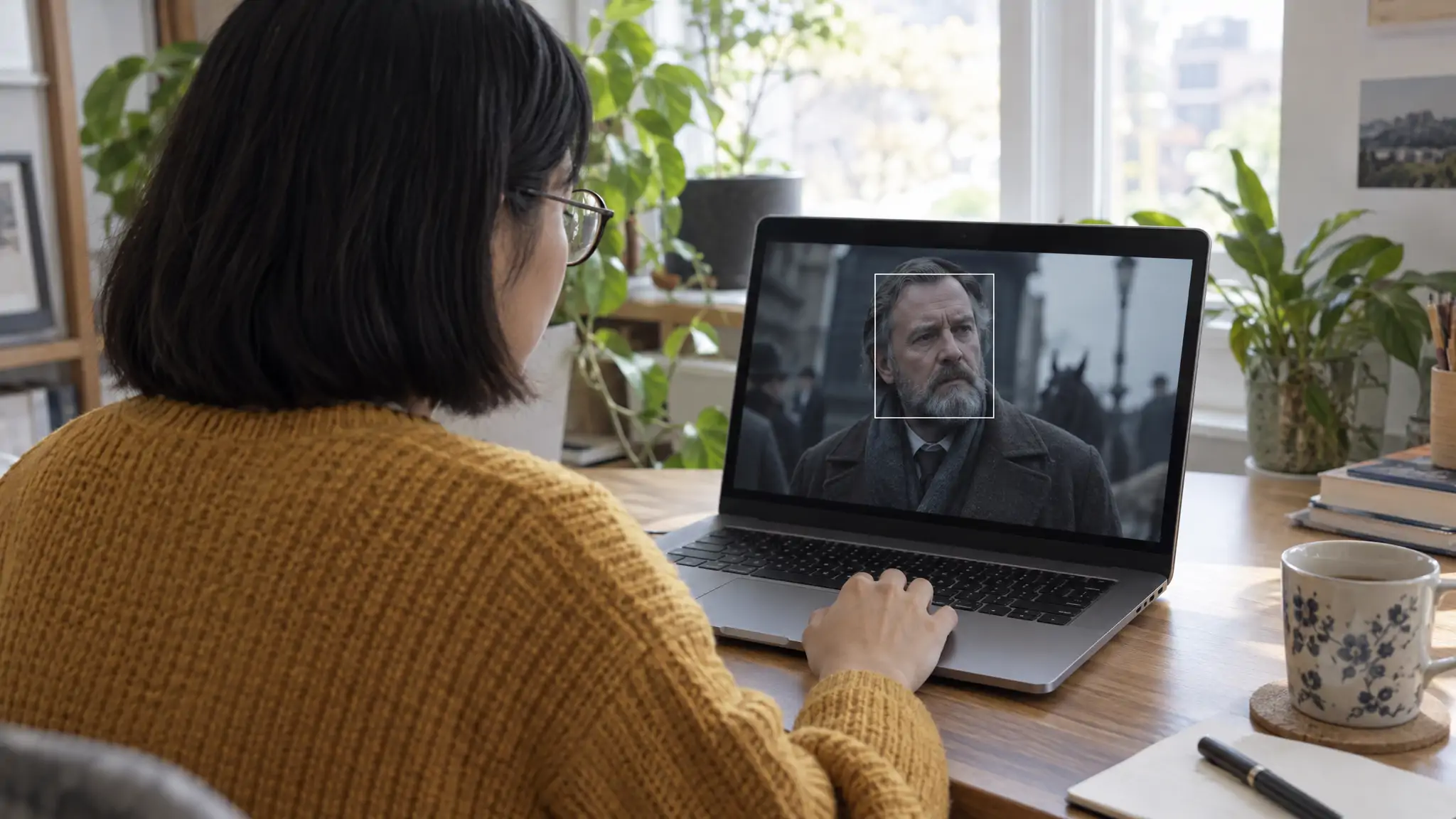
- Crop to one face. Trim the picture so the actor's face fills most of it. A wide shot with five people in it gives the search five candidates and you one headache.
- Upload it. Go to facecheck.id, agree to the terms of use and drop in the cropped image.
- Read the grid. A free search shows every matching face thumbnail with its score. Credits unlock the links to the web pages where those faces appear, which is where the name usually is.
- Open the best sources. Start with the highest scores and look for pages that name the person: news stories, interviews, wiki entries, agency profiles.
Child actors are off limits. FaceCheck.ID's model is trained on adult faces, and searching for anyone under 18 is prohibited and grounds for a ban. If the familiar face belongs to a kid in a family sitcom, the end credits are your tool.
The video below shows the same process of finding an unknown actor's name from a single picture.
Getting a clean actor photo off your screen
The search can only match what the picture shows, so a better frame beats a second search almost every time.
Pause on a moment where the actor looks roughly toward the camera, eyes open, nothing in front of the face. Quiet dialogue scenes are your friend. Chase scenes give you motion blur, and a profile shot at night gives you a nose and a lot of shadow.
A screenshot is sharper than a photo of the TV. Shooting the screen adds glare, rainbow moiré stripes and a tilted angle, all of which make the face look less like itself. If your screenshot comes out black, find the show's trailer on YouTube, pause on the same actor and screenshot that instead. A phone photo of the TV is the last resort: lights off, phone held square to the screen, no zoom.
Some roles fight you. Heavy prosthetics, age makeup, period wigs and digital de-aging change exactly the features a face match relies on. If the character spends the film as a seven-foot blue alien, you are mostly searching for the makeup department. Pick a scene from earlier in the film, a behind-the-scenes clip or a premiere photo.
Skip the AI "enhance" filters. They sharpen a blurry face by inventing detail that was never there, and an invented jawline matches invented people. If the first search comes back weak, try two or three different frames of the same actor rather than one frame enhanced three times.
What the match scores mean
Every result in the grid carries a score. FaceCheck.ID uses four bands, and each one calls for a different next move.
| Score | FaceCheck.ID label | What to do with it |
|---|---|---|
| 90-100 | Certain match | Open the source pages. A press or wiki page naming the person is very likely your actor. Still check the cast list. |
| 83-89 | Confident match | A strong lead. Confirm the name on two independent sources before you trust it. |
| 70-82 | Uncertain match | Could be the actor, could be a look-alike. Try a cleaner frame. |
| 50-69 | Weak match | Treat it as unrelated unless something else backs it up. |
A score measures how similar two faces look. It does not certify who someone is, and film is a business that hires a lot of people with similar faces. Treat every result as a lead you confirm, never as an answer.
A worked example
Here is how a typical search plays out, as an illustration. You are three episodes into a crime series and the detective's partner looks familiar. You pause on a close-up where he faces the camera, screenshot it and crop to his head and shoulders.
Suppose the top thumbnail scores 91 and three more sit in the high 80s, all showing the same man in different lighting. You open the source pages. One is an interview with a trade magazine and another is a fan wiki entry for a show you watched years ago, and both give the same name.
Now check it the boring way. Open the series' cast list on IMDb or the network's site and find that name under the episode you are watching. Then scroll his filmography. The answer to "where have I seen him" is usually in there, often a role from ten years back with more hair.
Confirm the name before you trust it
A high score plus a name on one page is a good start. These checks turn it into something you can repeat with a straight face.
Look at what kind of page the match sits on. A celebrity look-alike agency, an impersonator's booking page or a "people who look like famous actors" listicle will produce high scores for the wrong person by design. Fan edits and face-swap videos do the same thing with more effort.
Cross-check the name in at least two places that do not copy each other: the official cast list, a trade publication such as Variety or The Hollywood Reporter, and the actor's verified social account. If the name only appears on one fan page, keep looking.
Watch for the red flags FaceCheck.ID marks on its own. Matches on scam-report sites or AI-generated-face sources, or one face spread across many social profiles under different names, point to stolen or synthetic photos rather than a working actor. Famous faces are a favourite prop in fraud: our report on celebrity romance scams shows how stolen photos and deepfakes of real stars are used to take money from fans. If your actor image came from a direct message rather than a TV screen, treat it as evidence, not trivia.
What face search won't find
FaceCheck.ID searches public web pages. It is not a film database and it does not read IMDb credits, so the name you get comes from whatever page carries the face. That works well for anyone with press coverage and poorly for the people at the edges of the frame.
A lead actor with a decade of red-carpet photos, interviews and fan pages surfaces easily. A background extra or a one-line guest role may return nothing, or only look-alikes, because there is no public page with that face on it. Sites that block scraping are not indexed either.
The film industry doesn't change the maths. Face matching is language-independent, so an actor image from a Bollywood, Tamil, Korean or Hollywood production is searched the same way. What matters is how many public pages carry that actor's face, and a Tamil lead with years of film-news coverage is better covered than a newcomer in a regional web series.
It also helps to know how this differs from ordinary image search. Google Lens and TinEye look for copies of the same picture, which works when the exact still is already posted on a fan wiki. A fresh freeze-frame usually has no copy online, which is why a face match is the better tool here. Our explainer on reverse image search vs face recognition search walks through the difference.
This page is about public performers. A stranger on the train who "looks like someone from that show" is a private person, and a similar face is not an identity.
Need actor photos to download instead?
FaceCheck.ID is not a stock-photo library. It shows thumbnails and links to where a face appears; it does not hand out files you can reuse. If you came here for famous actor images or an actor photo for a project, these are the places to go and the rules that come with them.
Free stock sites cover "actor" as a theme. Pexels and Pixabay both allow free use without attribution, but the "actors" there are mostly models posing on stages and film sets, not famous people. Both licences limit how identifiable people can be shown: Pexels says they may not appear in a bad light or in a way that implies they endorse your product, and Pixabay forbids using content with recognisable people in an immoral, illegal or misleading way.
Red-carpet and press photos of famous actors come from agencies such as Getty Images, and those are usually licensed for editorial use. Getty's licence says content marked editorial may not be used for commercial, promotional, advertising or merchandising purposes unless your licence explicitly allows it. A Bollywood star's 4K wallpaper saved from Pinterest comes with no licence at all.
If you are the actor and your own headshots keep turning up where they shouldn't, the guide to tackling image theft for influencers, actors and models covers documenting the misuse and filing takedown notices.
FAQ
Can I search an actor by image?
Yes. Upload a clear photo or screenshot of the actor's face to FaceCheck.ID and it returns matching photos from public web pages, each with a 0-100 similarity score. Credits unlock the links to the pages those photos come from, which is usually where the actor's name appears.
How do I find an actor's name from a screenshot?
Pause on a frame where the actor faces the camera, take a screenshot, crop it to that one face and upload it to a face search engine. Open the highest-scoring sources, note the name they give, then confirm it on the show's official cast list.
Are actor images free to use?
Only if the licence says so. Stock sites like Pexels and Pixabay are free to use without attribution but restrict how recognisable people are shown, while red-carpet and press photos from agencies such as Getty Images are usually editorial-only. A picture appearing in search results does not make it free.
Does actor image search work for Bollywood, Tamil and Hollywood actors?
Yes. Face matching does not depend on language or country, so a Bollywood, Tamil or Hollywood face is searched the same way. Results depend on how much of that actor's work and press coverage is on public web pages, so established stars return more matches than newcomers.
Why do I get a different actor in the results?
Because the search finds similar faces, and some actors look a lot alike. Matches in the 70-82 band are often look-alikes, and blurry frames, heavy makeup or side profiles push the right person down the list. Try a sharper, front-facing frame and confirm any name against the cast list.
Does FaceCheck.ID keep my screenshot?
Not for long. Uploaded photos are not added to the search index, search history is deleted within 24 hours, and FaceCheck.ID does not log IP addresses or use third-party trackers.
Try it on the next face that bugs you
Next time a familiar face stalls the episode, screenshot the clearest front-on frame, crop it and run it through FaceCheck.ID. Then open the cast list before you say the name out loud. If the picture came from a social app rather than a TV, the guide to reverse image searching a screenshot covers the tricks for cropping and cleaning it up.

Read More...
Search Instagram by Pic and Find Anyone's Instagram Profile
Spotted someone interesting but can't track down their profile? Instagram's search bar is pretty much useless if you don't have a username, and Google Images won't help you match a face to an account. Here's the workaround that connects a single photo to the exact profile you're looking for.
On the subject in other languages
 Tem a imagem de um ator, mas não sabe o nome? Como identificar qualquer pessoa na tela pelo rosto
 有演员照片却不知道名字?如何通过人脸识别屏幕上的任何演员
 Máte obrázek herce, ale neznáte jeho jméno? Jak podle obličeje poznat kohokoli na obrazovce
 Sie haben ein Bild eines Schauspielers, aber keinen Namen? So identifizieren Sie jeden Darsteller anhand seines Gesichts
 ¿Tienes la imagen de un actor, pero no sabes su nombre? Cómo identificar por el rostro a cualquier persona que aparezca en pantalla
 Vous avez l’image d’un acteur, mais pas son nom ? Comment identifier n’importe qui à l’écran grâce à son visage
 Hai l'immagine di un attore ma non il nome? Come identificare chiunque appaia sullo schermo tramite il volto
 俳優の画像はあるのに名前が分からない? 画面に映る人物を顔から特定する方法
 배우 사진은 있는데 이름을 모르겠나요? 화면 속 인물을 얼굴로 식별하는 방법
 Masz zdjęcie aktora, ale nie znasz jego nazwiska? Jak rozpoznać po twarzy dowolną osobę na ekranie
 Есть изображение актёра, но нет имени? Как распознать любого человека на экране по лицу
 لديك صورة ممثل لكنك لا تعرف اسمه؟ إليك كيفية التعرّف على أي شخص يظهر على الشاشة من خلال وجهه
 Bir Oyuncunun Görüntüsü Var Ama Adı Yok mu? Ekrandaki Herhangi Birini Yüzünden Nasıl Tanırsınız?
Popular Topics
Deepfake Face Recognition Search Face Search Engine Identity Image Search Facial Recognition Reverse Image Search How To TinEye Romance Scam Search by Face Fansly YouTube Face Lookup Image Search Google Screenshot iPhone Android Google Lens Face Search Face Match Face Swap ImpersonationTop Reverse Image Search Tools: PimEyes vs FaceCheck Detailed Analysis