Find Facebook Profiles
Finding a Facebook profile is often the last step in confirming who someone really is online, especially after a face search returns matches across blogs, dating sites, or news pages. A Facebook profile usually carries the strongest identity signals: real name, friends, employer, location history, and years of tagged photos that can corroborate or contradict what other matches suggest.
Why Facebook profiles matter in face search
Facebook is one of the largest sources of human face data online, but most of it is not openly indexed. Profile photos, cover photos, and any post the user set to public are reachable by search engines and reverse image tools. Friends-only photos are not. This split matters: a face search may surface someone's profile picture from 2014 but miss the 200 tagged photos behind their privacy wall.
When a face-recognition result points to a Facebook profile, treat it as a strong lead rather than confirmation. The match is usually based on a single public photo, often a low-resolution thumbnail. Lookalikes, old accounts, and impersonator profiles all show up the same way in raw results.
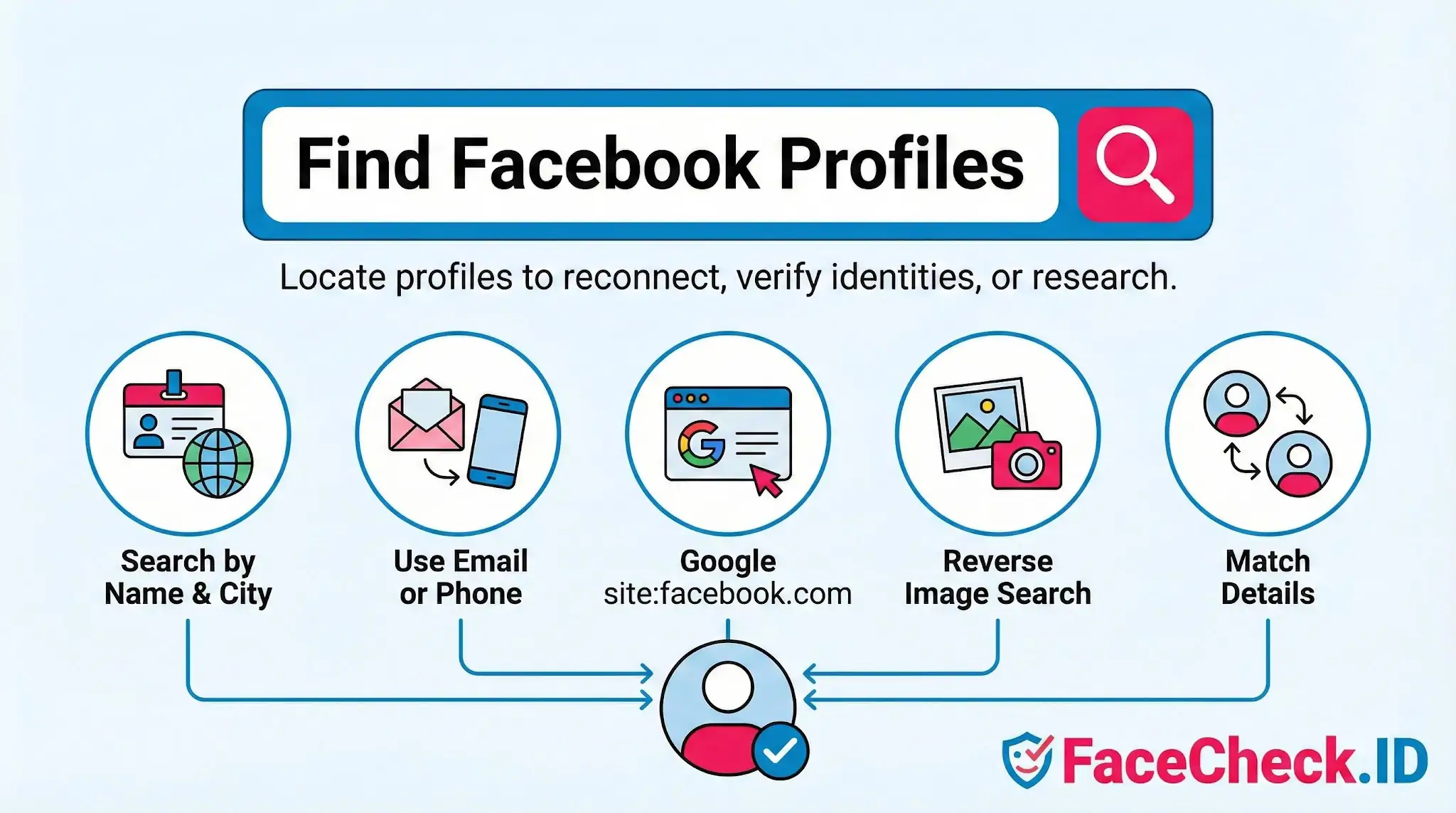
Practical ways to locate the right profile
Start with the highest-confidence signal you have, then cross-check from there.
- Reverse image search on a clear face photo. If the person uses the same headshot on Facebook, LinkedIn, and a personal site, a face-search engine will typically cluster these together. The Facebook URL in the result is your direct link.
- Name plus location or employer in Google. A query like
"Jane Doe" Austin site:facebook.comcuts through the thousands of common-name accounts. Pages, public posts, and old comment threads all surface this way. - Email or phone lookup inside Facebook. This only works when the user has not disabled lookup by contact info, which many privacy-conscious users do.
- Mutual connections and tagged photos. If you already know one person in their circle, friends-of-friends visibility often exposes the right account.
For investigations or scam checks, work backward from the photo. If a face match returns a Facebook profile under one name and a dating profile under a different name, the conflict itself is the finding.
Spotting fake or impersonator profiles
Scammers regularly clone real Facebook profiles or build new ones using photos stolen from someone else's account. Face search is one of the few reliable ways to detect this. Run the suspect profile's photos through a reverse face search. If the same face appears on an older, more established profile under a different name, with consistent friends and years of activity, the newer account is likely the impersonator.
Warning signs that a Facebook profile is not who it claims to be:
- Profile created recently but the person claims to be middle-aged with a full life history
- Very few friends, or friends concentrated in unrelated countries
- Photos that all look professionally shot or all from the same short time window
- Face appears on unrelated profiles, modeling sites, or stock-style image pages
- Name spelling varies slightly from other matches for the same face
Limits of finding someone on Facebook
A Facebook profile match is not proof of identity. Two unrelated people can look strikingly similar to a face-recognition system, especially in cropped or low-resolution profile pictures. A real-looking profile can also be a long-running fake, and a sparse profile can belong to a real person who simply does not post.
Face search will not reach private content. If the person keeps their profile photo set to friends-only, no reverse image tool can find it, regardless of how active they are on the platform. Many people also maintain multiple accounts, including old ones they have abandoned, which can produce face matches that point to outdated names, jobs, or cities.
Use Facebook profile discovery as one input among several. Confirm with mutual contacts, consistent biographical details across platforms, or direct verification before treating a match as the right person, and never use these techniques to harass, dox, or contact someone who has not invited it.
FAQ
What does “Find Facebook Profiles” mean in the context of face recognition search engines?
“Find Facebook Profiles” typically refers to using a face recognition search engine to locate public web pages that appear to be Facebook profiles (or pages that reference them) by matching a face in your uploaded photo to similar faces found online. It does not inherently mean the tool can access private Facebook content; results depend on what is publicly available or re-posted elsewhere on the web.
Can face recognition search engines access Facebook’s private profiles or locked photos when trying to find Facebook profiles?
No. A face recognition search engine generally cannot see private Facebook profiles, locked photos, or content behind a login that isn’t publicly accessible. “Find Facebook Profiles” results usually come from public profile images, public pages, publicly visible posts, or copies/screenshots that have been re-shared on other sites.
Why might a “Find Facebook Profiles” face search return fan pages, reposts, or look-alike accounts instead of the real profile?
Common reasons include: the same image was reposted (memes, screenshots, aggregator sites), the person’s face appears in multiple contexts (news, events, tagged photos), the original profile photo is low-resolution or heavily edited, or the engine is surfacing visually similar faces (look-alikes) rather than the exact same person. Treat results as leads, not proof of ownership of a Facebook account.
What steps should I take to confirm a Facebook profile match from a face recognition search engine before acting on it?
Validate using multiple, independent signals: compare multiple photos across the suspected profile (not just one), check consistent identifiers (name variants, location clues, friends/followers context, cross-linked Instagram/LinkedIn/website), verify timestamps and repost chains (is it an old screenshot?), and look for corroboration from other sources (another face search tool or standard reverse image search). Avoid making accusations or decisions based on a single match.
How can FaceCheck.ID add value when trying to “Find Facebook Profiles” from a face photo?
FaceCheck.ID (like other face search tools) can help by returning a set of face-similar matches and source pages that may include Facebook links or Facebook-hosted images that are publicly accessible. Its value is in broadening your visibility into where that face appears online, so you can cross-check sources and reduce the chance of mistaking reposts or look-alikes for the real Facebook profile.


Recommended Posts Related to find-facebook-profiles
-
How to Search Facebook by Photo
Fortunately, reverse image search engines can help you easily find Facebook profiles using a photo of a person. However, it may not be the best option for finding Facebook profiles using a photo since it is not specifically designed for this purpose. However, it may not be the best option for finding Facebook profiles using a photo since it does not use facial recognition and was not specifically designed for social media profile searches.
-
Facebook Face Search: Find People by Photo (2026)
How accurate is face search for finding Facebook profiles?