Search Instagram: How to Find Accounts, Hashtags & Reels
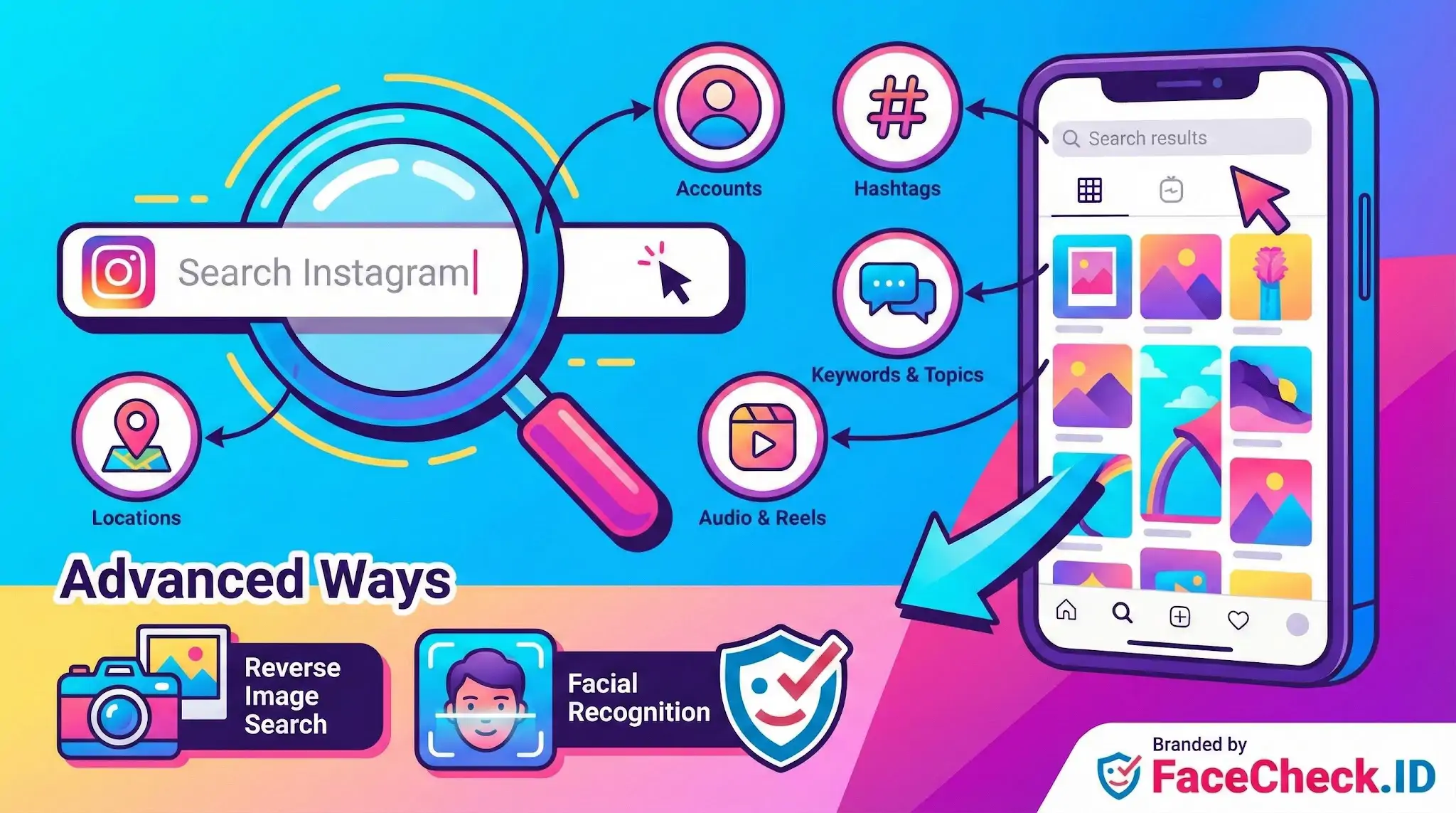
Search Instagram means using Instagram’s search tools to find specific people, posts, hashtags, locations, audio, and topics. It’s how you quickly discover content you already know exists or explore new content related to a keyword or interest.
What you can search for on Instagram
- Accounts: Find a creator, brand, or friend by name or username.
- Hashtags: Locate posts grouped under a hashtag like
#travelphotography. - Locations: See posts tagged at a city, venue, or landmark.
- Keywords and topics: Discover posts and profiles connected to words you type into the search bar.
- Audio and Reels content: Find Reels and trends tied to a specific sound or theme.
How Instagram search works
Instagram search results are influenced by factors like:
- Your search query: Exact matches often appear first.
- Engagement signals: Popularity and interaction can affect what ranks higher.
- Your activity: Accounts you follow and content you engage with can shape suggested results.
- Category relevance: Instagram may group results by tabs such as Top, Accounts, Tags, Places, and Reels depending on what you search.
Explore and discovery
Instagram’s Explore section helps you discover new posts and creators. It shows recommendations based on what you watch, like, save, and share, plus what similar users engage with.
Advanced ways people search Instagram
Some users go beyond Instagram’s built-in search, including:
- Reverse image search: Uploading or pasting an image into a search tool to find similar images that may appear on Instagram.
- Facial recognition: Some tools claim to identify people across images, but availability and legality depend on your location and the tool’s policies.
Why “Search Instagram” matters
Searching Instagram is useful for:
- Finding a brand or creator you want to follow
- Researching trends, competitors, or customer feedback
- Locating user-generated content for inspiration
- Discovering posts from a specific place or event
Tips to get better Instagram search results
- Use exact usernames when you know them.
- Try hashtag variations and related keywords.
- Add a location if you want posts from a specific area.
- Refine by switching between search result tabs like Accounts, Tags, and Places.
FAQ
What does “Search Instagram” usually mean in the context of face recognition search engines?
In this context, “Search Instagram” usually means using a face recognition search engine to look for public web pages that contain Instagram-hosted images (or reposts/screenshots of Instagram photos) that appear to match the face in your query photo. It does not necessarily mean the tool can search inside Instagram’s app or access private content.
Can a face recognition search engine “Search Instagram” without logging into Instagram or using the Instagram app?
Often, yes—because the engine is typically searching what it can access on the open web, which may include publicly reachable Instagram pages or images that are mirrored elsewhere. If Instagram content is not publicly accessible (or is blocked from indexing), a face search tool may not be able to see it, even if the person has an Instagram account.
Why might a “Search Instagram” face lookup show an Instagram image but not reveal the exact profile you expect?
Common reasons include: the same photo was reposted by multiple accounts; the image appears on third-party pages (blogs, forums, meme pages) rather than the original profile; the original post was deleted or made private; or the face match is based on similar-looking images and may point to a different person or a look-alike.
What are safer ways to verify an Instagram-related face-match result before assuming it’s the same person?
Treat the result as a lead, not proof. Verify by checking multiple independent photos across time, looking for consistent non-face cues (tattoos, scars, distinctive accessories), comparing context (locations, friends, captions, dates), and cross-checking with other sources (e.g., other social platforms or reverse image search for exact duplicates). Avoid making accusations or taking adverse action based on a single match.
How can FaceCheck.ID add value to a “Search Instagram” workflow, and what’s a responsible way to use it?
FaceCheck.ID can add value by finding visually similar faces across many open-web sources, which may include Instagram-related pages or reposts, helping you detect photo reuse or potential impersonation patterns. Use it responsibly by uploading only a suitable, minimally sensitive image, interpreting results as probabilistic matches, and confirming through additional evidence rather than treating any Instagram link as identity verification.


Recommended Posts Related to search instagram
-
Searching Instagram by Photo: A Guide to Finding People and Accounts
This image search engine is designed to search Instagram by photo. How to Reverse Image Search Instagram. Search Instagram by Photo.
-
Instagram Image Search to Find Instagram Profile by Photo using Face Search Engine
You cannot reverse search Instagram through their app and instagram images are not indexed by google. How to Use Instagram Image Search. Instagram image search is a great way to find someone's profile if you only have a picture of them. Click on the Search Button to search Instagram (and other social media) for the photo you've uploaded.
-
Tutorial: Reverse Image Search for Instagram
How to Reverse Image Search Instagram. Reverse image searching Instagram is easy:. Search Instagram by Image.
-
Search Instagram by Photo with Reverse Image Instagram Search Engine
Searching Instagram by a Photo is Easy.
-
How to Search Instagram by Image
Search Instagram by Image.
-
How to Find Someone on Instagram Using a Picture
Search Instagram by Picture.
-
Search Instagram by Pic and Find Anyone's Instagram Profile
Search Instagram with FaceCheck. Step by Step Video on How to Search Instagram by Photo.
-
How to Find Someone on Instagram by Photo (2026)
If you know where the photo was taken, search Instagram by location tag. Can I search Instagram by photo without an account?
-
How to Find Someone's Instagram Without Knowing Their Username
Ethical and Privacy Considerations when Searching Instagram. As you search Instagram, remember that tools like FaceCheck.ID are more than just convenient ways to find people on social media.