Social Media Search
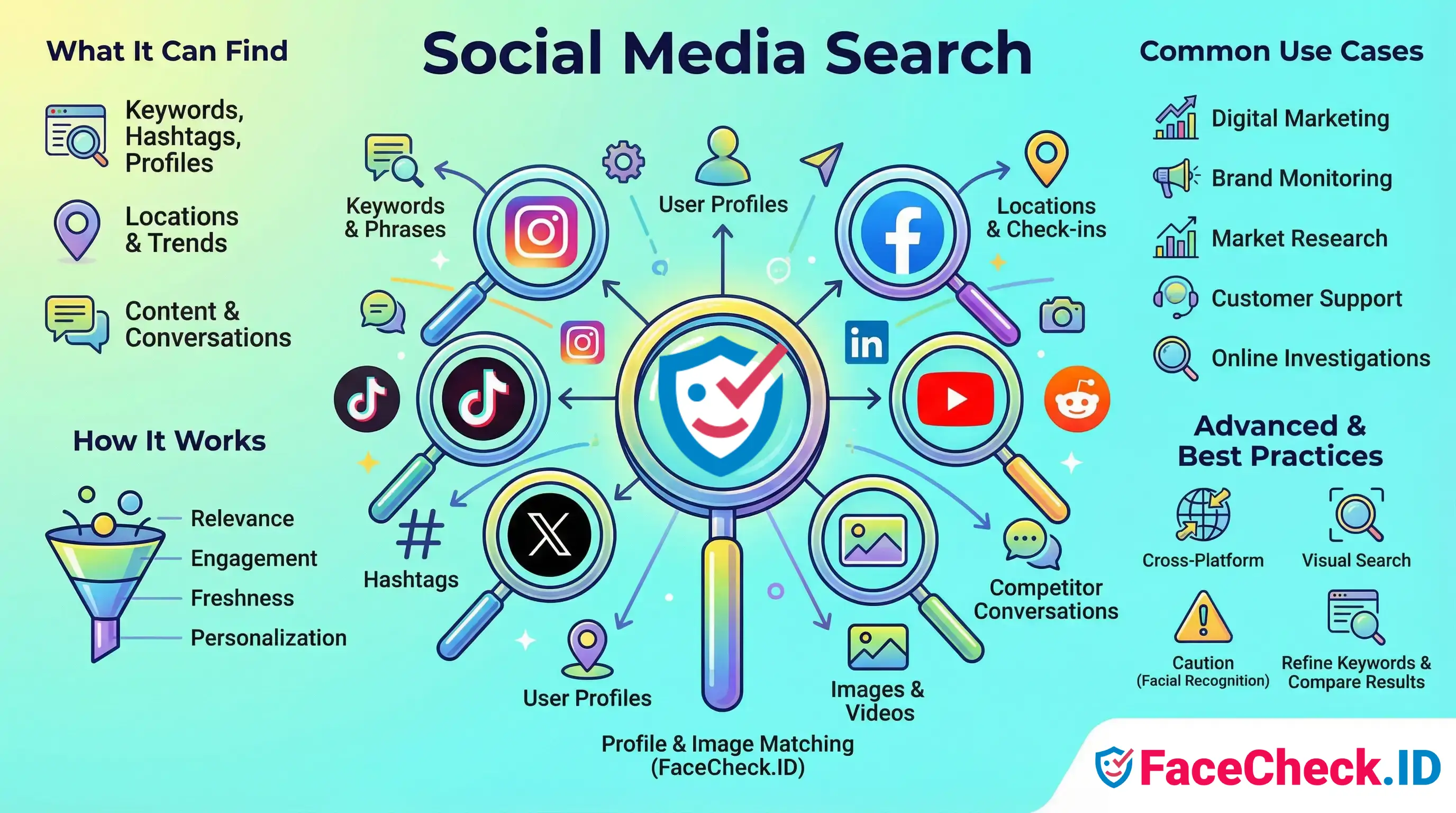
Social media search is where most face-recognition investigations either succeed or stall. When FaceCheck.ID returns a match, the linked page is often a public social profile, and the next step is usually a manual search across other networks to confirm whether the same person, alias, or photo appears elsewhere.
How social media search complements face search
A face-search engine indexes faces it can find on the public web. Social media search fills the gaps that crawlers miss: handles, captions, follower lists, mutual connections, and posting history that give a face context. A FaceCheck result might point to a single Instagram post, but you usually need the surrounding profile activity to decide whether the account is real, recycled, or fake.
In practice, the two tools work in sequence. FaceCheck answers the question "where else does this face appear?" Social media search answers "who is the person behind that face, and does their online behavior match the identity they claim?"
Common follow-up steps after a face match:
- Search the username or display name across other platforms to find linked accounts
- Reverse image search the same photo on Google Images, Yandex, or TinEye to spot reuse
- Check if the profile photo appears on stock sites, modeling portfolios, or unrelated personal pages
- Look at post timestamps, language, and location tags for inconsistencies
- Read comment threads to see whether real friends and family interact with the account
What different platforms reveal
Each network indexes content differently, which affects both face-search hits and the manual checks that follow.
LinkedIn headshots are front-facing, well-lit, and often reused across professional bios, conference pages, and company sites, which makes them strong anchors for confirming a real identity. Instagram and TikTok produce more varied face angles, filters, and heavy editing, which can lower match confidence and create false negatives. Facebook profile photos are widely indexed when set to public, but cover photos and tagged group shots are often the only visible faces on locked accounts. X profile images are small and often cropped tightly, which works against face matchers but pairs well with username searches. Reddit rarely shows faces directly, but linked imgur albums and cross-posts sometimes do.
Dating apps are mostly closed gardens, so faces from Tinder, Hinge, or Bumble usually surface on FaceCheck only when the same photos have been reposted to escort directories, scam-report forums, or public Instagram accounts.
Using social media search to verify a face match
A single match rarely proves identity. Verification depends on stacking weak signals into a stronger picture.
- Photo reuse patterns: the same image appearing on a model's portfolio and on a "girlfriend" Instagram account is a textbook romance-scam signal
- Account age vs. photo age: a profile created last month using photos that have been online for years suggests a stolen identity
- Network coherence: real accounts have organic follower overlap with schools, employers, and hometowns
- Cross-platform name consistency: scammers often reuse photos but change names; legitimate users tend to keep similar handles
- Engagement quality: comments that reference shared real-world events are harder to fake than generic emoji replies
Where social media search and face matching go wrong
Both tools have failure modes that compound when used together. Face-recognition systems return lookalikes, twins, and people who simply share facial geometry, especially at lower confidence scores. Social media search adds its own noise: common names produce hundreds of unrelated accounts, deleted posts disappear from indexes within days, and platform search ranks personalized results that another investigator would not see.
A match plus a matching name is not proof. Catfishers deliberately copy real people's names along with their photos. Stolen-photo accounts often outnumber the original owner's presence on a given network. Private accounts, regional platforms, and recently created profiles may not be indexed at all, which means absence of results is not evidence of absence.
Legitimate uses, journalism, fraud investigation, reconnecting with lost contacts, vetting a date, depend on treating face-search and social media search as starting points for human judgment rather than identity verdicts. The tooling narrows the field. The conclusion still belongs to the person reading the results.
FAQ
What does “Social Media Search” mean in face recognition search engines?
In this context, “Social Media Search” means using a face recognition search engine to look for visually matching faces in images that appear on social platforms (e.g., profile photos, reposts, screenshots) and on pages that reference or embed social media content. It typically returns links or posts where a similar face image was found, not a verified identity.
Why might social media matches show different usernames, locations, or biographies for the same face?
A single face photo can be reused across multiple accounts (impersonation, fan pages, scams, reposts, meme pages), and the same person may also run multiple accounts. Social media text fields (username, bio, location) are easy to change and are not proof of identity, so treat them as leads to verify with additional evidence.
What are the most reliable ways to validate a social-media hit from a face search result?
Validate by checking multiple independent indicators: (1) several different photos on the same account that match the person (not just one avatar), (2) consistent history over time (older posts, consistent face/appearance), (3) cross-links to other official accounts or a personal website, and (4) corroboration from other sources (news, professional pages, event photos). Avoid concluding identity from a single profile picture match.
Why do social media search results sometimes include repost pages, quote-posts, or screenshots instead of the original profile?
Face search engines index what they can access and what gets widely copied. Viral reposts, aggregator sites, public screenshots, and embedded previews can be easier to crawl or more widely distributed than the original post. As a result, the first results may be “copies of copies,” and you may need to follow the trail to locate the earliest or most authoritative source.
How should I use “Social Media Search” results from FaceCheck.ID (or similar tools) without overreaching?
Use the results as investigative leads: open each link, confirm the face appears in context, and look for multiple consistent photos before making any assumption. Do not treat a social profile link as identity proof, and avoid using results for harassment, doxxing, employment decisions, or accusations. If FaceCheck.ID (or another tool) shows several close matches, compare them carefully and look for contextual confirmation (timestamps, mutual connections, original uploads) rather than relying on similarity alone.


Recommended Posts Related to social-media-search
-
How to Find People on Social Media by Photo
The future of social media searches is here, and it's more exciting than ever!
-
Top 4 Benefits of Facial Recognition in Online Dating with FaceCheck.ID
One of the main benefits of using FaceCheck.ID social media search is that it increases the safety of online dating.
-
Social Media Lookup: Find Anyone's Profiles by Photo
How accurate is face-based social media search?
-
How to Find Someone with a Photo?
Wait while Social Catfish processes your image, scans social media, searches in the scammer database, and organizes the results.