Reverse Face Search
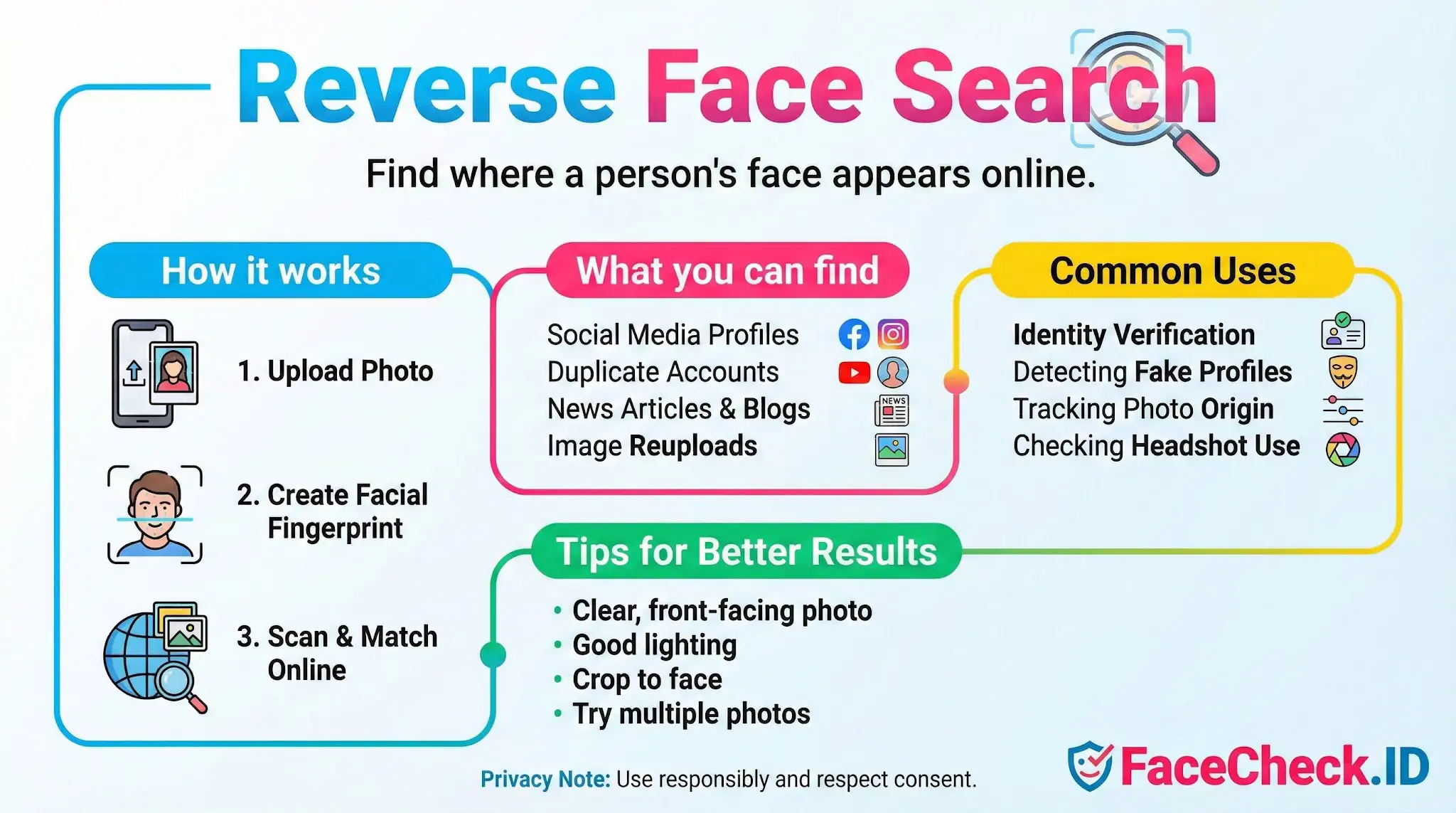
Reverse face search is the core function behind FaceCheck.ID: instead of searching by keywords or by an exact image hash, you submit a face and the system looks for other public pages where that same face appears. It is the difference between asking "where is this picture?" and asking "where is this person?"
How a reverse face search differs from a reverse image search
A traditional reverse image search, like the one built into Google or TinEye, mostly looks for copies of the same file. Crop the image, change the background, recompress it, or use a different photo of the same person, and those tools usually fail. Reverse face search ignores the file and focuses on the face itself. The system extracts a numerical representation of facial geometry, eye spacing, jaw shape, brow contour, and similar features, then compares that signature against faces indexed from public web pages.
This matters because identity-related investigations rarely involve the same image twice. A scammer rarely reuses a single JPEG. They crop, mirror, filter, and re-export. A reverse face search can connect a Tinder profile photo to a LinkedIn headshot taken years earlier, even though the two files share no pixels in common.
What useful results look like
A face-search engine returns ranked candidates, each with a confidence score and the URL where the face was found. Strong matches usually share several traits:
- The same person photographed from a similar angle
- Consistent facial structure under different lighting or hairstyles
- The same face reappearing across unrelated domains, which suggests an identity rather than a one-off image
Common reasons people run a reverse face search include checking whether a dating-app match is using stolen photos, finding duplicate or impersonation accounts on Instagram or Facebook, identifying the source of a photo passed around in a group chat, vetting a potential business contact, or tracing whether a person appears in news coverage, mugshot databases, or scam reports.
Getting cleaner matches
Image quality drives result quality more than anything else. A face occupying most of the frame, lit from the front, with both eyes visible and no heavy sunglasses or filters, will produce far better candidates than a distant crowd shot. A few practical points:
- Crop tightly to the face before uploading, but leave the full head visible
- Avoid heavy beauty filters, which distort the geometry the matcher relies on
- If the first search returns weak results, try a second photo from a different angle or year, since indexed images may match one expression better than another
- Front-facing portraits, like LinkedIn headshots or passport-style photos, tend to anchor searches well because similar framing dominates the public web
Searches over public, indexed pages will not surface private accounts, locked profiles, or images sitting behind authentication. If a face only exists on a closed Snapchat or a private Discord server, no reverse face search will find it.
What a face match does and does not prove
A high-confidence match means the system found a face with very similar geometry on a public page. It does not automatically mean the two accounts belong to the same person. Identical twins, close relatives, and unrelated lookalikes all produce strong scores. A scammer who steals photos from a real person will, by design, generate matches pointing to the victim's genuine accounts, not to the scammer.
Treat results as leads, not conclusions. Cross-check usernames, post histories, mutual contacts, location clues, and timing. Two profiles sharing a face plus a stolen bio plus a freshly created account is a much stronger signal than face similarity alone. False positives drop quickly when context lines up across several independent pages, and they should be assumed when context does not.
Reverse face search is a powerful starting point for identity questions online. It is not a verdict, and the people interpreting the results still carry the responsibility for what they conclude.
FAQ
What is “Reverse Face Search”?
Reverse Face Search is a way to search the web using a person’s face as the query, aiming to find other images where the same face (or a very similar face) appears. Unlike searching by name or keywords, it relies on facial similarity to locate visually related photos across different pages and contexts.
What kinds of images can I use for a Reverse Face Search query?
Common inputs include a clear selfie, a cropped headshot from a larger image, a screenshot, or a video frame. For best results, use a front-facing image with good lighting, minimal blur, and the face not heavily occluded (e.g., sunglasses, masks). Some tools also accept an image URL instead of an upload, depending on the service.
How are Reverse Face Search results typically ranked or grouped?
Most reverse face search tools rank matches by similarity score (how close the facial features are to the query) and may group near-duplicates or very similar detections together. Results can also be influenced by image quality, face angle, resolution, and whether the face is partially hidden, which can push true matches lower or elevate look-alikes.
Can Reverse Face Search help find where a face is reused (impersonation or stolen photos)?
Yes. It’s often used to spot reuse of a headshot across different sites (e.g., scam profiles, reposted avatars, or copied portfolio images). Treat matches as leads, not proof: confirm by checking surrounding context (account history, location/time clues, consistent usernames, and additional photos) before concluding it’s the same person.
What should I consider before using a Reverse Face Search tool like FaceCheck.ID?
Check the tool’s stated privacy and retention policies, and avoid uploading highly sensitive images unless necessary. Prefer using a cropped face image that minimizes bystanders and background details, and be cautious about acting on a single match. If you use FaceCheck.ID (or similar services), use similarity indicators and source-page verification to reduce the risk of confusing the person with a look-alike.


Recommended Posts Related to reverse-face-search
-
How to Reverse Face Search: Find Anyone by Photo (2026)
What you need is a reverse face search: a tool built specifically to match human faces across the internet. What Is a Reverse Face Search (And How Is It Different)? A reverse face search flips the approach entirely.
-
How to Find Someone by Doing Reverse Face Search
A reverse face search is a great way to find a person of interest. Google Photos reverse face search is useful when spotting stolen or fake images. Yandex reverse face search features a good face recognition algorithm that can match faces in photographs.
-
How to Search Arrest Records and Mugshots by a Photo of a Person
With FaceCheck.ID you can upload a photo of a person's face, and our reverse face search engine will scour the darkest corners of the Internet for matching mugshots, arrests, and criminals featured in the news.
-
Find YouTubers by Photo using Facial Recognition
How does reverse face search work?
-
Top 7 Reverse Image Search Engines for Face Search Compared
Bing does not work for reverse face search.