Yandex Images: What It Is & Reverse Search Explained
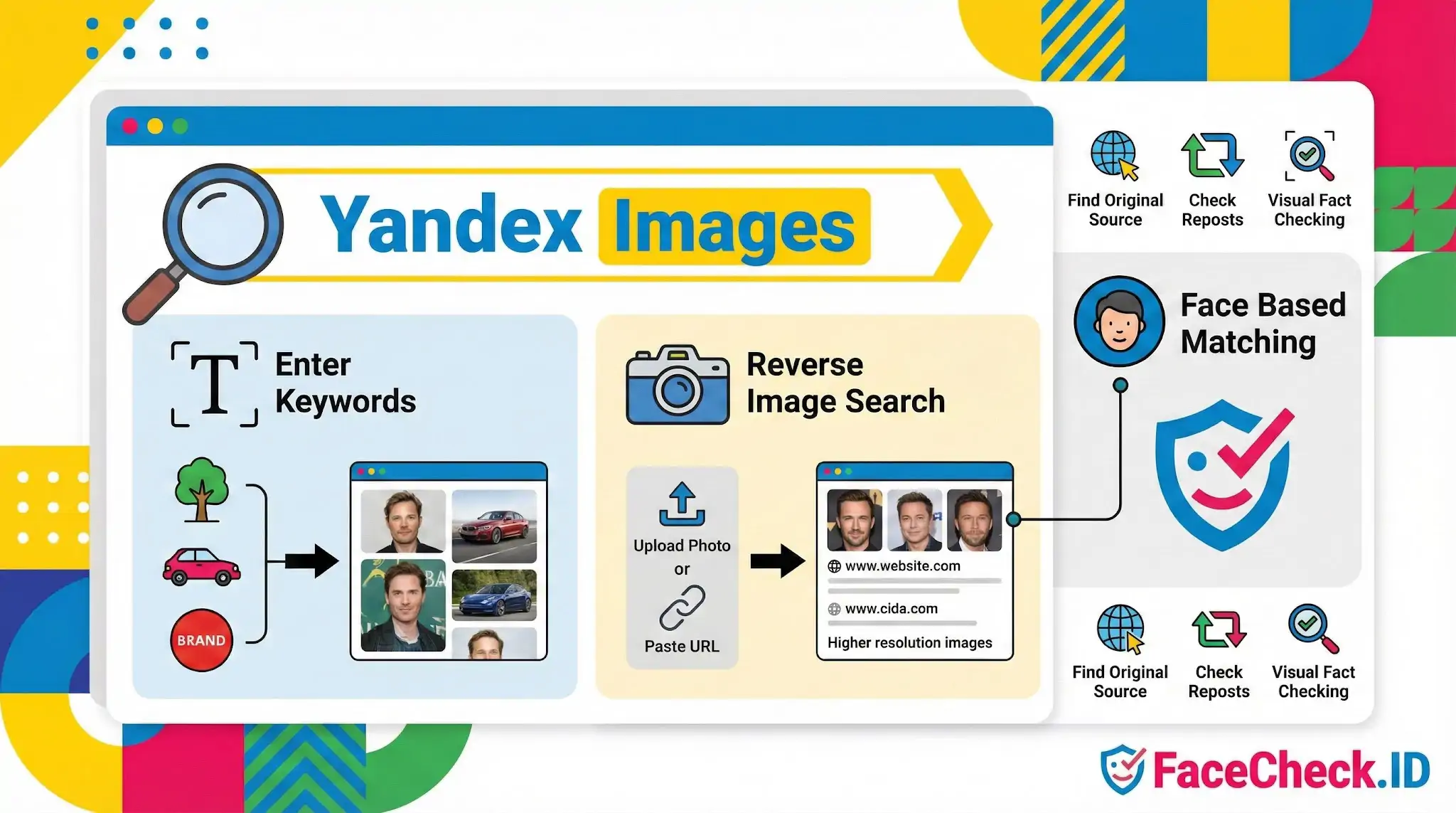
Yandex Images is the image search engine from Yandex, a major internet company best known for its search products in Russia and nearby regions. It works like Google Images, letting you find pictures across the web by typing keywords, filtering results, and opening the pages where images are published.
What Yandex Images does
- Search images by keywords
Enter a topic, object, brand name, or description to find relevant images.
- Reverse image search
Upload a photo or paste an image URL to discover: - where the image appears online
- visually similar images
- higher resolution versions (when available)
- Find related content and sources
Results often help you identify the original publisher, learn the context of an image, or locate duplicates.
- Face based matching
Yandex Images can surface visually similar faces in results. Availability and behavior can vary by region, settings, and Yandex updates.
Why people use Yandex Images
- Tracking down an image’s original source
- Checking if a photo is reused or reposted
- Finding similar photos for design inspiration or research
- Verifying basic details when doing visual fact checking
How to use Yandex Images (quick steps)
- Go to Yandex Images.
- To search normally, type a query in the search bar.
- For reverse image search, click the camera icon, then upload an image or paste a link.
- Open results to view image previews and visit the pages where they are hosted.
FAQ
What is Yandex Images, and how is it used for finding photos related to a person’s face?
Yandex Images is an image search service by Yandex that supports “search by image” (reverse image search). People often use it to find where a photo (or visually similar photos) appears online, including images containing faces. It’s best understood as a general visual search tool rather than a dedicated face recognition search engine.
Does Yandex Images provide true face recognition search (finding the same person across different photos)?
Yandex Images can return visually similar images and pages that contain similar-looking faces, but it is not primarily marketed as a face recognition identity search tool. Results may include the same person in different photos, yet it can also return look-alikes or unrelated people with similar facial features. Dedicated face-search services (for example, FaceCheck.ID) are typically designed specifically to match faces across different photos and sources.
How do I run a reverse image search on Yandex Images for a face photo?
Open Yandex Images, use the search-by-image option (camera/upload), and submit the clearest available face photo. For better results, use a well-lit, front-facing image, avoid heavy filters, and consider uploading a crop that centers the face (without cutting off key features like eyes and nose). Then review both “Similar images” and the web pages where those images appear.
Why might Yandex Images show “similar faces” that aren’t the same person?
Yandex Images is optimized for visual similarity (overall appearance, shapes, colors, and patterns), which can lead to look-alike results when faces share attributes (pose, lighting, hairstyle, age range, or facial structure). If the source photo is low-resolution, partially occluded, or edited (beauty filters, compression, AI enhancements), the system may rely on broader cues and return more false look-alikes.
When should I use Yandex Images versus a face-specific tool like FaceCheck.ID?
Use Yandex Images when you want to find duplicates or near-duplicates of an image, locate where a particular photo was reposted, or discover visually related content around that image. Use a face-specific tool (such as FaceCheck.ID) when your goal is to search for the same person across different photos (different angles, ages, or contexts) and you need face-focused similarity ranking. In both cases, treat results as leads to verify with additional context rather than proof of identity.


Recommended Posts Related to yandex images
-
Reverse Image Search FAQ: The Ultimate Guide for 2025
Yandex Images: Free with no explicit limits. Visit Google Images, [TinEye](https://tineye.com), or [Yandex Images](https://yandex.com/images/). Yandex Images (strong for identifying paintings).
-
How-To Guide for Effective Face Lookup
Yandex Images: Yandex Images, a part of the Russian search engine Yandex, also supports reverse image search.
-
Top 7 Reverse Image Search Engines for Face Search Compared
TinEye is another popular choice that's known for its ability to find similar images, Yandex Images, and Image Raider are other options.
-
How to Reverse Image Search a Screenshot with FaceCheck.ID
Try Bing Visual Search, TinEye, or Yandex.Images for additional results.
-
Should I reverse image search myself?
Yandex Images: Known for its strength in identifying images related to Eastern Europe.
-
How to Find and Remove Nude Deepfakes With FaceCheck.ID: A Step-by-Step Guide
Yandex Images - Often finds things others miss.