Yandex Images: Reverse Search for Face Leads
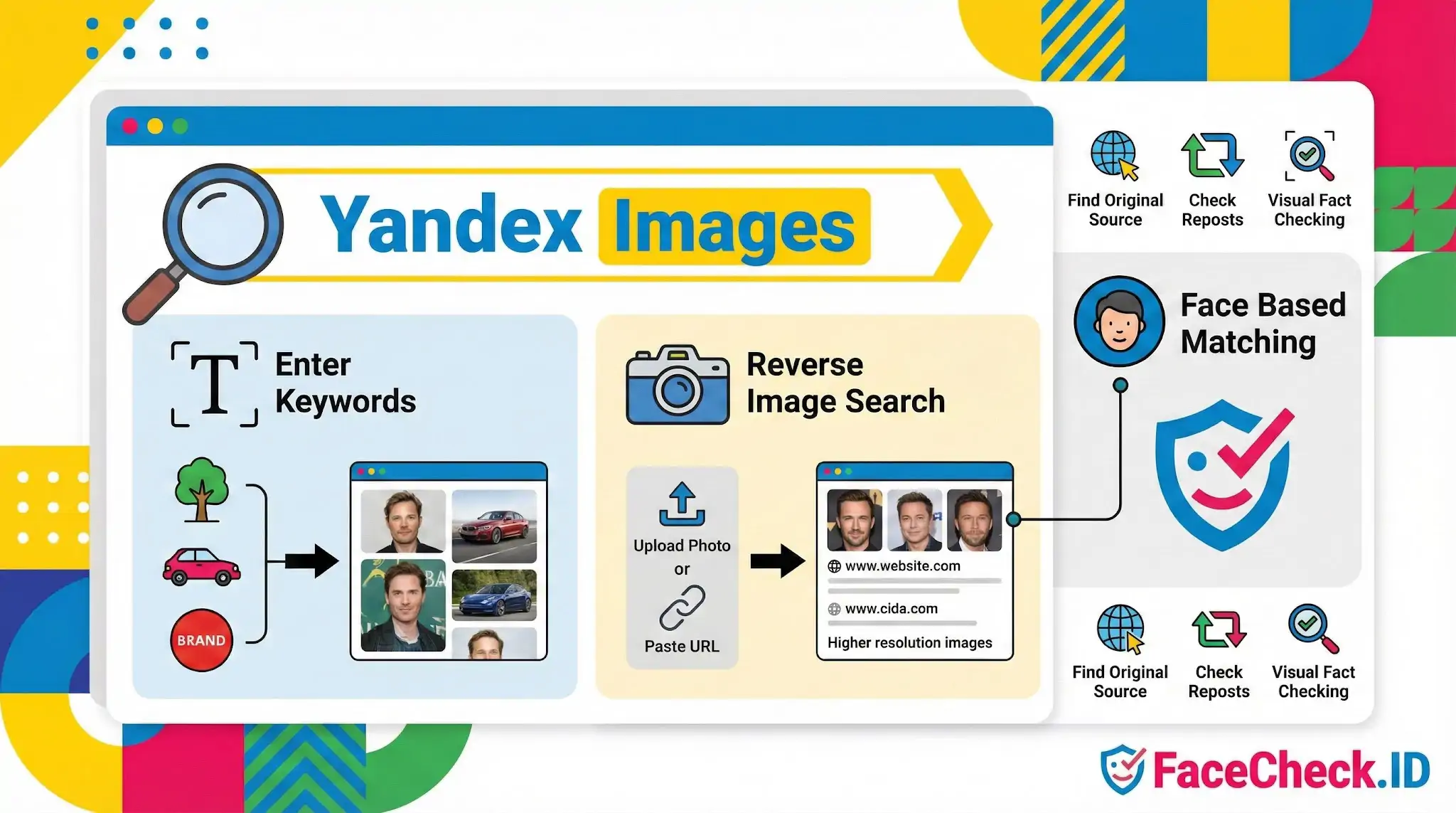
Yandex Images is one of the few mainstream reverse image search tools known to return strong face-match results, which is why it shows up constantly in OSINT guides, scam investigations, and catfish exposés. For anyone using FaceCheck.ID, it sits in the same toolkit but works differently in scope, indexing, and how it ranks visual similarity.
How Yandex Images compares to dedicated face search
Yandex was built as a general image search engine, not a face recognition product. It returns visually similar pictures based on a mix of features that include facial structure, but also background, clothing, color palette, and composition. That breadth makes it useful for finding the original source of a photo or spotting where a profile picture has been reposted, but it can also pull in lookalikes that share lighting or pose rather than identity.
FaceCheck.ID, by contrast, indexes faces specifically. It tries to match a person across photos where the background, clothing, and crop are different. Yandex often performs well on Russian and Eastern European web content, social platforms popular in those regions, and image boards that other engines crawl less aggressively. That regional bias matters when investigating accounts that may have originated outside the English-speaking web.
In practice, investigators run the same face through multiple engines because each one indexes different corners of the public web. A profile photo that returns nothing on one tool can return a full identity trail on another.
Practical use in scam and catfish investigations
When someone suspects a fake dating profile, Yandex Images is often the first stop because it tends to surface stolen photos that have been reused across escort sites, model portfolios, or scam-related forums. The typical workflow looks like this:
- Save the suspect profile photo at the highest resolution available
- Crop tightly to the face if the original includes distracting backgrounds
- Submit to Yandex Images, then review both the visually similar matches and the source pages
- Cross-check any hits against FaceCheck.ID and other face-specific engines
Yandex tends to pick up reposts, image board uploads, and content scraped onto secondary sites. FaceCheck.ID is more likely to catch the same person across different photos, different angles, and different years. Together they fill in gaps neither covers alone.
What affects match quality
The same factors that influence FaceCheck.ID results apply to Yandex. Front-facing photos with even lighting, a neutral expression, and clear focus on the face return better matches than group shots, profile angles, heavy filters, or low resolution thumbnails. Sunglasses, masks, and heavy makeup degrade results across every engine.
Cropping matters more than people expect. A wide photo with a small face buried in scenery will often pull matches based on the scenery rather than the person. Cropping to head and shoulders before submitting forces the engine to weigh facial features more heavily.
Image age also plays a role. A photo that has been online for years and copied across many sites is easier to trace than a freshly uploaded image that has not yet been crawled and indexed.
What Yandex Images cannot prove
A visual match is not an identity confirmation. Yandex can show you that two images look similar, but similarity does not mean the same person, and a hit on a suspicious site does not always mean the person pictured is involved with that site. Stolen photos move around constantly, and the person whose face appears in a scam profile is usually a victim of image theft rather than the scammer.
Results also reflect what Yandex has crawled, not what exists. Private accounts, deleted posts, and content behind logins will not appear. An empty result set means the photo was not found in the index, not that the person has no online presence.
Treat Yandex Images as one source of leads. Confirm identity through corroborating details, multiple matches across independent sites, and human review of the source pages rather than the thumbnail grid alone.
FAQ
What is Yandex Images, and how is it used for finding photos related to a person’s face?
Yandex Images is an image search service by Yandex that supports “search by image” (reverse image search). People often use it to find where a photo (or visually similar photos) appears online, including images containing faces. It’s best understood as a general visual search tool rather than a dedicated face recognition search engine.
Does Yandex Images provide true face recognition search (finding the same person across different photos)?
Yandex Images can return visually similar images and pages that contain similar-looking faces, but it is not primarily marketed as a face recognition identity search tool. Results may include the same person in different photos, yet it can also return look-alikes or unrelated people with similar facial features. Dedicated face-search services (for example, FaceCheck.ID) are typically designed specifically to match faces across different photos and sources.
How do I run a reverse image search on Yandex Images for a face photo?
Open Yandex Images, use the search-by-image option (camera/upload), and submit the clearest available face photo. For better results, use a well-lit, front-facing image, avoid heavy filters, and consider uploading a crop that centers the face (without cutting off key features like eyes and nose). Then review both “Similar images” and the web pages where those images appear.
Why might Yandex Images show “similar faces” that aren’t the same person?
Yandex Images is optimized for visual similarity (overall appearance, shapes, colors, and patterns), which can lead to look-alike results when faces share attributes (pose, lighting, hairstyle, age range, or facial structure). If the source photo is low-resolution, partially occluded, or edited (beauty filters, compression, AI enhancements), the system may rely on broader cues and return more false look-alikes.
When should I use Yandex Images versus a face-specific tool like FaceCheck.ID?
Use Yandex Images when you want to find duplicates or near-duplicates of an image, locate where a particular photo was reposted, or discover visually related content around that image. Use a face-specific tool (such as FaceCheck.ID) when your goal is to search for the same person across different photos (different angles, ages, or contexts) and you need face-focused similarity ranking. In both cases, treat results as leads to verify with additional context rather than proof of identity.


Recommended Posts Related to yandex-images
-
Yandex Image Search: Complete Guide to Finding Faces (2026)
You've probably heard that Yandex image search is the best-kept secret for finding people online by photo. Here's exactly what Yandex image search can (and can't) do in 2026, and what to use instead when it falls short. How Does Yandex Image Search Actually Work?
-
How to Search for a Person Online by Photo
Yandex Images is actually the best of the general search engines for faces (more on that below), but it still misses a lot and has serious privacy concerns since your uploaded images pass through Russian servers. Yandex Images. Yandex Images: free, decent at faces, Russian servers.
-
Reverse Image Search FAQ: The Ultimate Guide for 2025
Yandex Images: Free with no explicit limits. Visit Google Images, [TinEye](https://tineye.com), or [Yandex Images](https://yandex.com/images/). Yandex Images (strong for identifying paintings).
-
How-To Guide for Effective Face Lookup
Yandex Images: Yandex Images, a part of the Russian search engine Yandex, also supports reverse image search.
-
How to Find Someone on Fansly by Photo in 4 Easy Steps
You can try tools like Google Lens, Bing Visual Search, or Yandex image search.