Results for People Are Limited: Why It Happens & How To Fix It
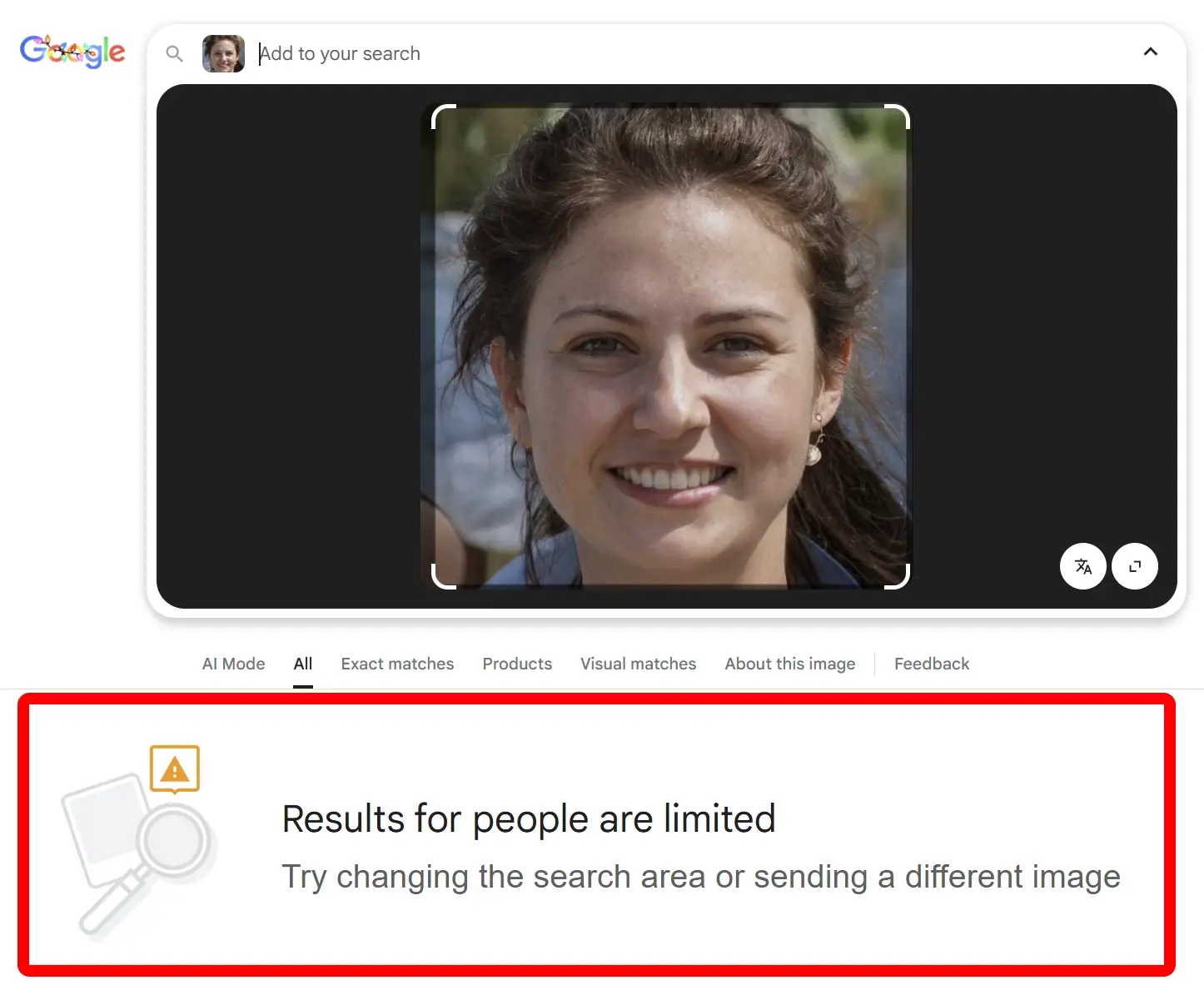
If you have ever tried to look someone up on Google using their picture, for example to verify a profile, check if a photo has been used elsewhere, or learn more about someone online, you may have seen this message:
Results for people are limited. Try changing the search area or sending a different image.
For many users, this is confusing, especially because Google can easily recognize celebrities and public figures. This article explains what that message really means, why it appears, how Google treats people searches, and how you can still search for people online using a photo by using a dedicated tool like FaceCheck.ID.
In this article, we're going to discuss
- Image Examples
- What the Message Really Means
- Why Google Can Find Celebrities But Not Regular People
- What You Can Still Use Google Lens For
- How Can I Fix "Results for People Are Limited"?
- The Real Fix: Use FaceCheck.ID To Search People Online
- Google Lens vs FaceCheck.ID
- Short History: When Did Google Start Limiting People Searches?
- Key Takeaways
Image Examples
Use these three example screenshots in your project to illustrate how Google behaves differently for celebrities versus private individuals.
1. Search for Bob Ross (Works Normally)
Google has no problem showing results for a well known public figure like Bob Ross.
Example: Google image search for an image of Bob Ross
Shows normal results with his name and related images.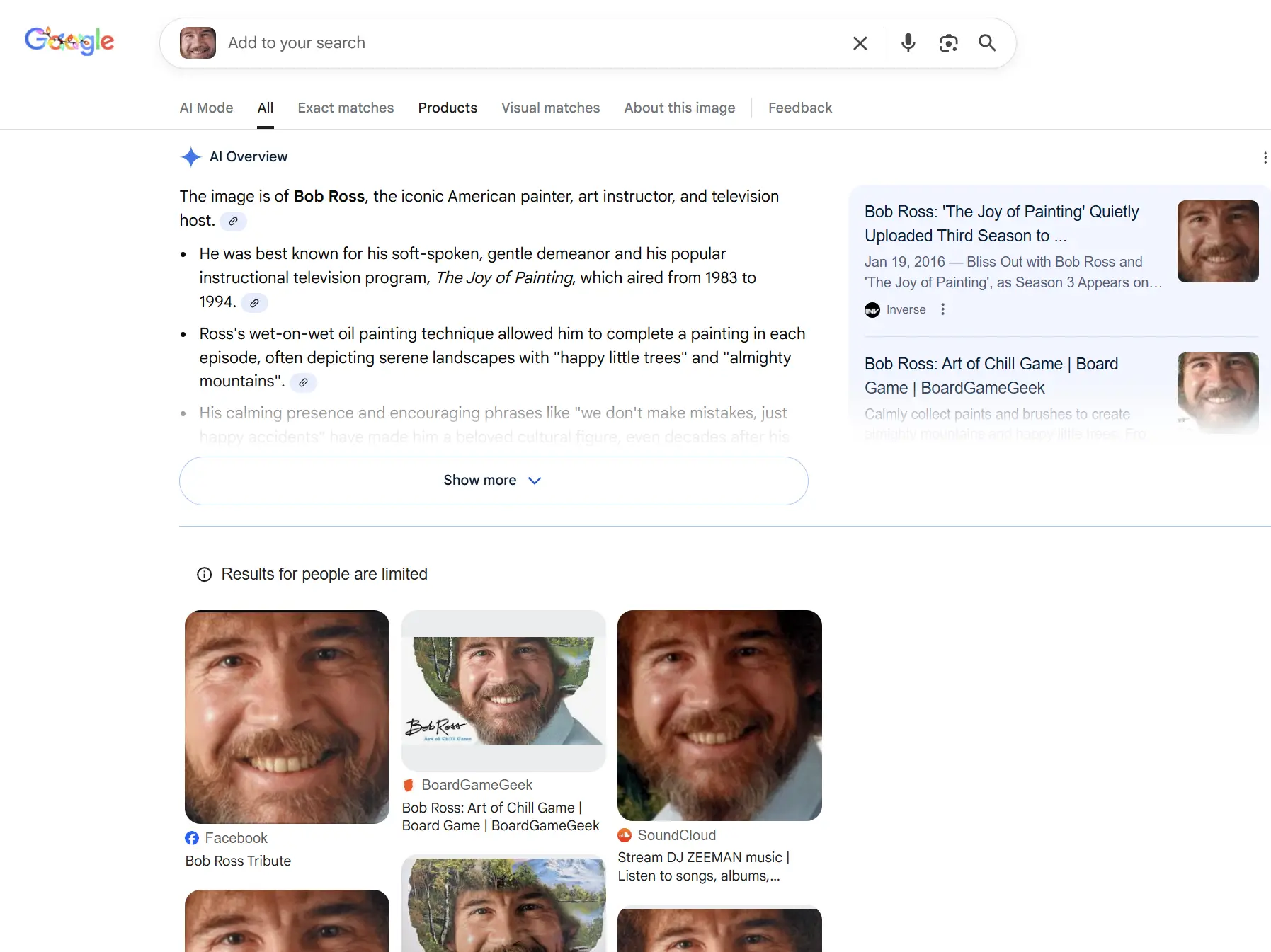
2. Search for Jake Paul (Works Normally)
Jake Paul is a widely known online personality, so Google displays results without any restriction.
Example: Google image search for an image of Jake Paul
Shows his name, social profiles, and many photos.
3. Search for a Random Person (Blocked)
When you upload a picture of a regular person, Google will not show people based results. Instead, you see a restriction message like this:
Example: Google image search for an image of a random person
Google says: Try changing the search area or sending a different image.
What the Message Really Means
When Google displays:
Results for people are limited. Try changing the search area or sending a different image.
it is not asking you to fix the photo or tweak your query. The real meaning is:
Google does not support searching for regular people online using a face photo.
Google Lens is designed for general visual search, not for searching people online. It will happily recognize objects, products, landmarks, text, animals, plants, and celebrities, but it prevents face based searches for private individuals.
Trying a different image almost never changes that outcome. The limitation is built into how Google works.
Why Google Can Find Celebrities But Not Regular People
Users often wonder why Google can recognize celebrities while refusing to show results for non famous people. The reason is the difference between public figures and private individuals.
For celebrities and public figures
- Their photos exist in thousands of public places.
- Their names and faces are already widely known.
- Search intent is clearly informational and public.
- Showing their name and related info does not break their privacy.
For regular people
- Their photos are not part of large public datasets.
- They are not considered public figures.
- They have not agreed to be easily searchable online by face.
- Connecting a face to online profiles can create serious privacy risks.
So the practical rule is:
- Searching for celebrities by photo is allowed.
- Searching for random people online by photo is not.
What You Can Still Use Google Lens For
Google Lens is still very useful, just not for searching people online. You can use Google Lens to:
- identify products and brands
- shop for visually similar items
- translate text and scan documents
- recognize animals and plants
- get information about landmarks and places
- find similar non face images on the web
How Can I Fix "Results for People Are Limited"?
There is no real "fix" for this message, because it is not an error. Google simply does not allow searching for private people online using their photos, no matter how you crop or edit the image. Google only shows results when the person is a well known public figure. For everyone else, the message will always appear.
If you need to search for someone online using a photo, you must use a tool built for that purpose. FaceCheck.ID is the best alternative, since it can find where a face appears online when Google cannot.
The Real Fix: Use FaceCheck.ID To Search People Online
If you want to:
- search for someone online using a picture
- check if a photo appears on other websites
- verify if a dating profile looks real
- detect AI profile pic or stolen photo
- research a person you met online
- protect yourself from scammers and fake accounts
you need a tool that is actually designed for searching people by photo.
Example: FaceCheck.ID search for an image of a AI generated face
Shows fake social profiles, and many photos generated by AI.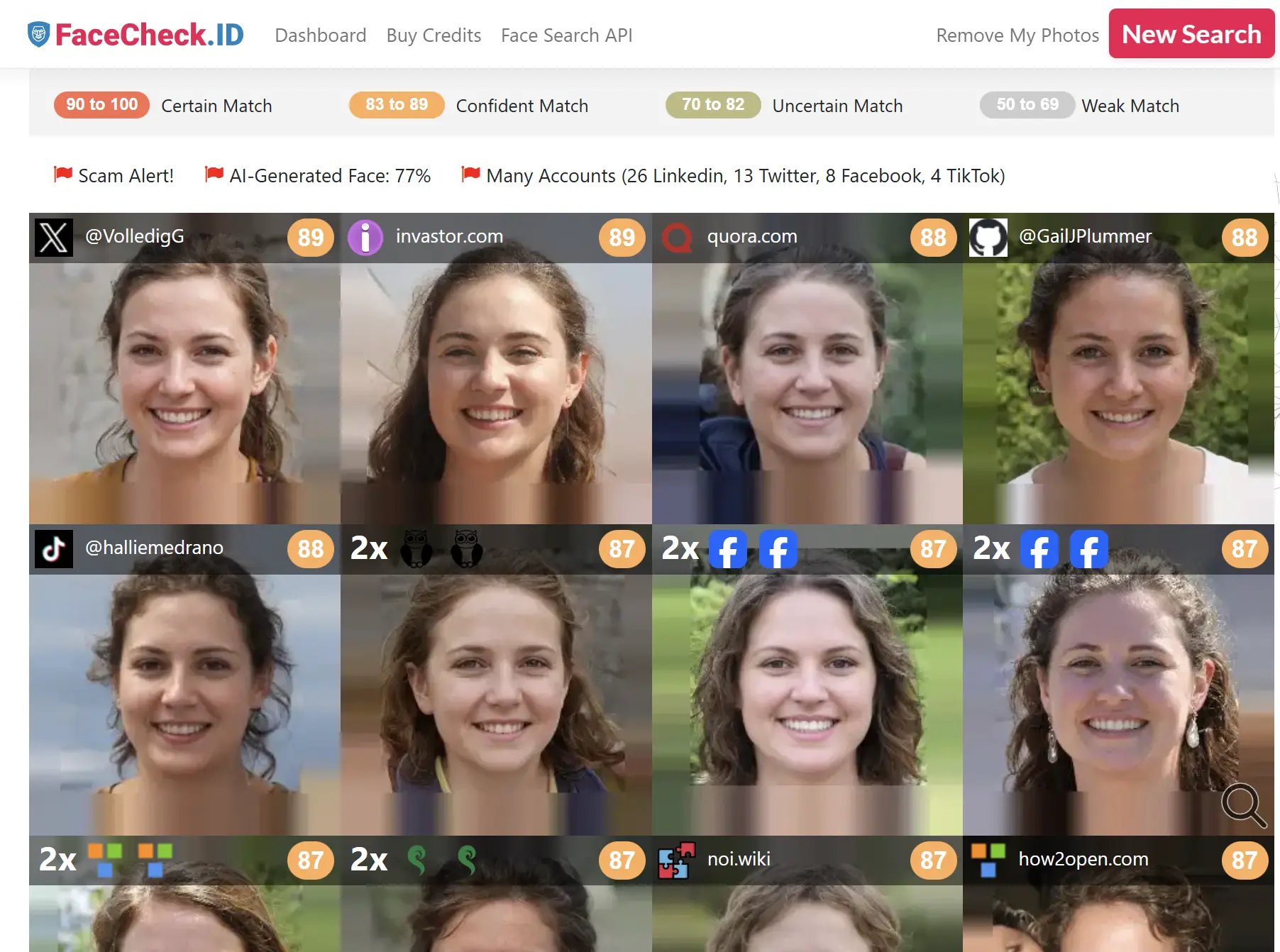
FaceCheck.ID
FaceCheck.ID is a specialized search engine that focuses on people search by image. It scans the open web, public pages, social networks, blogs, and other image sources to find visually similar faces.
FaceCheck.ID helps you:
- search people online using their photo
- discover where a picture appears
- check your date's online footprint before meeting in person
- detect fake AI profiles, stolen, or reused photos
- check if multiple profiles use the same images
- increase your safety when dealing with strangers on the internet
Google Lens vs FaceCheck.ID
The table below shows the differences between Google Lens and FaceCheck.ID.
| Feature | Google Lens | FaceCheck.ID |
|---|---|---|
| Search for regular people online using a photo | No | Yes |
| Search for celebrities using a photo | Yes | Yes |
| Find where a person's photo appears on the web | No | Yes |
| Verify online profiles using a face photo | No | Yes |
| Detect reused or stolen photos | No | Yes |
| Best for objects, products, and landmarks | Yes | No |
| Best for people search by image | No | Yes |
Short History: When Did Google Start Limiting People Searches?
In older years, some users noticed that Google reverse image search sometimes appeared to work for people, especially when the same photo was reused on public pages. Over time, this behavior changed.
From roughly 2018 to 2024, Google tightened its privacy approach and gradually closed off any feature that might be interpreted as face based people search for private individuals.
By around 2021 and 2022, many users began seeing the message:
Results for people are limited. Try changing the search area or sending a different image.
By 2023 and 2024, this restriction was fully enforced.
Key Takeaways
- The message "Results for people are limited. Try changing the search area or sending a different image." means Google does not allow people search by face for private individuals.
- Google recognizes celebrities, but blocks searches for random people.
- Google Lens is great for objects, products, and text, but not for people search.
- For searching people online using a photo, the best tool is FaceCheck.ID.
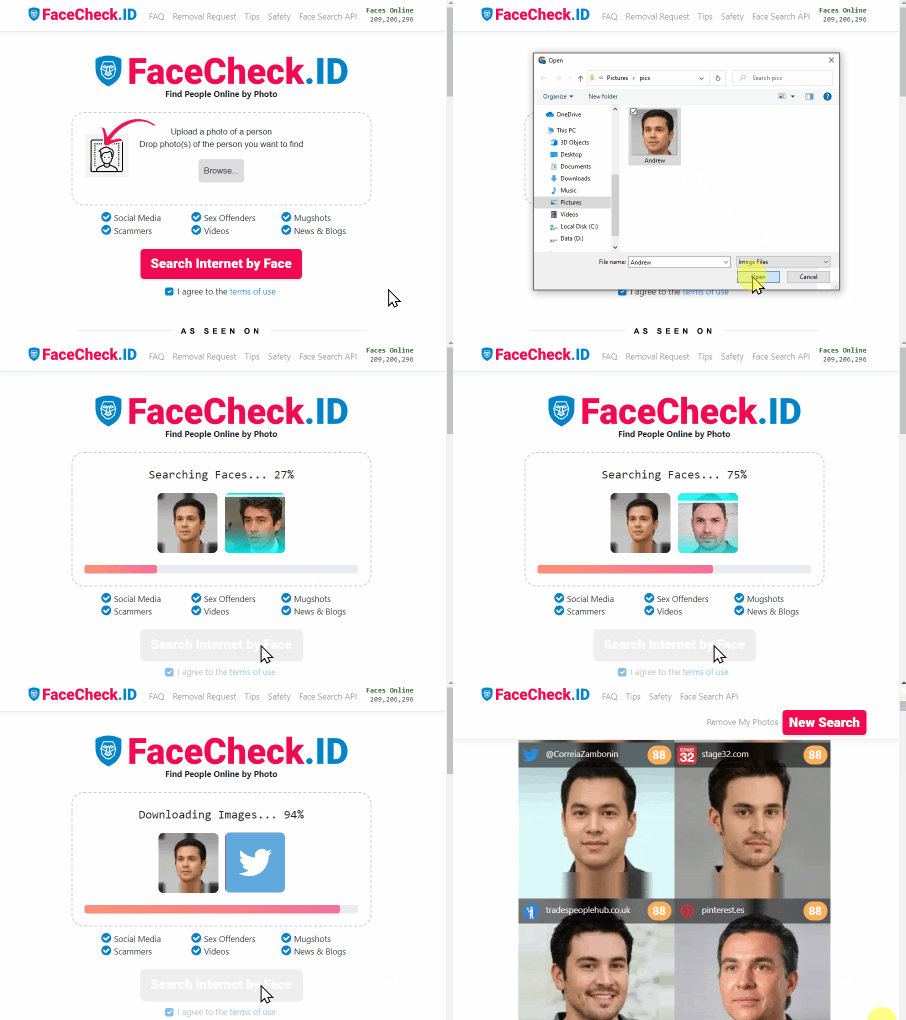

Read More on Search by Selfie
How to Reverse Face Search: Find Anyone by Photo (2026)
Got a photo and need to find out who's in it? This guide covers exactly how reverse face search works, which tools actually deliver results, and step-by-step instructions to search by face online.
On the subject in other languages
 Os resultados sobre pessoas são limitados: por que isso acontece e como corrigir
 “对人物的搜索结果受限:原因何在及解决方法”
 Výsledky pro lidi jsou omezené: Proč se to děje a jak to opravit
 Ergebnisse für Personen sind eingeschränkt: Warum das passiert & wie man es behebt
 Los resultados de personas son limitados: por qué ocurre y cómo solucionarlo
 Les résultats concernant les personnes sont limités : pourquoi cela arrive et comment le corriger
 Risultati per le persone sono limitati: perché succede e come risolvere
 人物に関する検索結果は限定されます:その理由と対処法
 인물에 대한 검색 결과가 제한됩니다: 왜 이런 일이 생기고 어떻게 해결할까
 Wyniki dla „Wyniki dla osób są ograniczone”: Dlaczego tak się dzieje i jak to naprawić
 Показ результатов по запросам, связанным с людьми, ограничен: почему так происходит и как это исправить
 النتائج لمحتوى "نتائج للأشخاص محدودة: لماذا يحدث ذلك وكيف يمكن إصلاحه"
 İnsanlar İçin Sonuçlar Sınırlı: Neden Olur ve Nasıl Çözülür?
Popular Topics
Identity Image Search Google Images Scammers Search by Face Search by Image Fake Accounts Screenshot Visual Search Google LensBest Alternatives to PimEyes for Reverse Image Searches: Our Top Picks