How to Reverse Face Search: Find Anyone by Photo (2026)
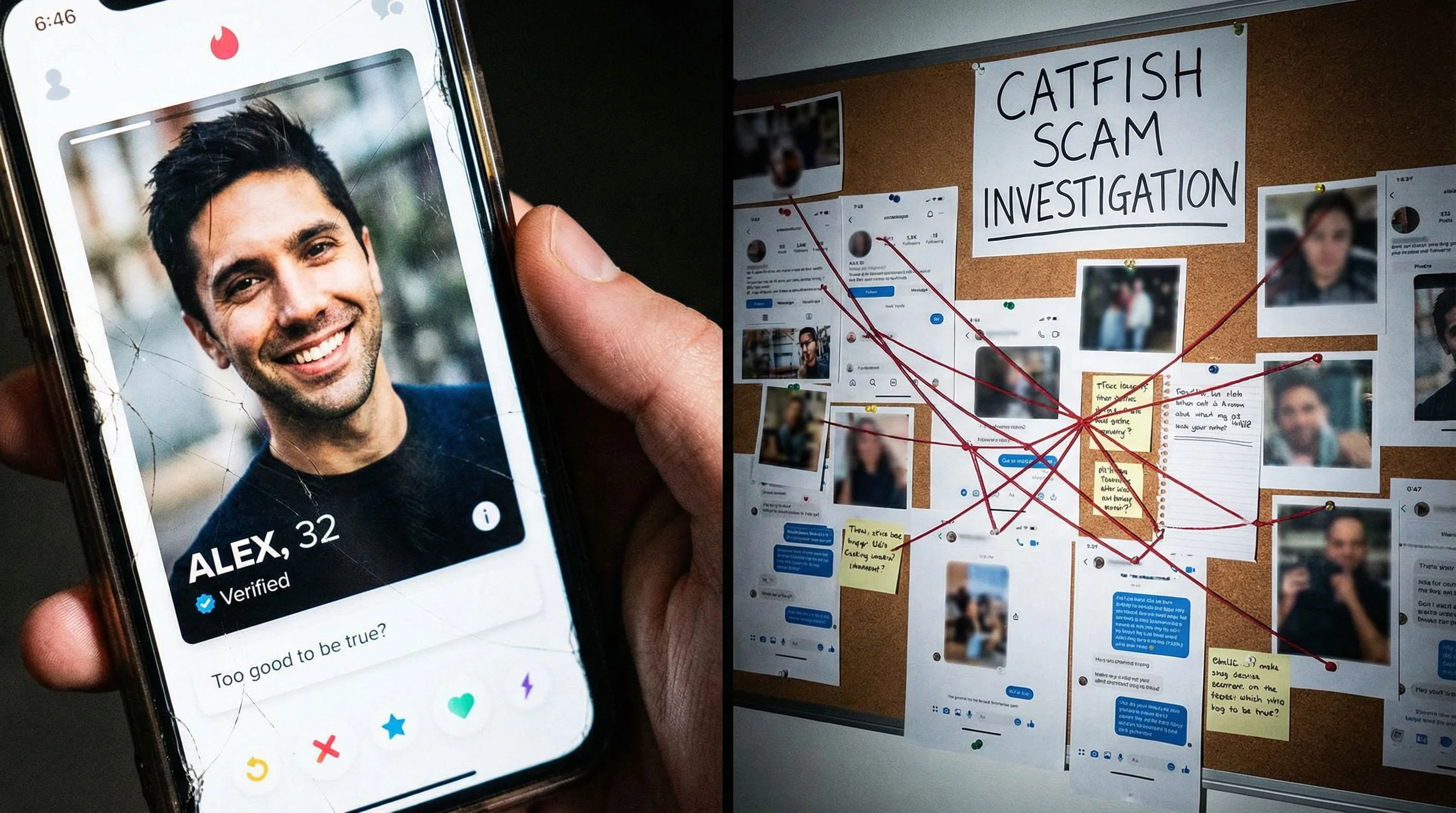
You have a photo of someone and you need answers. Maybe it's a dating profile that feels off, a stranger who messaged you out of nowhere, or a face you recognize but can't place. Regular reverse image search won't help here. Google will match the background scenery before it ever notices the person in the photo. What you need is a reverse face search: a tool built specifically to match human faces across the internet.
Here's how it works, which tools are worth your time, and how to actually run a search that gets results.
In this article, we're going to discuss
What Is a Reverse Face Search (And How Is It Different)?
A standard reverse image search, like Google Images or TinEye, looks for exact or near-exact copies of an image. Upload a photo of someone at a coffee shop, and you'll get results matching the coffee shop, the mug, the table. The person? Ignored.
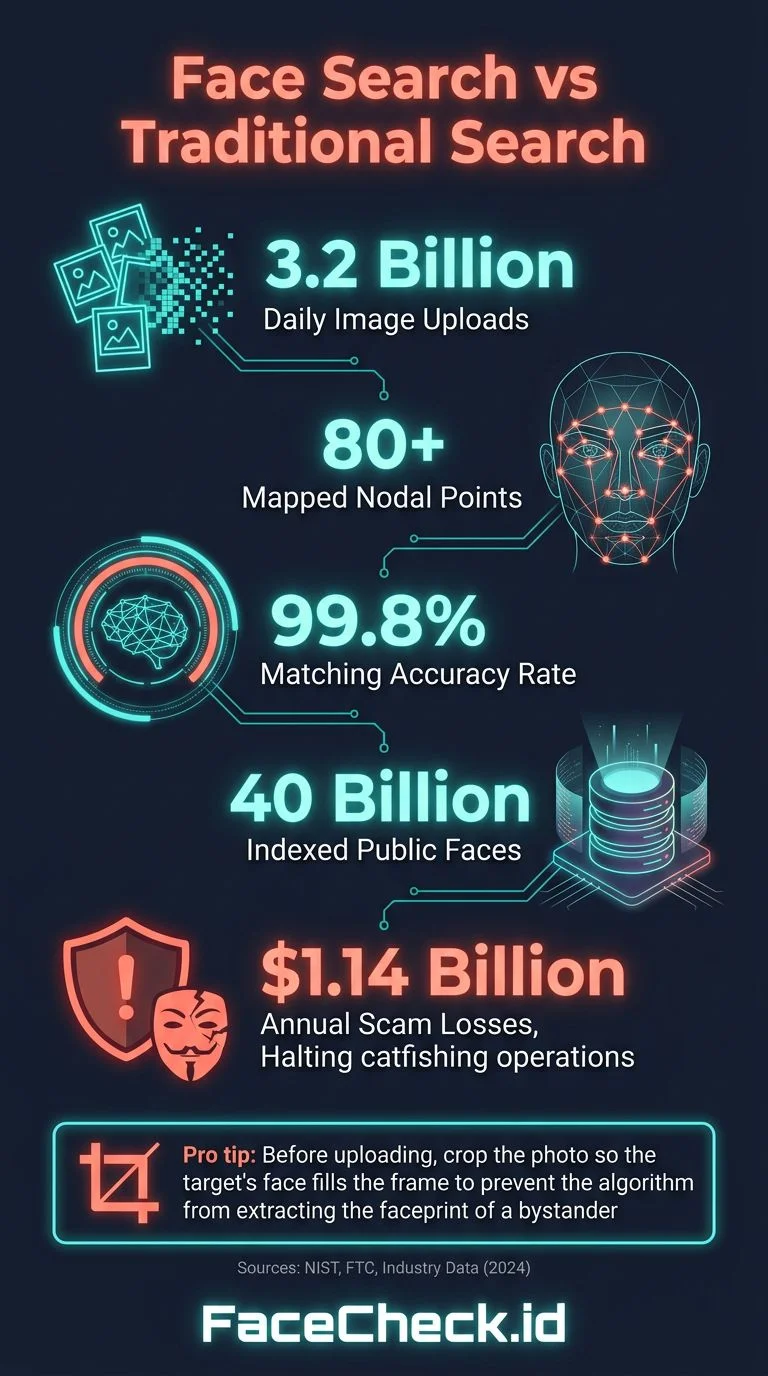
A reverse face search flips the approach entirely. It uses facial recognition technology to map the unique geometry of a face: the distance between the eyes, the shape of the jawline, the proportions of the nose and forehead. Then it searches databases of publicly available photos for other images containing the same face, regardless of the background, lighting, angle, or even age differences.
This distinction matters. A lot. If you're trying to verify whether someone is who they claim to be, a tool that matches coffee mugs is useless. You need one that matches faces.
How Facial Recognition Search Actually Works
Modern face search tools use deep learning models trained on millions of faces. The process goes like this:
- Face detection picks out every face in the uploaded photo
- Feature extraction converts the face into a mathematical representation (called a "faceprint" or embedding)
- Similarity matching compares that faceprint against an index of faces scraped from public websites, social media profiles, news articles, and other open sources
- Results ranking returns matches ordered by confidence score
The best tools can match faces even when someone has changed their hairstyle, grown a beard, aged several years, or is wearing glasses. They're not fooled by filters or minor edits either.
Which Reverse Face Search Tools Actually Work?
Let's be honest: most tools that claim to do face search are terrible at it. They either run a generic reverse image search behind the scenes, return garbage results, or exist mainly to collect your data. Here's what actually delivers.
FaceCheck.id: Best for Finding People
FaceCheck.id is purpose-built for face search. Upload a photo, and it searches across social media platforms, news sites, mugshot databases, blogs, and other public sources. What sets it apart:
- Face-only matching. It ignores backgrounds and focuses entirely on facial features
- Broad coverage. It indexes faces from Instagram, Twitter/X, Facebook, LinkedIn, TikTok, YouTube, news sites, and more
- Results include source links. You get direct URLs to where each matching photo was found
- Works with low-quality photos. Cropped screenshots, zoomed-in group photos, even slightly blurry images can return matches
When I tested it with a cropped screenshot from a video call, FaceCheck returned four matching social media profiles within seconds. That's the kind of result that matters when you're trying to verify someone's identity.
PimEyes: Paid Alternative
PimEyes is another face search engine that works. It crawls publicly available web pages and matches faces using neural networks. The catch: useful results require a paid subscription, and pricing starts around $30/month. It's more geared toward people searching for their own face online (for brand monitoring or privacy checks). PimEyes has also faced criticism over privacy concerns and restricts searches in some regions.
What About Google Lens and Yandex?
Google Lens has improved significantly, but it still prioritizes object and scene matching over faces. Google deliberately limits facial recognition in its search tools due to privacy policies. You might get lucky, but it's inconsistent for face-specific searches.
Yandex Image Search is surprisingly effective for face matching compared to Google. It uses its own visual search algorithms that seem to weight faces more heavily. It's free, but results skew toward Russian-language websites and Eastern European social media. Worth trying as a supplement, not a primary tool.
How to Do a Reverse Face Search with FaceCheck.id
Here's the actual process, step by step.
- Go to FaceCheck.id and click the upload area
- Choose your photo. The clearer the face, the better the results. A front-facing shot works best, but the tool handles angled photos too
- Crop if needed. If the photo has multiple people, crop to the face you want to search. FaceCheck will detect the primary face automatically, but cropping helps with accuracy
- Hit search. The scan takes a few seconds to about a minute depending on server load
- Review your results. Each match shows the found photo, a confidence percentage, and a link to the source page. Click through to verify the match yourself
- Check multiple results. Sometimes the same person appears across several platforms under different names. That's often the biggest red flag
Pro tip: If your first photo doesn't return great results, try a different photo of the same person. Different angles and lighting can surface different matches.
When Should You Use a Reverse Face Search?
This isn't about stalking people. There are real, legitimate reasons someone needs to search by face:
Verifying Online Dating Profiles
Romance scams cost Americans over $1.14 billion in 2023, according to the FTC. If someone you matched with on Tinder, Hinge, or Bumble seems too good to be true, running their profile photo through a face search takes 30 seconds and could save you thousands of dollars and months of emotional manipulation.
Checking If Your Photos Are Being Misused
Catfishers, scammers, and fake profile creators steal photos constantly. If you're a content creator, model, public figure, or just someone whose photos have been shared online, a reverse face search can reveal where your face is appearing without your consent.
Reconnecting with Someone
Lost touch with someone and only have an old photo? A face search can surface their current social media profiles, especially if they've changed their name or moved to a different platform.
Investigating Suspicious Accounts
Got a friend request from someone you don't recognize? A business contact whose LinkedIn feels fabricated? A reverse face search can reveal whether the photo belongs to a completely different person, or if it's an AI-generated face (which won't return any matches at all, a telling sign on its own).
Tips for Getting Better Results
Not all searches are equal. Here's how to improve your hit rate:
- Use the highest resolution photo you have. Screenshots of screenshots lose detail fast
- Front-facing photos work best. Profile shots and extreme angles reduce accuracy
- One face per image. Crop group photos to isolate the person you're searching for
- Try multiple photos. Different images of the same person can surface different results because each photo might match against different indexed images
- Check results carefully. High confidence scores (80%+) are strong matches. Lower scores might be lookalikes, not the same person
Is Reverse Face Search Legal?
In most countries, searching publicly available photos is legal. You're not accessing private data. You're searching images that people have posted publicly on social media, news sites, and other open platforms.
That said, what you do with the results matters. Using face search for harassment, stalking, or discrimination is illegal regardless of how you found the information. Some jurisdictions have specific biometric privacy laws (like Illinois' BIPA in the US or GDPR in Europe) that regulate how facial recognition data is collected and stored by companies, but these typically apply to the service provider, not the end user running a search.
The responsible approach: use face search for safety, verification, and protection. Don't use it to invade someone's privacy or cause harm.
FAQ
Is reverse face search free?
Some tools offer free searches with limited results. FaceCheck.id lets you run a search and see preview results for free. Yandex is completely free but less accurate for face-specific searches. PimEyes requires a paid subscription for useful results.
Can I reverse face search someone from a screenshot?
Yes. Most face search tools accept screenshots, cropped images, and even low-resolution photos. The quality of results depends on how clearly the face is visible. A blurry, tiny face in the corner of a group photo will return fewer matches than a clear headshot.
Does Google have a reverse face search?
Not exactly. Google Lens can sometimes match faces, but Google intentionally limits facial recognition in its search products. For dedicated face search, you need a specialized tool like FaceCheck.id that's built specifically for matching faces.
Can someone reverse face search me?
If your photos are publicly available online, yes. Anyone can upload a photo to a face search engine and potentially find your profiles. This is why privacy settings on social media matter. If you're concerned, you can search your own face on FaceCheck.id to see what's out there and take steps to remove unwanted photos.
How accurate is reverse face search?
Modern face search tools are highly accurate for clear, front-facing photos, often matching faces even across different ages and appearances. No tool is 100% accurate though. You'll occasionally see false positives (lookalikes) in results, which is why you should always verify matches by clicking through to the source page.
Ready to try it? Upload a photo at FaceCheck.id and see what comes back.

Read More on Search by Face
Free Reverse Image Search Tools That Actually Work (2026)
Most free reverse image search tools promise everything and deliver nothing. We tested them all so you don't have to. Here are the ones worth your time, including the best option for searching faces specifically.
Popular Topics
Face Recognition Search Face Search Engine Identity Social Media Image Search Facial Recognition Reverse Face Search How To Facebook Instagram Facial Recognition Technology Google Images Social Media Profiles Twitter TinEye LinkedIn Scammers Catfishing Fake Profiles Romance Scam PimEyes Search by Face Mugshots Online Dating YouTube Yandex Images Biometric Privacy Laws Online Dating Profiles Screenshot Visual Search Google Lens Face Search Face MatchExpert Analysis: PimEyes vs FaceCheck for Facial Recognition 2026