Find Similar Images
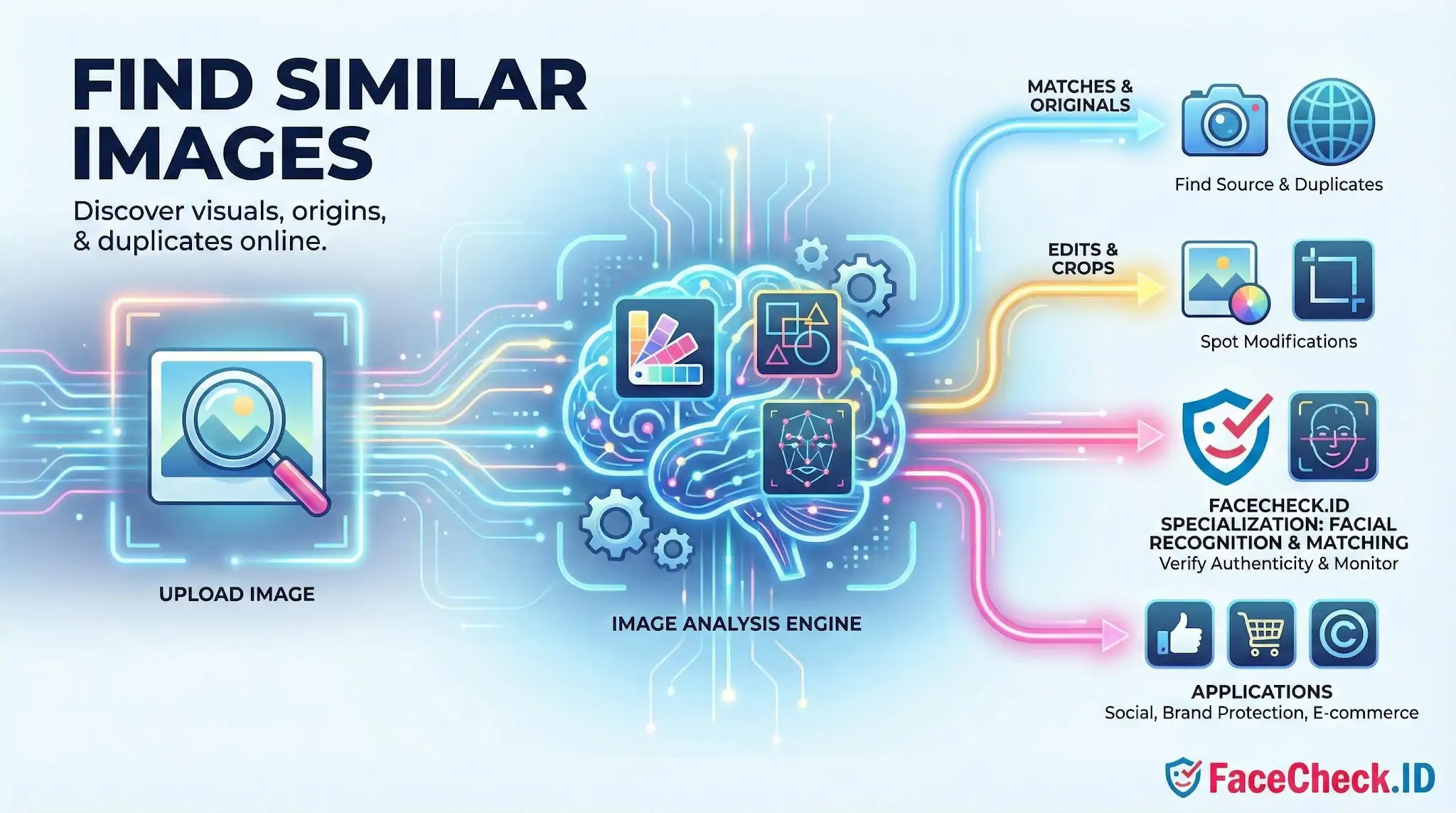
On FaceCheck.ID, finding similar images is the core mechanic behind tracing a face across the public web. You submit a photo, and the system returns pages where that face, or a near-identical copy of the original image, has been indexed, including reused profile pictures, cropped headshots, and reposted screenshots from social media, news sites, and forums.
How visual similarity differs from face matching
Generic reverse image search and face search look related but solve different problems. A standard "find similar images" tool compares the whole picture: colors, edges, textures, and distinctive keypoints. It does well when the same JPEG, or a lightly edited version of it, has been reposted somewhere else. Crop the background out, swap the lighting, or use a different photo of the same person, and most generic tools fail.
Face search narrows the comparison to the facial region. It builds a numerical representation of the face itself (often called an embedding) and then searches for other faces with similar geometry across indexed pages. That means a person photographed five years apart, in different clothes, against a different background, can still match.
In practice, both signals matter on FaceCheck.ID:
- Image-level similarity flags exact reuploads and edited copies of the same source photo. Useful for finding where a specific picture was first posted.
- Face-level similarity finds the same person across unrelated photos. Useful for identifying someone whose only known image is a single profile picture.
A strong investigation usually combines both: confirm a face match, then check whether the underlying image was reused verbatim elsewhere.
Practical uses on a face-search engine
People run similar-image searches on FaceCheck.ID for reasons that overlap with traditional reverse image search but go further:
- Catfishing and dating scams. A profile picture from a dating app often shows up on stolen identity reports, the original owner's Instagram, or a stock photo site. Image-level matches catch the exact reposted file. Face-level matches catch other photos of the real person whose identity was stolen.
- Verifying a stranger's identity. When the only signal is one photo, similar-image hits across professional sites, news mentions, or older social profiles help confirm a name and history.
- Checking your own exposure. Searching your own face shows where your photos have been indexed, including scraper sites and old accounts you forgot existed.
- Investigating scam senders, fake recruiters, or impersonators. Reused stock photos and headshots stolen from real professionals are common in these cases.
What affects similarity quality
Match strength depends heavily on the input image. Front-facing, well-lit headshots of roughly the size used on LinkedIn or government IDs produce the cleanest results. Side profiles, sunglasses, heavy filters, group photos, and low-resolution thumbnails all degrade the underlying features the system relies on.
Things that hurt results:
- Faces smaller than about 200 pixels across
- Strong shadows or backlighting
- Filters, beauty smoothing, or AR overlays that distort facial geometry
- Crops that cut off the chin, forehead, or one eye
- Group shots where the target face is not isolated
If results look weak, try a different photo of the same person rather than retrying the same one. A second image often surfaces matches the first one missed.
What similar-image results do not prove
A visual match is a starting point, not a verdict. Even a high-confidence face match can be a lookalike, an identical twin, or a different person whose image happens to share key features under the algorithm's encoding. Image-level matches prove that the same file appeared on two pages but say nothing about who originally uploaded it or whether the person depicted consented.
Treat results as leads. Confirm with context: usernames, surrounding text, post dates, and whether several independent pages tell a consistent story. A single match on an obscure site is weaker evidence than the same face appearing on a verified profile, a news article, and an archived forum post under a consistent name. Face search narrows the field of possibilities; it does not close the case on its own.
FAQ
What does “Find Similar Images” mean in a face recognition search engine?
“Find Similar Images” usually means the tool analyzes the face in your uploaded photo, compares it to faces in its index, and returns images ranked by how similar the facial features appear—often including the same person in different photos, and sometimes look-alikes.
Does “Find Similar Images” guarantee the results show the same person?
No. “Similar” typically refers to similarity of facial patterns in the model, not confirmed identity. Results can include the same person, older/newer photos, relatives, or unrelated look-alikes—so you should treat matches as leads that need verification from context (source page, captions, dates, usernames, location clues).
Why might “Find Similar Images” show the wrong person even when the faces look close?
Common causes include low-quality or tiny faces, harsh lighting, extreme angles, partial occlusion (masks, hair, hands), heavy retouching/filters, AI-generated faces, and demographic/age-related appearance changes. These factors can push different people closer together in “similarity” rankings.
How can I improve “Find Similar Images” results for a face search?
Use a clear, front-facing image with one face, good lighting, and minimal blur. Crop to include the full face (forehead to chin), avoid extreme filters, and try multiple photos (neutral expression vs. smiling, different angles). If the tool supports it, submit separate crops for each person in a group photo.
How should I interpret “Find Similar Images” results on tools like FaceCheck.ID?
Interpret them as similarity-based pointers, not proof of identity. With FaceCheck.ID or similar services, open the source pages and cross-check non-face evidence (consistent usernames, matching tattoos/scars, timelines, locations, and multiple independent photos). If results include sensitive categories (e.g., adult content, mugshots, “scam” reports), apply extra caution and avoid making accusations based on a single match.


Recommended Posts Related to find-similar-images
-
Demystifying Image Search: The Difference Between Reverse Image Search, Visual Search, and Face Recognition Search
Simply upload an image (or provide an image URL) to a search engine, which uses algorithms to find similar images on the web. Visual Search represents a more advanced technology that not only finds similar images but also understands the content within the image to provide more contextually relevant search results.
-
Top 7 Reverse Image Search Engines for Face Search Compared
TinEye is another popular choice that's known for its ability to find similar images, Yandex Images, and Image Raider are other options. Google Images reverse image search is a handy tool that can be used to find additional information about an image or to find similar images.
-
How to Find Images on the Web
With this feature, you can find similar images with similar backgrounds, all for free! This tool can help you find similar images if you have a familiar image. With Bing you can find similar images from across the web by uploading an image or taking a photo.
-
How to Find Someone Online
This way, you can easily find similar images and see where they came from.
-
How to Find Someone on Instagram Using a Picture
They are designed to find similar images or sources of an image rather than identifying individuals in a photo.